Disable Customer-Facing License Keys for App Products
Freemius provides seamless license activation for Apps. Makers selling downloadable applications can delegate license activation to the Freemius API. After a purchase, Freemius automatically sends the license key to the customer, who can then activate the product by entering it inside the application.
However, we understand that some makers prefer to manage license activation in-house. In such cases, license keys generated and shared by Freemius may be unnecessary and could confuse customers.
To address this, we have introduced a new option in the Developer Dashboard that lets you hide license keys from your customers. From your product’s dashboard, go to Settings → License Keys and disable the Show license keys to customers switch.
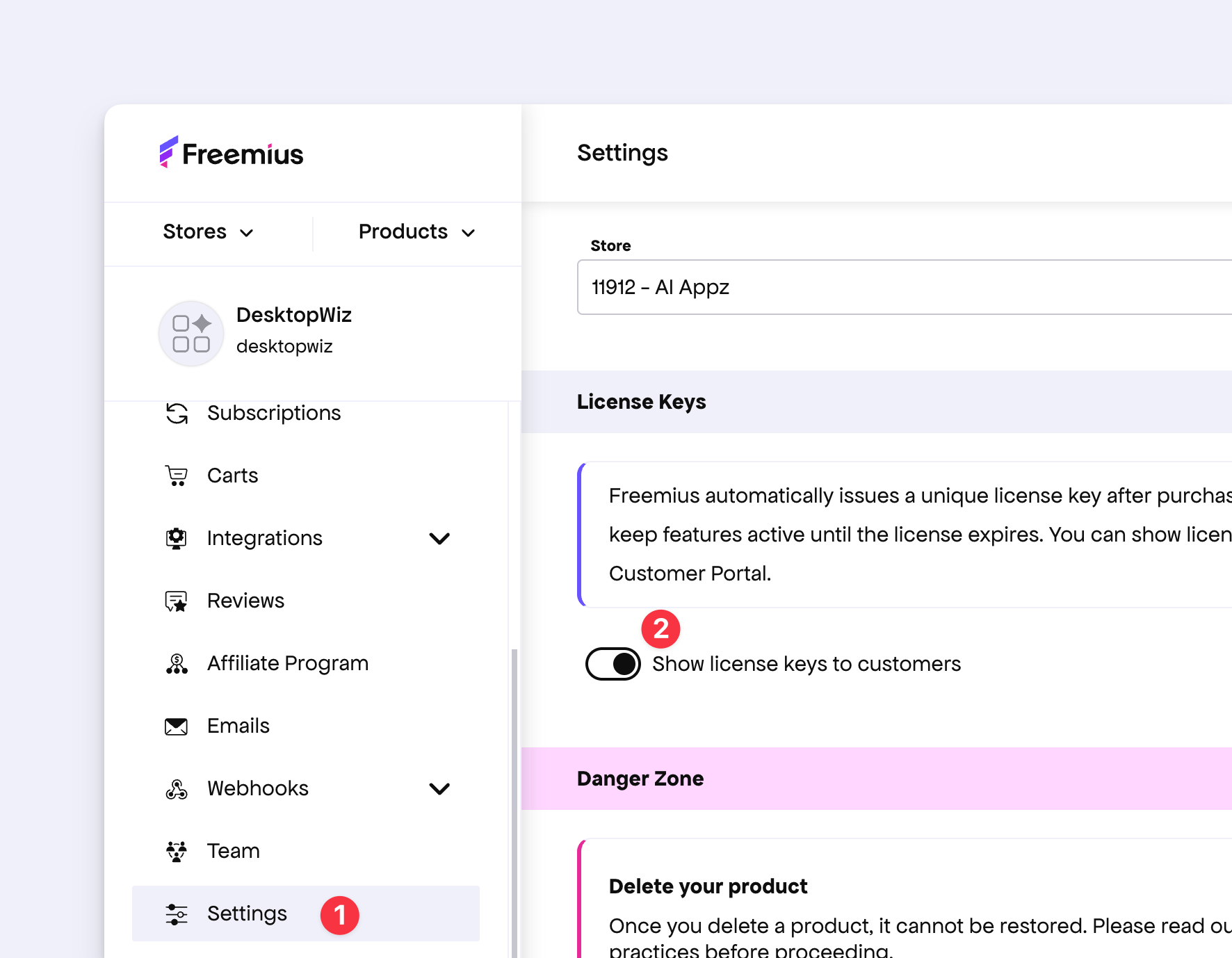
Once disabled, Freemius will no longer send license keys to your customers through email or expose them in the Customer Portal.
You can then use events and webhooks to implement your own licensing automation. We recommend listening for license.created, license.extended, and license.expired, and other related events, which Freemius fires at the relevant stages of the license lifecycle.