App Makers Can Now Manage License Activations From the Dashboard
This week, we’re rolling out a useful feature for our App makers. Freemius already supports license activation out of the box, which means you don’t have to build your own license server and can completely offload this workflow to Freemius. Activation, sync, and deactivation are all handled from your app by making API calls to Freemius.
Your customers can also deactivate licenses from our Customer Portal. However, up until now, there wasn’t an easy way for App makers to deactivate a license directly from the Developer Dashboard when helping customers with activation-related issues.
This week, we are releasing an update that enables this workflow.
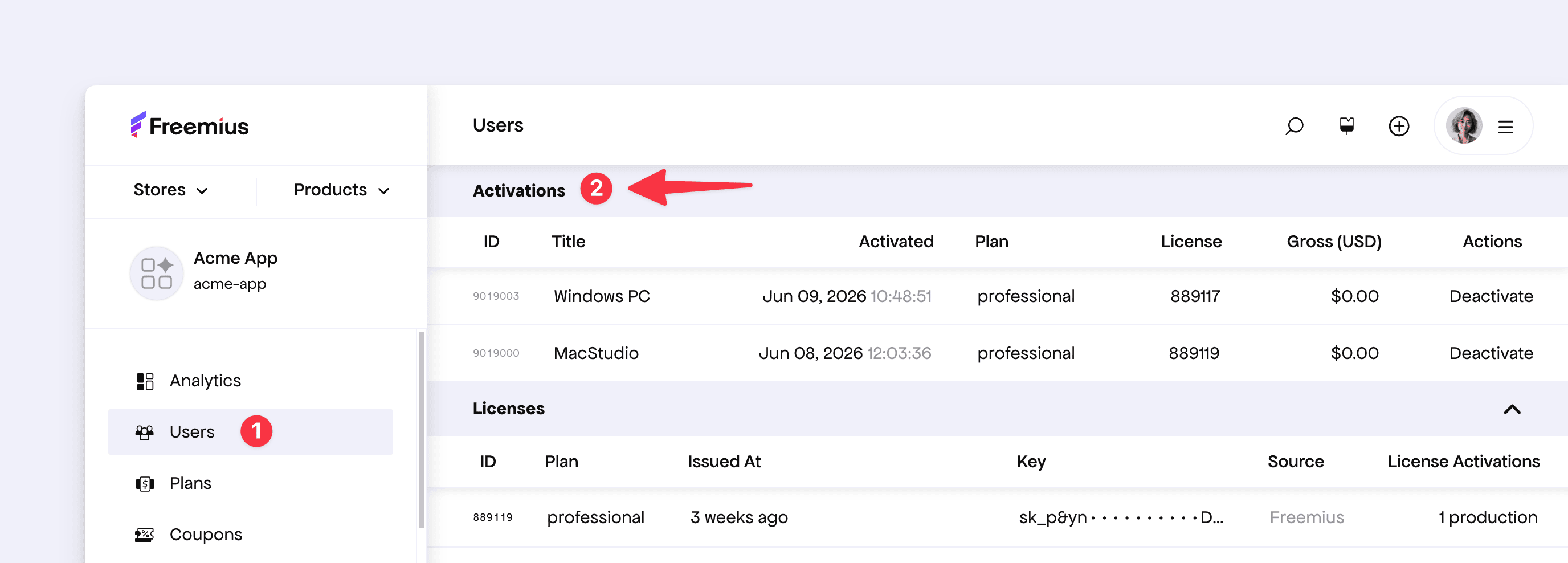
To use it, go to the user by clicking the Users section from the sidebar and navigating to the desired user. You will now see a new Activation section, where you can browse the activations the user has made for your app. You will also find a Deactivate button, which you can use to deactivate the license from the app instance.
We hope this makes your workflow easier and gives you more tools to support your customers quickly and effectively.