Clearer Onboarding Steps for Releasing Plans and Add-ons
This week we’re releasing a few improvements to the Setup Checklist and related documentation to make the onboarding experience clearer for WordPress makers.
Onboarding Step for Releasing Plans
We have a concept called Releasing Plans, where the paid plans of a product remain hidden to prevent unintended purchases. For new products, this is automatically enabled as soon as a paid plan is added.
However, for existing products or products that were previously using Freemius only for SDK analytics, this flag remains turned off until the maker explicitly enables it. This distinction was not clearly explained before, which led to some confusion.
With this release, we’ve added Releasing Plans as a visible step in the Setup Checklist, making it part of the onboarding flow.
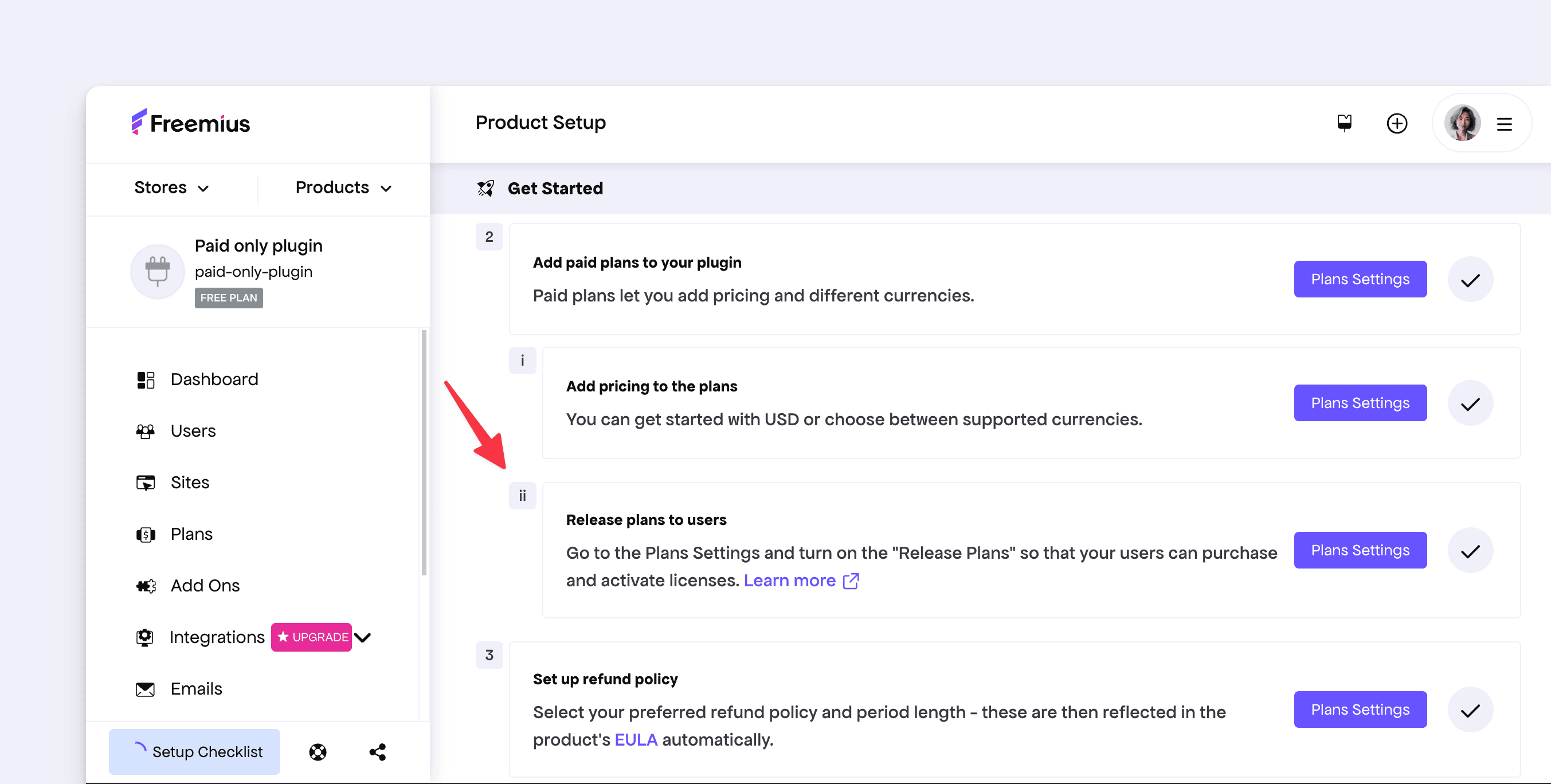
For most new products that intend to sell from the beginning, this step will be automatically completed as soon as the first paid plan is added. For others, the checklist now clearly highlights the required action: visiting the Plans page and enabling the Release Plans toggle.
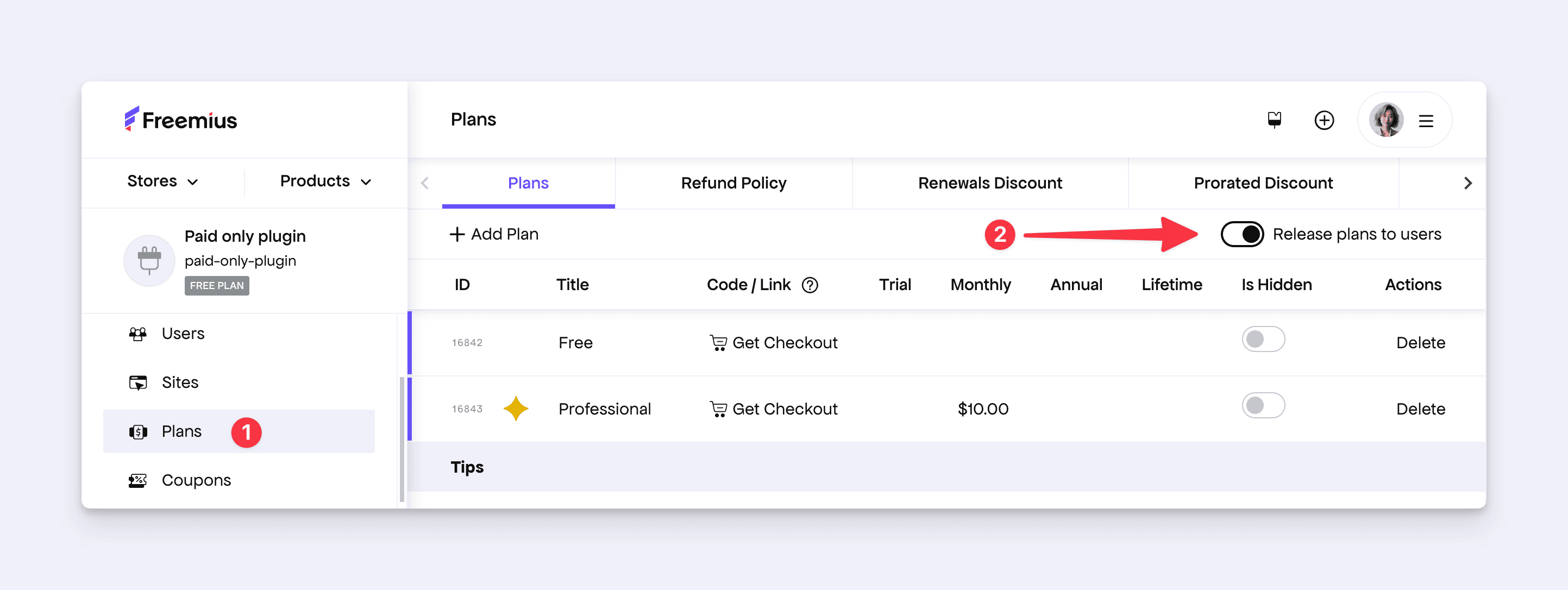
In addition, we’ve updated our documentation to better explain this behavior.
Improved Explanation for Releasing Add-ons
There is a similar concept for releasing (or listing) add-ons in the WordPress SDK’s Add-on Marketplace. When an add-on is created, it is listed by default. Makers can choose to unlist it while the add-on is still in development. This can be controlled by going to the Settings page of the product and updating the “Show add-on in the WP Admin Add-Ons marketplace” checkbox.
We noticed cases where add-ons were unlisted during development and then unintentionally left unlisted later, which caused confusion when testing the add-on activation flow.
To make the intent of this setting clearer, we’ve improved the inline hint text to better explain its purpose.
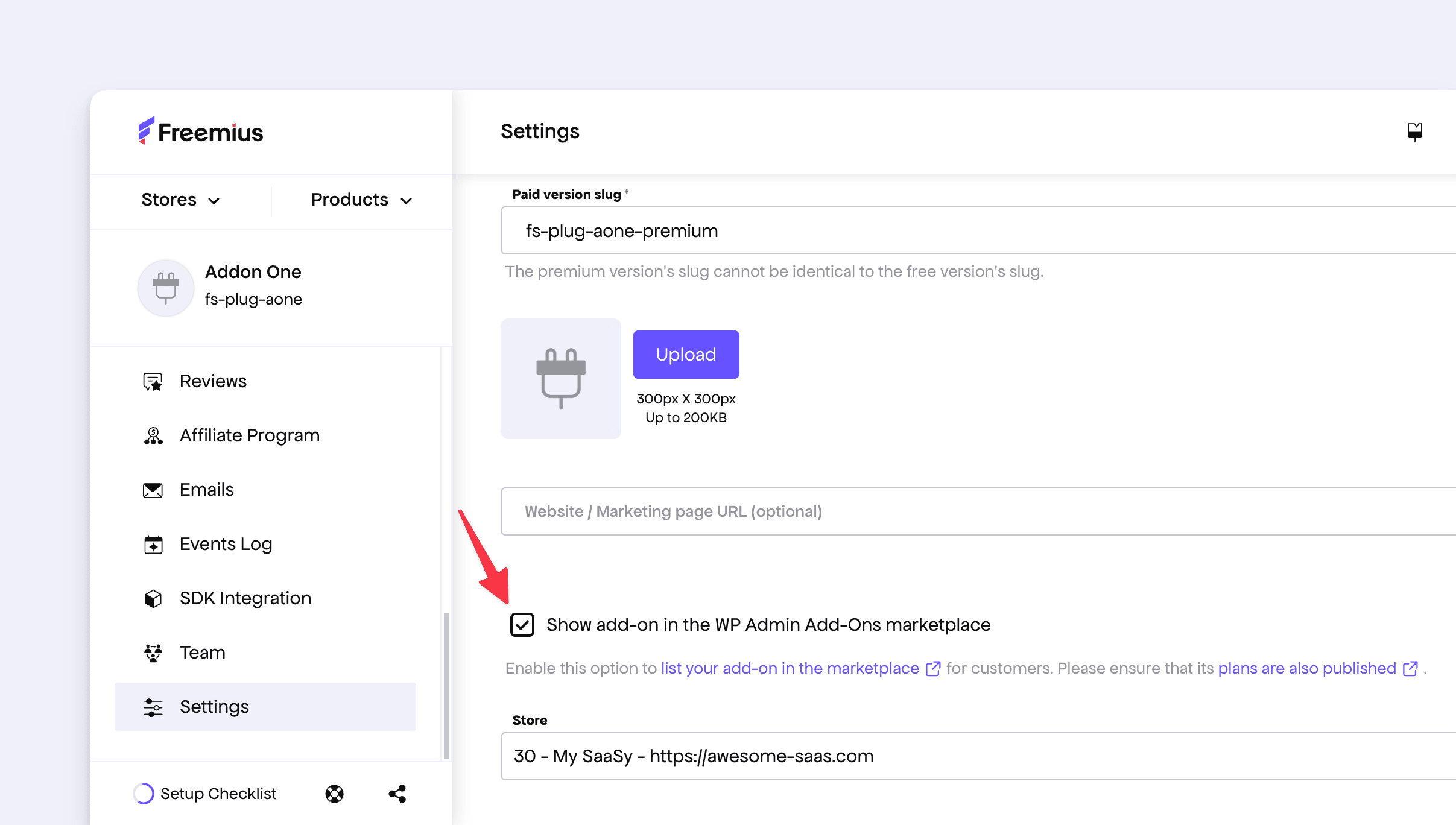
Additionally, we’ve refined our documentation to provide clearer guidance around releasing and listing add-ons.