Customer Portal Now Supports App Activations Management
This week we are rolling out a significant upgrade to our Customer Portal, aimed specifically at App makers. Our system already allows you to handle license key activations using the Freemius API. Once a license is activated, an “Install” entity is created on our end.
However, until now, buyers did not have a simple or proper way to view and manage those activations from the Freemius Customer Portal. To deactivate a license, they had to rely on the app itself or contact the maker, which did not provide the best experience.
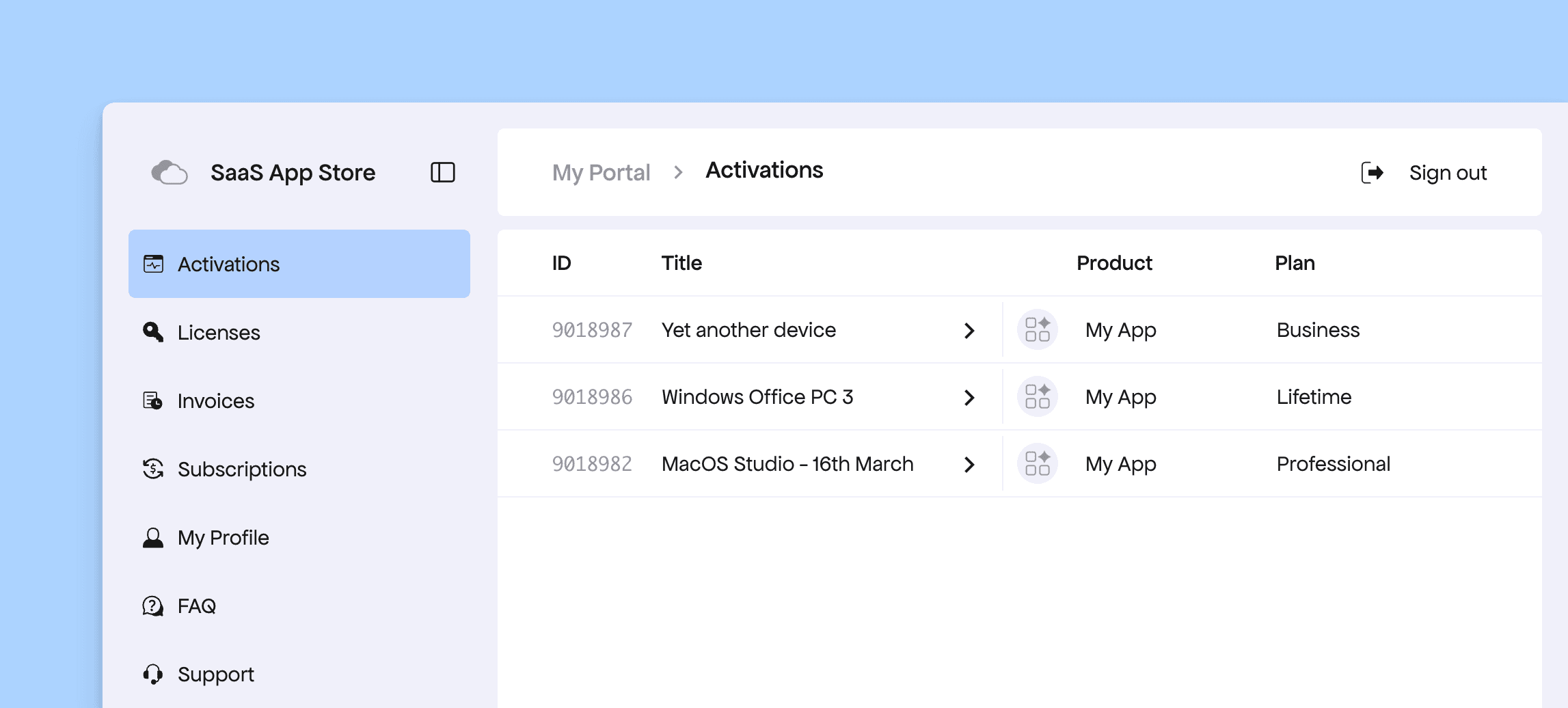
Starting today, we are introducing a new Activations page in the Customer Portal. From here, your buyers can see the devices or instances where the license has been activated.
Clicking an item will also show the corresponding plan and provide an easy option to upgrade or downgrade.
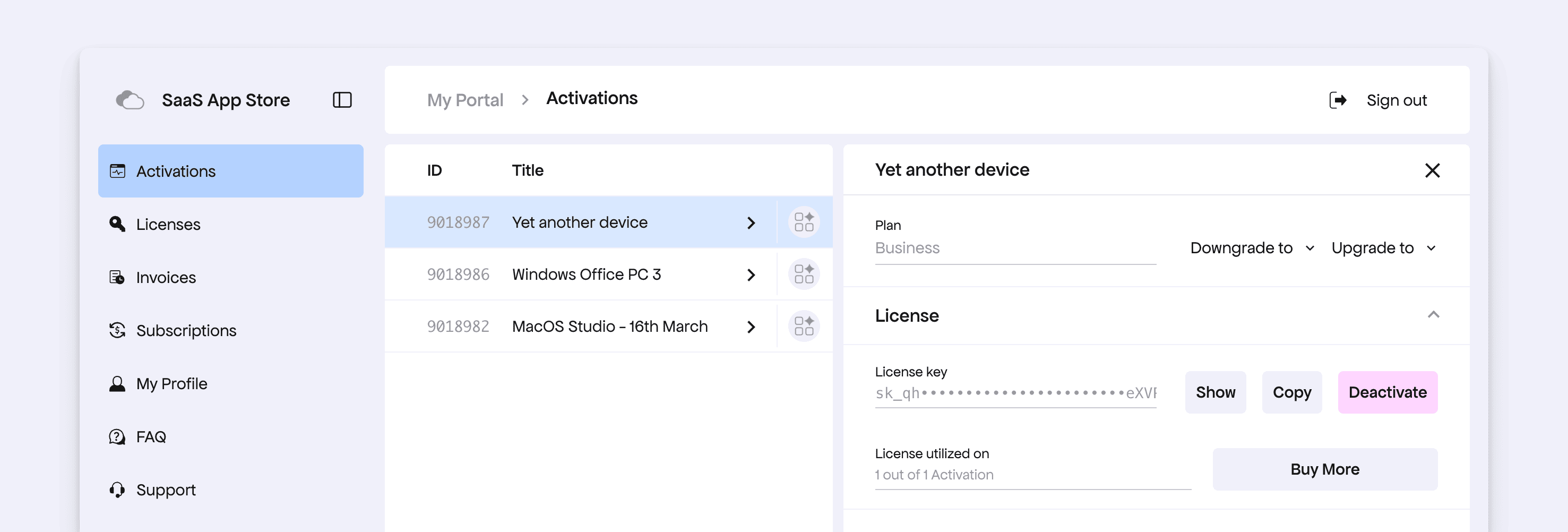
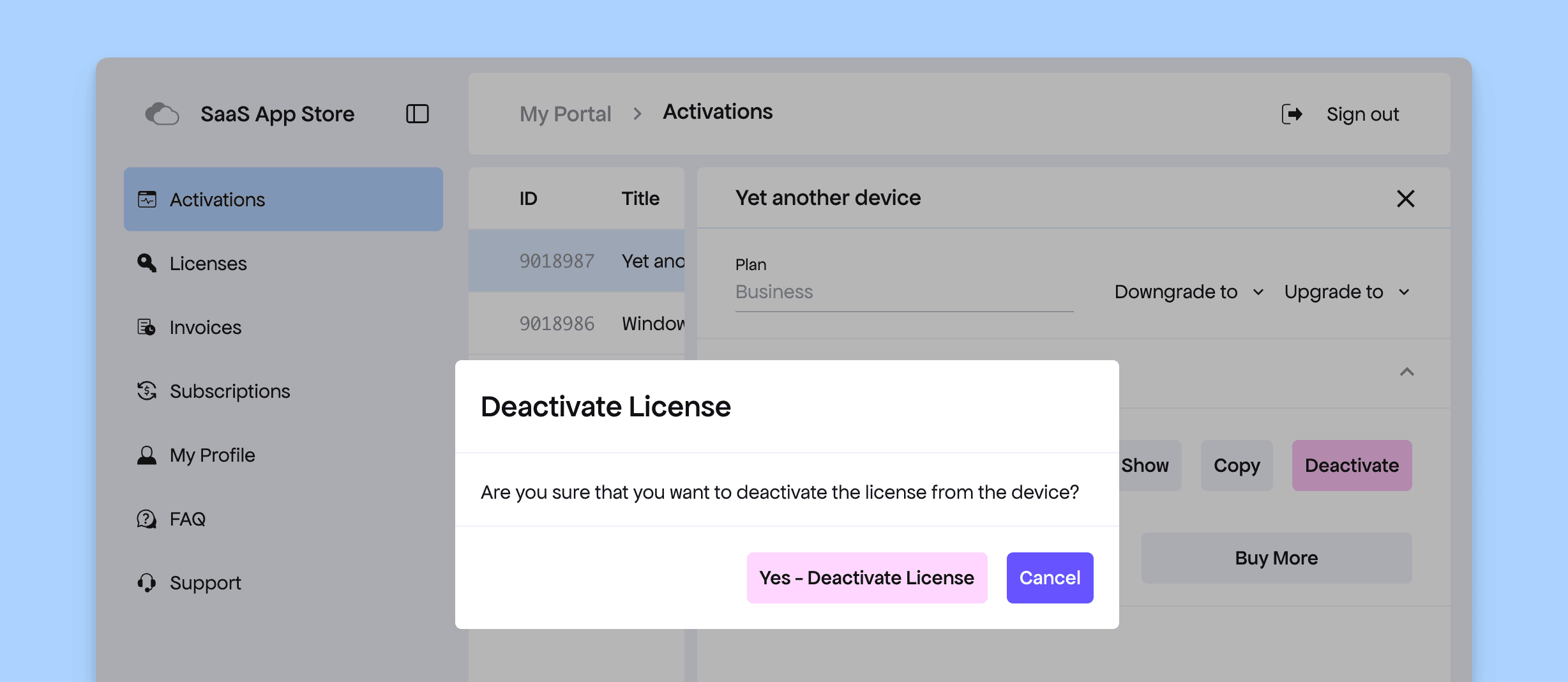
In addition, buyers can now deactivate a license directly from a device by clicking the deactivate button. A confirmation step is shown before the license is actually deactivated.
Other Improvements
In addition, we have also refined other sections like Websites and Downloads to make them more suitable for all kinds of products. For example:
- The Websites and Downloads pages will no longer show App or SaaS products, and they will be completely hidden if no WordPress or template products exist in your store.
- Similarly, we no longer show the Licenses page if the store contains only SaaS products, since these do not expose the license key.
Please stay tuned as we continue rolling out more features for App makers. Coming up next is support for configurable download links.