Enhanced DKIM-Aware Email Customization Flow
Following last week’s deployment improving how DKIM-verified emails are handled, this week we’re rolling out additional refinements and addressing a few regressions identified during wider usage.
Better UX While Configuring Emails
As documented, if DKIM is not properly configured for the domain of your sending address, we automatically fall back to our generic [email protected] to prevent deliverability issues.
Otherwise the system first attempts to use your configured sender address, then your developer account email — both checked against DKIM — before ultimately falling back to [email protected].
This ensures that only authenticated domains are used for sending, and helps maintain high inbox placement.
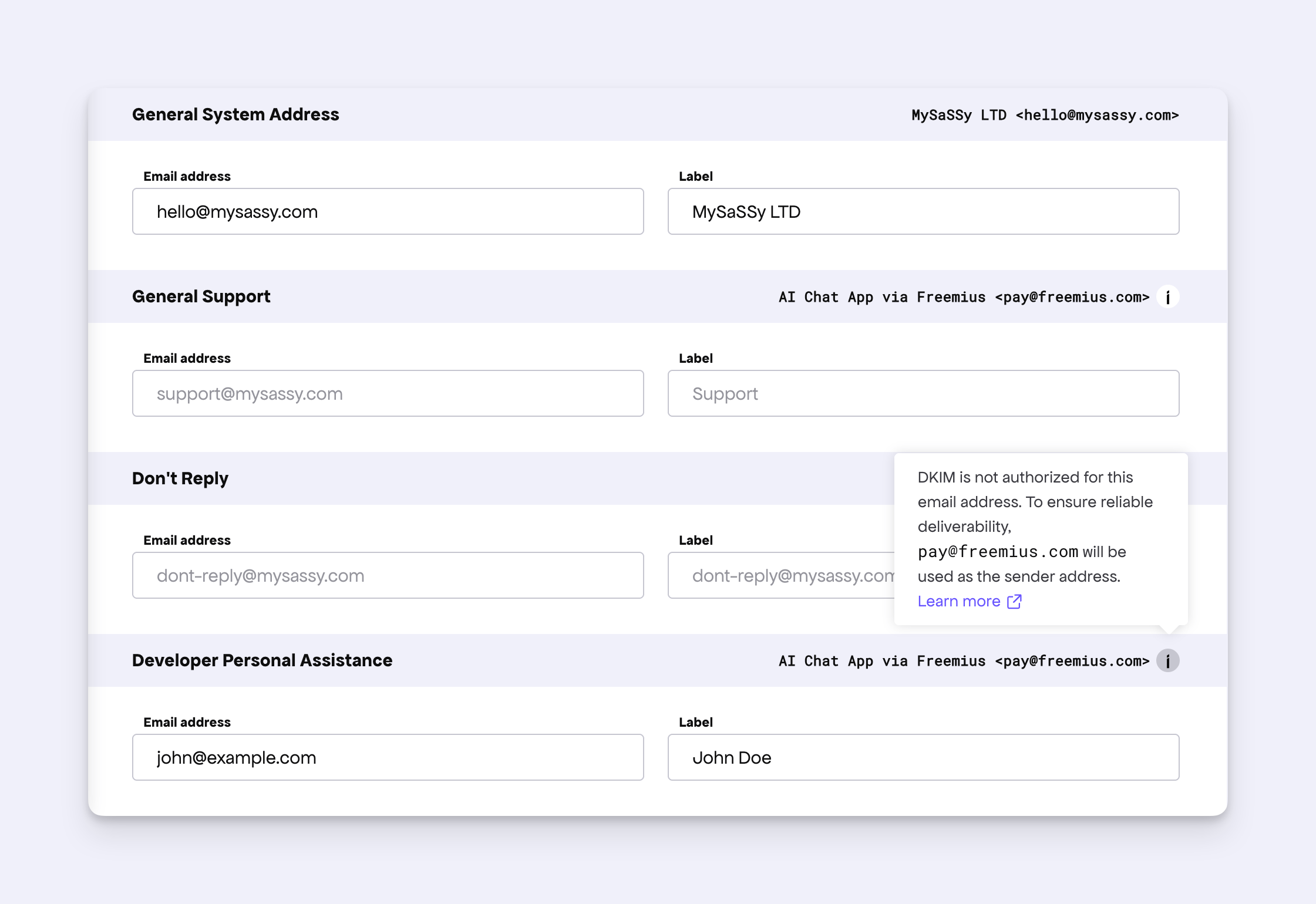
However, the customization UI previously did not communicate this logic clearly, and placeholder text sometimes suggested a different behavior, causing confusion for some makers. This week we’ve improved the UX to clearly show which email will be used and why, including a link to relevant documentation for easy reference.
Other Fixes
- We identified two legacy email address types that were no longer functional. These have now been removed from the Dashboard.
- Fixed a regression where, if DKIM was not set, the reply-to address was occasionally populated incorrectly.
- The “Don’t Reply” email will now correctly fall back to the configured “General System Address” before using the developer’s email.