Freemius Checkout Now Supports PLN, CAD, AUD, and ILS
This week, we’re rolling out a big feature for Freemius Checkout. Until now, the Checkout supported USD, EUR, and GBP currencies. We are now extending that support to PLN (Polish Zloty), CAD (Canadian Dollar), AUD (Australian Dollar), and ILS (Israeli New Shekel).
This is a great update for makers who are targeting local markets and want the Checkout experience to feel more familiar to their customers. For example:
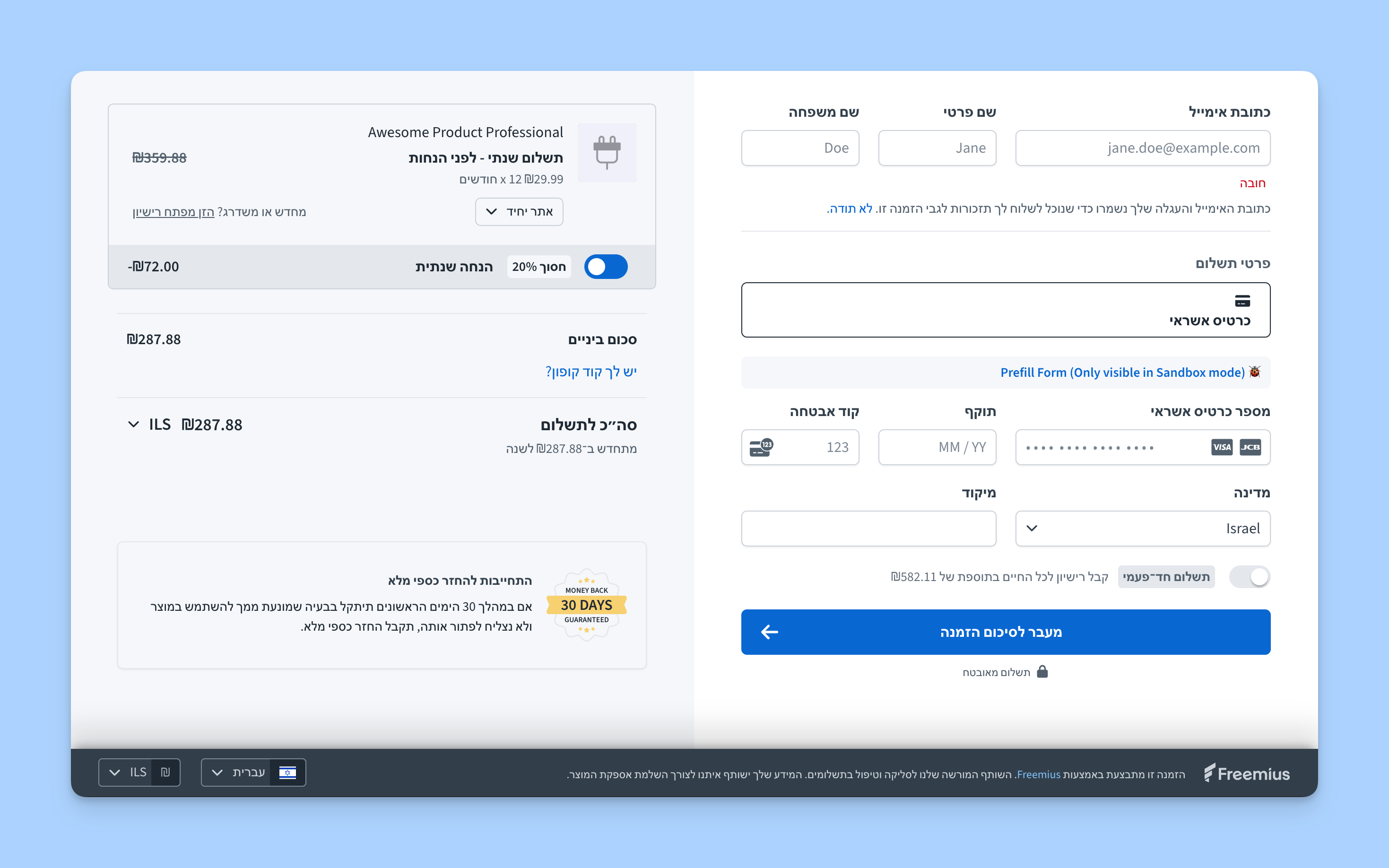
- Makers from Israel can configure the Checkout in Hebrew, with RTL support and ILS currency.
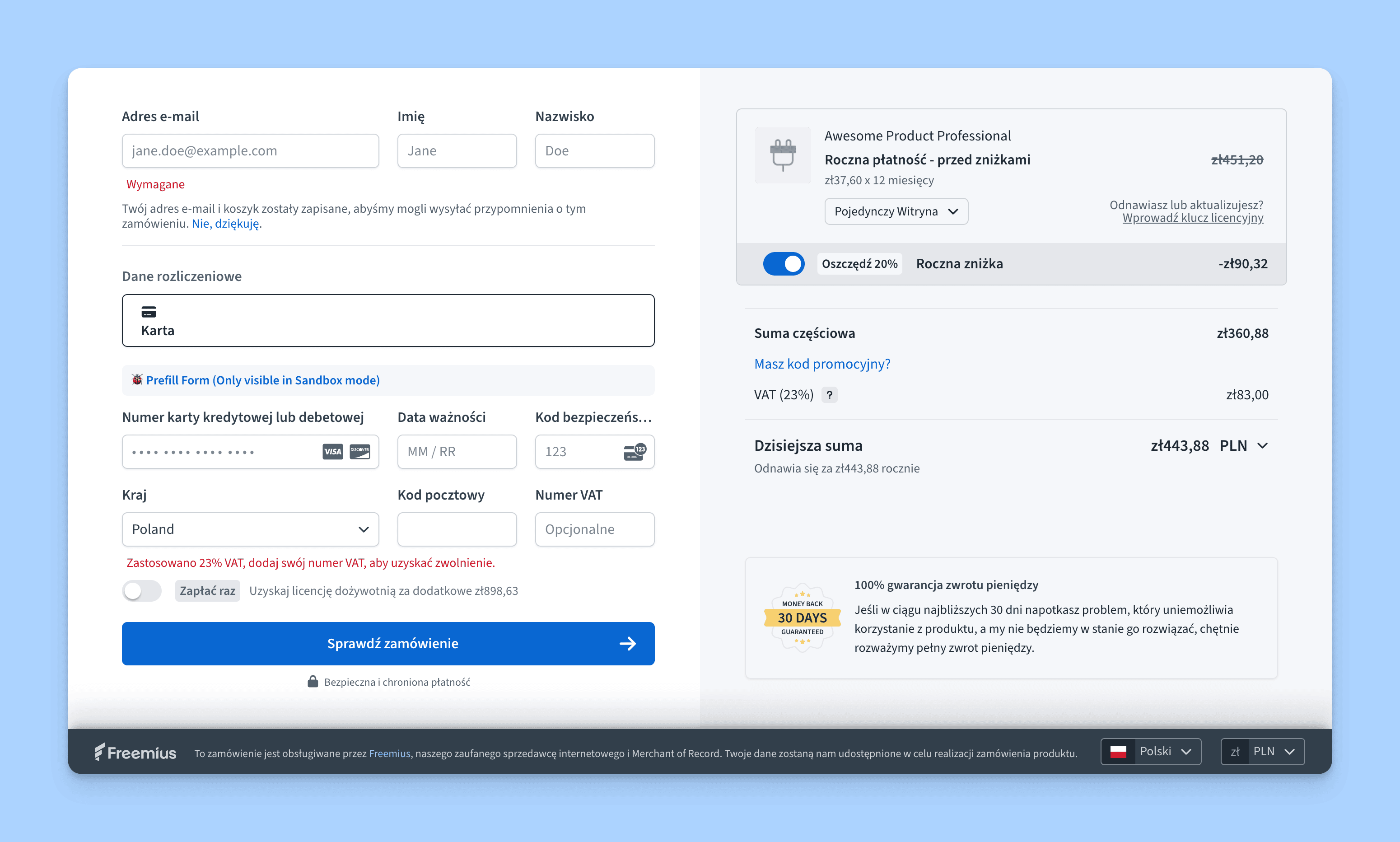
- Similarly, makers from Poland can configure the Checkout in Polish language with PLN currency.
You can simply set both the language and currency parameters of the Checkout to auto, and Freemius will do the rest. Alternatively, you can configure them with exact values. Learn more about the best practices here.
Setting Up The Currencies
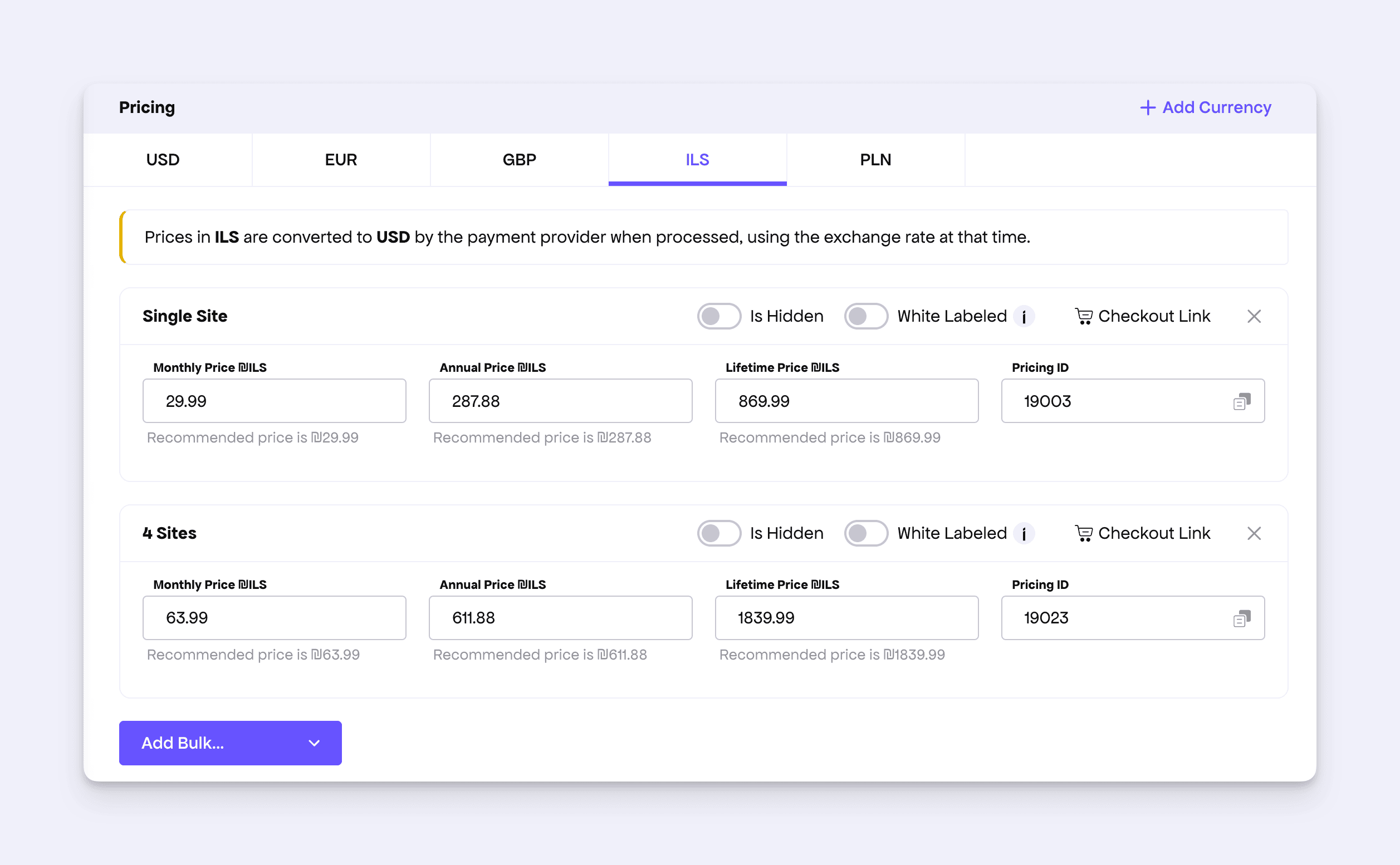
Just like before, navigate to the Plan page of the Developer Dashboard and click the Add Currency button.
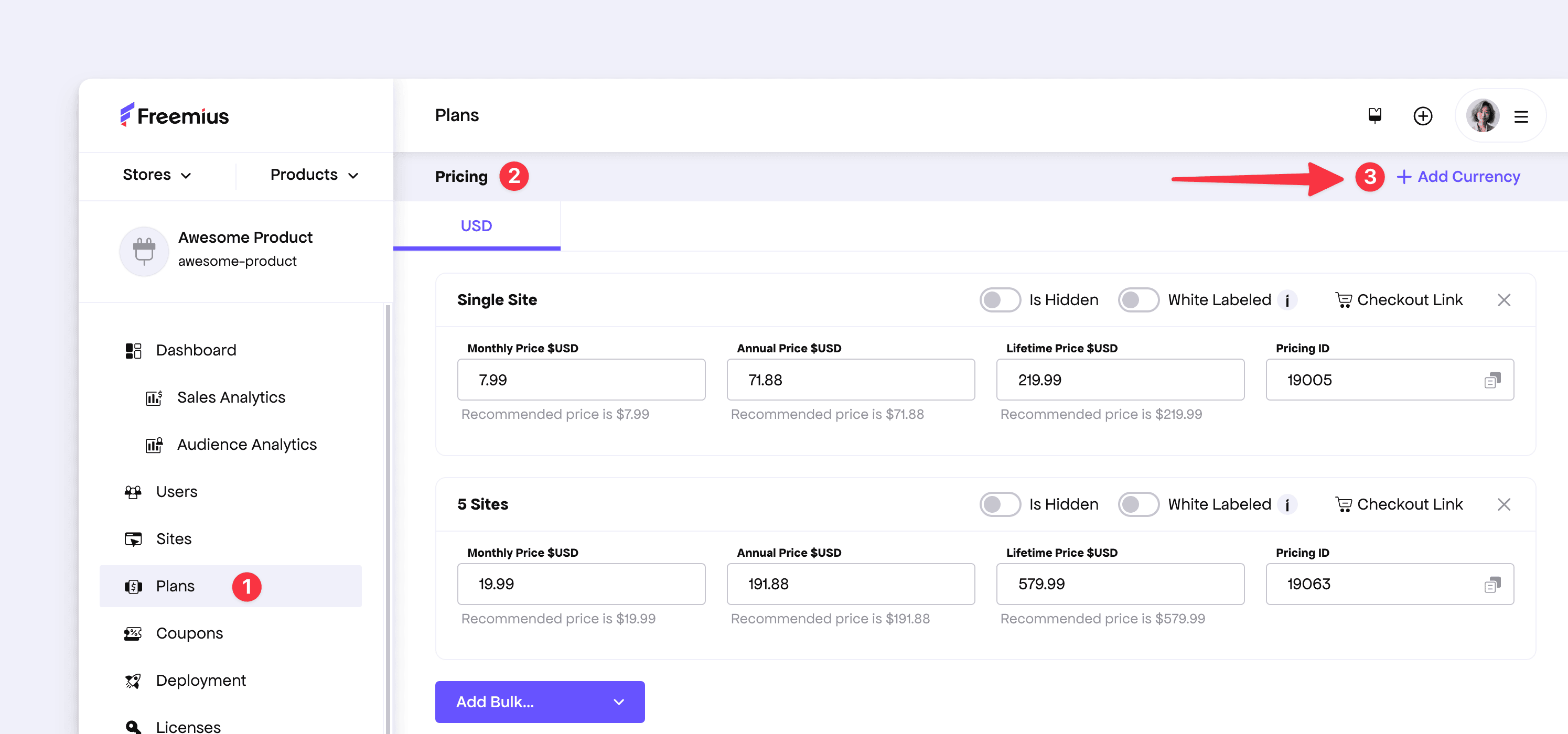
You will see that we’ve revamped the UI to make it easier to add and manage currencies. Select the desired currency, and Freemius will copy the value from the USD price using the proper conversion rate.
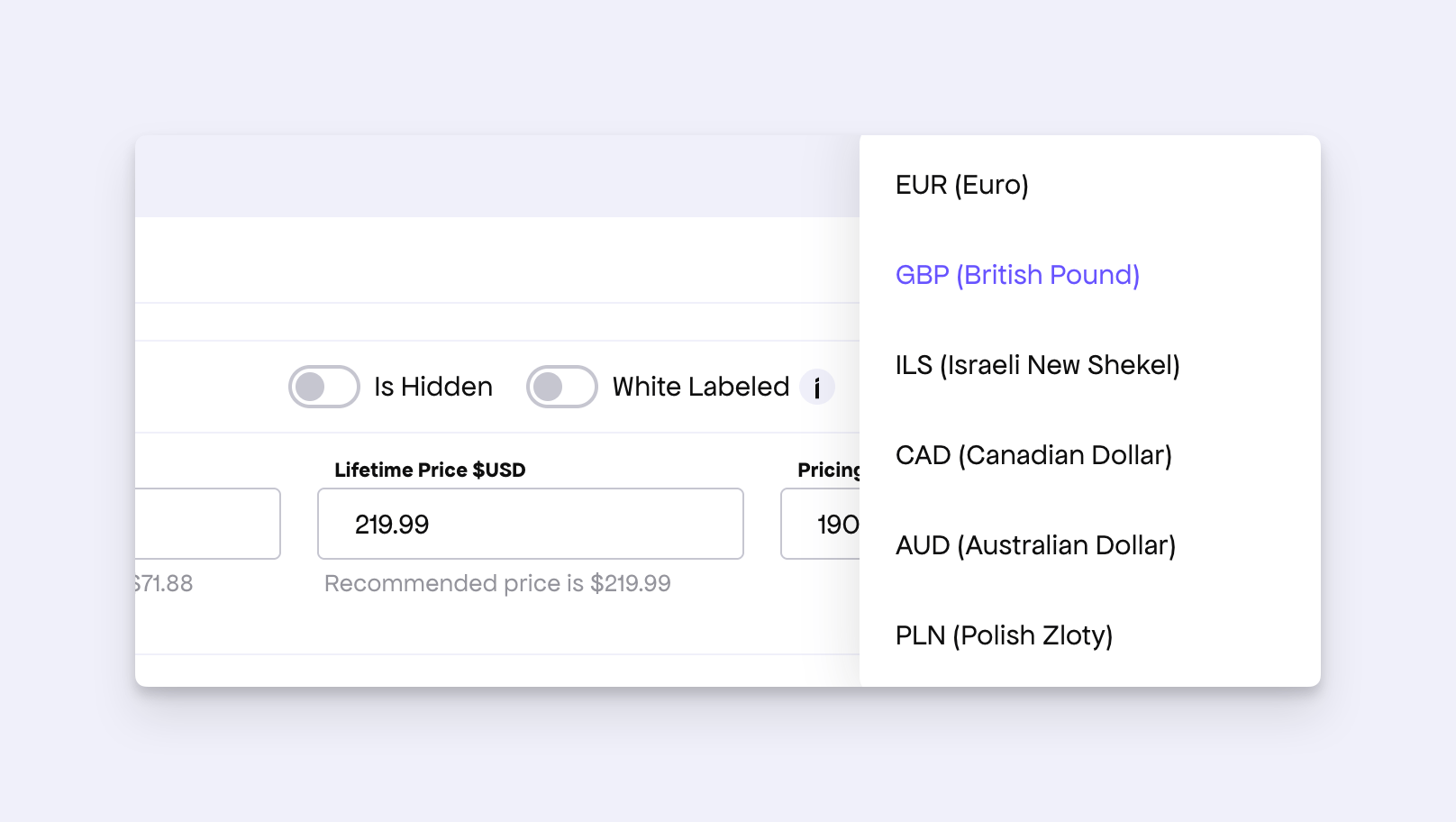
From there, you can edit the values and pricing based on your requirements.
Checkout Integration
By default, the Checkout will show all available currencies in the dropdown near the total price and in the footer.
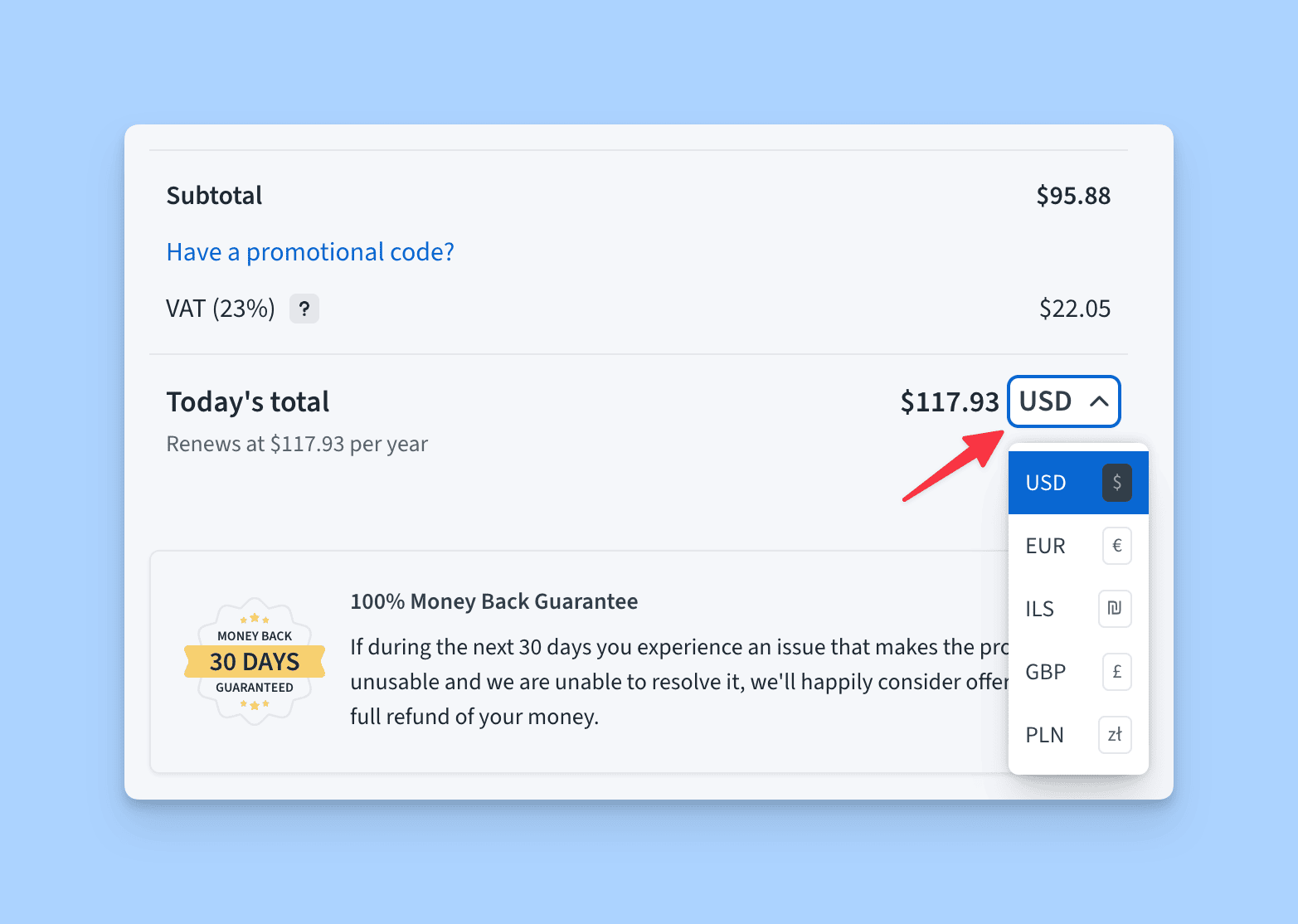
You can also preload the Checkout with a specific currency by passing currency as aud, cad, ils, and so on.
Payouts
For the newly introduced currencies, you only need to set up the USD payout method.
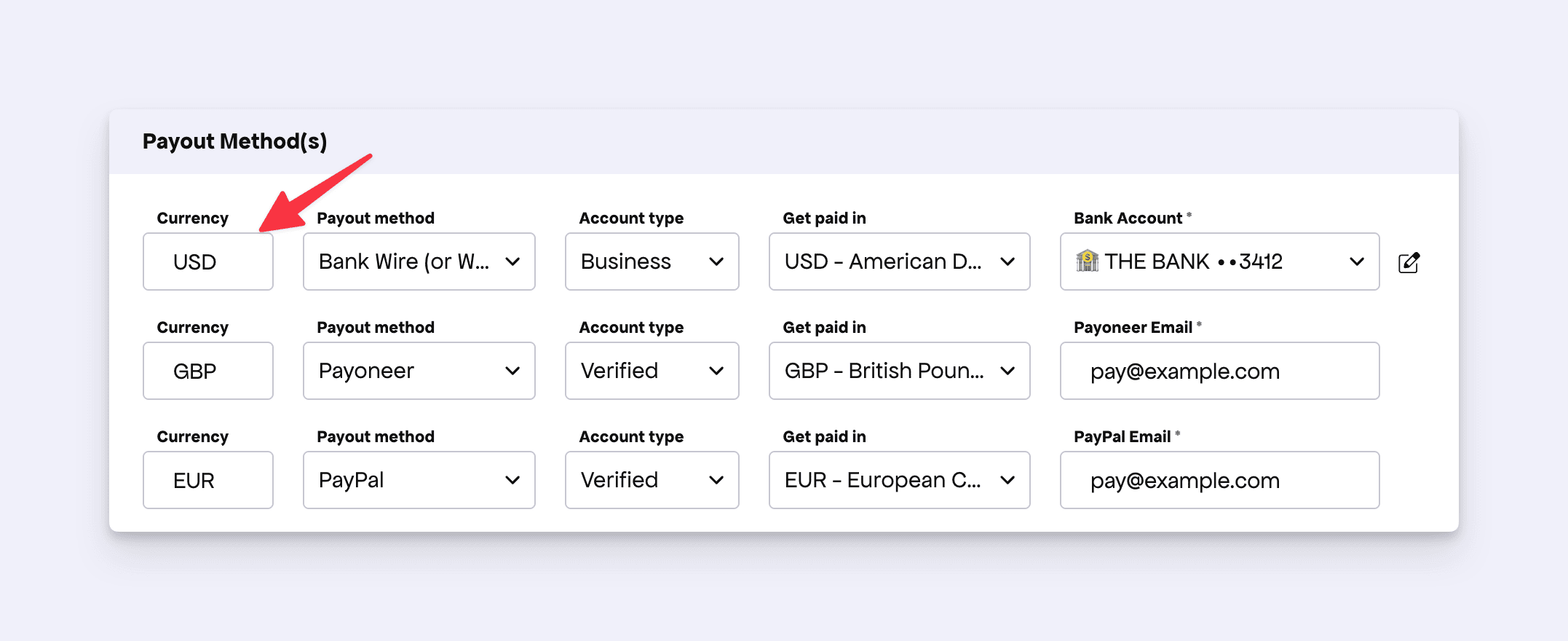
While GBP and EUR payouts can be configured separately, the new currencies are converted to USD by the payment provider at the time of payment and added to your USD balance.
We hope this exciting new feature helps you get closer to your local market and customers. If you would like to see more currencies supported in Freemius, please create or upvote a feature request on our official board.