Developer Dashboard Update – Improved Checkout Link Generation, Cleaner UI & Bug Fixes
This week we’re rolling out several meaningful UI/UX improvements and a few bug fixes to the Developer Dashboard.
Smarter Get Checkout Button
We’ve reorganized the links under the “Get Checkout” button on the Plans page, making it much easier to grab your no-code checkout links.
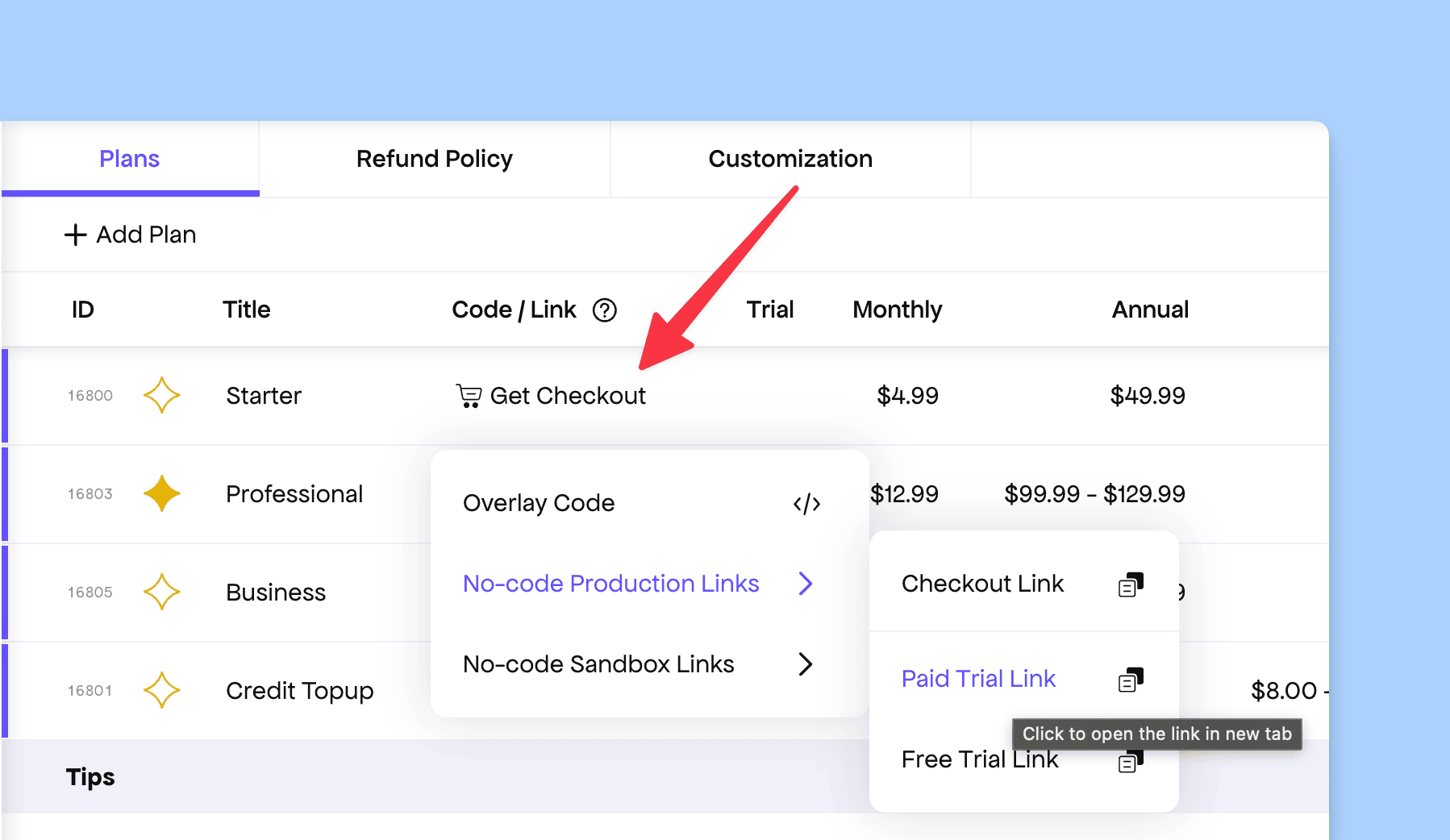
Sandbox and production links are now grouped together and include a dedicated copy button for convenience. You can still click them to open in a new tab, just like before.
JS-Based Sandbox Example
Under the same “Get Checkout” menu, selecting “Overlay Code” now shows a JS-based sandbox example powered by our official JS SDK.
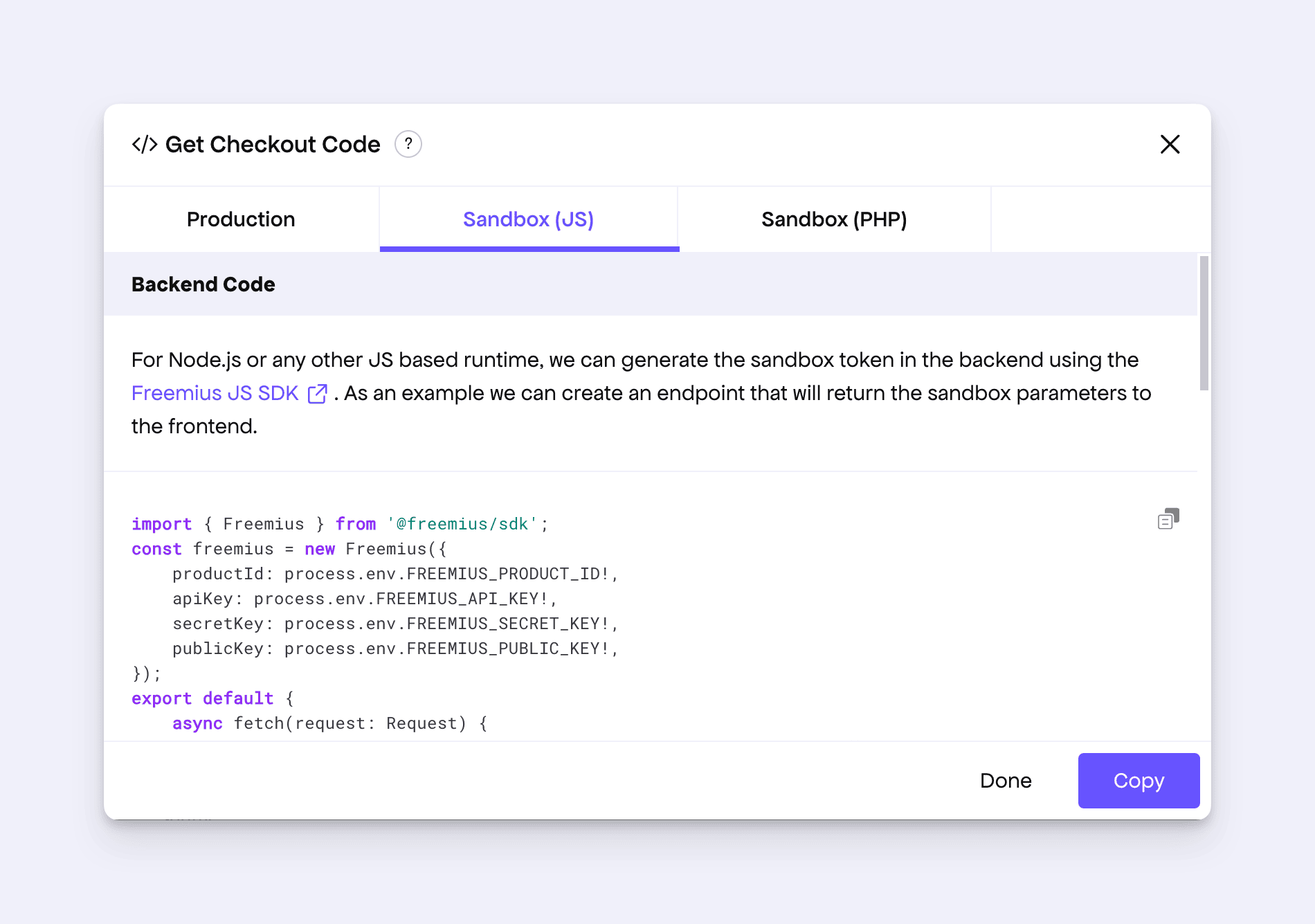
This helps SaaS makers quickly spin up a local integration environment without digging through documentation.
Enhanced Empty State for the Plans Page
The Plans page now has a more thoughtful empty state when no plans exist.

Instead of a plain “Add Plan” button, we now show a clearer explanation of what a plan is and why you might create one, along with a link to helpful documentation for first-time makers.
Other Notable Fixes
- Added a tooltip explaining what the Personal Success Manager support feature covers for makers.
- Cleaned up the license table layout for SaaS products.
- Fixed a small UI glitch in the sidebar onboarding video and improved the overall responsiveness.
- Resolved an edge case where a plan wasn’t being saved for newly created products.
- Fixed a visual glitch on the “Emails” page under Store.
- Improved the confirmation dialog when deleting a version from the deployment section.
- Fixed layout overflow on the “Cancel Trial” button under “Site.”