Customize Key Transactional Emails with Custom Content
This week we are releasing a feature requested by many of our makers. Freemius sends various transactional emails to your customers. For example, when someone purchases a subscription (or lifetime access), they receive an email with all the plan and pricing details. Similarly, customers are notified when subscriptions are renewed.
So far, all these emails were fully controlled by Freemius. While they are already fine-tuned and optimized for your buyers, we understood that having some level of customization can significantly improve your software integration and onboarding experience. For example:
- A SaaS or App product can include a short introduction and links to help users get started immediately.
- A WordPress product may include or link to usage instructions or next steps after activation.
With this in mind, we are deploying a feature this week that lets you do exactly that. You can now add a custom section to the following emails:
- New Subscription Email
- New Lifetime Purchase Email
- Subscription Renewal Email
Adding Custom Content to the Emails
Simply go to Emails → Customization, where you will find a new section named Specific Email Customization.
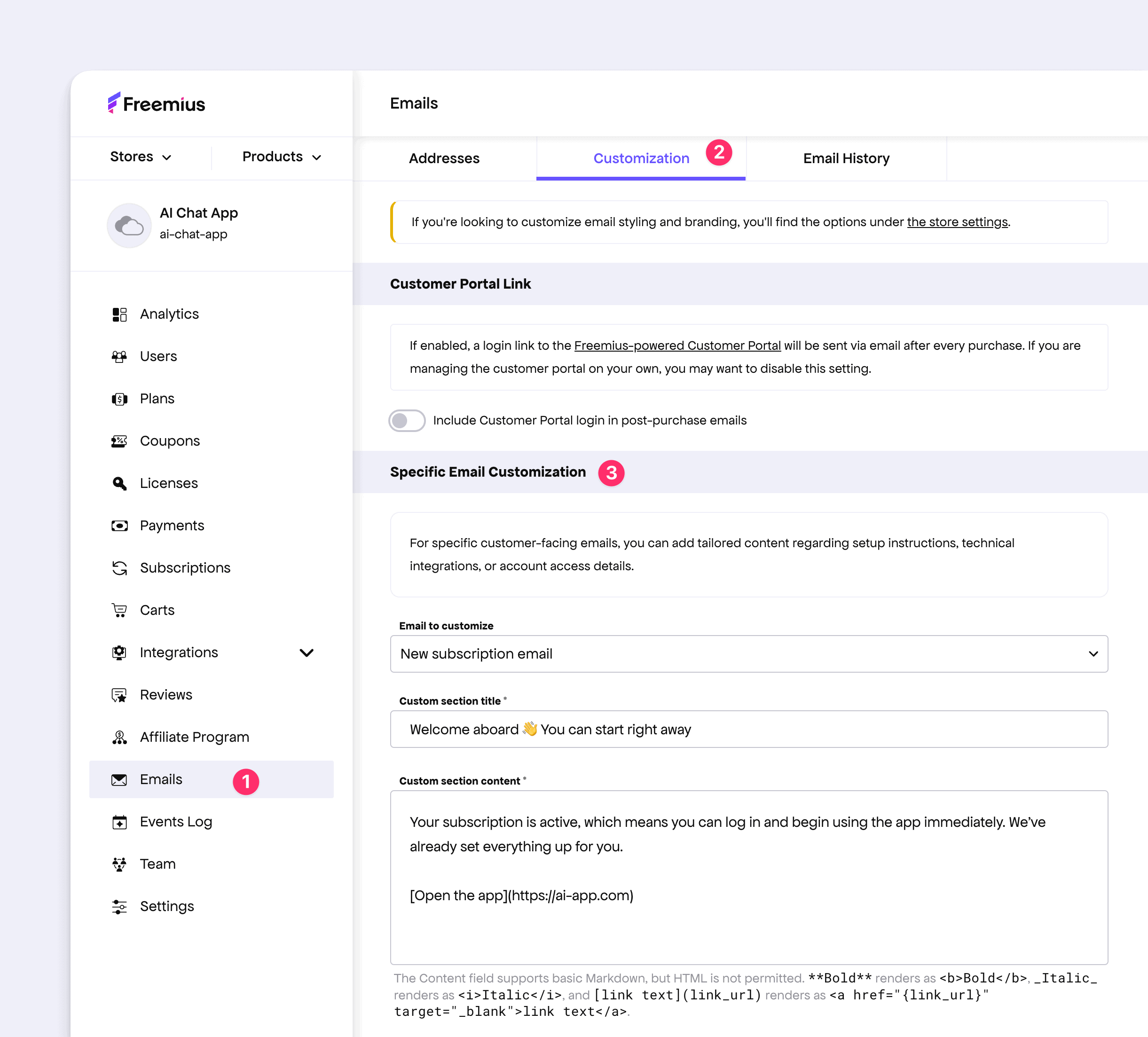
From there, select the email you want to customize and add a new section by defining its title and content.
The content area supports Markdown for basic formatting, and you can include custom links as needed. A live preview of the email is available below the form so you can verify exactly how it will appear to your buyers.
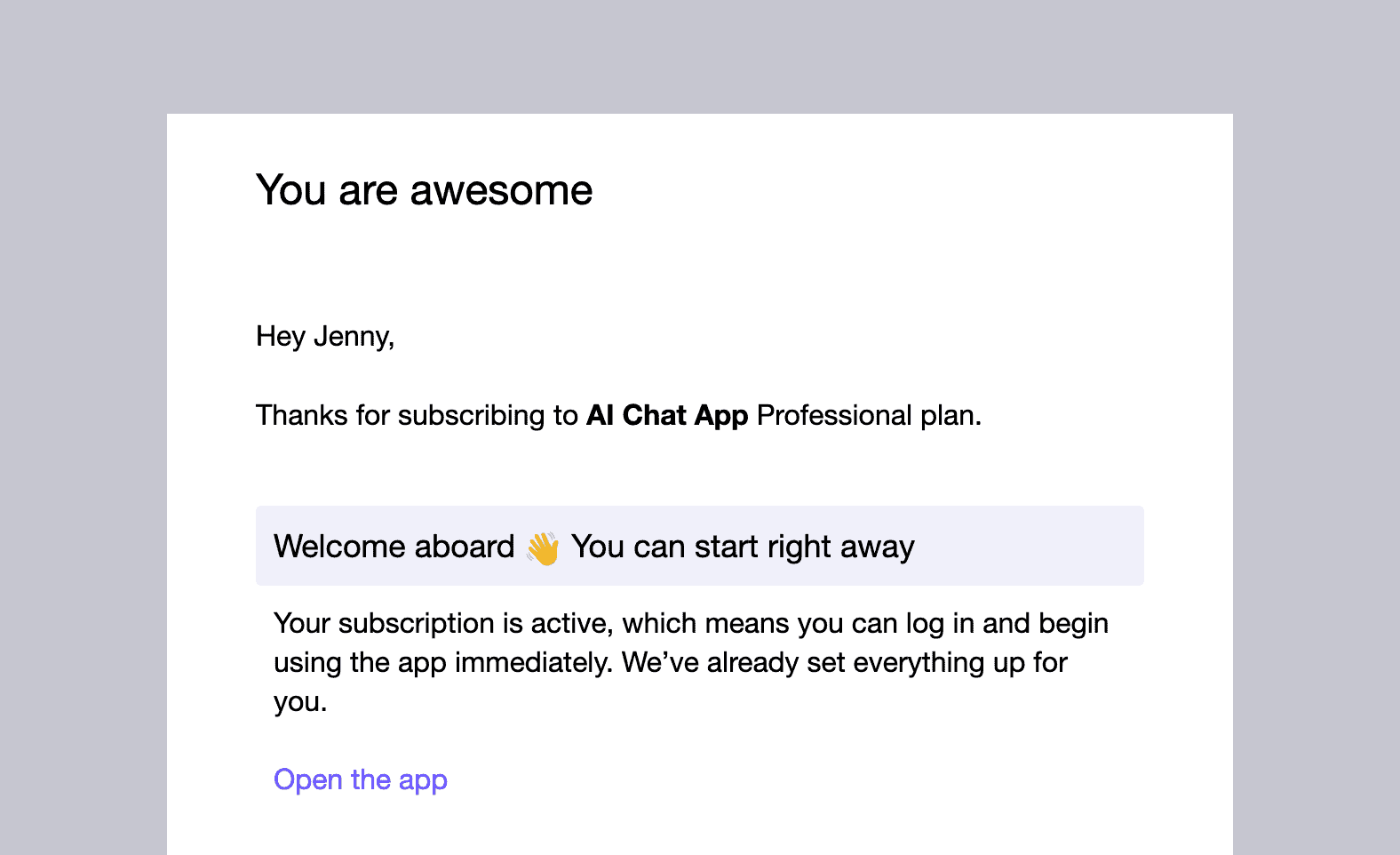
We believe this will help you better align transactional emails with your product’s onboarding and user journey. If you have any feedback, please let us know via the feature request board.