

Set Download and Installation Instructions
We recommend setting up clear installation instructions for your customers to ensure they have a smooth experience after they purchase your template files.
- Go to the Emails page and click on the Install Instructions tab.
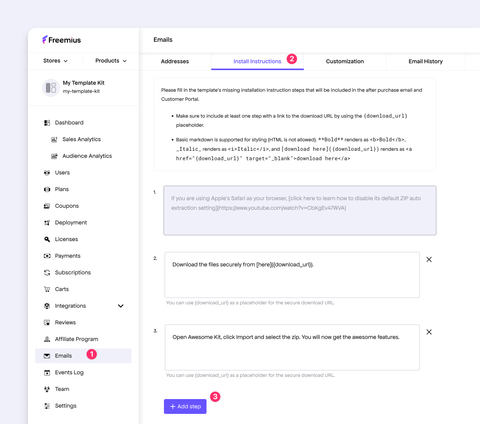
- Click the Add step button to add explanations. The content accepts a subset of markdown as explained in the UI.
- Use the special
{download_url}variable to insert a secure download link. - Add any other instructions or information in additional steps.
Once set, your customers will receive the instructions in the purchase confirmation email.