

Setup Product, Plans & Pricing
Here is how to set up your product, plans, billing cycles, prices and currencies for your templates and kits.
Add the product
To create your product;
- Log in to the Developer Dashboard.
- Click the "+" in the top right corner next to the profile picture and click "New Product".
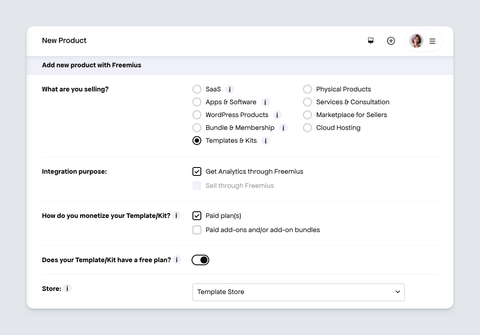
- Add the required details for your product, which include:
- A store name,
- Title e.g., 'My Template'
- And the downloadable file name. This is a unique name for your product e.g.
my-template. - Upload the product icon to match your brand.
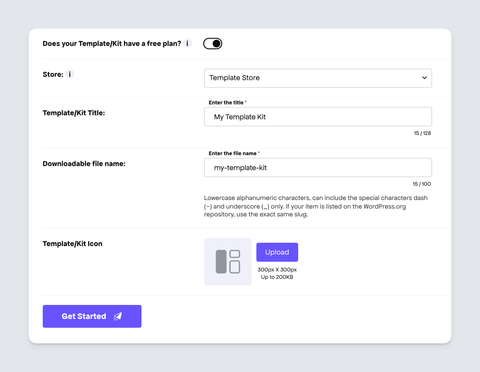
- Click the "Get Started" button to create your product.
Add plans
Creating a new product comes with a default "Pro" plan. You can edit this plan or create more plans for your product. Each plan can have different pricing, billing cycles and settings.
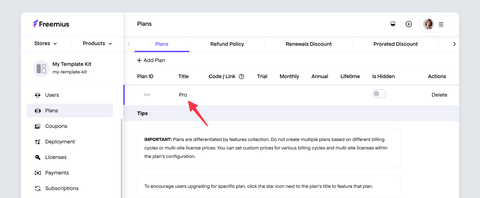
To create your a plan:
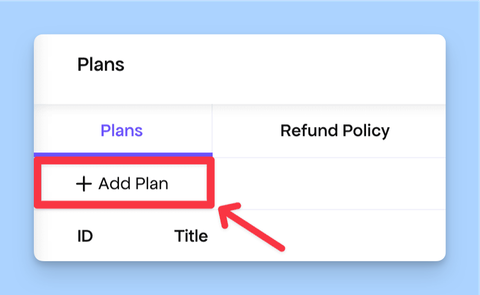
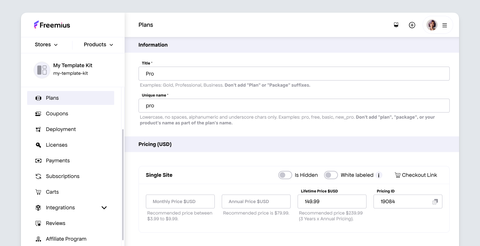
- Under the Plans page, click the Add Plan button to create a new plan.
- Then insert a title and unique name e.g., 'Pro' and 'pro' respectively.
- Click the "Create New" button to complete the plan setup.
- You can create pricing options for plans that offer more than 1 site usage by clicking Add Bulk and select the number of units, then enter the relevant pricing options.
- Similarly, you can add pricing in other currencies by clicking Add Currency and select the number of units, then enter the relevant pricing options.
To sell templates and kits that don't require recurring payments, you can create a plan with a one-time/lifetime purchase product by adding a price to the Lifetime input field only. This can also be setup for bulk and multiple currencies as in the note above.
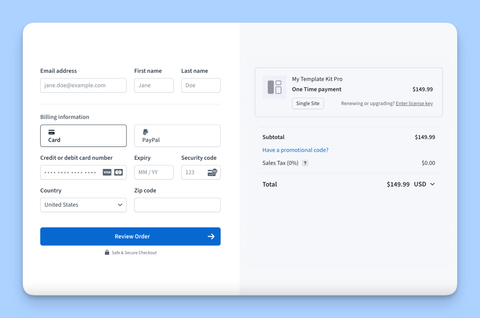
The pricing plans will be displayed in the Freemius Checkout when customers purchase your product, as seen here:
Plans Customization
To customize the different settings for a specific plan under the Plans page.
- Click the respective settings tab.
- Change the settings as needed.
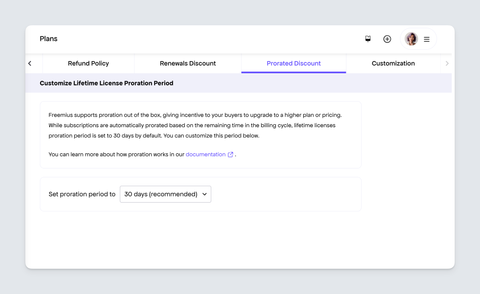
Here are the settings you can customize for each plan:
Refund Policy
By default, the product has a "No Refunds" policy, which means that all sales are final.
This is the recommended option because refunds are only expected if the buyer has not downloaded or accessed the software. Once downloaded, refund requests can be declined unless you choose otherwise. This helps reduce abuse for easily copyable or one-time-use software. However, this can be changed.
To learn more about the available refund policy options visit our Refund Policy Guide.
Prorated Discount Period
Freemius supports proration out of the box, giving incentive to your buyers to upgrade to a higher plan or pricing. While subscriptions are automatically prorated based on the remaining time in the billing cycle, lifetime licenses proration period is set to 30 days by default. You can customize this period.
Payment Recovery Flow
Freemius sends recovery emails. to customers when a payment fails. By default, these link to our Checkout app at checkout.freemius.com.
Some buyers may find it confusing to receive an email from your brand/website but be redirected to a third-party domain, which could be mistaken for phishing.
Here you can set a custom recovery URL on your own website for customers.
Renewals Discount
For products with recurring billing, you can set up a discount for customers who renew their subscription. This is a great way to incentivize customers to continue using your product and reward their loyalty.