|
|
What does it actually take to monetize a Lovable app from scratch?
Not much, it turns out. With Freemius’ Lovable integration, the full setup — pricing page, checkout, paywalls, subscription management, and tax compliance — runs on a single prompt to the AI agent.
Lovable is an AI-powered app builder that lets anyone create and ship full-stack web apps without writing code. I used it to build Flare, a career page watcher, with no coding experience — and monetizing it turned out to be just as straightforward as building it. If you’ve built something in Lovable and you’re ready to charge for it, this guide walks you through every step I took.
By the end, your app will have:
- A live pricing page pulling your plans and pricing from Freemius automatically
- A paywall locking premium features behind an active subscription
- An accounts page where users can manage their billing
- Webhook integration keeping your app in sync when subscriptions change
Let’s see how you can start charging for your app TODAY.
TL;DR – How to add payments to LovableThe entire monetization setup (pricing page, checkout, paywall, subscriptions, webhooks) comes down to a single prompt and a few configuration steps. Here’s the process from start to finish:
The full process takes less than an hour. The rest of this guide provides a detailed walkthrough of each step. |
How to monetize a Lovable app: A step-by-step guide
The setup involves working in two environments:
- Freemius dashboard
- Lovable editor
We’ll start by configuring Freemius, and then let the AI agent handle the rest.
Step 1: Set up your plans in Freemius
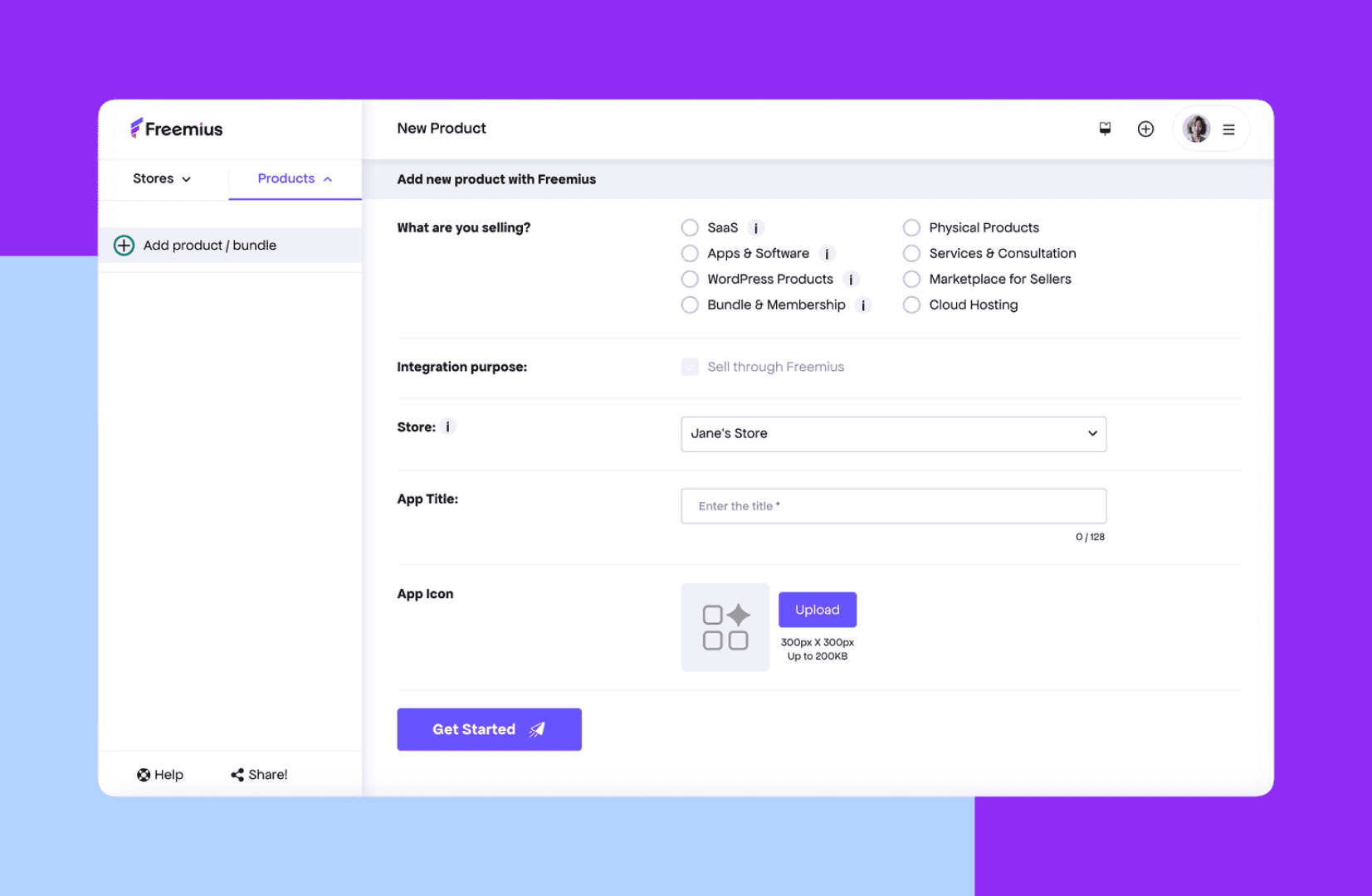
Sign up for Freemius and create your product.
Freemius is a merchant of record, which means it handles payments, taxes, refunds, and compliance on your behalf, so you can focus on building and selling.
Then, set up your subscription plans. You can offer monthly and annual billing options, different tiers, and feature lists for each plan.
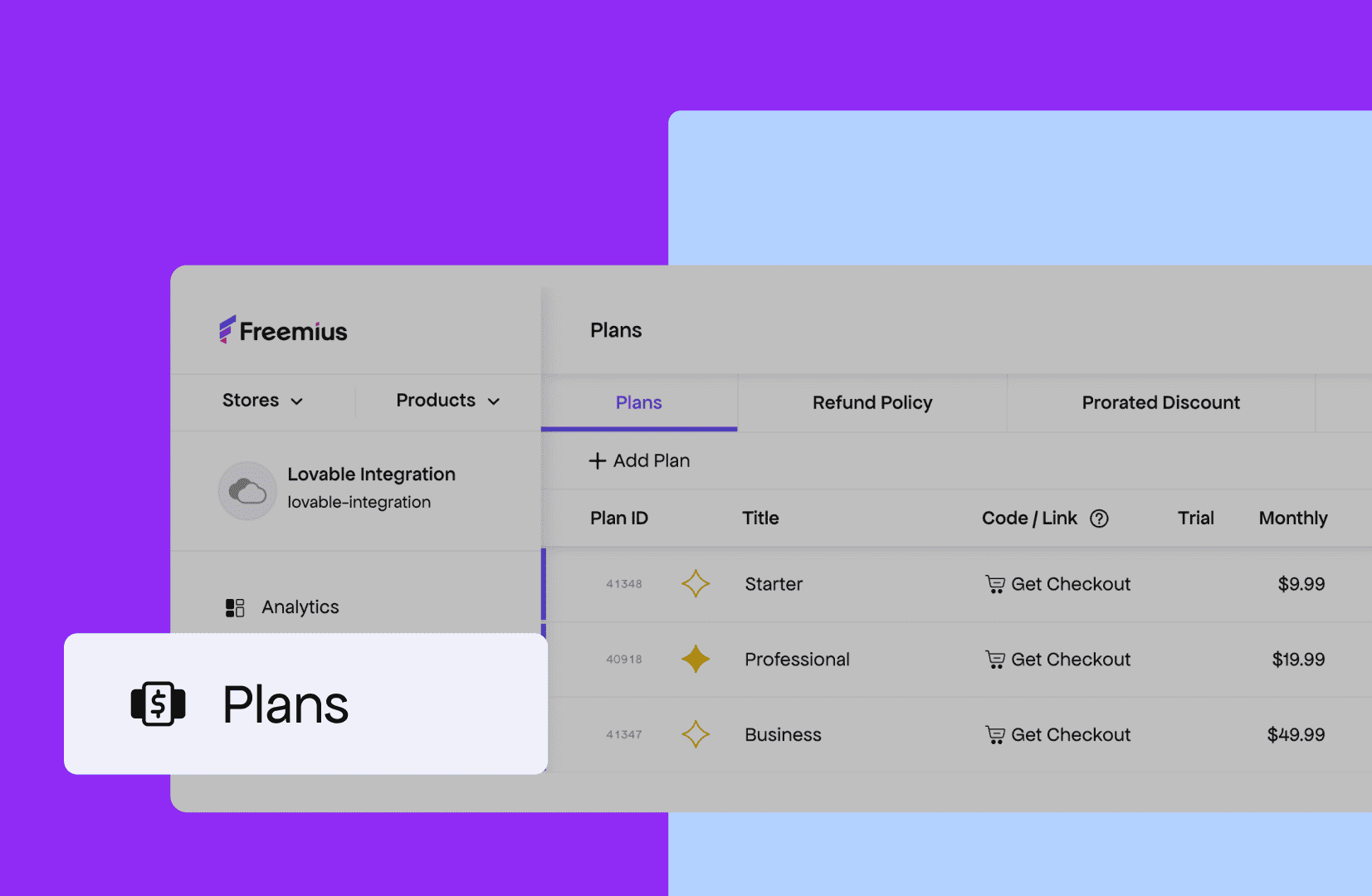
The plans you create here will be displayed to your users on the pricing page, as Freemius automatically integrates this information into your app.
Once your plans are set, go to Product → Settings → API & Keys and find these four values: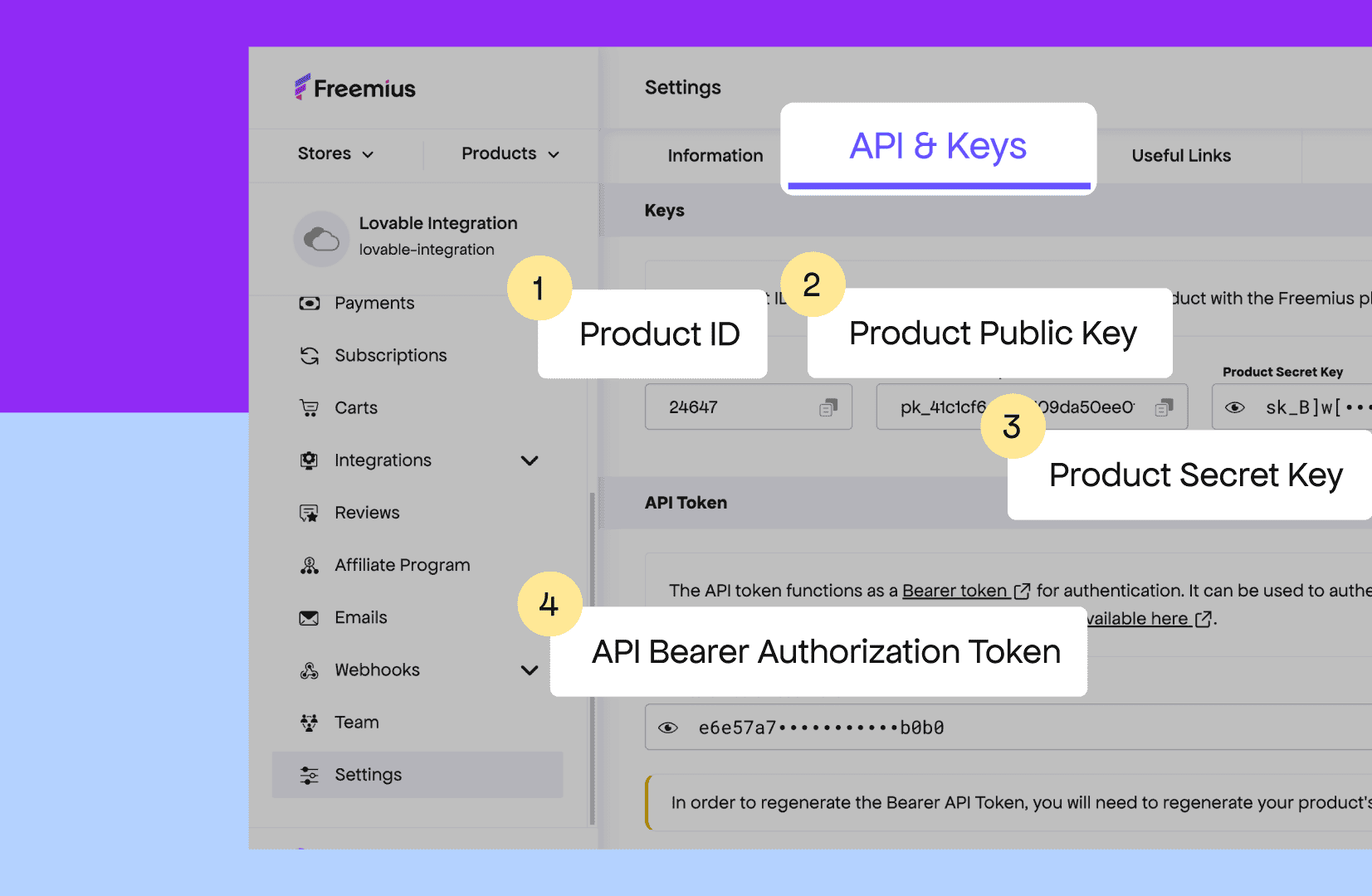
Copy them into a notes app and keep them handy. You’ll be pasting them into Lovable in Step 3.
See also: Freemius as a Stripe alternative
Step 2: Add Freemius to Lovable’s knowledge base
The Knowledge Base tells the AI agent how to implement the integration. Without it, the agent won’t know to use Freemius patterns when you run the prompt in the next step. This takes two minutes.
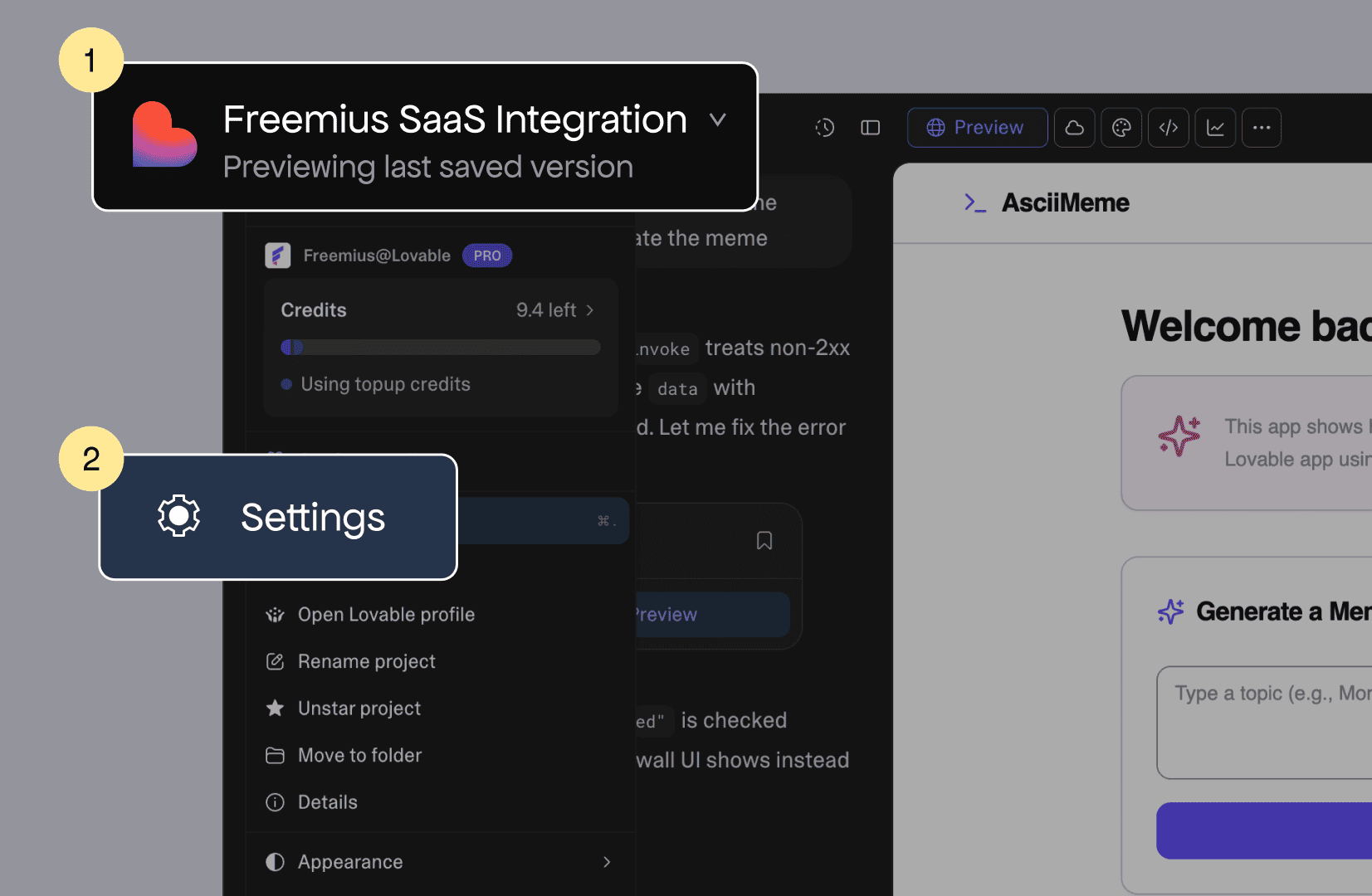
Open your Lovable project and click Settings in the top-left corner.
From the sidebar, click Knowledge.
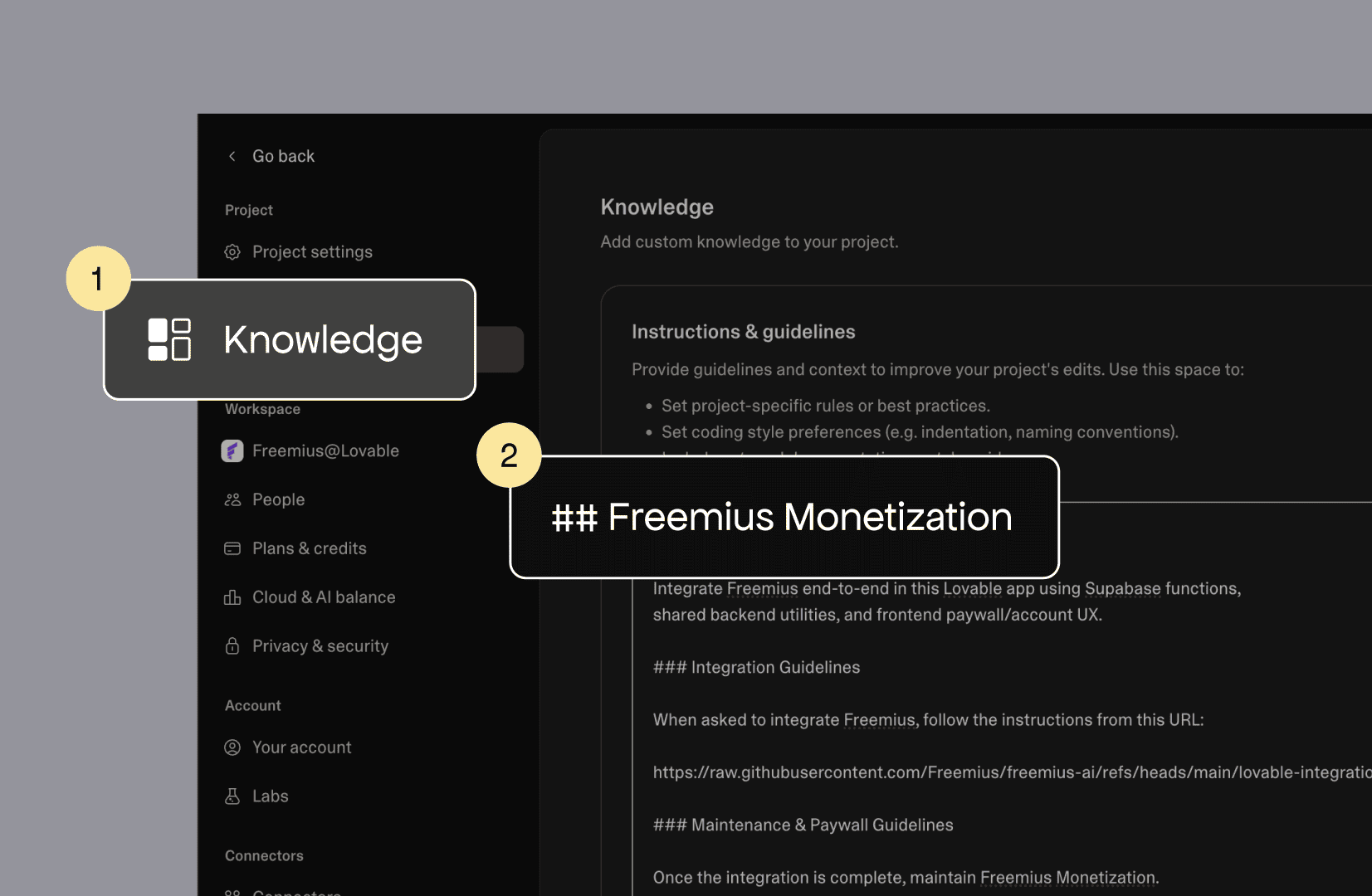
Then paste the following block at the end of the knowledge field and click Update.
## Freemius Monetization
Integrate Freemius end-to-end in this Lovable app using
Supabase functions,
shared backend utilities, and frontend paywall/account UX.
### Integration Guidelines
When asked to integrate Freemius, follow the instructions
from this URL:
https://raw.githubusercontent.com/Freemius/freemius-ai/refs
/heads/main/lovable-integration/subscription/prompt.md
### Protect Premium Features with Paywall
- To restrict any premium operations in the API routes that
requires an active
subscription, use the
shared`supabase/functions/_shared/freemius.ts` module's
`getUserEntitlement` (for any plan) or `hasPlan`
(specific plan) functions.
Return a 403 response with `code:
"subscription_required"` if the user doesn't
have the required subscription.
- On the frontend, handle the `subscription_required` error
by reading the
response body from `error.context.body` as a stream
(since Supabase
`functions.invoke` puts non-2xx response bodies there as
a ReadableStream, not
plain JSON). Show a lock-style paywall UI with a link to
`/pricing`. You can
disable relevant UI after the first failed attempt.
- The front-end may also call the
`functions/v1/get-entitlements` API route to
check for active entitlements and show a paywall UI with
link to `/pricing`
through a `Subscribe` button if there is no active
subscription.
Step 3: Run the integration prompt
Now for the part that feels almost too easy. Go back to the Lovable editor and paste this single prompt:
Implement the Freemius integration based on the
knowledgebase content.
The AI agent takes it from here. Along the way, it will ask you three things:
- Enable Supabase — if you haven’t set up the cloud backend yet, the agent will prompt you.
- Create the entitlement table — the agent will ask to create a table called user_fs_entitlement. Accept it.
- Paste your API keys — the four values you copied in Step 1.
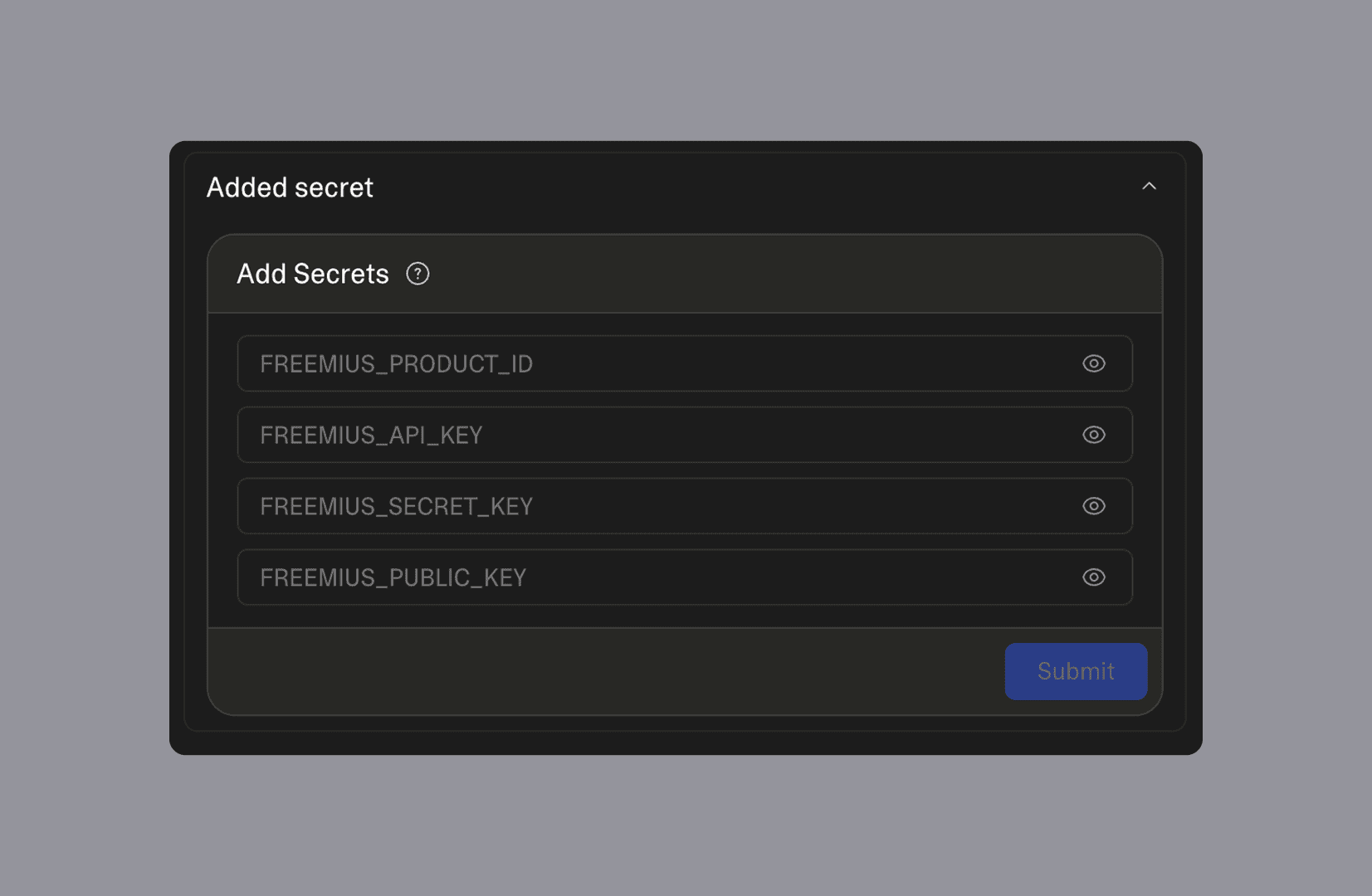
The agent works through seven steps internally:
- Entitlement table
- Freemius install
- Checkout redirection
- Paywall
- Accounts page
- Webhooks
- Finalization
You don’t need to manage any of that manually.
Once it’s done, it will output two URLs: one for Checkout Redirection and one for Webhooks.
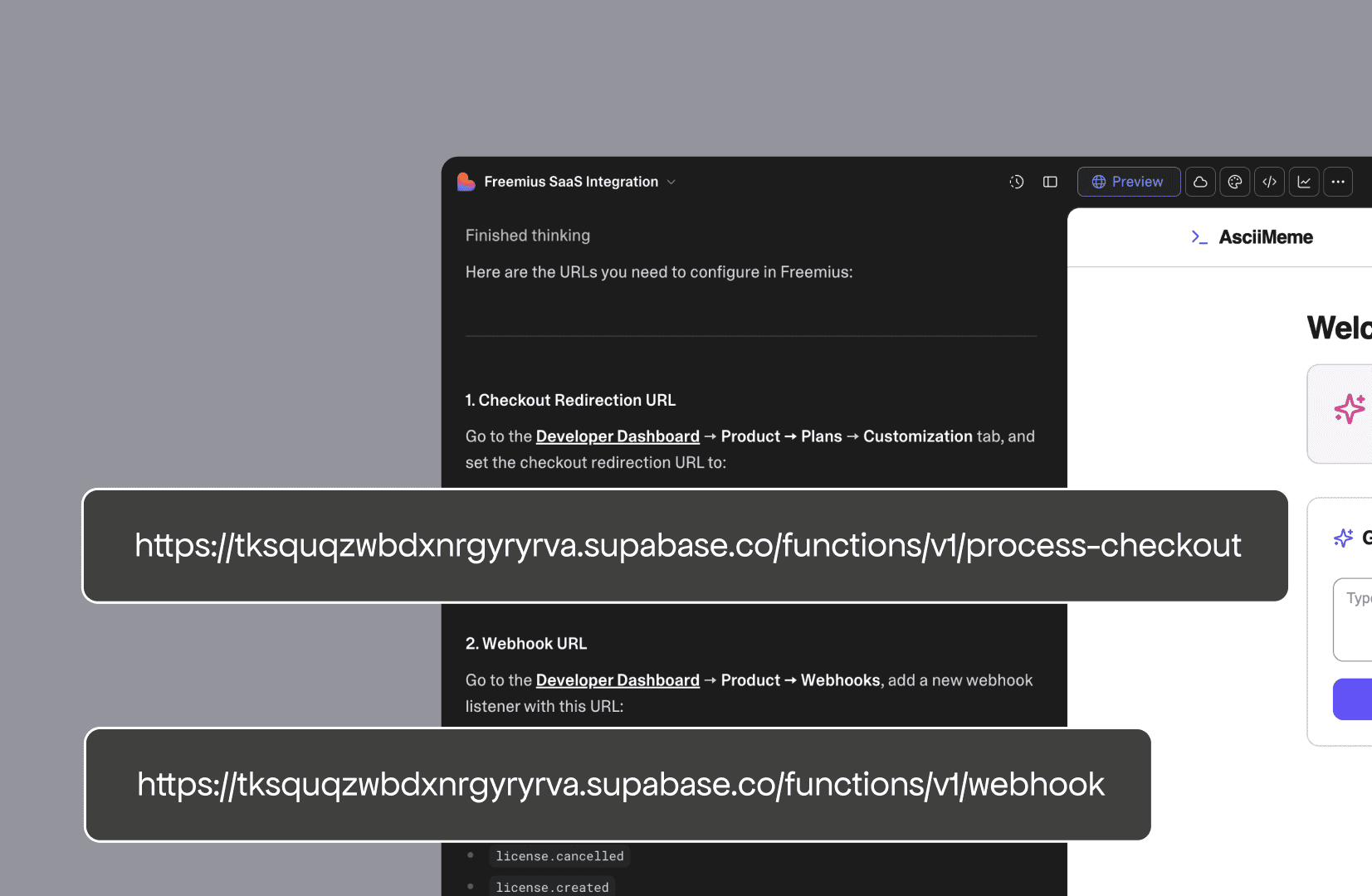
Copy both before moving on. You’ll need them in the next step.
Step 4: Configure checkout redirection and webhooks (don’t skip this!)
These two pieces connect Freemius to your app after a payment happens. If either one is missing, someone can pay and see nothing change on their end.
4.1. Checkout redirection
Go to Plans → Customize in your Freemius dashboard and paste the Checkout Redirection URL into the Checkout Success Redirection field.
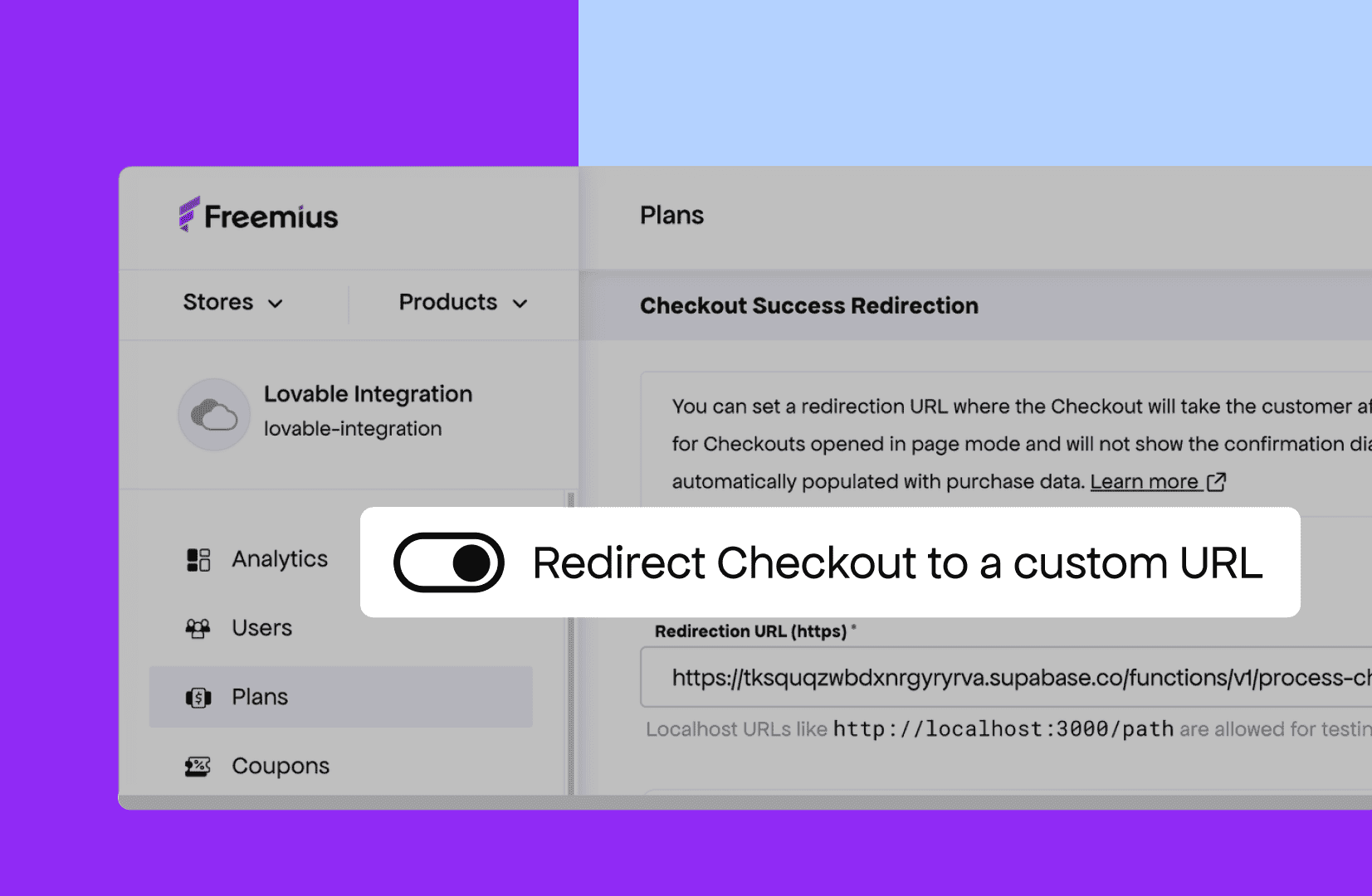
This sends users back to your app right after payment and triggers access.
4.2. Webhooks
Go to Products → Webhooks → Listeners and add the Webhook URL the agent gave you.
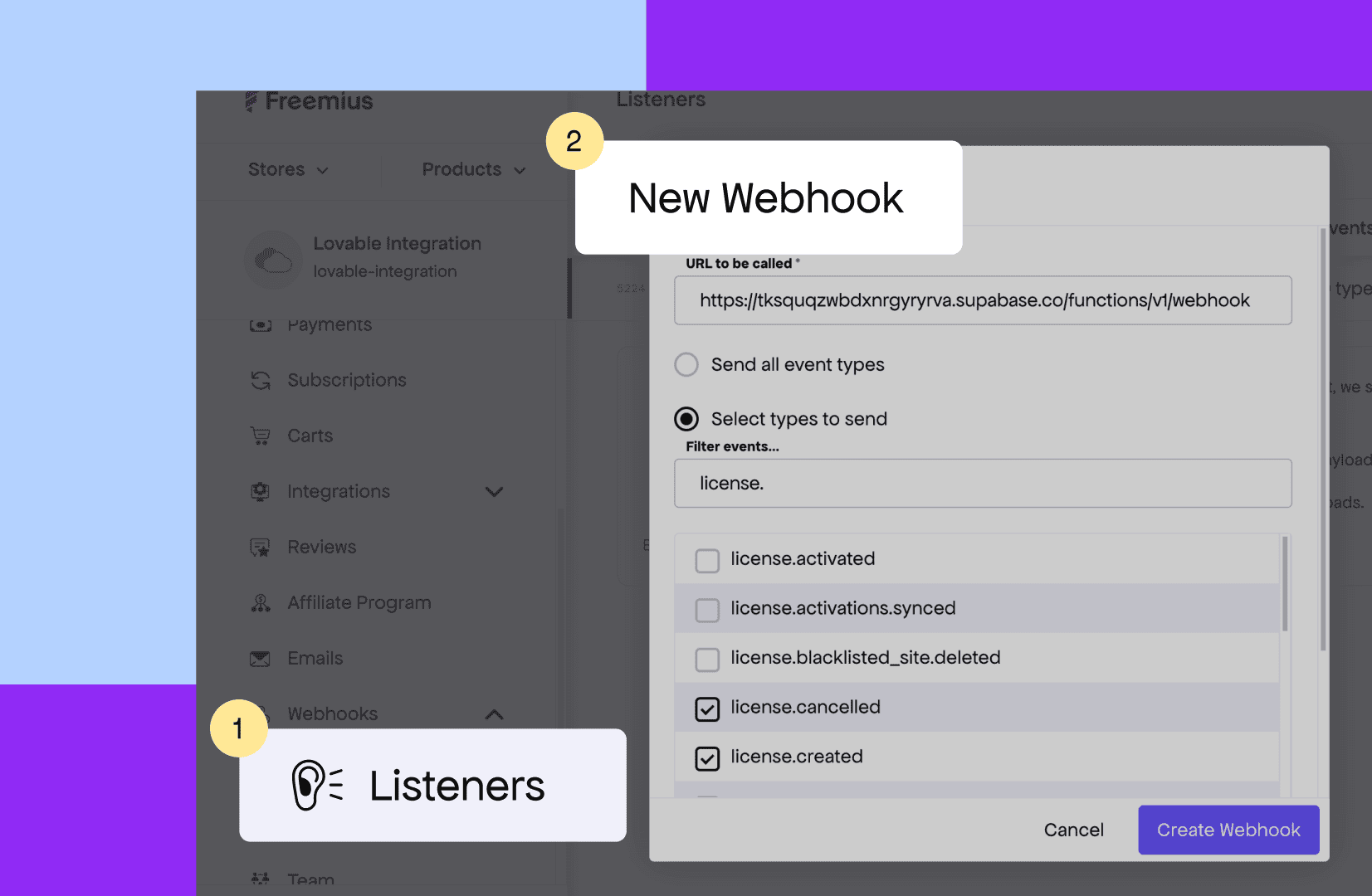
Make sure the following event types are selected:
- license.created
- license.updated
- license.cancelled
- license.expired
- license.extended
- license.deleted
- license.plan.changed
- license.quota.changed
- license.shortened
Webhooks keep your app in sync when subscriptions renew, cancel, or change plans. Freemius will also email you if webhook processing fails, so you’ll know right away if something breaks.
Step 5: Test the full flow before launching
Before any real user hits your app, walk through the full flow yourself. The integration has several moving parts, and catching an issue now is much better than catching it after someone tries to subscribe.
5.1. Enable Sandbox mode
Ask the Lovable agent to enable sandbox mode so no real payments process during testing:
Enable sandbox mode in the Freemius integration for
specific user email `{yourEmail}`
5.2. Run through the full flow
Try accessing a premium feature as a non-subscribed user. You should see a lock UI with a link to /pricing.
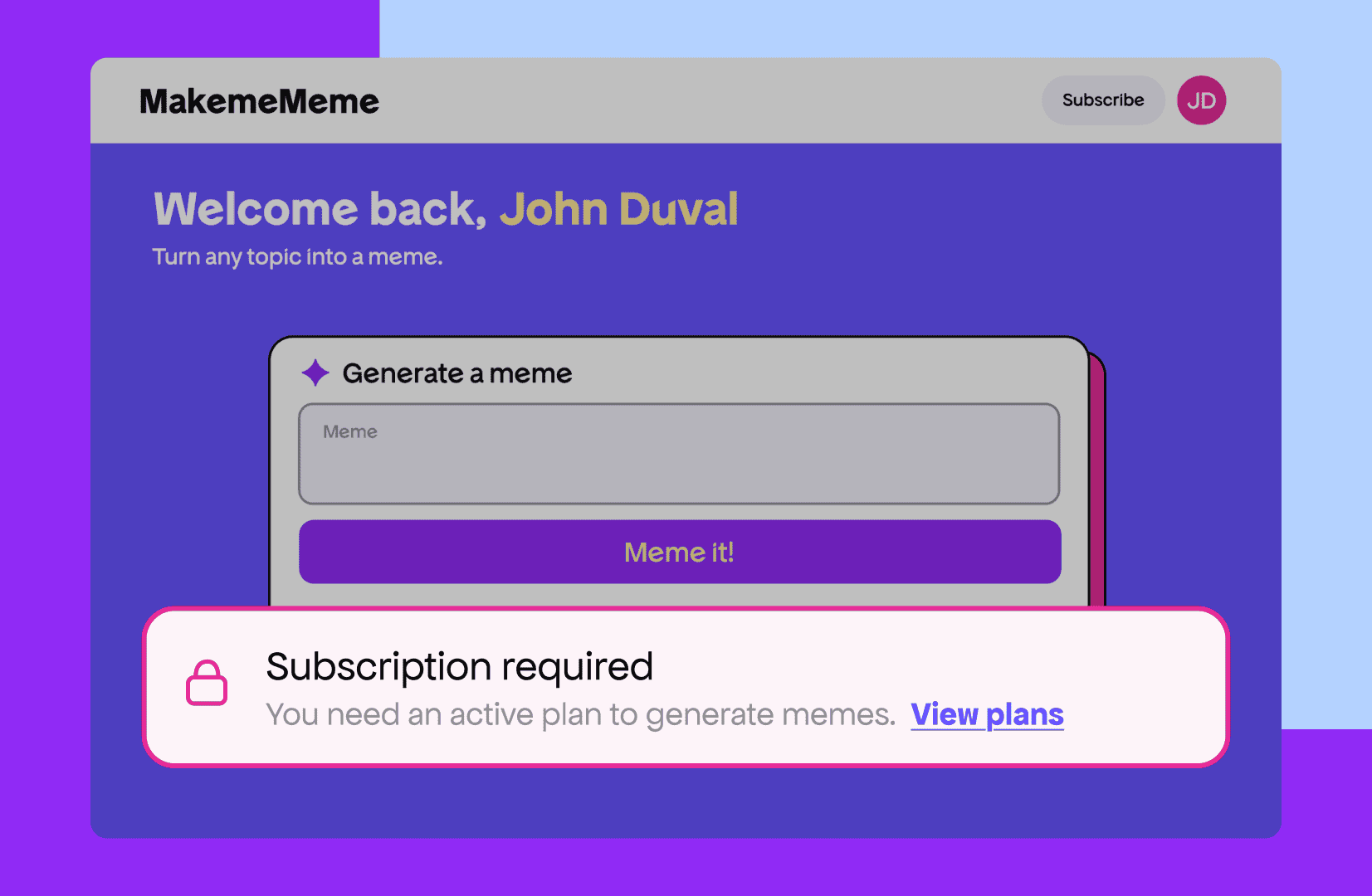
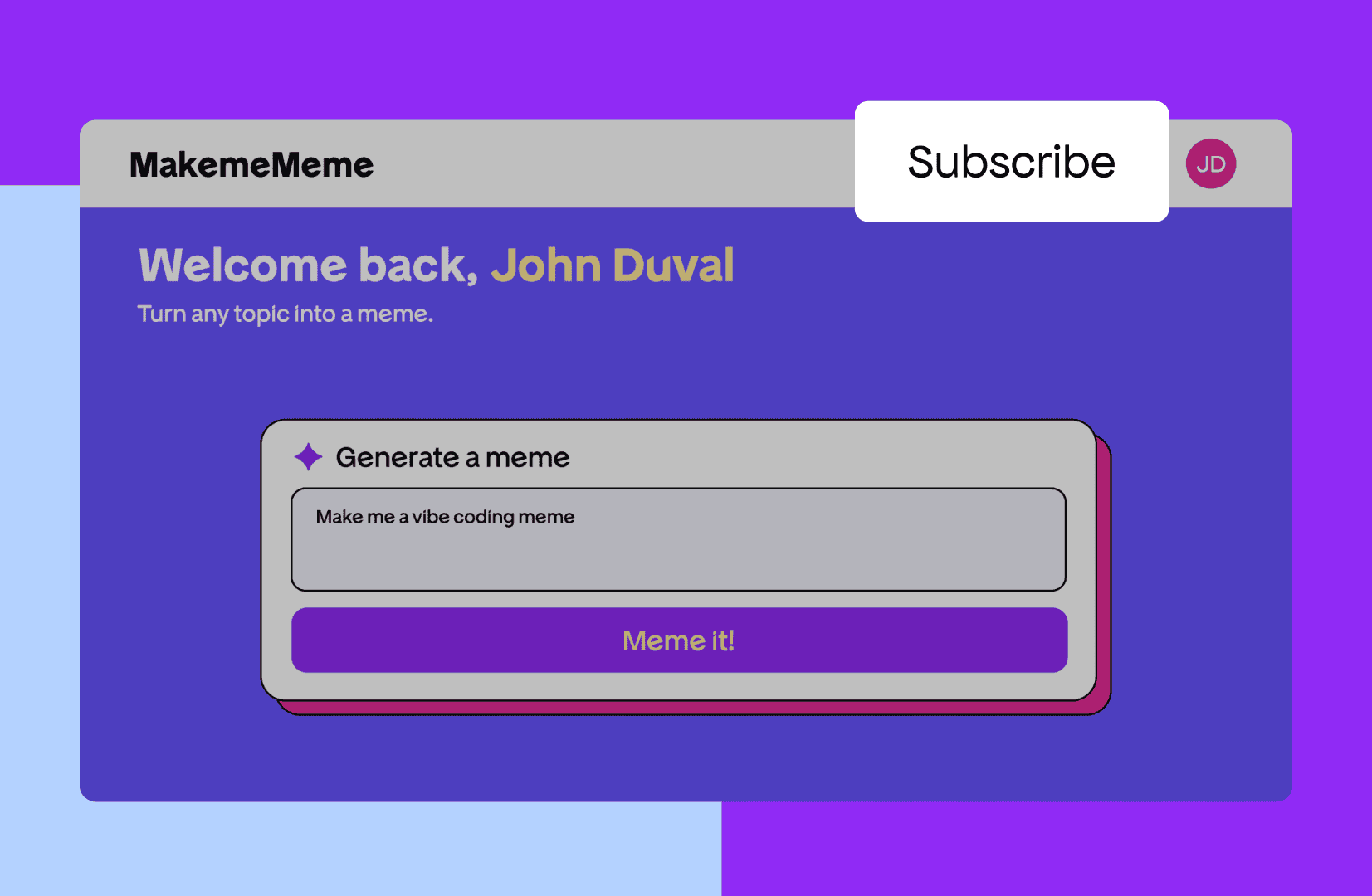
Click the Subscribe button in your app’s navbar. The agent will have added this automatically.
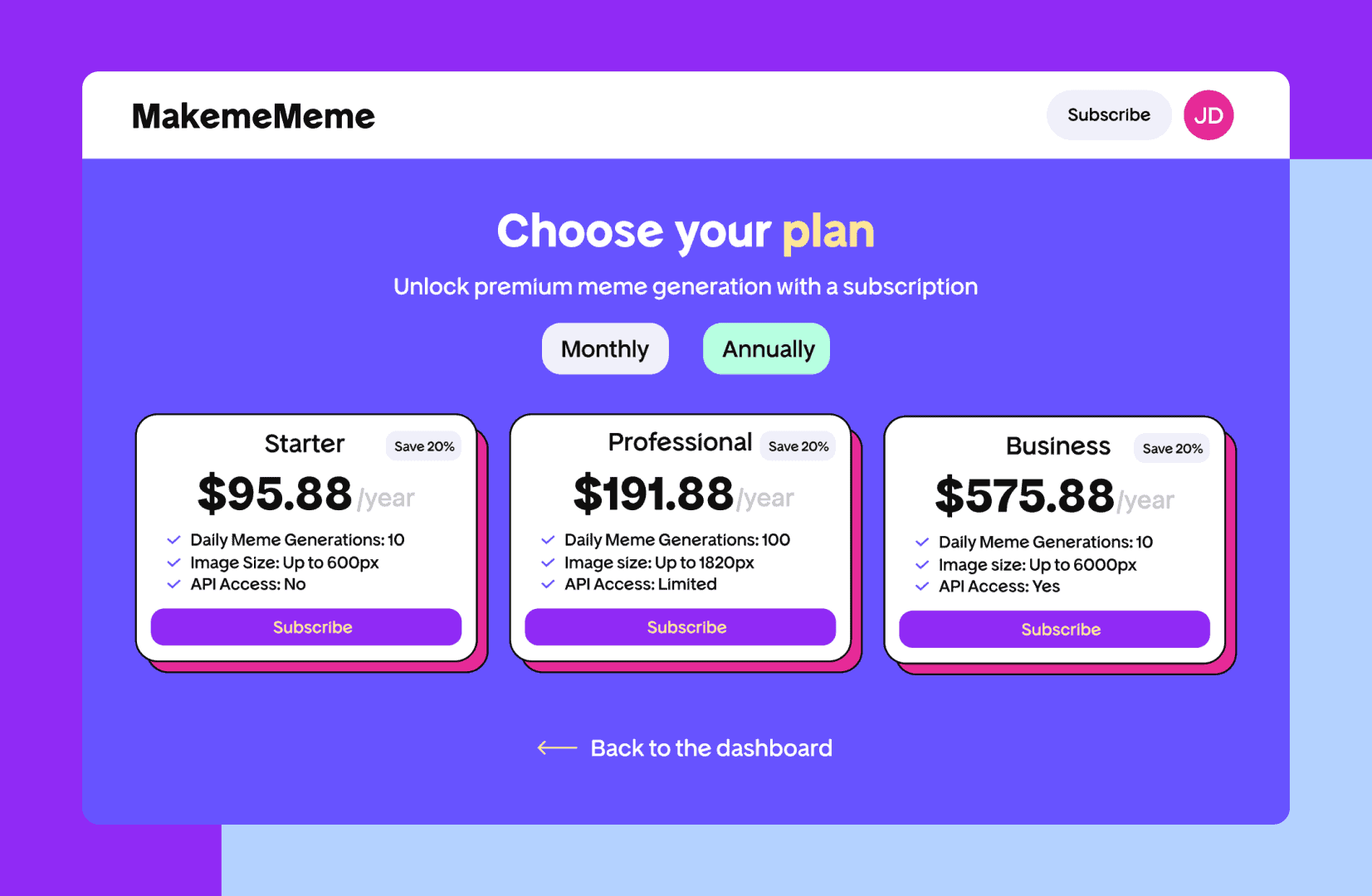
Confirm the pricing page is pulling your actual plans from Freemius in real time.
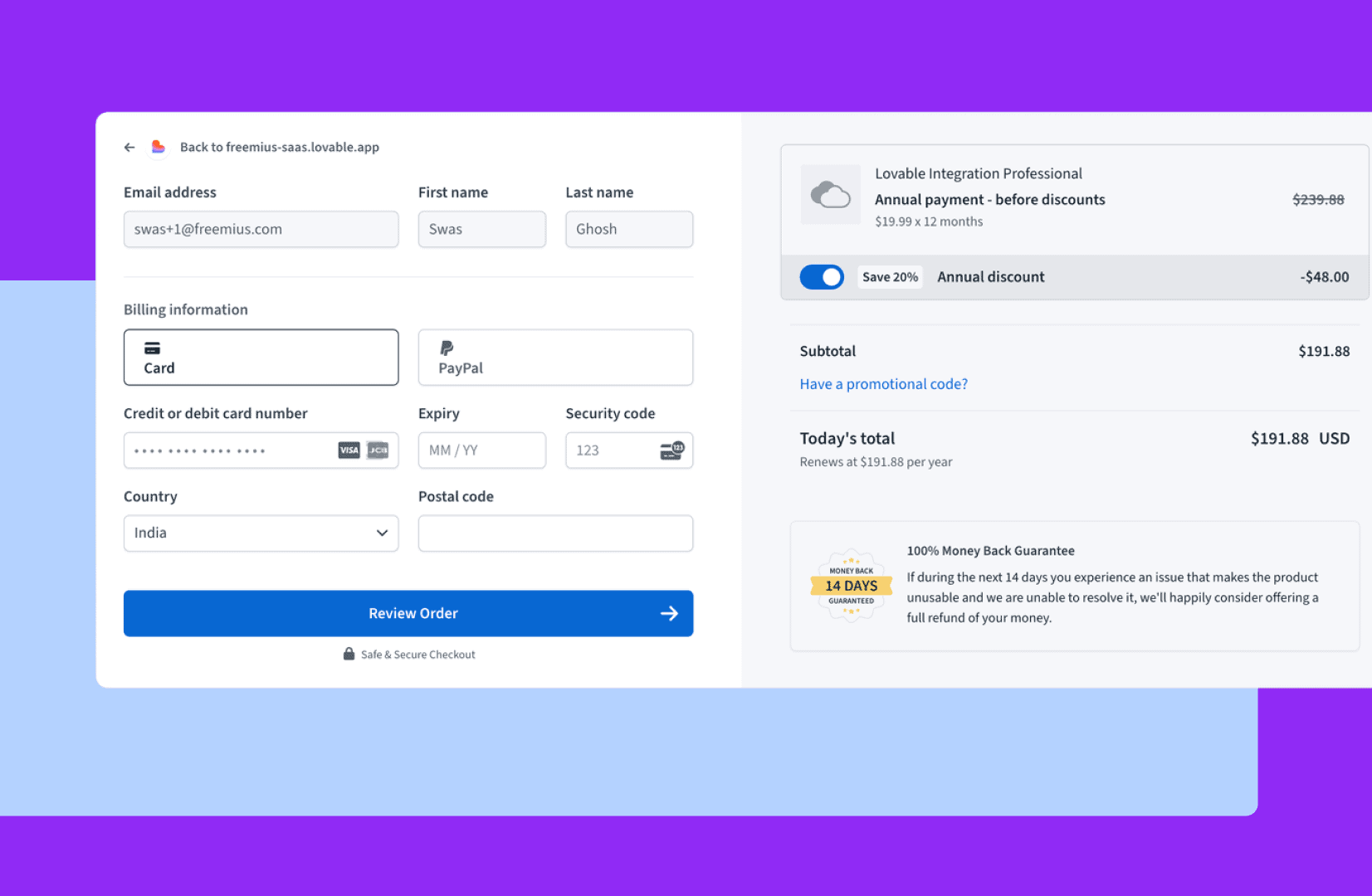
Click Subscribe on any plan and complete the checkout.
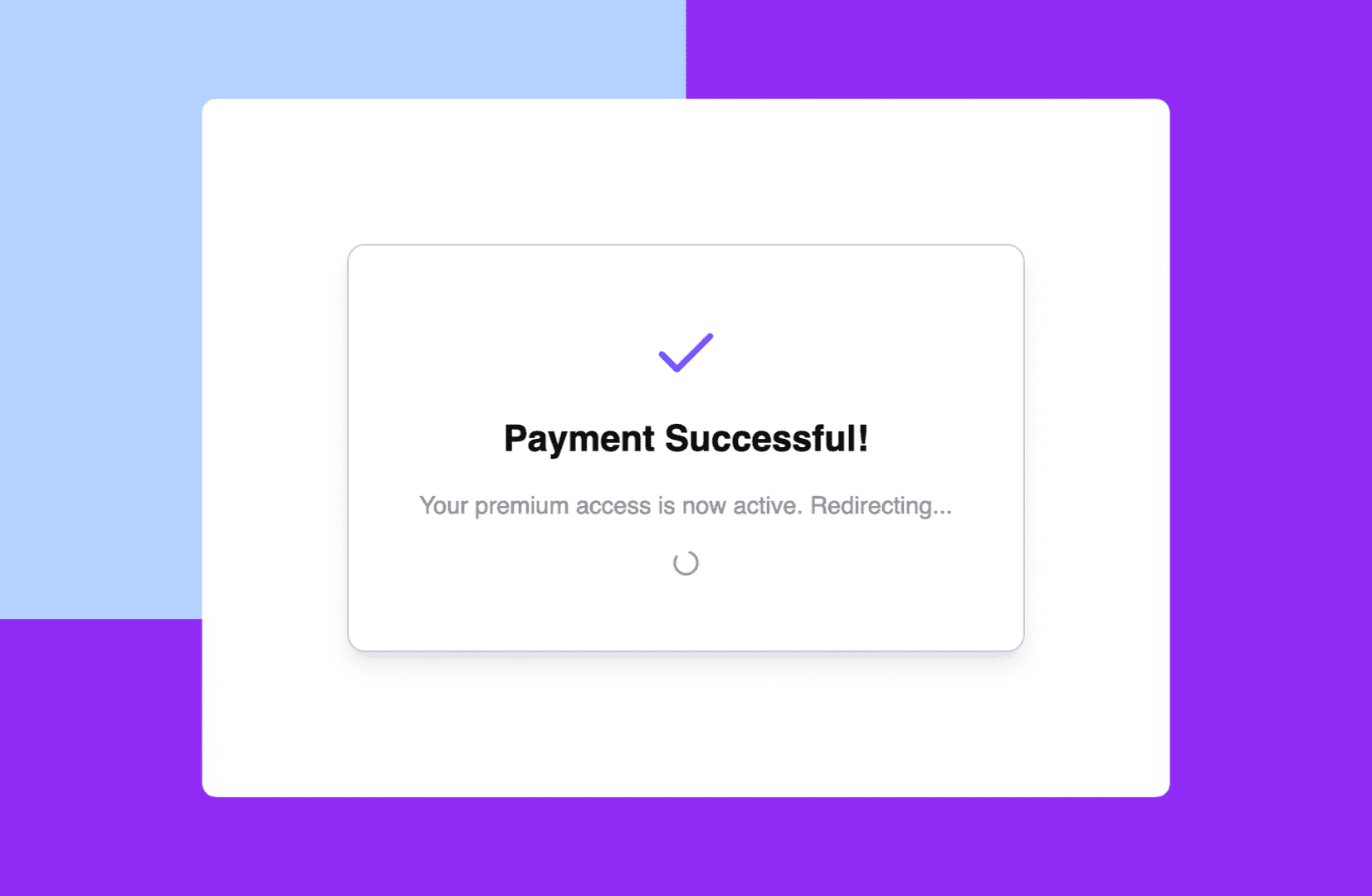
Confirm you’re redirected back to your app with your account status updated to subscribed.
Navigate to /accounts and confirm your active subscription shows up with options to update or cancel.
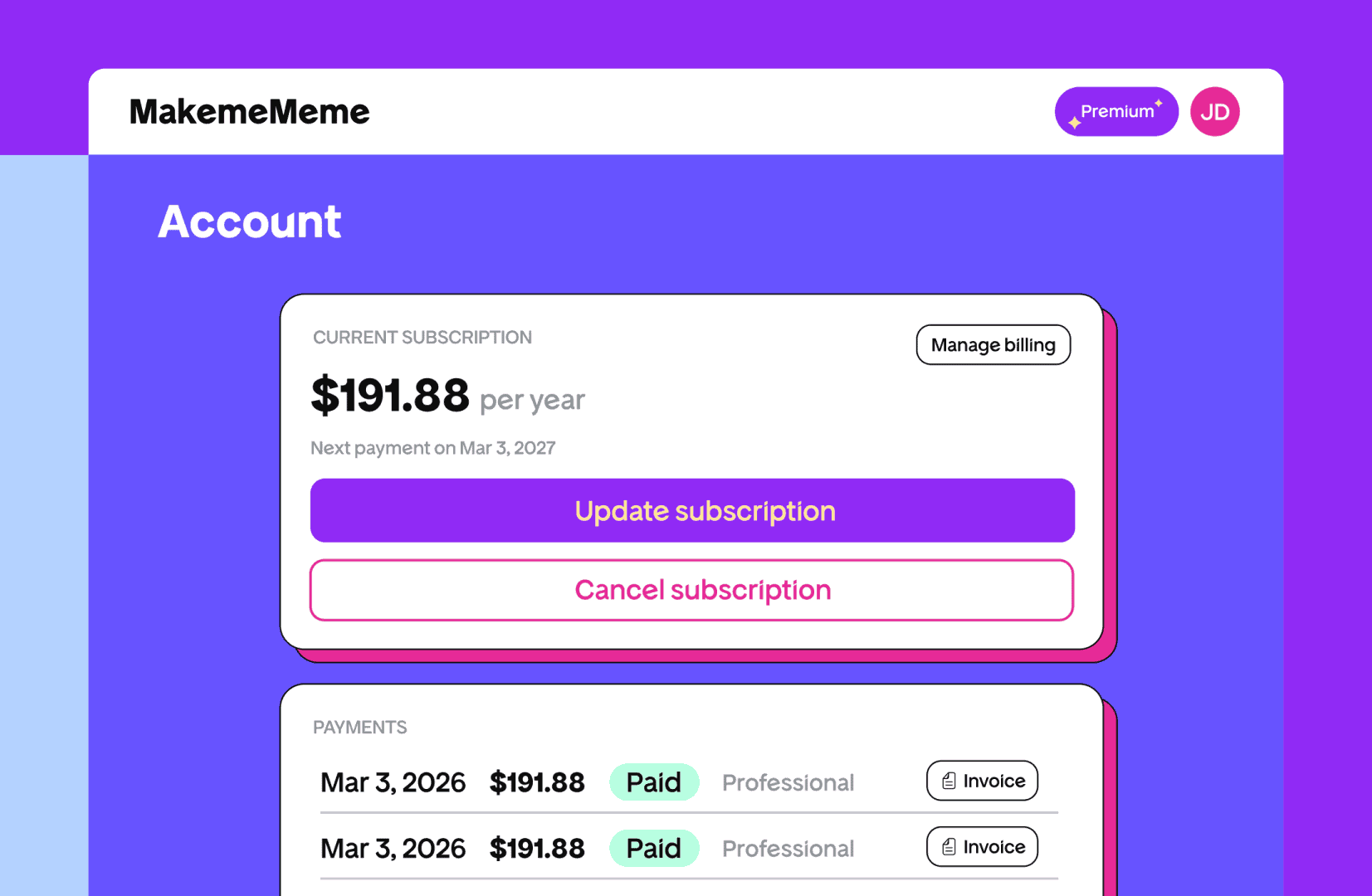
If something doesn’t work, describe the issue to the Lovable agent with a screenshot and it will fix it.
For persistent issues, the Freemius GitHub repo has each of the seven integration steps individually, so you can point the agent to a specific step to redo it.
| Quick note: This integration is for subscription plans. If you’re looking to do one-off purchases or lifetime access, the setup is a bit different. Get in touch with Freemius support and they’ll help you figure out the best way to go. |
Gating specific features after integration
Once the core integration is working, you can start locking specific features behind a paywall. The Knowledge Base instructions you added in Step 2 stay active, so the agent already knows the Freemius patterns. You just tell it what to protect and at what level.
To gate a feature behind any active subscription, you can use this template prompt:
Add a paywall to [feature]. Use guide from knowledgebase to
protect the API route with `getUserEntitlement` and show a
lock-style paywall UI with a link to `/pricing` on
the frontend if the user doesn't have any active subscription.
Disable the `[button]` after the first failed attempt.
To restrict a feature to a specific plan, use hasPlan instead:
Add a paywall to the [feature]. Use guide from knowledgebase to
protect the API route with `hasPlan` for the `<planID>`
and show a lock-style paywall UI with a link
to `/pricing` on the frontend if the user doesn't have an
active Pro subscription.
Disable the [button] after the first failed attempt.
You can find your plan IDs in the Freemius Developer Dashboard under your product’s plans.
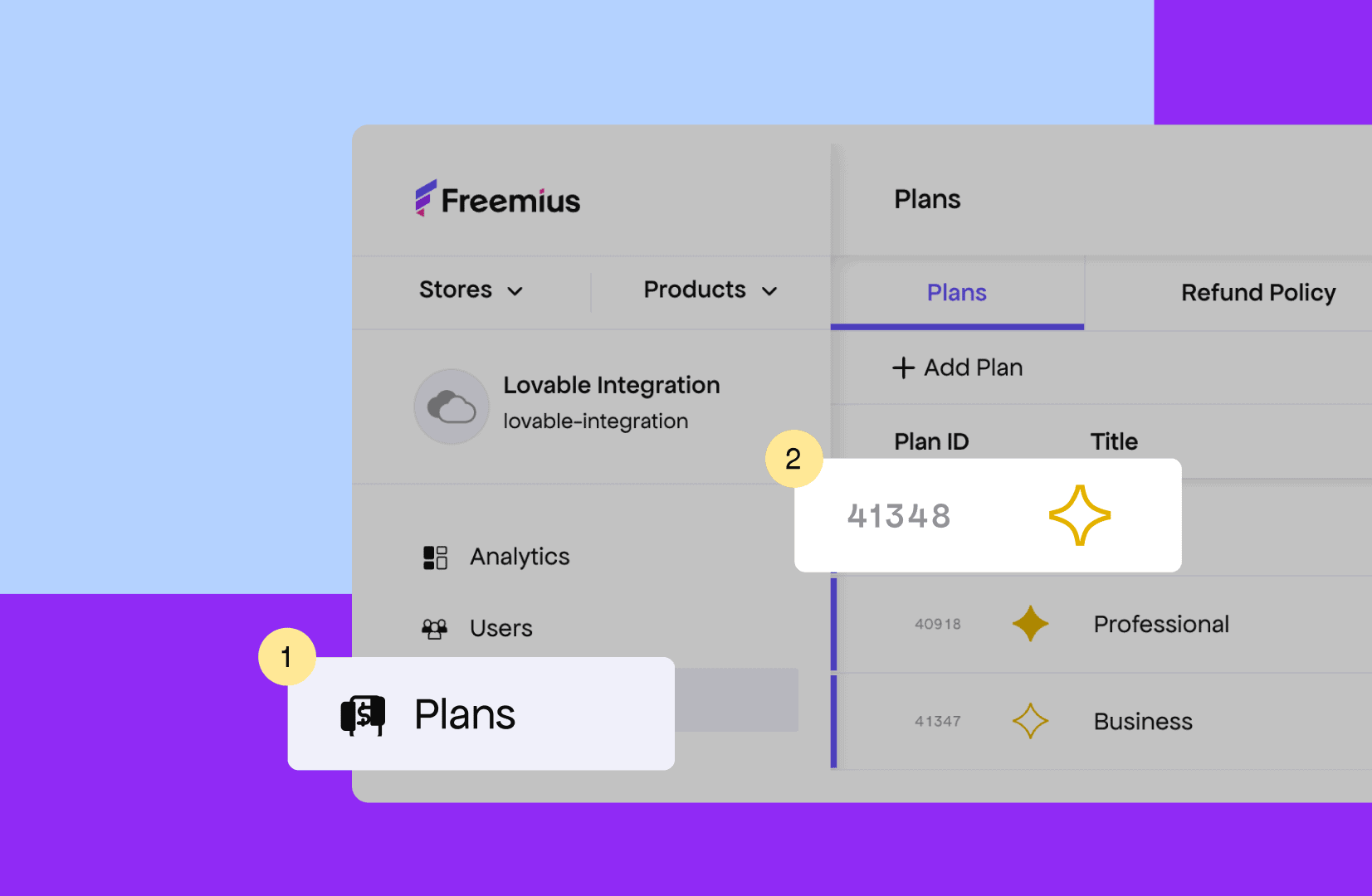
| Important: Always protect both the API route and the frontend UI. If the API route isn’t protected, someone can bypass the paywall and call premium functionality directly. |
One more thing: After you publish
Publishing your Lovable app changes its URL. That means the checkout and webhook URLs the agent made when you integrated it will be wrong. If things break after publishing, try running this:
If the app has been published, make sure to update all
front-end URLs to point to the production URL instead of
the local development URL inside `_shared/freemius.ts`.
The one thing that threw me was that part. Everything else is pretty standard — prompt, accept, paste, test. You can find the complete integration guide here: Freemius Loveable Integration documentation page.
Ready to start earning from your vibe-coded app?
If you’ve made it this far, you’re all set to turn your working Lovable app into a money-maker. The AI agent does most of the hard stuff; all you have to do is copy keys, paste a prompt, and run through a test purchase.
If you want to think through your pricing before setting things up — especially the model structure and how to handle inference costs — our guide to AI app pricing models is the right place to start.
FAQs
Can I monetize a Lovable app without coding?
Yes. Freemius has a Lovable integration that sets up your entire monetization stack — pricing page, checkout, paywall, subscription management, and webhooks — through a single prompt to the AI agent. No coding required.
Do I need a Stripe account to monetize my Lovable app?
No. Freemius is a merchant of record, which means it handles payment processing, tax compliance, and billing infrastructure for you. You don’t need to set up Stripe or any other payment processor separately.
How long does it take to add payments to a Lovable app?
The full setup — from creating your Freemius account to testing your first checkout — takes under an hour if you follow the steps in order.
What is Freemius?
Freemius is a merchant of record platform built for indie software makers, including vibe coders and AI-assisted builders. It handles checkout, recurring billing, licensing, VAT and sales tax compliance, and subscription management — the full monetization layer — so you can focus on building your product.
What’s the difference between using Freemius and Stripe for a Lovable app?
Stripe is a payment processor and it handles the transaction but leaves tax compliance, subscription logic, and billing management to you. Freemius is a merchant of record, meaning it takes on the full responsibility: payments, taxes, refunds, and chargebacks. For a non-technical founder, that’s a significant difference.
Does this integration work for one-time purchases or lifetime deals?
Not out of the box. The Lovable integration is built for subscription plans. If you need one-off purchases or lifetime access, the setup is different, reach out to Freemius support and they’ll walk you through the right approach.
What happens if my integration breaks after I publish my Lovable app?
Publishing changes your app’s URL, which means the checkout and webhook URLs generated during integration point to the wrong place. Run this prompt to fix it: “If the app has been published, make sure to update all front-end URLs to point to the production URL instead of the local development URL inside _shared/freemius.ts.”
Do I need a Supabase account?
Yes. The Freemius Lovable integration uses Supabase as the cloud backend. If you haven’t enabled it yet, the AI agent will prompt you to do so during the integration process.
Can I gate specific features behind a paywall instead of the whole app?
Yes. Once the core integration is running, you can protect individual features using prompts that tell the agent which API routes and UI elements to lock. You can gate features behind any active subscription or restrict them to a specific plan.
Will Freemius handle taxes for my Lovable app?
Yes. As a merchant of record, Freemius handles VAT, US sales tax, and international tax compliance on your behalf. You don’t need to register in every country you sell to or manage tax remittance yourself.