

License Recovery Tool for WordPress Customers
Sometimes, customers may misplace their license keys or download links for your WordPress plugins or themes.
While this information can be found in their account, to help them recover this information quickly and easily using only their email address, Freemius offers a License Recovery Self-Service tool.

How It Works
When a customer submits the form, Freemius automatically sends them an email on your behalf, containing download links for their purchased products along with all associated license keys.
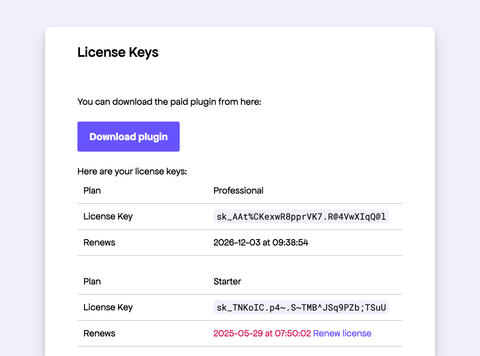
This lightweight recovery flow gives your buyers a quick way to help themselves, which can significantly reduce routine support tickets.
Setting Up Links
We offer two types of links to the license recovery tool.
Product-Specific License
For a specific product, create a button or link using the URL pattern below:
https://dashboard.freemius.com/license-recovery/{product_id}/{product_slug}/
For example, using a product with ID 11707 and slug my-awesome-plugin, the URL would be:
https://dashboard.freemius.com/license-recovery/11707/my-awesome-plugin/
We recommend adding these links to your product's FAQ or support pages for easy access.
You can find the product_id and product_slug in your Developer Dashboard under the Settings page of the desired product.
- To get your
product_slug, select the Information tab and check theslugfield. - To get your
product_id, select the API & Keys tab and check theIDfield under the Product Keys section.
Developer Account-Wide License
If you prefer offering a unified recovery page for your entire developer account, use:
https://dashboard.freemius.com/license-recovery/{developer_id}/
Your developer_id is available via your Profile page. Scroll to the bottom of the page under the Keys section.