|
|
Many micro-SaaS founders build their SaaS tech stack like they’re running a large, VC-backed startup.
They implement CRMs, advanced analytics, and marketing automation because VC blogs say that’s what “serious” SaaS companies use. But those tools are designed for funded teams with dedicated staff — not solo founders or small teams trying to stay lean and focused.
Instead, you’re left paying more each month, managing complicated setups, and staring at dashboards that don’t help you make better decisions.
Early-stage growth comes down to three things: trial conversion, retention, and MRR growth.
At Freemius, we work with software businesses across all stages, and founders who keep their tech stack lean consistently tell us the same thing: less time managing tools means more time on the product and with customers.
This article breaks down the must-haves of a lean micro-SaaS stack — billing, analytics, support, communication, and marketing — so you can build a focused setup that supports real decisions and sustainable growth.
TL;DR — Lean SaaS Stack
|
The Trap of “Best-in-Class” Tools
Every tool you add creates maintenance debt, context switching, and data fragmentation — the opposite of the clarity you’re aiming for.
Hidden costs quickly emerge:
- Time lost setting up, maintaining integrations, and learning features you’ll barely use
- Money lost through overlapping subscriptions and “temporary” upgrades that become permanent
Liran Blumenberg, founder of FB Group Bulk Poster, learned this firsthand with HubSpot.
“I signed up for a paid plan before I even had 500 users because I thought that’s what real SaaS companies do. Three months later I realized I was only using it to send a welcome email.”
It’s a familiar story across founder communities:
- CRMs become graveyards of unmaintained contact data
- Marketing automation tools running zero automations
- Analytics with dashboards no one checks
| Pro tip:
Before adding any tool, apply a simple filter: Can you explain in one sentence what it does for your revenue or your workload? If you hesitate, you’re likely paying for features you won’t use. |
What a Lean Micro-SaaS Stack Should Focus On
Before you reach $10K MRR, your stack should answer three questions:
- What drives conversions?
- What causes churn?
- What costs money?
For the answers, focus on monitoring:
- Trial-to-paid conversion
- Weekly churn rate
- Activation events
Look for tools that are easy to set up, integrate cleanly, and surface the numbers you actually review each week.
Saswata Baksi at Local Glyph keeps it simple: if a tool takes more than one focused working session to help him make a decision, he skips it.
Applied to revenue, this means prioritizing clarity. He recommends:
- Choosing a single source of truth for revenue data
- Defining each key metric in plain language
- Reviewing them weekly so everyone uses the same scoreboard
Every tool must earn its place by answering one of the three revenue questions. If it doesn’t, it gets cut.
What a Lean SaaS Tech Stack Actually Includes
Micro-SaaS needs five core tool categories, and a stack you can manage without it managing you.
Billing and Monetization
The job: Process payments, manage subscription lifecycle events (trials, renewals, upgrades, cancellations), handle tax/VAT compliance, and act as the single source of truth for revenue signals.
Many founders start their SaaS tech stack with Stripe for payments. Then they add a separate tool for revenue analytics, another for tax compliance, and eventually a spreadsheet to reconcile everything.
They assume, if each tool specializes in one job, the overall system will be clearer.
In practice, this decentralization creates three problems:
- Data fragmentation: Payments in one dashboard, revenue changes in another
- Reporting friction: Your MRR in the analytics tool doesn’t quite match what’s in Stripe
- Tax exposure risk: The software calculates VAT but you’re the one who has to file it, explain it, and defend it
When tools don’t connect cleanly, the complexity you thought you outsourced ends up back on your plate.
Liran described hitting that wall. He chose a merchant of record specifically to stop thinking about international tax rules:
“I was spending entire weekends reading about tax compliance. The moment I caught myself on a forum thread about reverse charge mechanisms at 1 a.m., I knew I needed someone else to deal with this.”
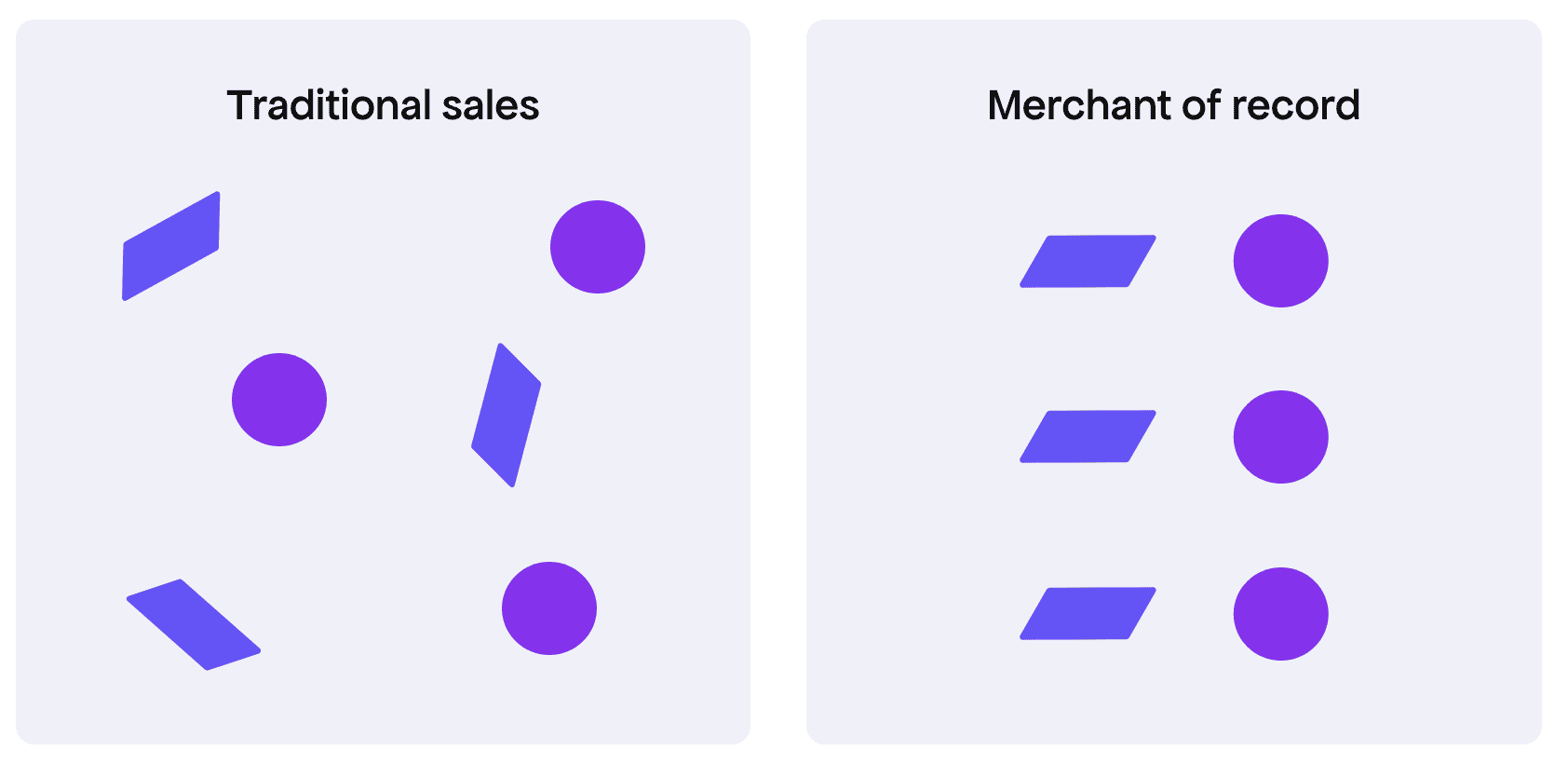
Why Consolidation Works
Instead of stitching together tools that add $150–$250/month (and still require maintenance), consolidation gives you:
- Real-time revenue signals (MRR/ARR, renewals, upgrades, churn) without export delays
- Pricing and plan changes tied to outcomes, so experiments don’t live in a separate spreadsheet. If you’re building an AI product, pricing model choice sits upstream of all three — it determines whether your billing setup can survive real usage at all. Our guide to AI app pricing models covers the structures that work when inference costs are in play.
- Sales tax/VAT handling without a second stack of tools
- Customer lifecycle visibility (trial → paid → upgrade → churn) in one place
For a solo founder managing support, marketing, and product simultaneously, paying a premium to not think about tax compliance was one of the best trade-offs I made. — Liran Blumenberg
See the comparison table later in this article for tool and cost details.
Read also: How Much You Actually Pay in Stripe Transaction Fees on $10K Monthly Revenue
Analytics
The job: Understand what drives conversion and retention, where onboarding loses people, and how feature usage connects to subscription outcomes.
Many founders add complex analytics tools to track dozens of events and dashboards. The problem is that setup costs and cognitive load occur before the insights become actionable. This leads to:
- Events you don’t fully trust
- Dashboards you rarely open
- Arguments about metric definitions instead of decisions
Luca Dal Zotto, founder of Rent a Mac, paid $299/month for Mixpanel, expecting funnel analysis, cohorts, and drop-off insights. But at that stage, all the business needed to track was:
- Booking conversion rate
- Activation within 48 hours
- Monthly recurring revenue
Finding Mixpanel’s dashboards overwhelming, he switched to a simpler (and cheaper) solution that displayed only the core KPIs they needed. Fewer metrics and clearer visibility allowed for faster, more straightforward decisions.
Nicky Zhu, AI Interaction Product Manager at Dymesty, experienced a similar problem, but even more acutely: three tools reported three different activation rates for the same flow.
To avoid such discrepancies, she created a rule that every micro-SaaS founder should adopt: if a tool can’t answer a critical question in under two minutes without checking another dashboard, it’s not worth it.
The team at My Passion followed the same logic. Even with advanced analytics in place, they couldn’t quickly answer how many new users reached their first meaningful action and came back within seven days.
“If a tool didn’t make activation and 7-day retention immediately clear, we removed it,” shares CEO Bogdan Nesvit.
Only once scale made those answers harder to get did they add complexity back in.
What to Track Alongside Revenue Data
Your analytics stack should answer these key questions:
- Where do valuable customers come from?
- Are new users achieving initial success with the product?
- What behavior predicts retention?
To answer these questions, focus on tracking:
- Activation: The first meaningful action a user takes, beyond simply signing up
- Funnel drop-offs: Points in the onboarding or setup process where users abandon the process
- Feature usage tied to outcomes: Which features are most strongly correlated with renewals or upgrades
The key question isn’t whether a tool is generally valuable, but rather: Does this specific tool reduce uncertainty regarding conversion or retention?
| A practical tool-selection filter:
Before committing to a tool, complete the following sentence: “This tool helps me decide ___ every week.” If you can’t fill the blank with a concrete decision, reconsider the purchase. |
You’ll find these analytics choices summarized in the table.
Support and Feedback
The job: Prevent churn with responsive support, identify product gaps via FAQs, and improve onboarding and pricing based on user conversations.
At this stage, support should remain simple and measurable, focusing on clear replies, visible patterns, and product improvements that reduce future tickets.
Luca realized this when support requests at Rent a Mac jumped from 12 to 38 per week. They were paying $180/month for Intercom, but it couldn’t clearly show which issues kept coming up.
We switched to a $29/month ticketing system that lets you tag issues by category. We found that 64% of our support questions were about pickup issues, which we fixed with automated SMS notifications.
The result: Support dropped to 15 tickets/week within a month.
SMSFAST’s team had a similar experience:
“We were paying $500/month for the full Intercom suite to impress users with chatbots and AI features we didn’t need,” says AI Solutions Lead Asawar Ali. “It added complexity to the stack, and activation stalled at 35% because onboarding was overwhelming, so we switched to a $25/month solution with simple live support and basic automation.”
The result: Within three months, revenue grew 150% and support tickets dropped 60%.
What “Lean Support” Looks Like at This Stage
Start with email or a shared inbox. Add a lightweight helpdesk when you:
- Miss replies
- Experience response delays tied to churn
- Find engineers spending too much time on escalations
- Can’t categorize issues quickly
To protect your focus, keep it async by default. Live chat makes sense only when immediate replies directly influence conversion.
The table captures the lightweight setup described here.
Communication and Internal Ops
The job: Make decisions clear, keep context easy to find, and maintain a steady shipping pace.
When internal ops get heavy:
- Tasks live in multiple places
- Important decisions are buried in chat threads
- You spend time updating boards instead of shipping
Anatolii Kasianov, co-founder of My Passion, saw internal ops slow the team down early.
“We spent weeks configuring Jira and advanced tools. Instead of shipping, we were arguing about workflows, permissions, and structure.”
They replaced it with lighter tools like Linear and kept only what directly supported revenue, activation, and retention.
Key lesson: Adopt tools only when the pain is acute and ROI is clear.
Liran ran into the same trap from a solo-founder angle. He adopted ClickUp to bring “structure” to development, but within weeks, he realized he was spending more time maintaining boards than building the product.
He paused and asked himself: does this clearly support revenue or my sanity?
“The honest answer was neither,” he admits. “As a solo founder with only one developer, a full project management system was overkill. I needed focus and clarity, but instead, it added overhead and only gave the illusion of control.”
What Lean Internal Ops Looks Like
Keep the system small enough that it doesn’t need its own management.
- One task system (Trello, Linear, GitHub Issues, or a shared list)
- One documentation hub (Notion, Google Docs, or your code repo)
- Real-time chat only when immediate coordination is required
If work requires updating three tools before it’s considered “done,” the process is too heavy.
The lean setup is outlined in the table.
Marketing and Distribution
The job: Generate qualified traffic, capture emails, nurture trials, and re-engage churned users.
Early-stage founders often build marketing stacks designed for scale:
- Advanced SEO tools before publishing regularly
- Marketing automation before sending consistent emails
- Attribution software before running enough traffic to produce meaningful patterns
While long-term channels like SEO are valuable, avoid building a complex marketing stack for them too early.
Instead, reach users where they already are: niche communities, forums, social groups, or marketplaces.
Bake That Batter is a good example. When bakers (including his sister) lost access to their previous software, Tiago built a replacement and created a Facebook group for those affected.
This group served as both a feedback loop and the primary acquisition channel. As bakers recommended the tool to each other, affiliate marketing became a natural extension.
Rather than implementing separate systems for payments, tax handling, cart recovery, and affiliate tracking, he used Freemius as a merchant of record with a built-in affiliate platform.
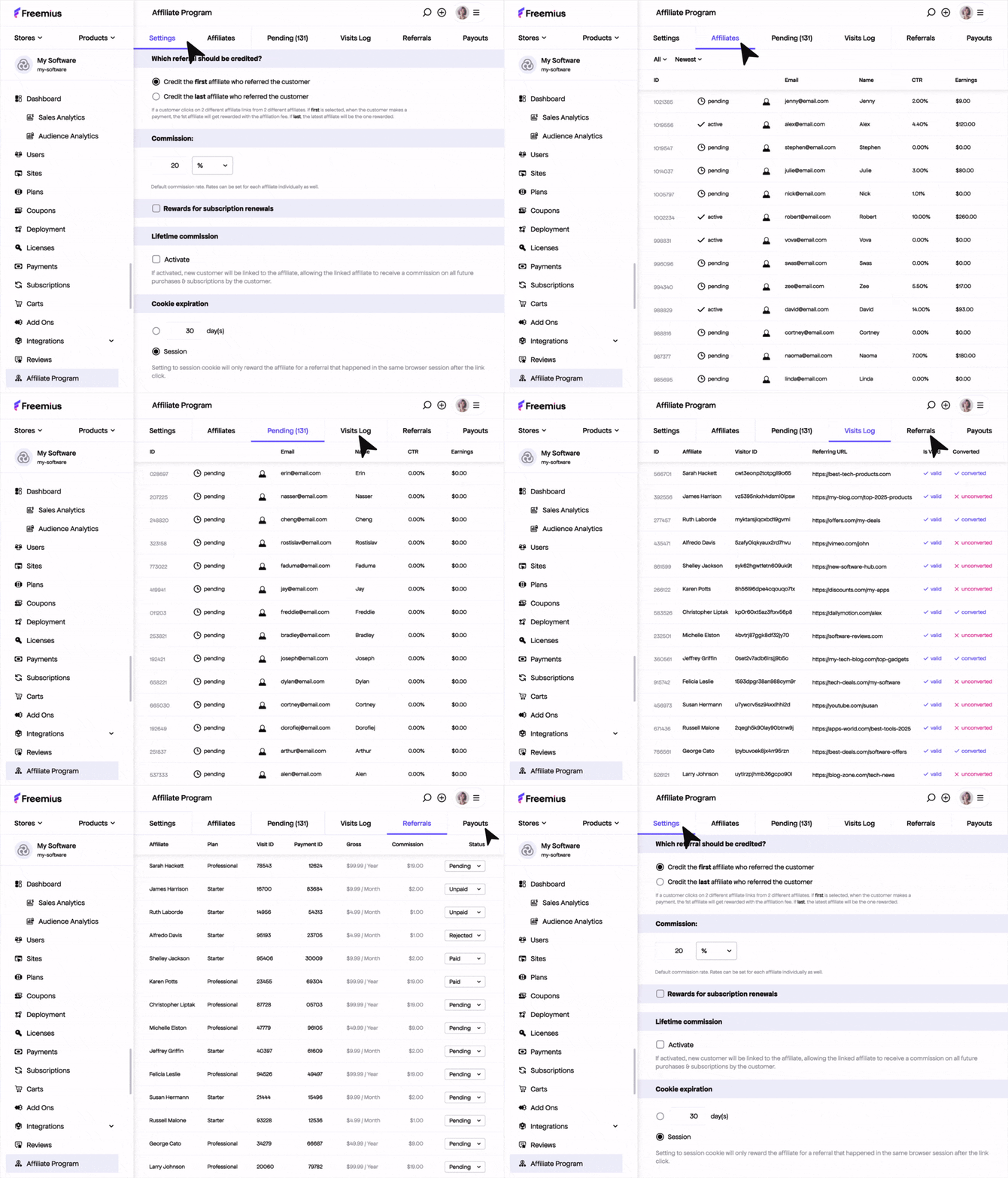
The result: Upon launch of paid plans, 125 out of 150 bakers immediately subscribed.
What a Lean Marketing Stack Looks Like
Add tools only when there’s enough activity to justify them.
- Email platform: Once you send regularly
- SEO: Free tools + one keyword tool once you publish consistently
- Scheduling: Only if you post often enough to need batching
- Affiliate tools: Enable when users are already recommending you
If you’re not shipping content every week, automation won’t help. Build the habit first — then use tools to speed it up.
The marketing tools discussed above are included in the table below.
A Lean SaaS Tech Stack Under $75 per Month
Here is what a practical SaaS tech stack looks like for most solo founders before $10K MRR.
| Category | Tool | Monthly cost | When to upgrade |
| Billing & monetization | Freemius (Merchant of Record) | 4.7% (revenue-share) | Use from day one if you want billing, subscriptions, tax compliance, cart recovery, and affiliate tracking in one place. |
| Analytics (web + product) | Plausible / Fathom / Simple Analytics + PostHog / Heap | $0 → ~$20/month | Start with privacy-friendly web analytics and free product analytics tiers. Upgrade only when traffic volume or event limits require it. |
| Support & feedback | Email → Lightweight helpdesk (Crisp / HelpScout) | $0 → ~$25 | Start with a shared inbox. Upgrade when you need tagging, assignment, or response tracking. Add live chat only if response speed impacts conversion. |
| Marketing & distribution | Email platform (Mailchimp / MailerLite) | $0 → ~$9/month | Start free. Upgrade when list growth or segmentation demands it. Add affiliates once users are already recommending you. |
| Communication & internal ops | Task board (Trello / Linear / GitHub Issues) + Shared docs (Notion / Google Docs) | $0 | Avoid paid tools until coordination delays slow shipping. Add real-time chat only when multiple people need constant sync. |
With this setup, expect fixed monthly costs to stay under $50–$75 until revenue grows.
Optional additions for later:
- CRM: Add when you have meaningful lead volume and multiple people managing sales.
- Advanced analytics: Upgrade only after you exhaust free-tier insights and have consistent traffic.
- Project management software: Add when coordination overhead clearly blocks shipping.
- Live chat: Add when delayed replies measurably reduce conversion.
How to Trim Your Stack
Run a quick audit:
- List every subscription
- Note the last login date
- Write what you actually check weekly
- Cancel anything unused for 30 days
What a Revenue Operating System Does
Without clear revenue data, founders spend time reconciling dashboards and debating which number is correct.
A revenue operating system removes that friction by turning billing activity into reliable growth signals.
At minimum, it should:
- Track subscription lifecycle events, such as trials, conversions, renewals, upgrades, downgrades, cancellations, refunds, and failed payments
- Tie those events directly to revenue metrics, like MRR and churn
- Update metrics based on actual billing activity
- Centralize tax and compliance in the same system
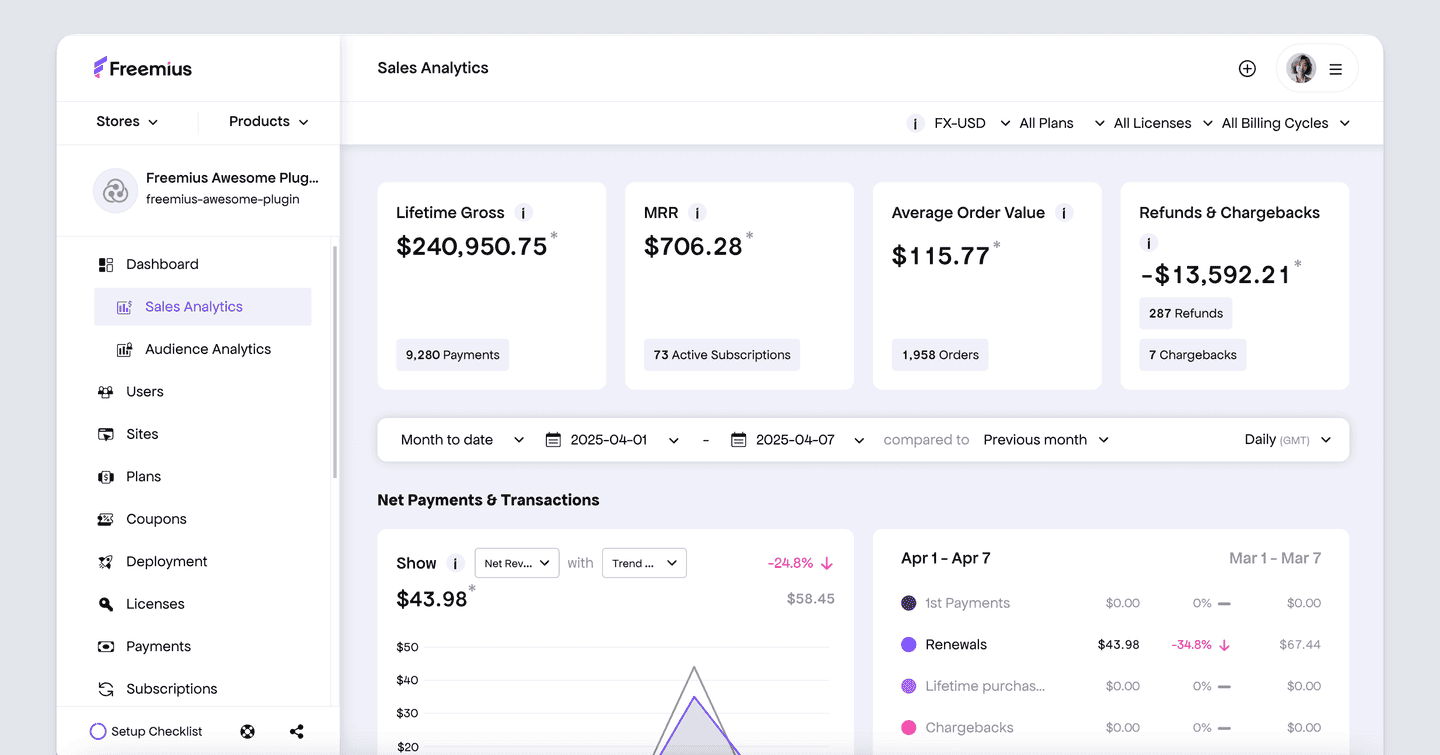
Platforms like Freemius act as the revenue layer of your SaaS tech stack by combining billing, subscriptions, tax compliance, and revenue analytics into one system.
As a result, pricing changes, churn trends, and retention shifts become immediately visible, enabling faster, more informed decisions.
Build a Stack That Speeds Up Decisions
The founders in this article didn’t grow by adding more tools, but by being deliberate about which ones stayed.
For a practical starting point, run an audit:
- List every subscription
- Note the last login date
- Cancel anything untouched in 30 days
Most founders uncover at least one tool they’re paying for out of habit.
From there, simplify the core: one source of truth for revenue, one place for support, one place for tasks.
The stack can grow when the business demands it.
If your SaaS tech stack feels fragmented, talk to our team for a focused review and we’ll show you exactly what to consolidate first.