

How to Transfer a Product Between Different Stores
In Freemius, you have the flexibility to move products between different stores. This is particularly useful when reorganizing for better operational clarity or adjusting ownership.
Transferring Products Across Stores
To move a product from one store to another, follow these steps:
- Log in to the Developer Dashboard.
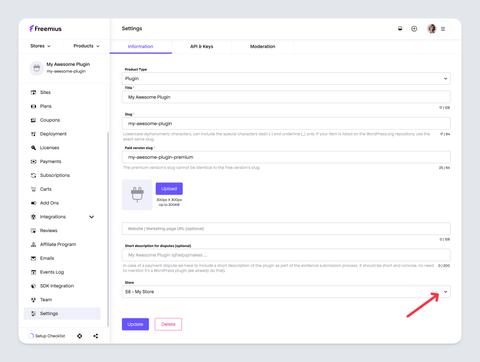
- Navigate to the Settings page of the relevant product.
- Open the store selection dropdown in the Information tab near the bottom.
- Choose the target store from the dropdown.
- Click the "Update" button at the bottom of the page to complete the process.
Effects of the Product Transfer
When you move a product from one store to another, the process is seamless and customers are not affected. All historical and customer data, including purchases, licenses, product settings, and configurations, remains intact and associated with the product.