|
|
When a user cancels, stops logging in, or walks away after a trial, many SaaS founders move on.
Churn has a way of feeling final.
But looking across thousands of software businesses on Freemius, we consistently see something else:
Many inactive or churned users don’t leave because they’ve rejected the product. They leave because setup is confusing, onboarding isn’t clear, something blocks them from getting value, or life simply gets in the way.
This article breaks down how win-back campaigns work, where they fail, and how to re-engage users without relying on discounts, pressure, or complicated tools.
What Are Win-Back Campaigns?
A win-back campaign helps bring inactive or churned users back by fixing what got in the way.
Some founders assume win-back campaigns are just discounts or desperate plays. They’re not, and here’s the difference:
| Win-back campaigns | Not win-back campaigns |
| Triggered by inactivity, cancellation, or payment failure | Triggered by signup, feature release, or calendar schedules |
| Focused on one clear path back to value | Broad updates or multi-purpose messaging |
| Respond to a specific drop-off or blocker | Ignore why the user stopped engaging |
| Timed to re-engage when intent still exists | Sent regardless of user readiness or context |
When founders lump win-back campaigns with newsletters, drip emails, or discount blasts, they end up forcing urgency where it doesn’t belong.
To fix that, you first need to understand how and why users disengage.
Different Drop-Offs Need Different Win-Backs
There’s a difference between users who passively leave and those who unsubscribe on purpose.
Silent Drop-Off: Usage Stalled Before Value
Users stop logging in, don’t complete a core action, or simply drift away. Usually, this means they didn’t experience the value of your product before friction set in.
This happened at My Passion, a subscription reading platform:
“We noticed users were dropping off at the same spots in a book, even though they hadn’t cancelled their accounts. It turned out that 35% of users we thought had ‘churned’ were just getting stuck or overwhelmed by content length.”
To make things easier, Anatolii Kasianov’s team started recommending shorter books by the same author to users who stopped reading. They based the recommendations on what similar readers had enjoyed.
The result: 28% came back within two weeks and generated 40% higher lifetime value.
Silent drop-off can also happen when users try an early version of a product.
Liran Blumenberg, founder of FB Group Bulk Poster, saw this when 7,500 early free users never upgraded, even though the product had improved drastically.
I almost went with the whole ‘come back, here’s 20% off’ thing, but it felt too desperate, so I passed. Instead, I sent a quick email explaining what was new, listing the features, and why they mattered.
The result:
- 33% open rate
- 10% of those who opened the email converted to paid users
- Returning users stuck around longer than completely new users
Explicit Churn: Users Who Actually Chose To Leave
The issue here is often timing, pricing, or shifting priorities, not that users didn’t understand the product.
Nick Fogle, co-founder of Churnkey, ran into this and ended up spending a year trying to stop customer churn.
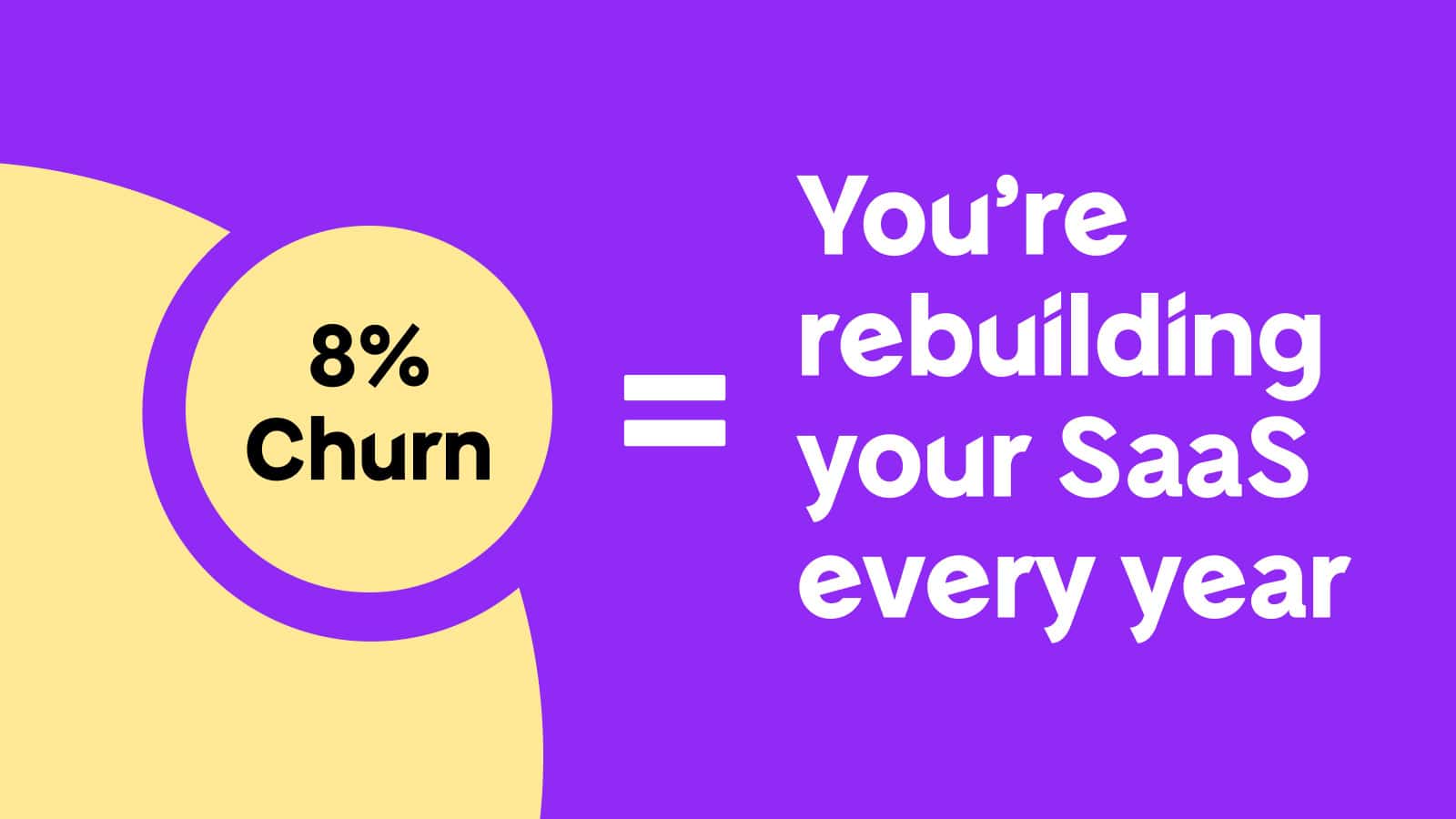
“Let’s say you’re churning around 8% of your users every month,” Nick explains. “At that point, you’re basically replacing your entire customer base every 12 to 13 months just to stay where you are. And we were way worse than that, closer to 14%.”
The team focused on figuring out why users were canceling and revamped the cancellation flow to offer solutions.
The result: Churn eventually dropped to around 8%, which unlocked the next phase of growth.
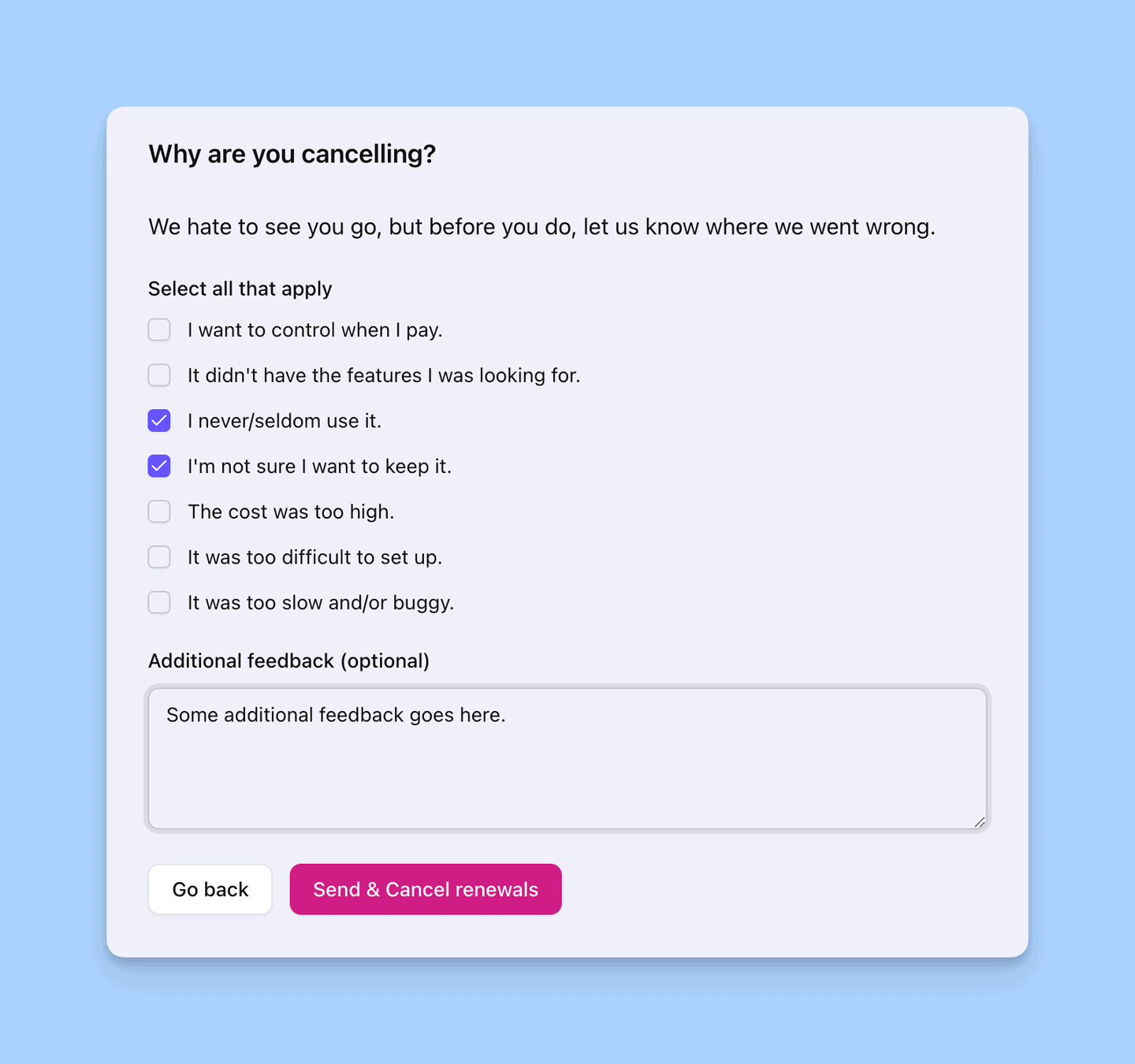
Pro tip: When users cancel, the best input you can get is why they’re leaving. A deactivation feedback form (like the one Freemius provides) lets you grab that info when it happens. Then, you can group canceled users for win-back campaigns and use the feedback to improve onboarding or pricing.
See also: Calculating Churn Rate
How to Re-Engage Users Without Being Pushy
Founders often shy away from win-back campaigns, worried they’ll annoy users, sound salesy, or cheapen the product. Luckily, you don’t need to be pushy to make users interested again.
Acknowledge the Point of Disengagement
Re-engaging users starts with knowing exactly where they left off.
WordLayouts identified 1,200 users who downloaded templates but didn’t use them in the first two weeks. Hamid Ali’s team reached out six weeks after a user’s last login, calling out the problem in the email subject line:
“Saw you grabbed the template but didn’t finish — need a hand?”
The email offered a quick walkthrough video, a direct line to our support team, and a trial extension.
The result: 14% reactivated, and 29% of those became paying customers within two months.
Focus On One Concrete Action They Can Take Next
A common mistake is expecting inactive users to pick everything back up at once.
A better approach is to focus the message on a single action that builds on what they’ve already done.
That shift made all the difference for OurNetHelps, run by Sanjeev Kumar.
Instead of reintroducing the whole product, we kept the message simple and non-promotional, including a reminder of what they had already done and one specific next step tied to a real outcome. For example:
“You created X last time. Most users at this stage use Y to finish the job faster.”
The result:
- 25%–35% of users returned
- 60%–70% of returning users completed a second meaningful task
- 30%–40% hit a usage limit within 7–10 days
- ~2× higher conversion rate
Avoid False Urgency or “Last Chance” Framing
When teams see a spike in inactive users, the first instinct is often discounts — a quick, familiar move that feels like a straightforward fix.
Before the win-back approach paid off at WordLayouts, the team tried discount-based emails. They saw strong open rates (41%), but very little follow-through: just 8% clicked, and only 4% returned to the product.
Once they switched from pushing quick fixes to helping users, they noticed that results depended less on the message itself and more on when it was sent.
| Time inactive | Reactivation rate | Conversion rate |
| 2 weeks | 9% | 22% |
| 6 weeks | 18% | 41% |
| 3 months | 11% | 18% |
Hamid explains: “Users need enough time away to be open to help, but not so much that they’ve forgotten why they signed up.”
Keep Messages Short and Easy to Act On
The less thinking a message demands, the more likely users are to act on it.
An e-commerce customer using SMSFAST went from sending around 500 SMS/month to almost nothing, even though they were still logging in.
“We spotted this pattern through analytics: login spikes without sends showed they weren’t fully using it. We then sent a quick email nudging them to test a new AI message optimizer that lowered delivery costs by 22%,” says AI Solutions Lead Asawar Ali.
The result: They were back in about a week and bumped usage up to 650 messages/month.
Simple, Repeatable Win-Back Message Formats
Once you know why a user disengaged, the message itself doesn’t need to be clever, it needs to be specific.
You can reuse these simple win-back message formats across products and situations:
-
- Blocked access nudge
Use when access expired, billing failed, setup couldn’t continue.- Say what’s blocking them
- Tell them how to unblock it
- Point to the exact action
Example: “Your trial ended before setup was finished. Reactivating will restore your existing projects.”
- Graceful exit reminder
Use when users cancel, pause, or intentionally step away.- Acknowledge the pause
- Remove pressure
- Make return frictionless
Example: “Thanks for trying the product. If the timing wasn’t right, you can come back anytime and pick up where you left off.”
- Almost there prompt
Use when users completed one meaningful action but stalled before seeing value.- Reference their progress
- Suggest the next step
Example: “You made your first report two weeks ago. To save time, most users at this stage schedule the next one.”
- Fixed-what-broke update
Use when you’ve removed a known blocker or shipped a long-requested improvement.- Name the specific change
- Tie it to the original pain point
- Invite them to retry
Example: “We’ve added bulk export, so you no longer need the workaround you used before.”
- Blocked access nudge
Incentives can help in specific cases, but only after users understand what to do and why it matters.
Making Incentives Work Without Messing Up Retention
Incentives retain users when they reinforce value. If they’re used to mask low engagement, they might briefly recover users, but churn will recur.
Panto AI ran into this issue after sending discount win-back emails to users who stopped using the product or canceled early.
People opened the emails and used the discount, but almost nobody finished setup and ran their first automated workflow — where the product really shines.
Instead of cutting prices, the team focused on users who connected one data source but never set up the automation.
The new win-back plan:
- Mentioned the step the user hadn’t finished
- Extended the relevant feature for 30 days
- Offered a guided onboarding session that focused on that unfinished step
The result:
- ~18% reactivated
- ~60% went back to being paying customers
A quick way to decide if incentives are for you:
Before you start throwing out discounts or extensions, ask yourself:
- Do users know what to do if they come back?
- Do they know how to do it?
- Is price or timing actually the problem?
If you answered “no” to the first two, incentives will only give you a temporary boost. But if the answer is “yes” to the third, incentives can encourage users to return.
With the right message and incentive, the next thing is figuring out how and where to reach users.
Choosing the Right Channel for Re-Engagement
Re-engaging users is easier when they can take action right away. The more hoops they have to jump through, the less likely they are to bother.
Email: This is your go-to when users have stopped opening your product altogether. Just make sure to mention:
- Why you’re reaching out
- What they were trying to do
- One clear next step
Example: “Your trial ended before you finished setting things up. Reactivate now to restore your projects.”
In-app prompt: Use these when users are still logging in but haven’t completed the core action.
Example: “You connected your account. Syncing data takes about a minute.”
In-app prompts won’t work if people never open the product, and emails are annoying if they’re already inside. Choosing the right channel isn’t about what you prefer — it’s about making things as easy as possible for the user.
And that’s where automation comes in.
Why Win-Backs Work Best on Autopilot
Re-engagement fails when it depends on someone remembering to “follow up later,” leading to inconsistency, delays, or just plain forgetting.
We see this happen when founders try to run win-backs manually. It usually goes like this:
- “We meant to follow up, but forgot when things got busy.”
- “By the time we reached out, it was too late.”
- “We weren’t sure if it was worth emailing them again.”
When outreach is automated:
- Timing’s based on what users actually do (or don’t do)
- Messages go out while everything’s still fresh in their minds
- Re-engagement happens without wondering, “Should we even bother reaching out?”
That’s why the best win-back plans automate as much as possible.
Pick a few key triggers (like cancellation, not using the product for a while, payment issues, or getting stuck during setup) and match each one with a specific message. Once you set up these rules, the system takes care of the rest.
Freemius: The Engine That Powers Win-Backs
Win-back strategies are effective only if you can identify at-risk customers and take timely action. The challenge lies in delivering the right message at the right time, without relying on manual tracking, spreadsheets, or custom coding.
Freemius helps by turning subscription and billing events into actionable signals, making win-backs an integral part of your system.
With Freemius, you can:
- Automatically detect user disengagement: Freemius automatically tracks and displays cancellations, failed payments, trial expirations, renewals, and access changes.
- Deliver perfectly timed messages: Triggered by events such as expiring access or failed payments, your messages remain relevant and timely.
- Easily restore access: Freemius natively supports retries, renewals, extensions, and access restoration.
- Start simple and optimize iteratively: Launch a basic win-back flow and refine it based on real-world data, not assumptions.
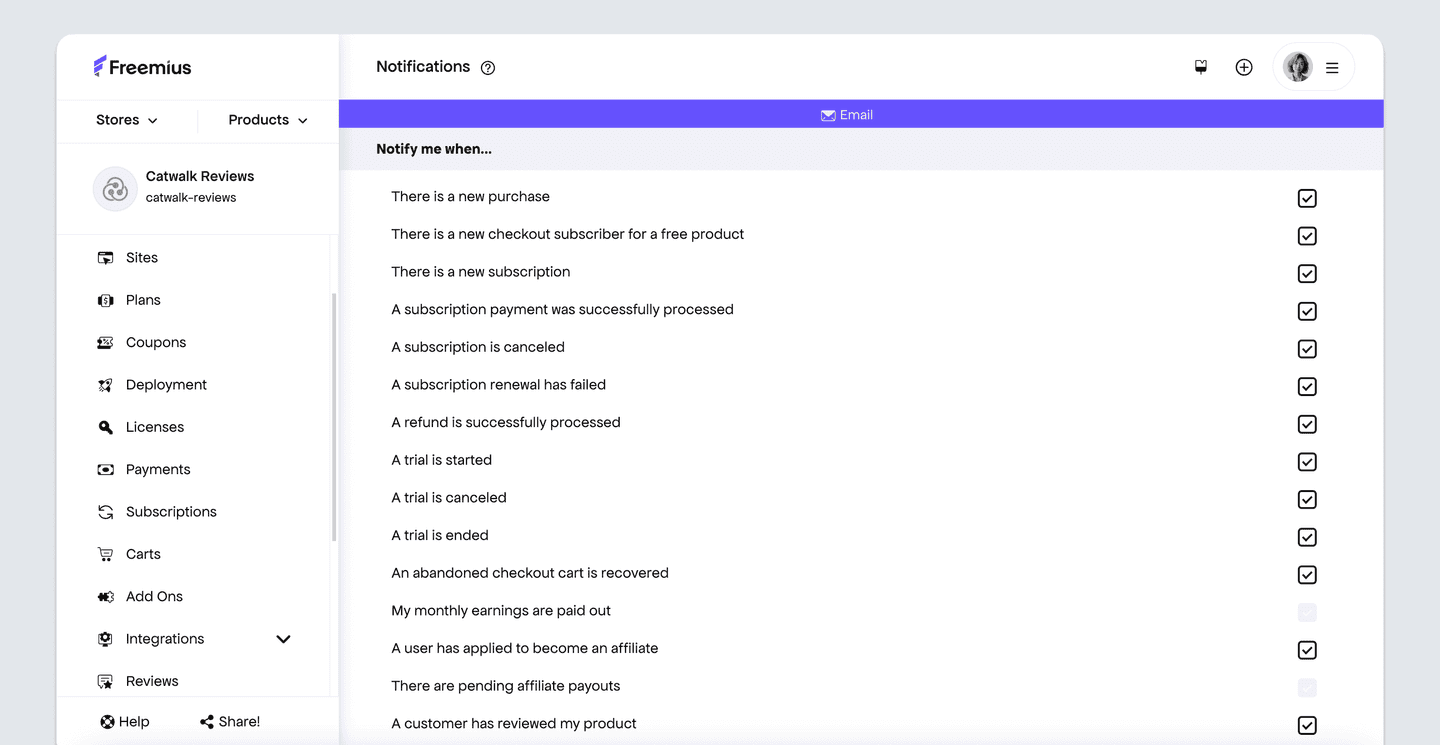
Customize beyond default email settings. Leverage our events and webhooks to craft your own custom flow.
Instead of rebuilding your retention setup to experiment with win-backs, you gain infrastructure that inherently supports customer recovery and simplifies testing, learning, and improving your win-back flows.
Stop Writing Off Users Who Might Come Back
Every user you win back increases their lifetime value, reduces the pressure to find new customers, and turns past effort into future revenue.
Most churn happens because users don’t understand the product or the timing is off. Instead of treating disengagement like it’s the end:
- Identify a signal as to why disengagement occurred
- Explain the reason for contacting the user
- Offer one clear, relevant next step within the product
This approach can reveal why users left, recover lost revenue, and improve overall retention.
To take things further, check out how to set up marketing automation, use contextual discounts, and connect re-engagement with your broader SaaS sales strategy.