Changelog

Welcome to the changelog section of Freemius, here you'll find our weekly technical update notes. You can subscribe to all posts via Newsletter or follow us on Twitter to stay updated.

Simplify Freemius Checkout Integration with the New WordPress Plugin

We’re excited to share the official release of the Freemius for WordPress plugin — a community-built initiative by Xaver, the creator of Mailster. Developed independently and supported by Freemius, the plugin makes it incredibly easy to integrate the Freemius Checkout and other components into your WordPress site. Watch the short video below to explore its features.

If you’re selling your WordPress product with Freemius, then besides the built-in WP SDK Checkout, we’ve always recommended embedding a pricing page on your own marketing website using the Freemius Checkout JS SDK. However, this required writing and maintaining the integration code manually.

With the Freemius for WordPress plugin, you no longer have to. If your theme supports blocks, you can turn any button into a Freemius Checkout button and configure all available options right from the editor. You can also integrate Freemius Checkout with any pricing table or layout pattern that comes with your theme.

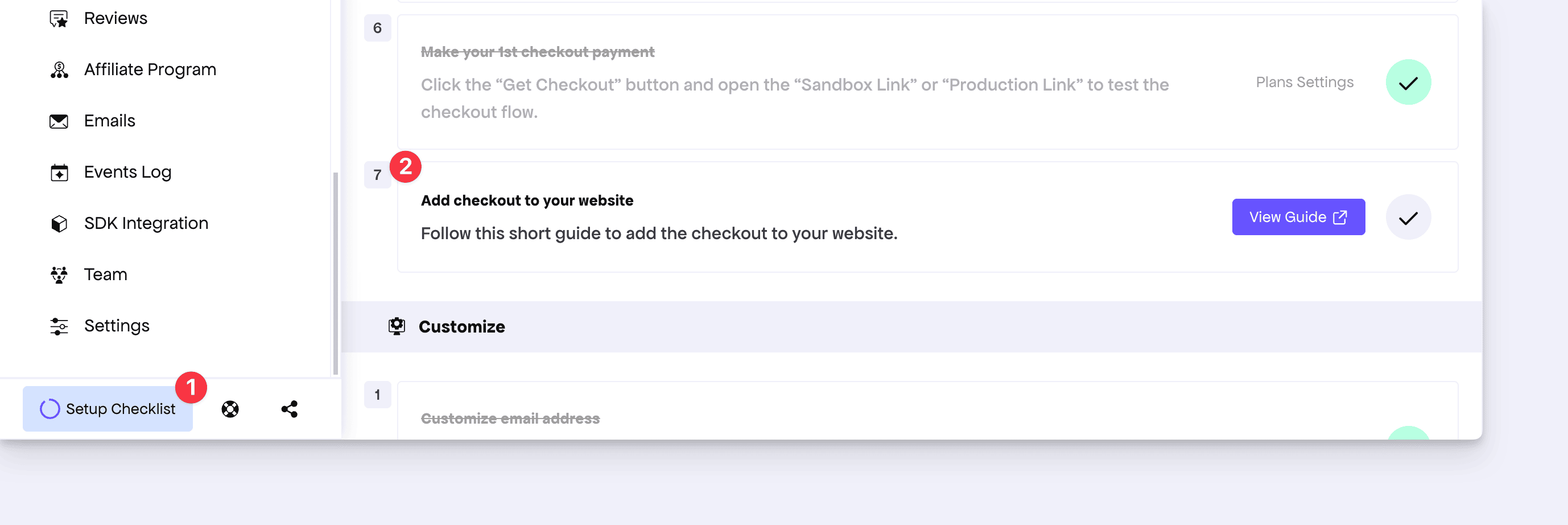
To make this even easier for our makers, we’ve added a new step in the Setup Checklist inside the Developer Dashboard that explains the plugin’s role and how it fits into your setup.

Access Freemius for WP Plugin from the Setup Checklist

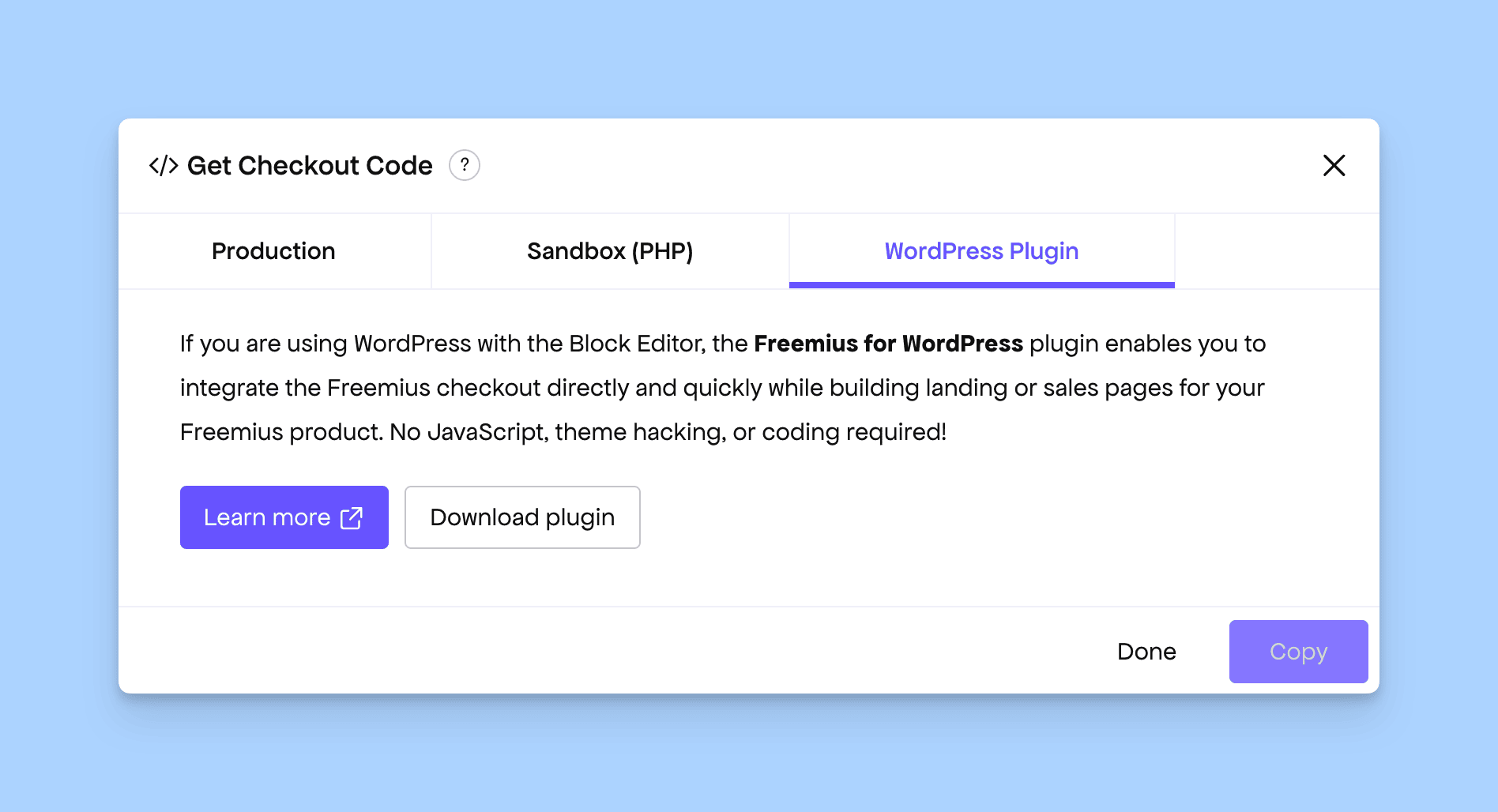
Additionally, you’ll now find instructions for using the plugin inside the Get Checkout Code dialog accessible from the Plans page.

Freemius for WordPress plugin shown inside the Get Checkout Code

You can learn more in our documentation.

Even if your product itself isn’t built on WordPress, as long as your marketing site runs on WordPress, you can use this plugin to easily integrate Freemius Checkout and other components.

We’re just getting started with this plugin. In upcoming releases, we plan to introduce more features such as embedding the Customer Portal, providing SSO login options, and unifying all these capabilities into a single, robust plugin for WordPress makers.

Customer Portal Now Hides Sensitive Details for Foreign Licenses

Freemius’ robust licensing system allows activating a license on a WordPress product that isn’t owned by the website owner. This is particularly useful for agencies that manage client sites, as they can install and manage licenses on behalf of their clients. To maintain privacy, agencies often enable whitelabel mode to hide license keys and other sensitive information from the WordPress SDK.

However, depending on how the client initially installed the product, the same license could sometimes appear as a “foreign license” under the client’s own Customer Portal account.

In such cases, the portal previously displayed the license and allowed actions like upgrading the plan or updating the payment method—actions that should have been restricted.

In this week’s deployment, we’ve addressed and fixed this privacy issue.

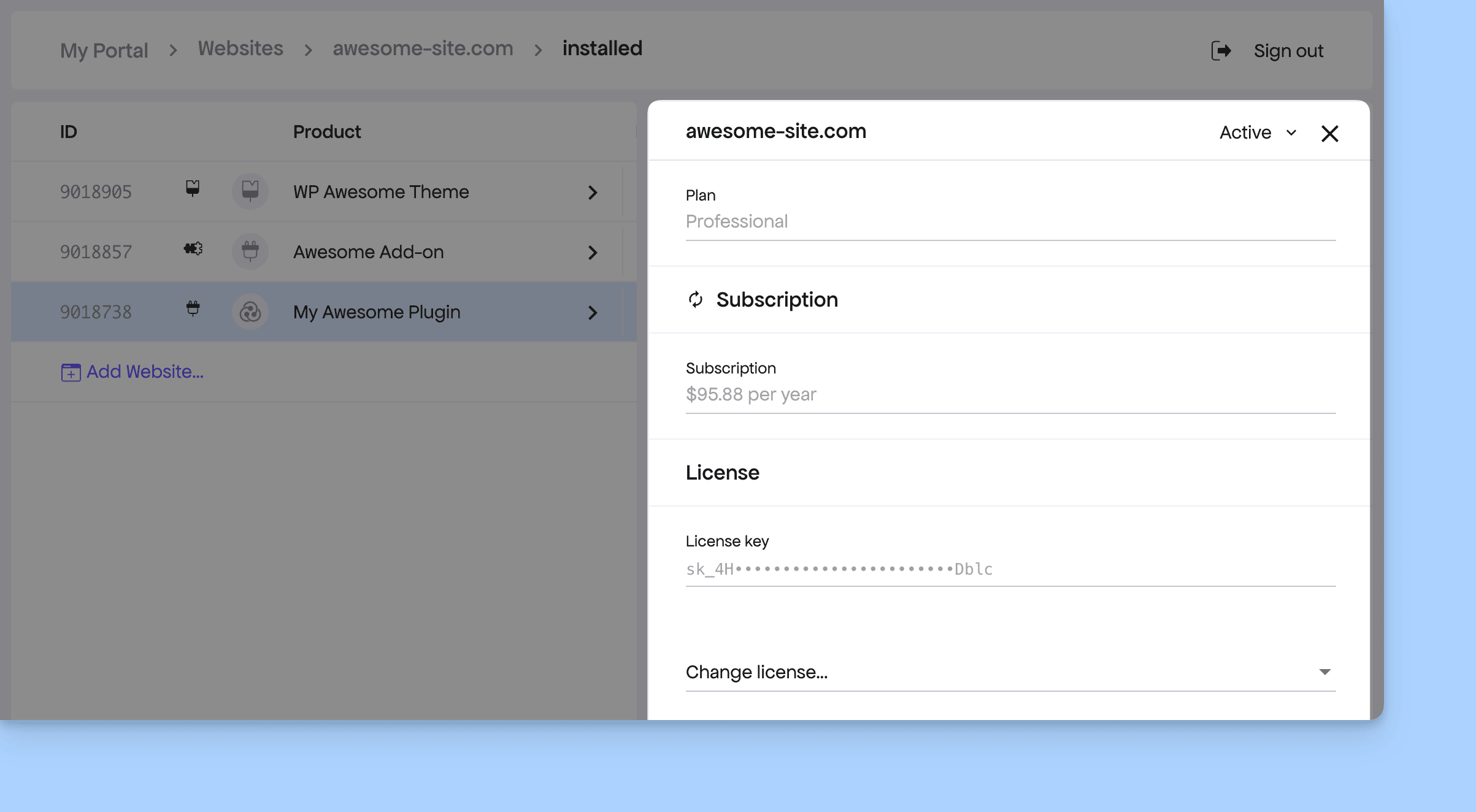
Foreign license now have restricted view in the Customer Portal

Now, license keys associated with foreign licenses will remain hidden. The only available action for clients will be to change the license, matching the limited actions available from within the WordPress SDK.

We appreciate our makers for reporting this. While the issue posed no direct security risk, it did raise valid privacy concerns, especially in agency-client setups.

Exit Intent Disabled in Customer Portal Upsell Flow

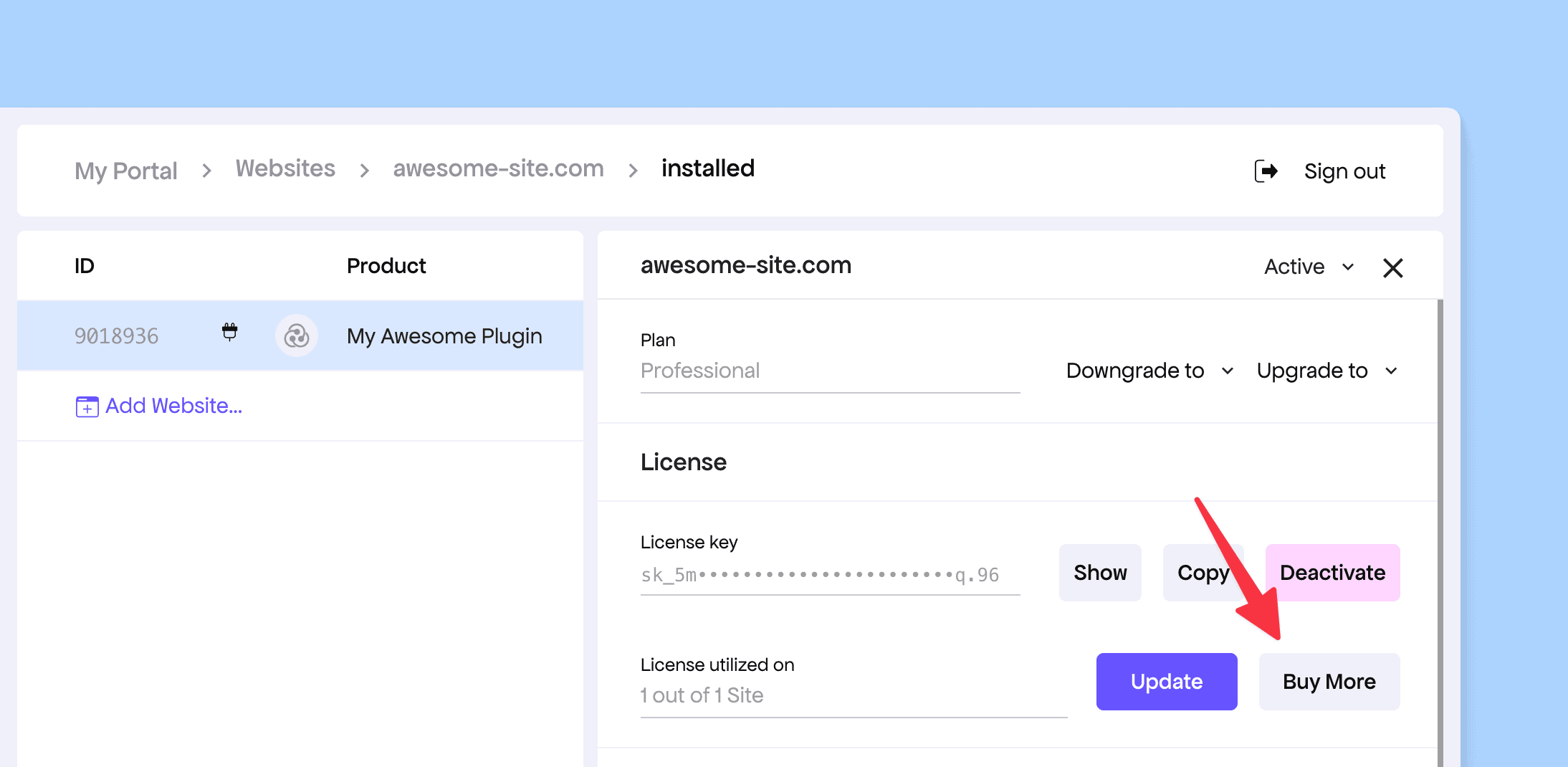
Our Customer Portal includes an upsell section that helps nudge customers to purchase additional licenses. When customers view an installed product under their website, they can see their license utilization and, right beside it, have the option to buy more licenses.

Buy Button in the Customer Portal

Some makers shared that when opening and closing the checkout from this upsell button, the exit intent UX was being triggered — which felt counterintuitive since the exit-intent flow was designed to encourage new purchases, not upsells.

Taking this feedback into account, we’ve now disabled the exit intent coupon behavior in the Customer Portal, ensuring a smoother and more intentional upsell experience.

Redesigned Buyer Emails with Modern Look and Better UX

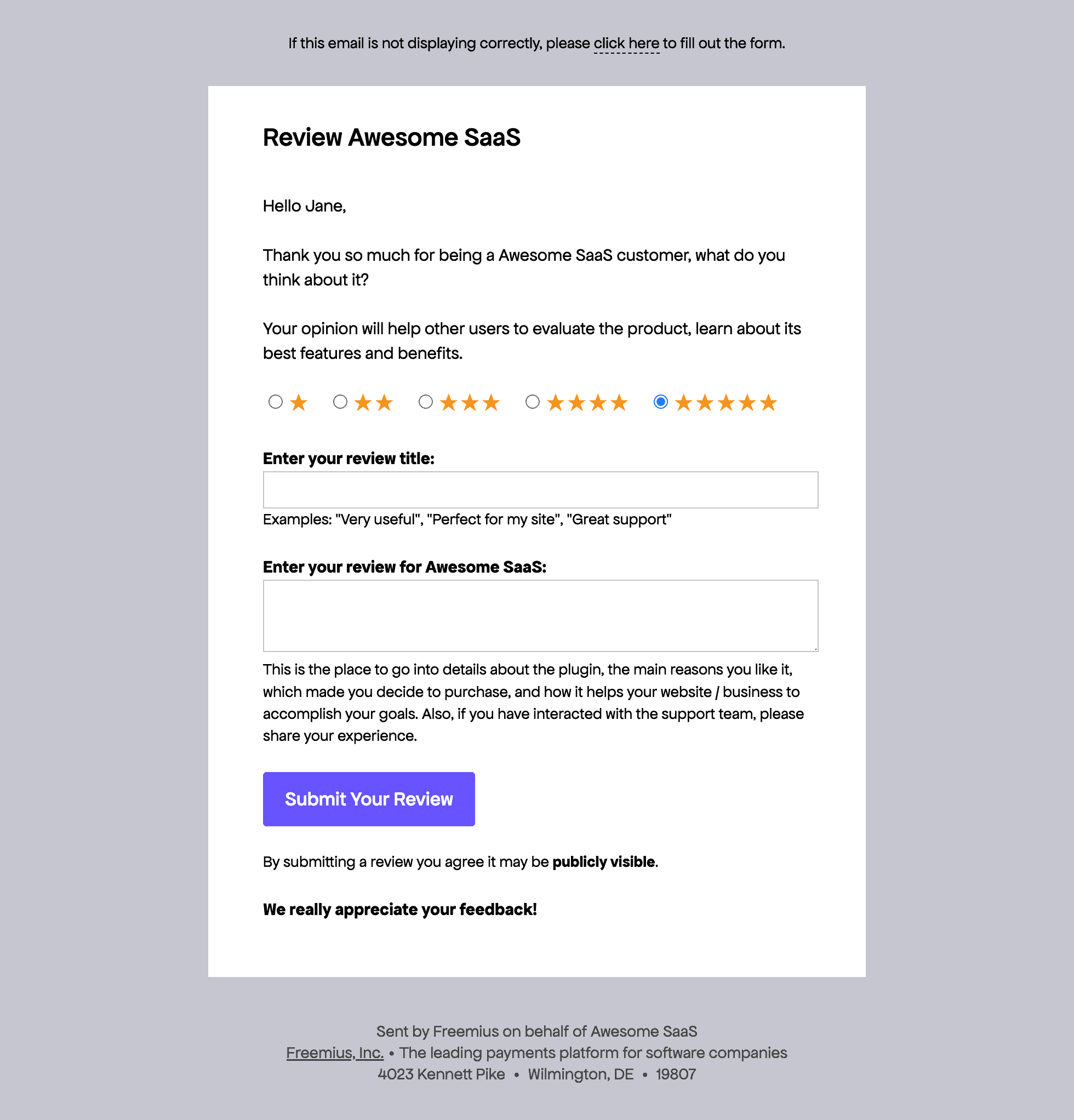
This week we’re super glad to announce the immediate availability of our fully redesigned customer emails, refreshed with new brand guidelines and a modernized layout.

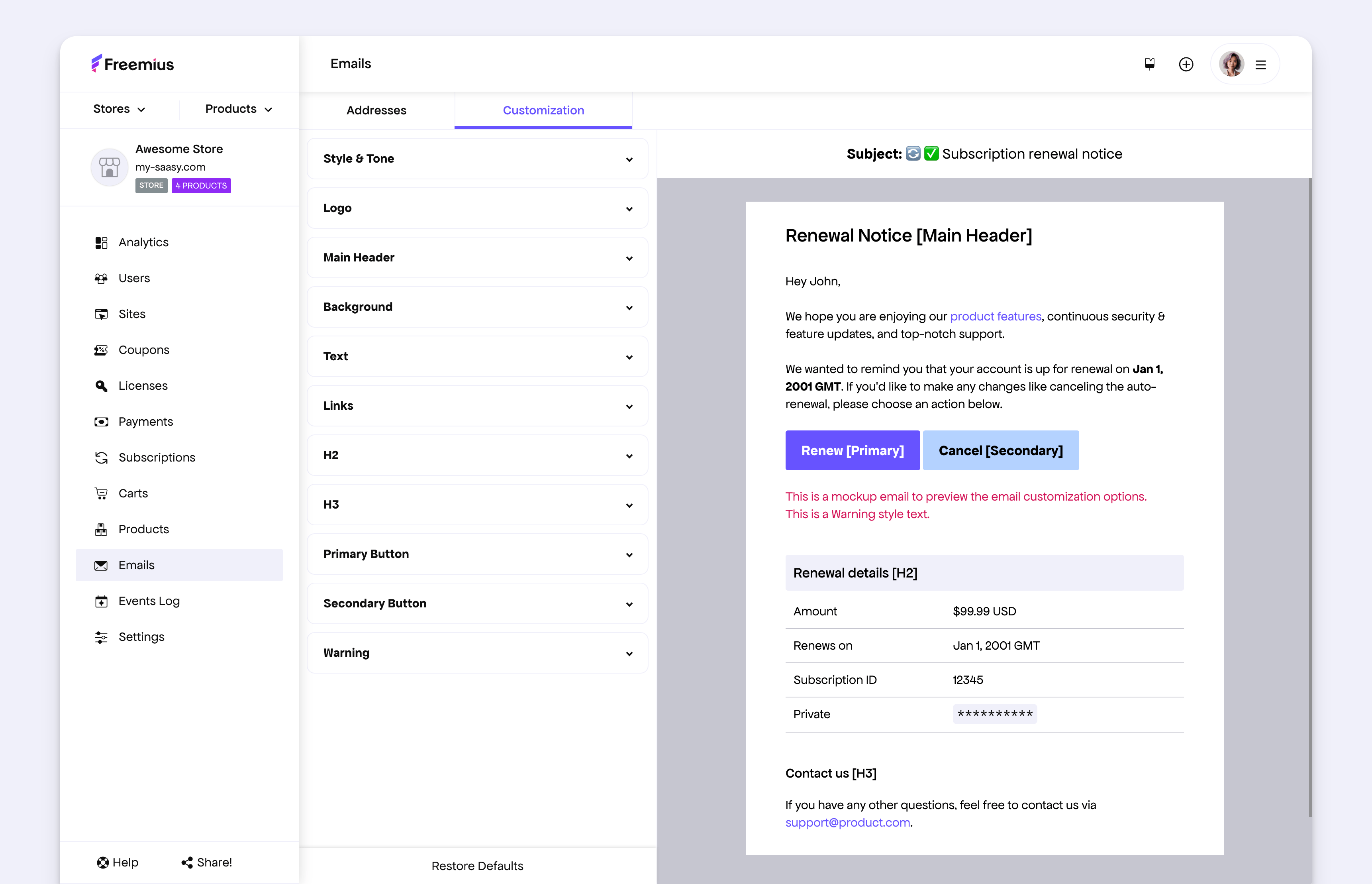
Freemius Sample Customer Facing Email

If you’ve customized your email design and would like to update, scroll down to the “Migrating From the Old Design” section below.

Since the beginning of this year, we’ve been gradually refreshing legacy designs across Freemius, and today marks another huge milestone.

We had already kickstarted the email rebranding earlier and completed the redesign of all maker-facing emails. Starting today, all customer-facing emails have also been fully rebuilt — and the new design continues to offer the same rich Email Customizer experience you’re familiar with.

The new email designs bring a cleaner, more modern experience for your customers. We’ve taken special care to emphasize key CTAs (call-to-actions) and improve the visual hierarchy with clear section headings for better readability.

Freemius Email Customizer

You can explore the new design right now by going to Email Style Customization under your store settings.

Migrating From the Old Design

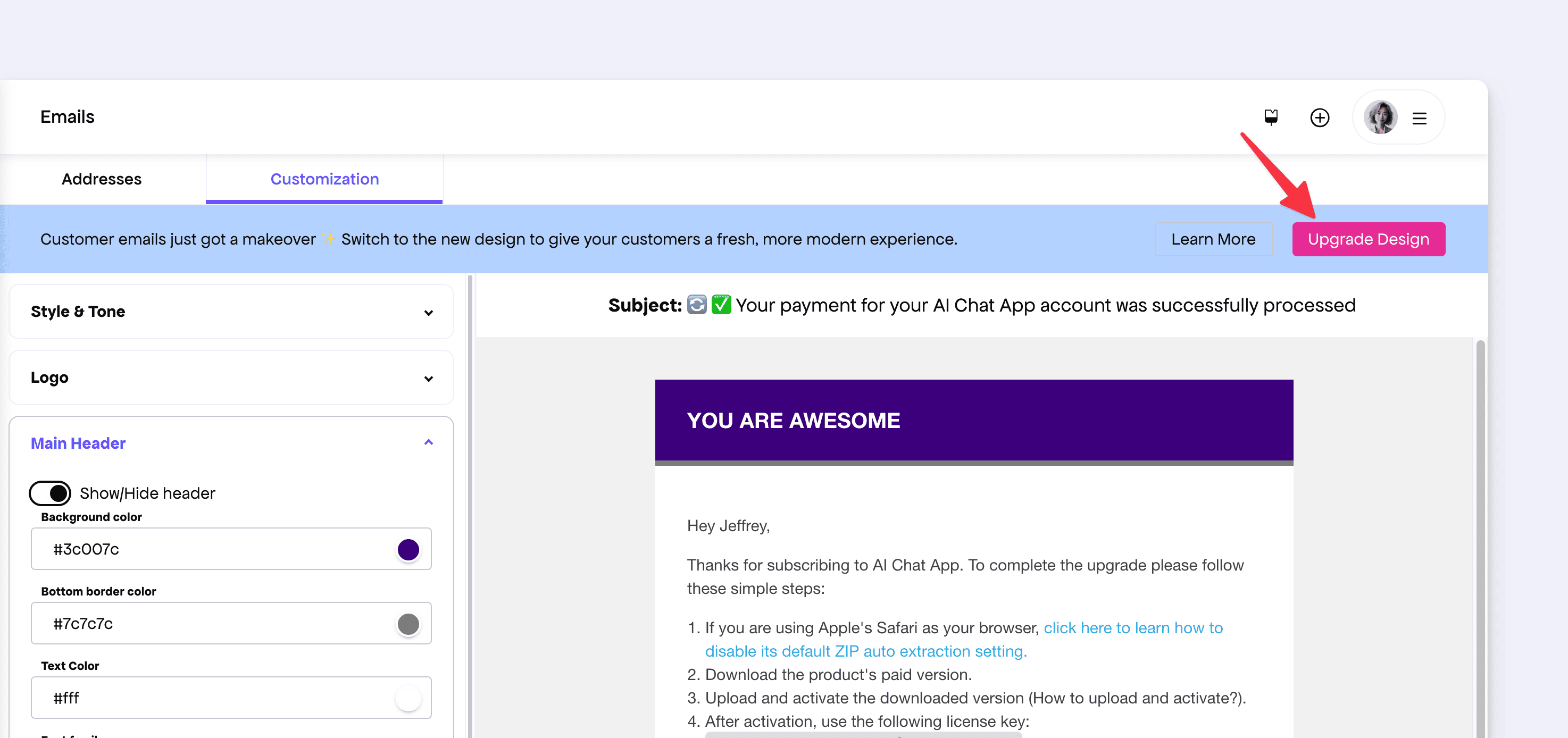
If you’ve previously customized your email design, you won’t be automatically upgraded. But upgrading is simple and takes just one click.

  1. Go to Store → Emails
  2. Open the Customization tab
  3. Click the “Upgrade Design” button

Upgrade to new email design from Freemius Developer Dashboard

All your existing customizations will be automatically migrated to the new system, making the transition seamless.

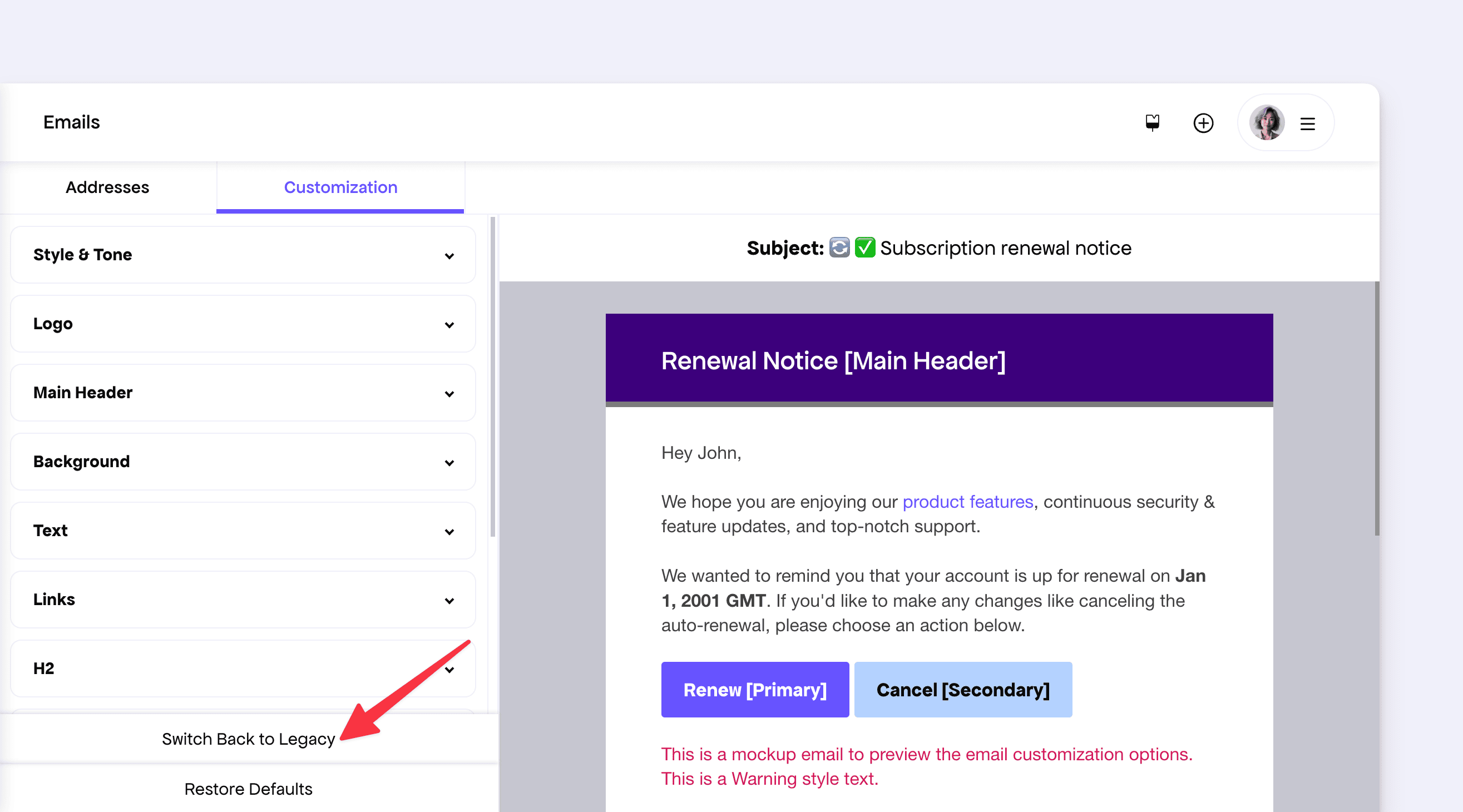
If you prefer the older style, you can click the “Switch Back to Legacy” button at any time to revert—without losing your configuration.

Restore email design

Please note that while the legacy design will remain temporarily available, we plan to phase it out soon.

We encourage you to migrate early to take advantage of the new design improvements. If you have any questions or encounter any issues, please reach out to our support team—we’ll be happy to help.

JS SDK v0.1.0 — Free Trial Support, License Upgrades, and Better Webhook Handling

Today we’re releasing version 0.1.0 of our JavaScript SDK. We’ve received valuable feedback from our makers, and this release focuses on addressing those, fixing a few bugs, and improving cross-platform compatibility. To update, simply run:

npm install @freemius/sdk@latest

Please find the key changes below.

Alternate Webhook Authentication Method

In some serverless or managed environments, the raw request body may get automatically altered (e.g., by trimming whitespace), which could cause signature verification failures.

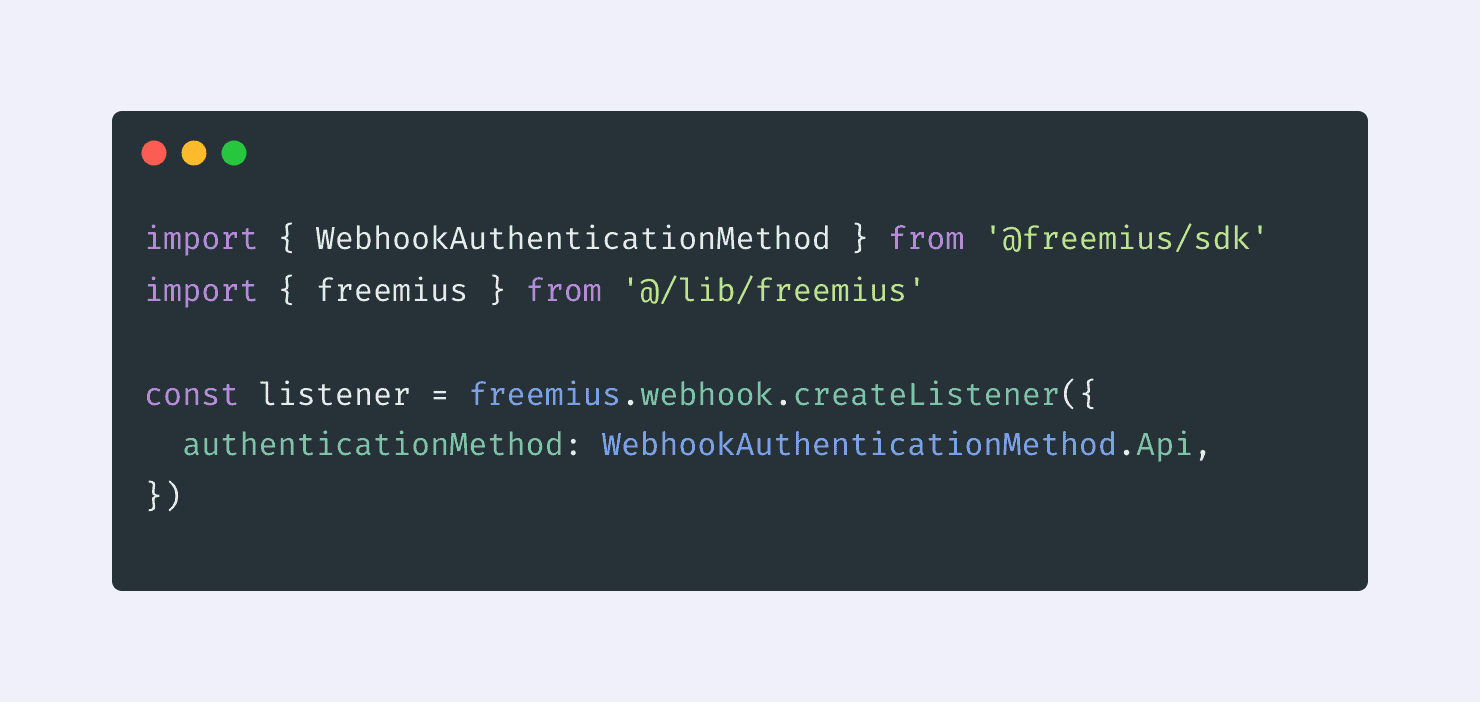
To resolve this, we’ve introduced an alternative webhook authentication method that retrieves the event directly from the Freemius API using the event ID included in the webhook payload.

Alternate authentication of the Webhook JS SDK

You can read more about the change in our documentation.

Breaking Change: The freemius.webhook.createListener method now accepts a configuration object.

Checkout Upgrade Flow

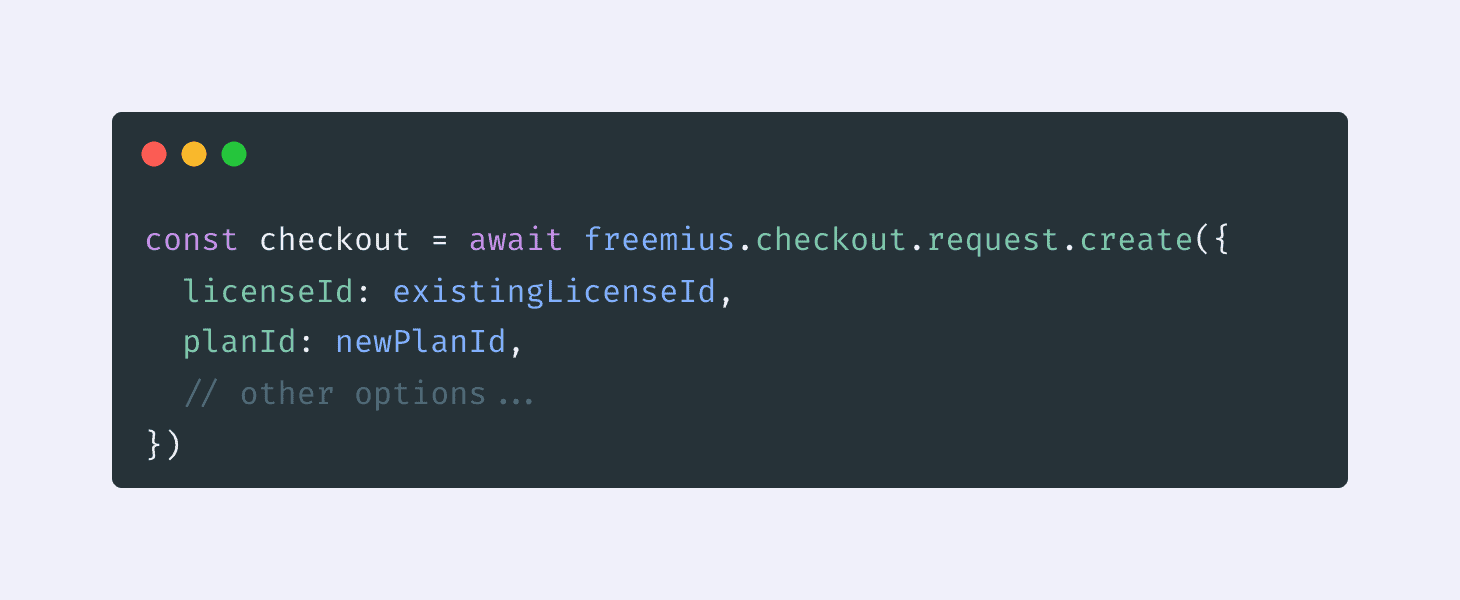
You can now initiate checkout flows for upgrading existing licenses simply by passing a license ID. This simplifies handling upgrades for existing customers and makes the flow more consistent with the rest of the SDK.

Plan upgrade code from JS SDK

Read our documentation to learn more about the upgrade flow.

Breaking Changes:

  • checkout.setSandbox() now expects sandbox parameters (created via await freemius.checkout.getSandboxParams()).
  • setLicenseRenewal has been renamed to setLicenseUpgradeByKey for clarity and consistency.

Support for Free Trial in Checkout

We’ve added full support for free trial flows across both overlay and hosted checkout modes. This allows for smoother onboarding experiences for products offering free trials—without the need for separate integration logic.

You can read our updated guide for more details. The same integration flow now works seamlessly for free trials too.

We will update our entitlement guide supporting trials soon.

Checkout Redirection Bug Fix

We identified an issue where the Checkout API processor was incorrectly validating the action URL parameter, and the timingSafeEqual function could throw errors on malformed signatures. Both issues have now been fixed to ensure smoother and more reliable redirection-based checkouts.

Want to See it in Action?

Check out our live-coding webinar where we’ve built a SaaS app and integrate it with Freemius using the new JavaScript SDK + React Starter Kit – from setup to checkout in under 30 minutes. Watch the webinar replay

Checkout JavaScript SDK v1.4.0 Released with Free Trial Type Support

We are releasing a new version 1.4.0 of our Checkout JavaScript SDK. This update introduces proper type support for Free Trial flows.

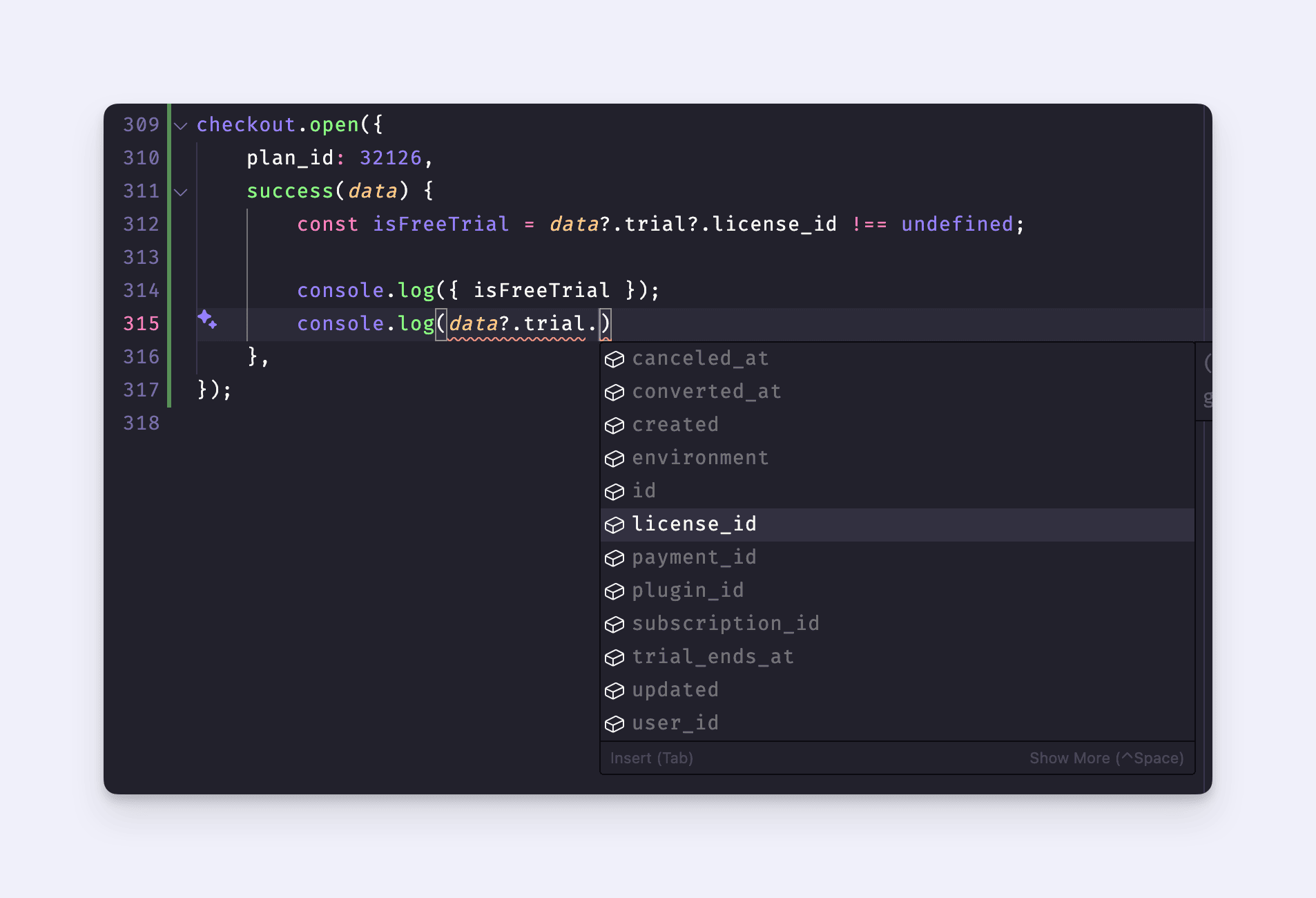
Previously, in the success callback, you couldn’t access structured data when a free trial was triggered. With this release, the data is now available under the data.trial property with full type annotations, making it easier to build consistent post-trial experiences.

Checkout JS with success callback

Please note that this enhancement applies only to free trials. For paid trials, you should continue using the data.purchase property.

If you’re using the CDN version, no action is required — the update is already live. For NPM installations, please upgrade by running:

npm install @freemius/checkout@latest

For more details, please visit our GitHub repository.

Freemius Cart Now Works Seamlessly for License Upgrades

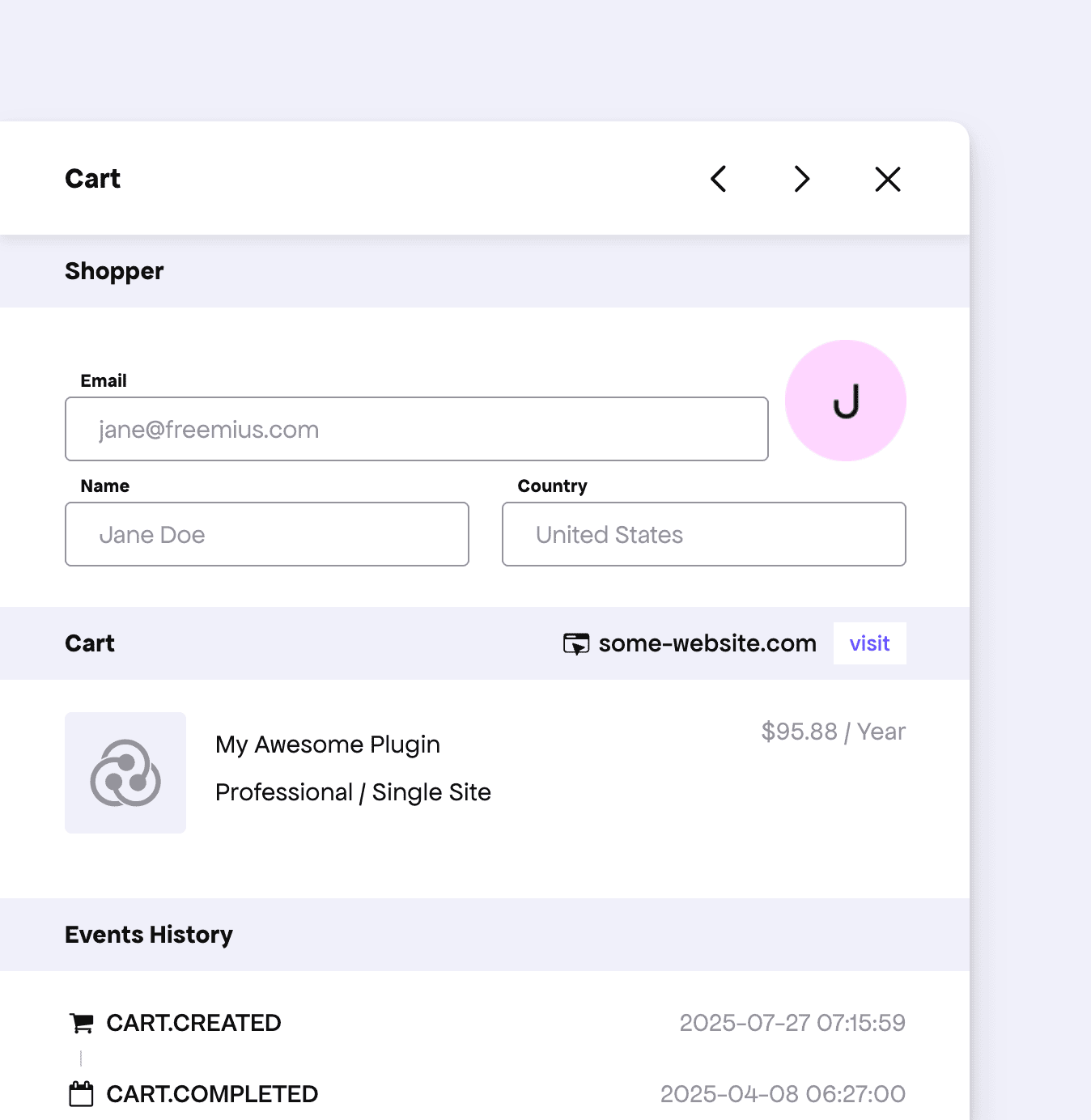
Our cart mechanism now fully supports the license upgrade flow. A license upgrade flow occurs when your buyers attempt to upgrade their plan—whether through the Customer Portal, the WordPress SDK, or a custom integration.

Previously, our cart system had limited support for this flow. With this update, it now functions seamlessly for all upgrade scenarios.

Freemius Cart Example

Now, when your buyers initiate a plan upgrade but abandon the process midway, Freemius’ cart recovery process will automatically trigger to help recover the transaction—boosting your conversion rate and revenue.

Fixed Missing Payload in Checkout Redirection for Free Trials

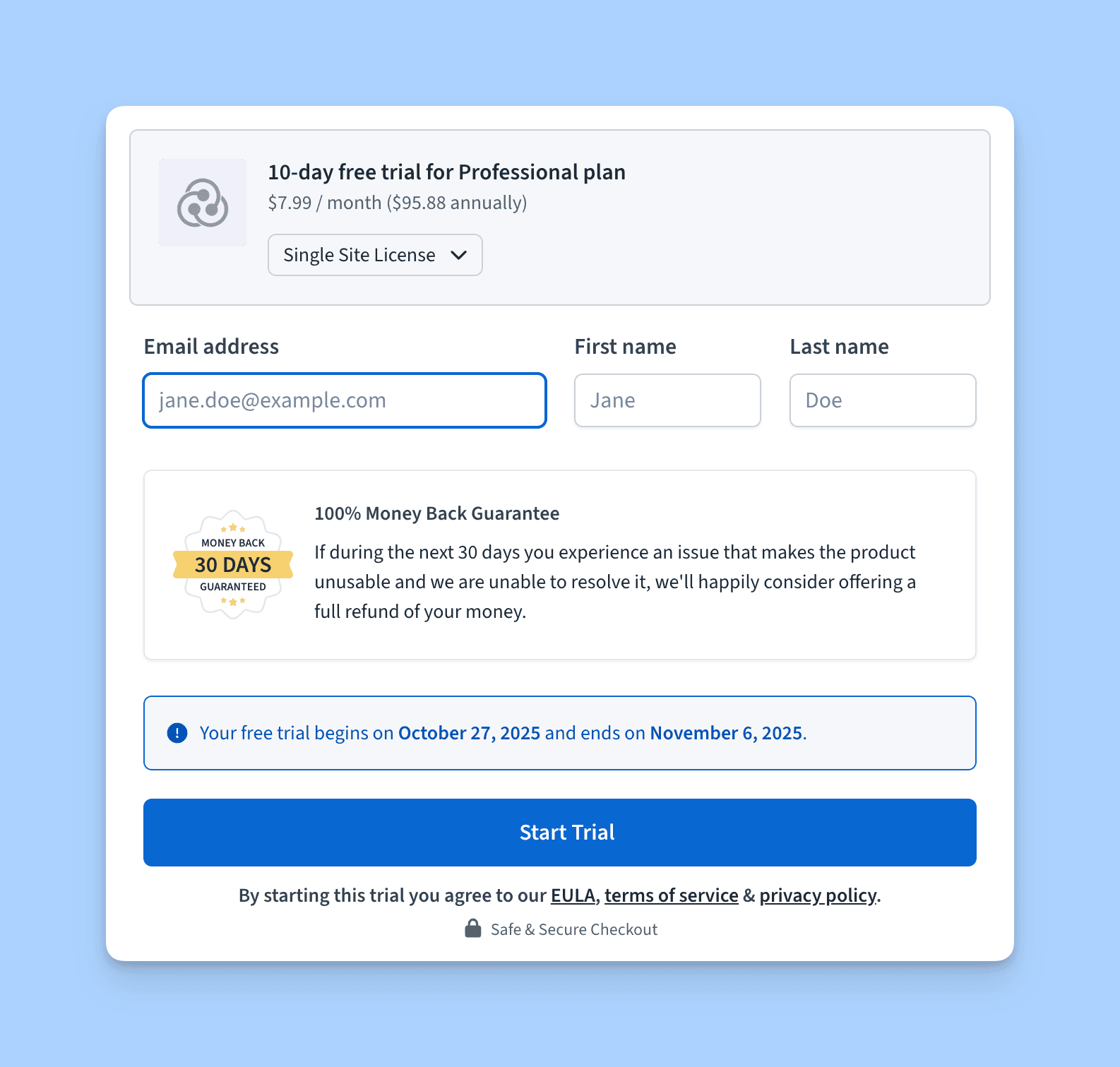
We noticed a regression where, when the Checkout was used under Free Trial mode, the redirected page did not receive all of the expected payloads — for example, the license ID created for the trial, its expiration date, and other related information.

Freemius Checkout in Free Trial Mode

We have now deployed a fix for this issue. If you’re using the Checkout Redirection feature, you can now correctly access license information even for free trial flows. Please refer to our documentation to learn how to set up checkout redirection after a successful purchase.

Customer Portal Redesigned with a Fresh Look and Improved UX

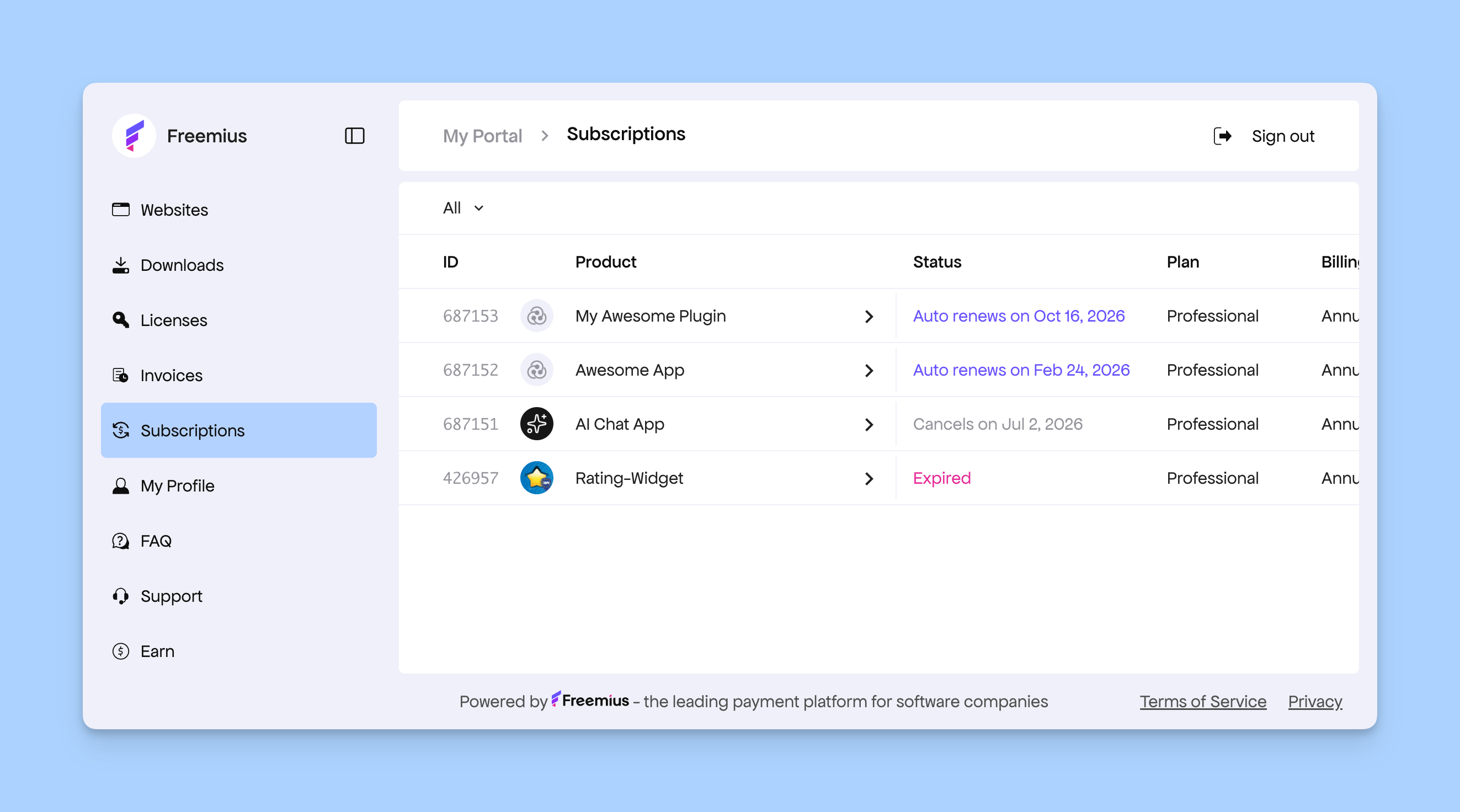
We’re thrilled to unveil a major update to one of the most customer-facing parts of our platform — the Customer Portal. It’s now fully redesigned and rebranded with a cleaner interface and smarter UX throughout.
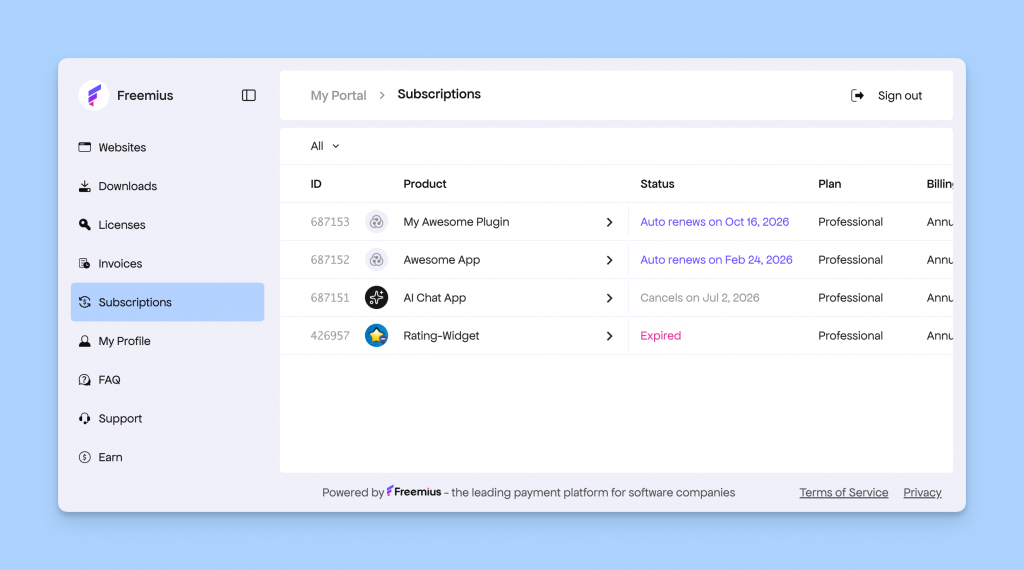
Freemius Customer Portal Rebranded

The Customer Portal is a self-service dashboard your customers use to manage their purchases, subscriptions, licenses, and billing information. From changing payment methods or upgrading plans to downloading software and generating VAT-compliant invoices — everything happens here seamlessly. And with this release, it all just got a lot better.

We’re rolling out the redesigned portal for everyone under a new subdomain: https://customers.freemius.com.
If your integration or website still links to the old https://users.freemius.com domain, you’ll be automatically redirected to the new one.

However, if your store uses custom CSS to style the Customer Portal, your integration will stay on the legacy version until you manually migrate. You can find the migration guide at the end of this changelog.

Now, let’s go through some of the key updates:

Websites Page Improvement

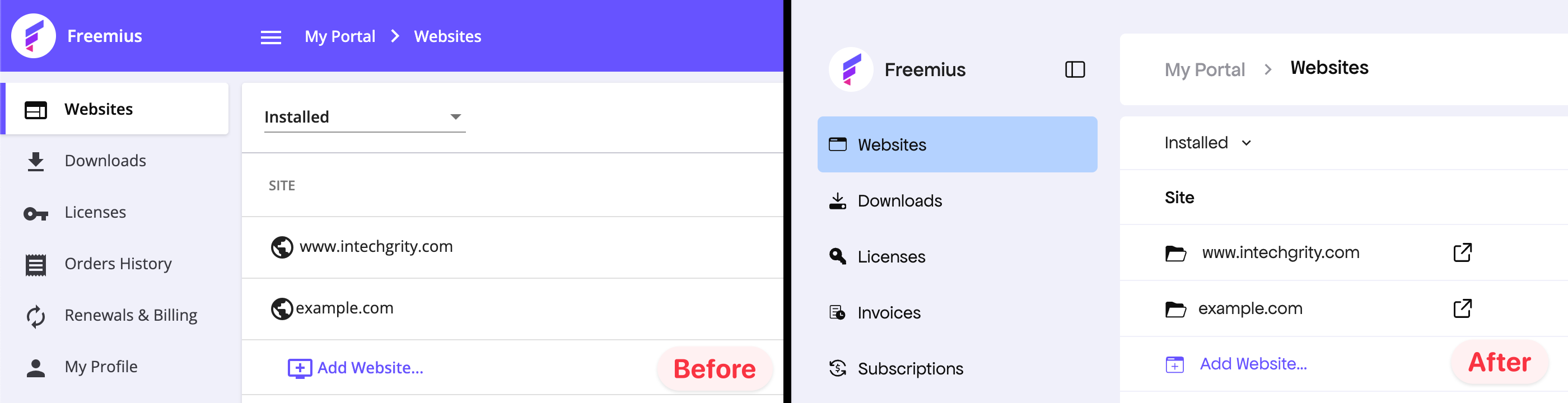
On the main Websites page, we group and display all the websites where buyers have activated any Freemius-powered product. Each website may have one or more products associated with it.
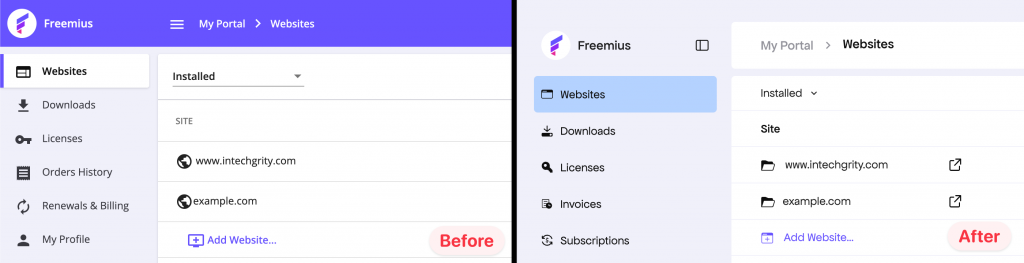
Website pages improvement in the Customer Portal

Previously, it wasn’t very clear that you could click and navigate individual items inside the list. We’ve added a folder icon and removed the right-side chevron to make the navigation more intuitive.

Better UI Positioning

Across the app, we conducted UX audits and made numerous layout adjustments to position key UI elements where users expect them.

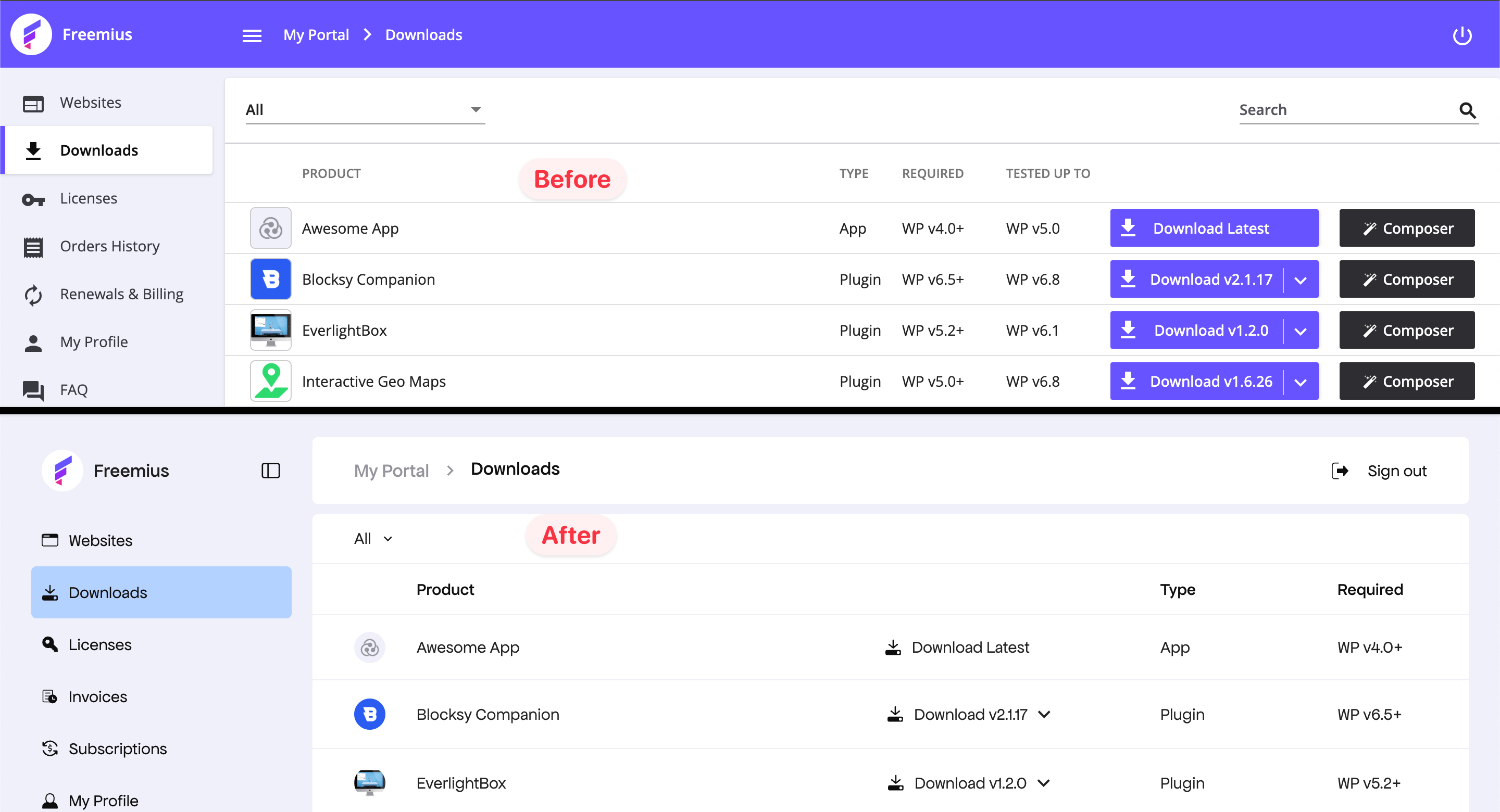
For example, in the Downloads page, the download button was previously placed at the end, often requiring a horizontal scroll on smaller screens to access it.
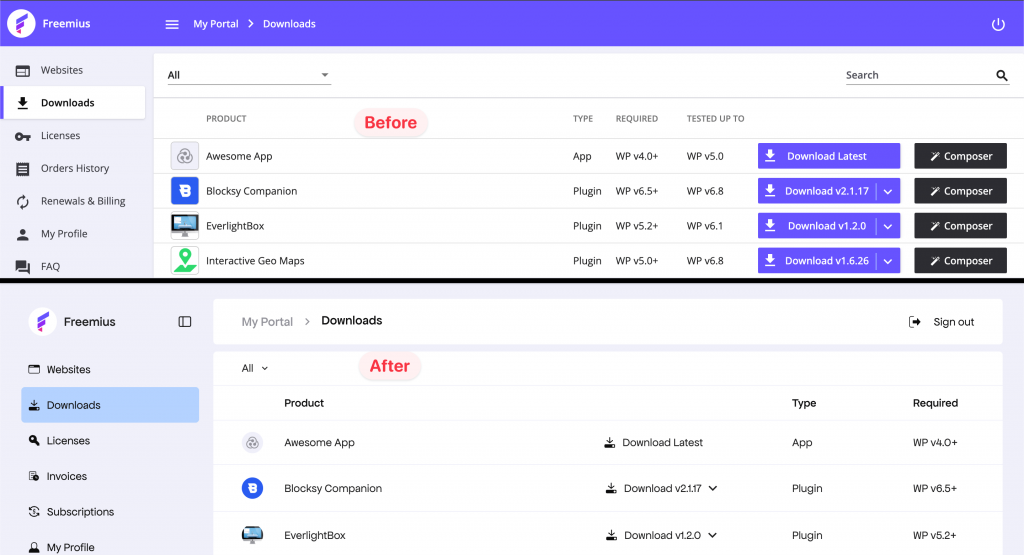
Better UI positioning

Now, the button appears just after the product title, bringing important actions closer to your fingertips.

This is just one of many small but impactful improvements throughout the portal.

Better Table Layout

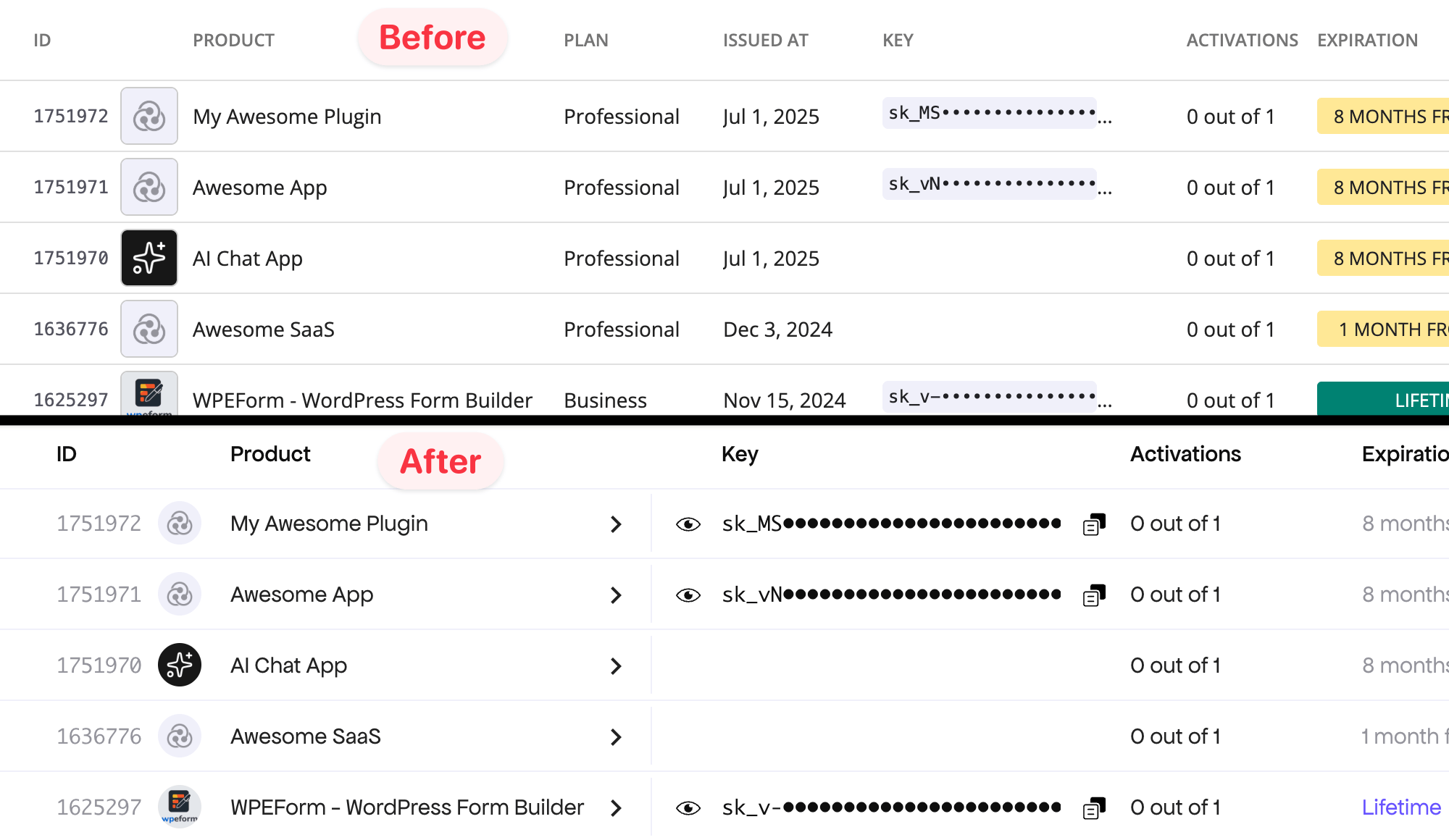
We revamped the table design across the Customer Portal for better usability and consistency.
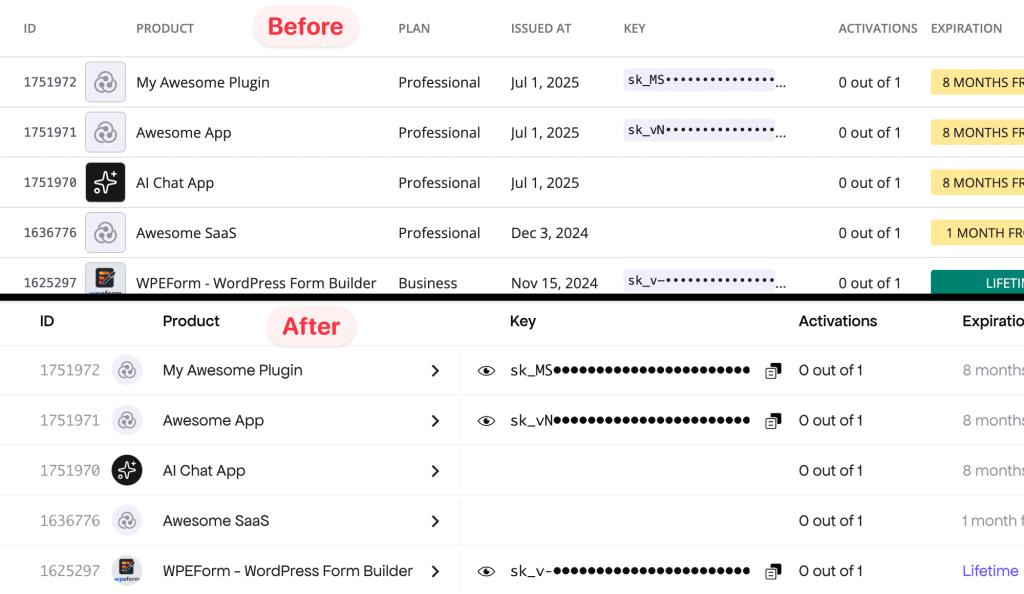
Table layout improvement

  1. Tables now better adapt to the available screen space.
  2. Tables that open a window or side panel are now clearly marked with a chevron.
  3. Labels and action buttons have been standardized to make their purpose clear. For instance, expired licenses are now highlighted in red for quick visibility.

FAQ Page Redesigned

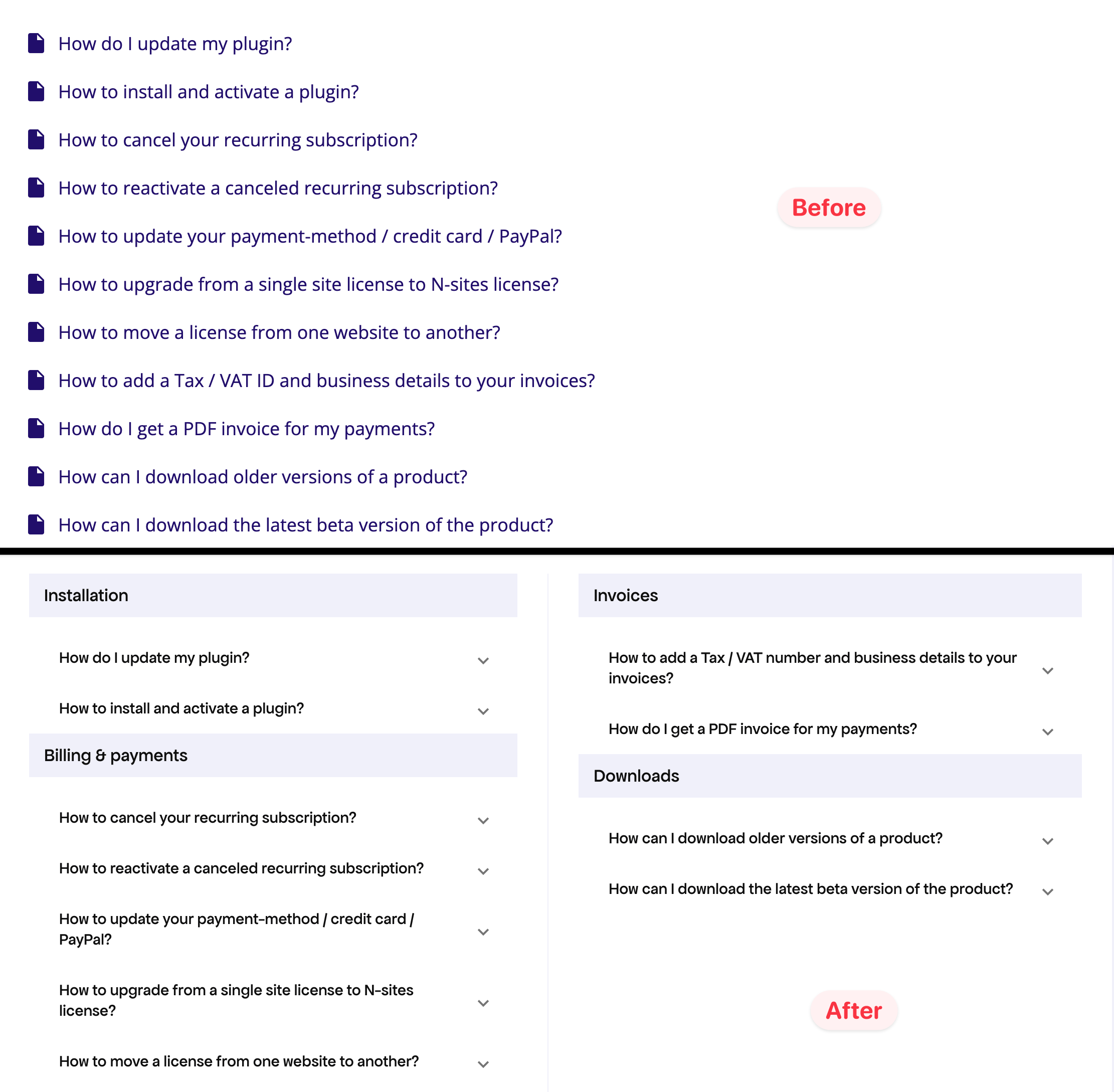
The FAQ page has been restructured into two columns and organized by categories, making it easier to browse and find what you’re looking for.
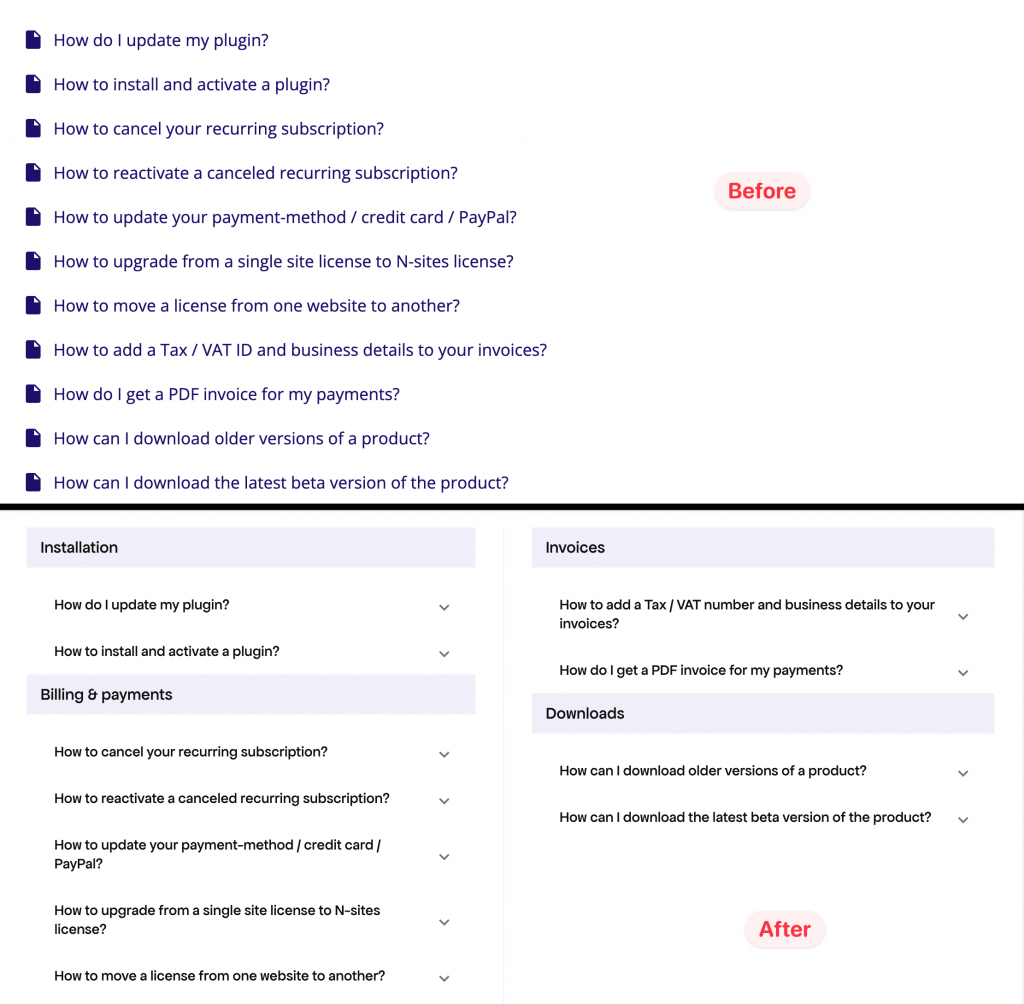
Redesigned FAQ page

With this new layout, finding answers to your questions is now faster and more intuitive.

Other Notable Improvements

  1. Menu items have been renamed for clarity and industry alignment—for example, “Subscriptions” replaces “Renewals & Billings,” and “Invoices” replaces “Order History.”
  2. Breadcrumbs and other navigation elements have been refreshed, fixing several old bugs.
  3. If you use custom CSS for the Customer Portal, the initial flash of unbranded UI will no longer appear.
  4. All new brand-related changes continue to meet accessibility standards.

How to Upgrade to the New Design

We’ve released the newly rebranded Customer Portal under the subdomain https://customers.freemius.com. For most makers still using the old domain https://users.freemius.com, we’ve set up automatic redirects to ensure a seamless transition.

However, if you’re using custom CSS to brand your portal, we’ve preserved your old design since the latest CSS and markup changes are breaking in nature.

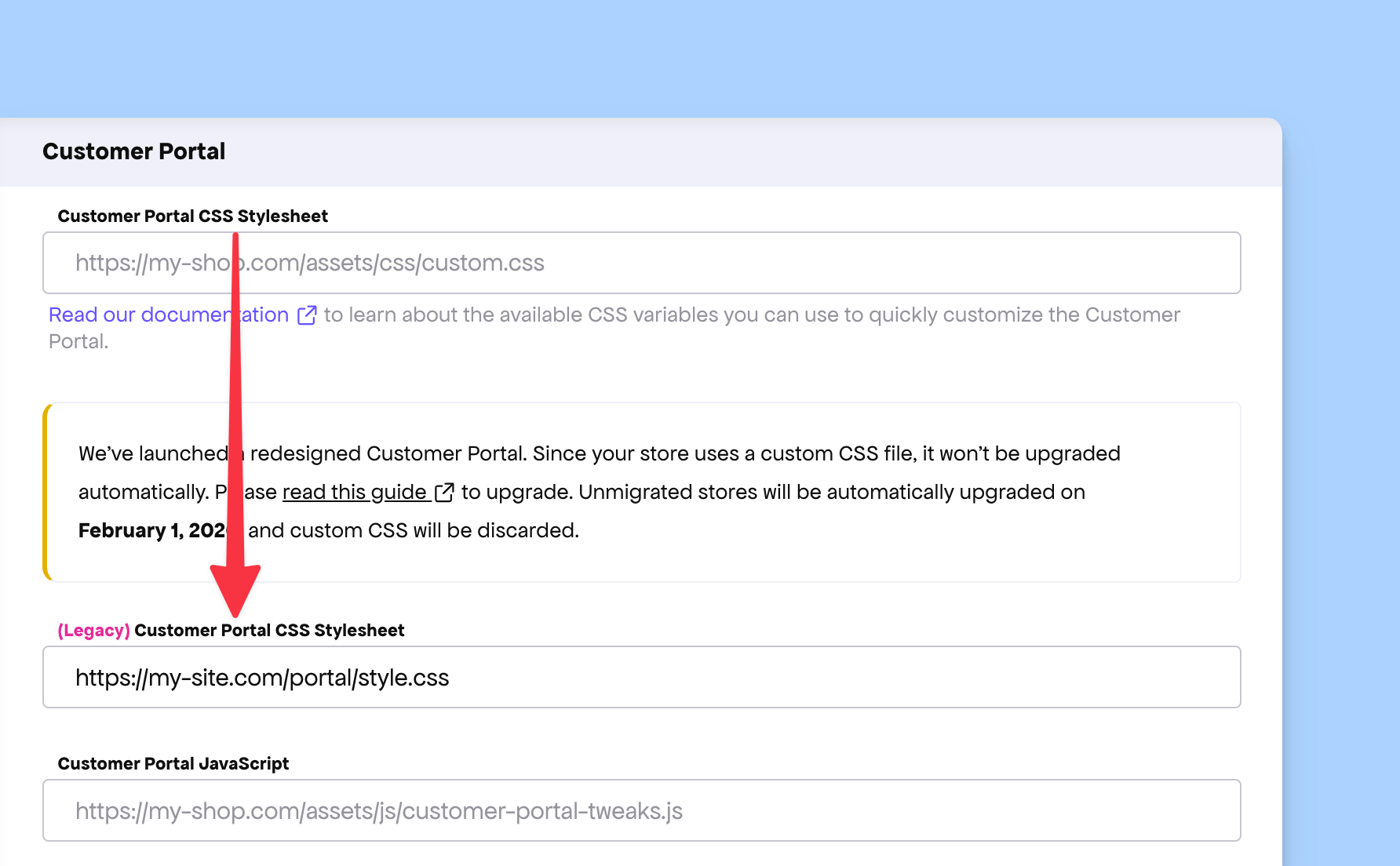
To help you migrate smoothly, your existing CSS has been moved under a new setting called “Legacy Customer Portal CSS Stylesheet”, leaving the original configuration empty. You can view this update in your Developer Dashboard under Store Settings.
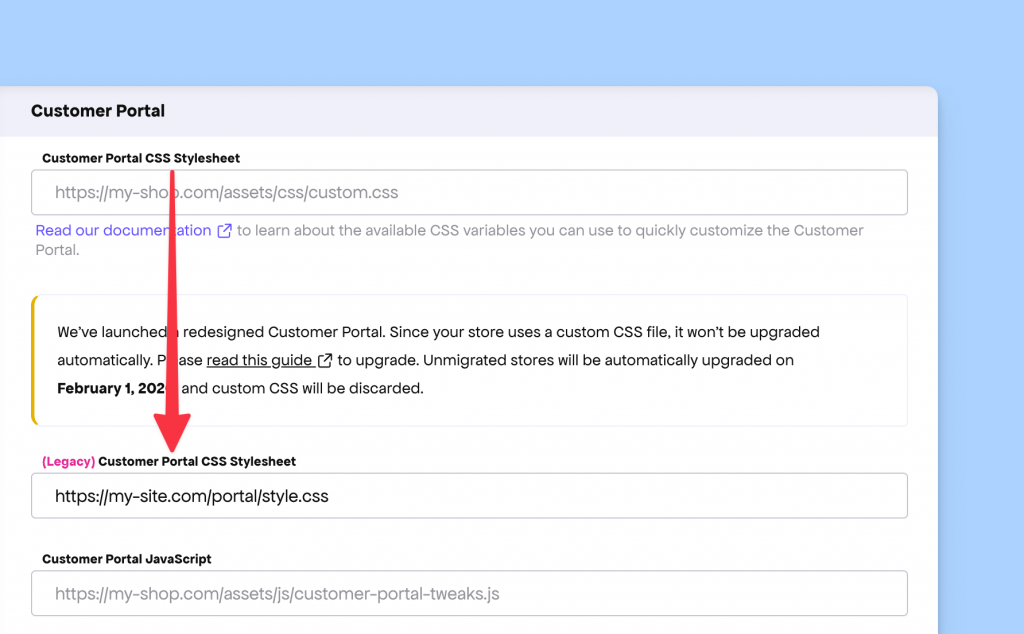
Customer Portal CSS Configuration

To migrate to the new Customer Portal, follow these steps:

  1. Update your CSS according to the new customization guidelines.
  2. Save your configuration in the Developer Dashboard.
  3. Follow our migration guide to complete the upgrade.
Fixed Missing Quota Labels in Rebranded System Emails

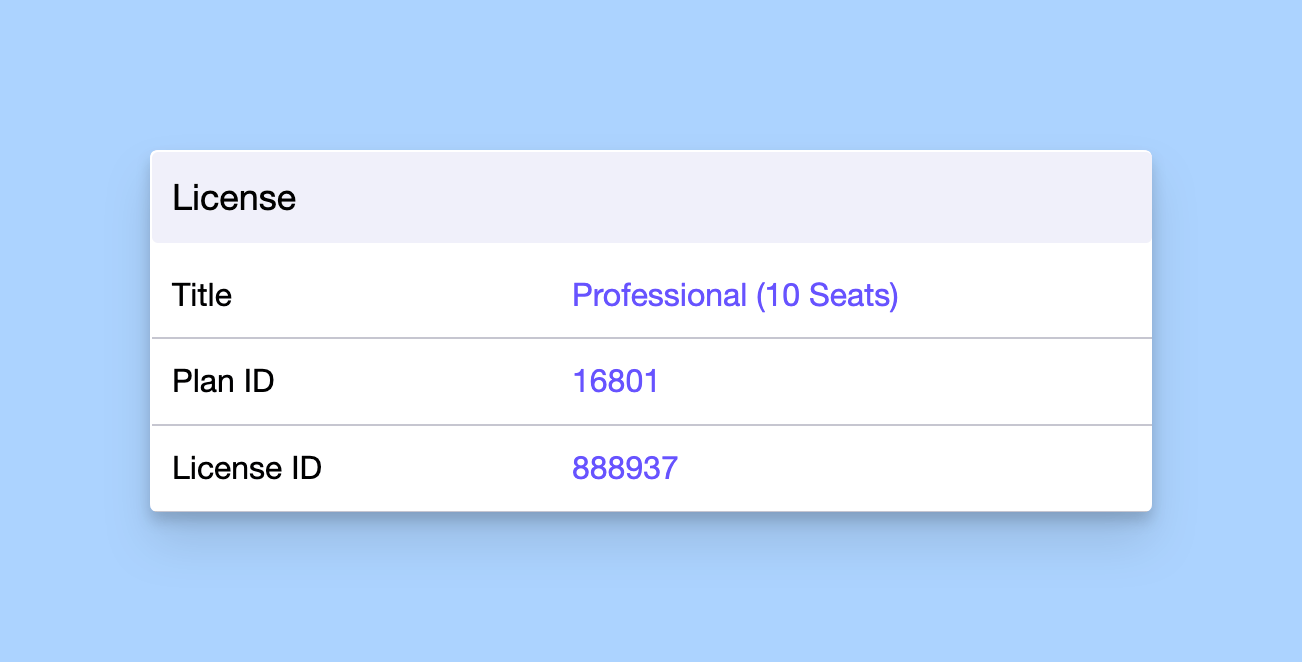
We noticed a minor regression in some of our system emails sent to makers, where the label or type of quota associated with a license was missing.

For instance, in the after-purchase email, while the plan title appeared correctly under the License section, the corresponding quota label was omitted—causing a bit of confusion for recipients.

License information from Freemius emails

This issue has now been fixed. The purchased quota is once again properly displayed beside the plan name in all relevant system emails.

Fixed Typo and Formatting in WP SDK Integration Snippets

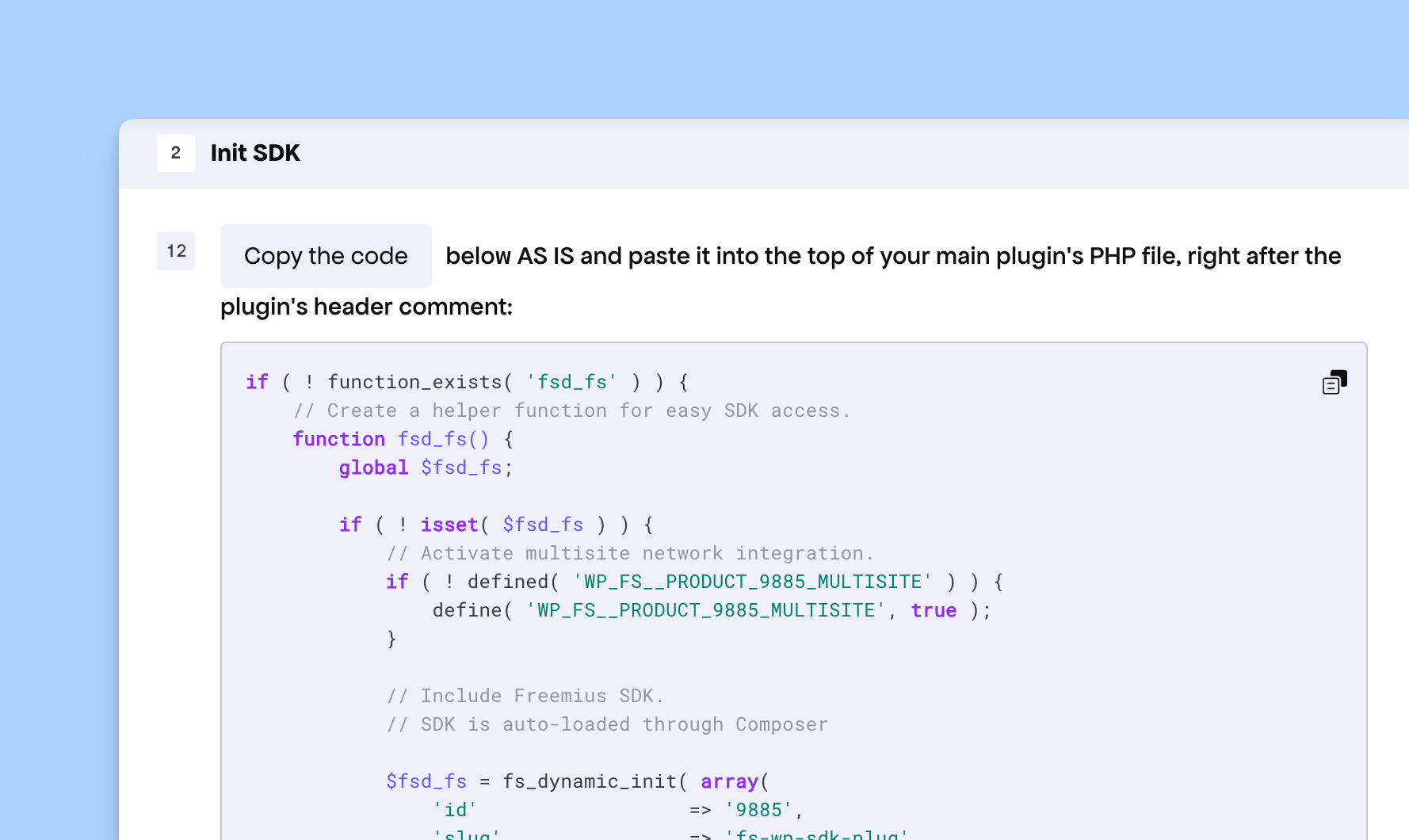
We noticed a minor issue in the WP SDK Integration code generated by our Developer Dashboard. These integration snippets are simple copy-paste blocks that you can use to integrate your WordPress Plugin or Theme with the Freemius WP SDK in minutes.

The issue involved a small typo and a formatting glitch.

WordPress SDK Integration code snippet

We’ve now fixed the typo and adjusted the formatting to ensure the snippet is error-free and follows WordPress’ standard code styling.

Simplified Referral Status in Affiliates Section

This week we’re rolling out improvements to the affiliates section in the Developer Dashboard.

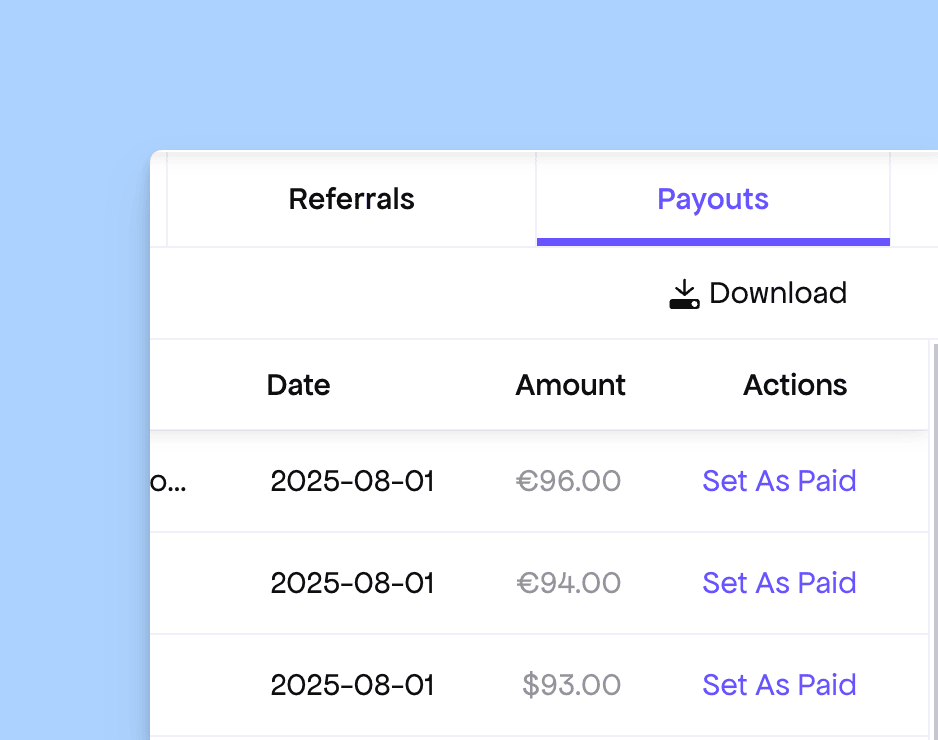
Our system automatically calculates affiliate payouts and balances every month. Once you mark a payout as “paid,” you no longer need to manually adjust the status of individual referrals.

Marking affiliate payout as paid

Previously, there used to be an option under the “Referrals” section to manually mark each referral as “Paid.” This was a remnant of the older manual payout system and is no longer needed. However, since the UI element remained, it occasionally caused confusion among makers.

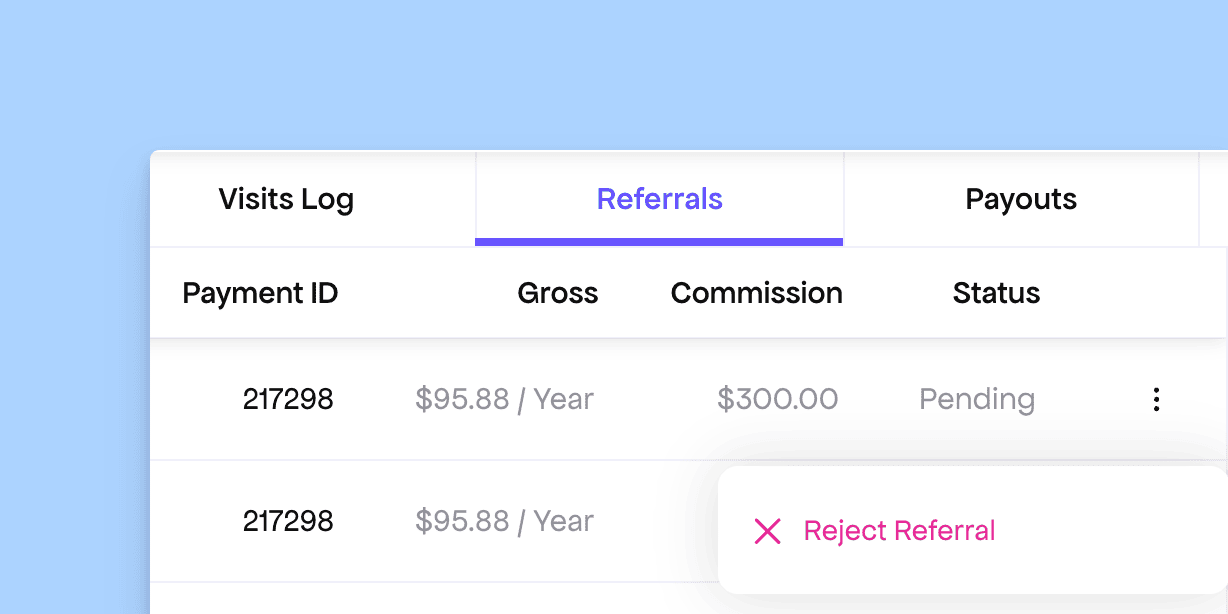
To make things clearer and prevent mistakes, we’ve simplified the “Status” column in the Referrals table to only show whether a referral is pending or paid. This status is now handled entirely by the system and can no longer be updated manually.

Improved Affiliate Referral UI

You can still click the three-dot menu to “Reject” referrals for suspicious activities, just like before. However, this action will only work if the referral hasn’t yet been included in the upcoming payout cycle.

Fix: Embedded Pricing Page Event Not Triggering

WP SDK Pricing Page

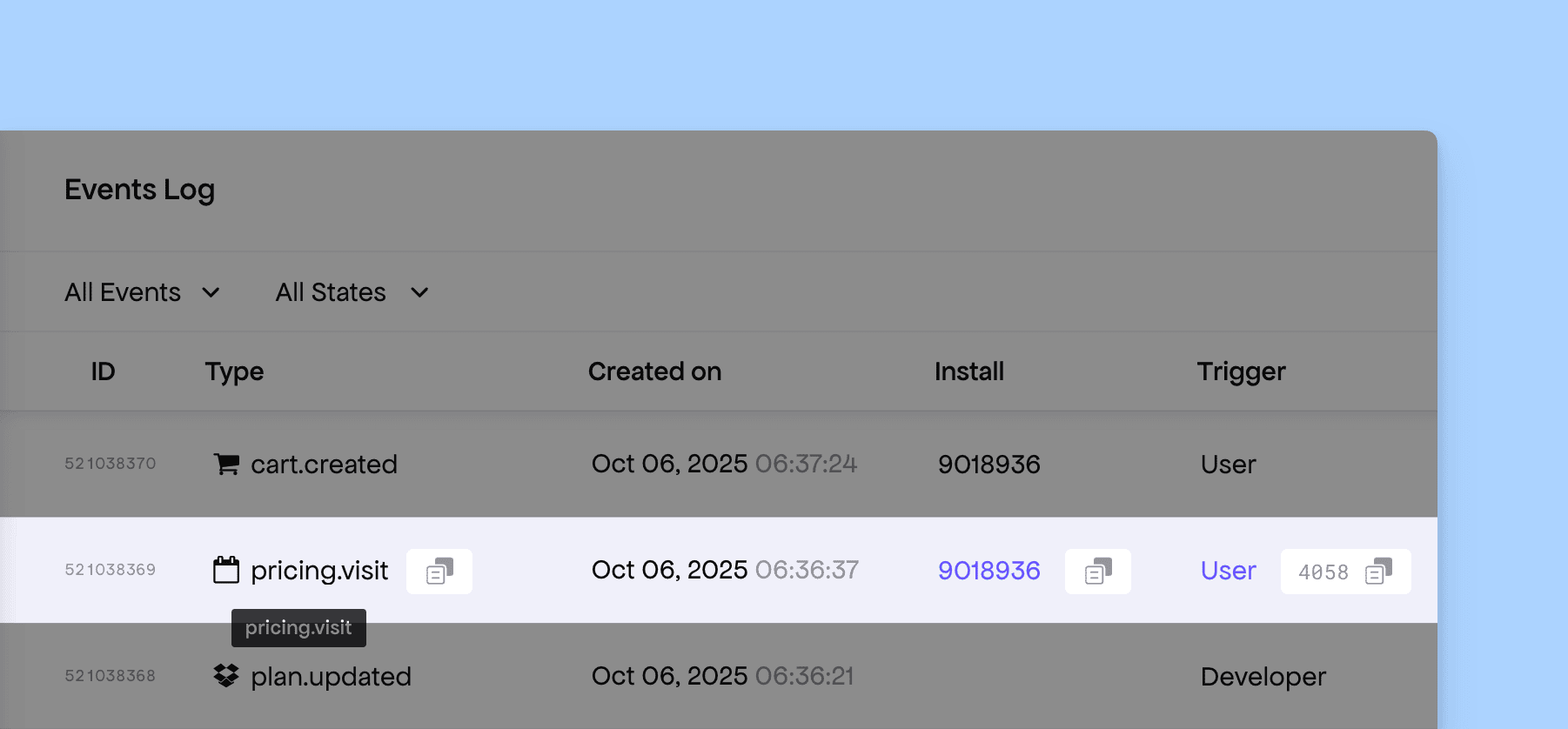
When someone visits the embedded pricing page from our WordPress SDK, our system triggers a pricing.visit event. This event can be used to automate marketing campaigns.

Logged pricing.visit webhook event

However, we noticed that due to a regression in our system, this event was no longer being triggered for some time. We have identified the issue and rolled out a fix to restore the event’s functionality.

No SDK update is required on your end, as the fix has been applied directly to our API.

Release: Freemius JavaScript SDK & React Starter Kit

We understand that most MoR or payment providers stop their integration guide at “now you can charge your customers.” That leaves you, the maker, to figure out all the glue code for:

  1. Checkout
  2. Purchase processing
  3. Validation and storage of purchases
  4. Entitlement logic
  5. Syncing licenses or entitlements with outside changes
  6. Creating Customer Portals for self-management of billing and purchases

At Freemius, we care about your time. That’s why we set out to create not just another “Billing SDK,” but a solution that provides patterns and components to solve these problems end-to-end.

With that in mind, today we’re shipping a major unlock: our JavaScript SDK and React Starter Kit.

Paywall provided by the Freemius JS SDK & React Starter Kit

By using our SDKs and Starter Kits, you’ll get all of this integration for free, so you can focus on what truly matters—the business logic of your product. As we like to say: “Your product shouldn’t be blocked by subscription plumbing. Now it isn’t.”

Freemius Customer Portal provided by the JS SDK and the React Starter Kit

Please check our official documentation for the full details. Below are some highlights.

Backend JS/TS SDK

  • Fully typed API client (licenses, subscriptions, users, payments, pricing).
  • Checkout builder: generate overlay options & hosted links (with sandbox & redirect verification).
  • Purchase + entitlement helpers (retrievePurchaseData, entitlement.getActive, upgrade authorization).
  • Strongly typed webhook listener + request processors (Fetch runtimes, Node HTTP, serverless, edge).
  • Signature verification & secure redirect handling (no copy-pasting HMAC code).
  • Runtime flexible: Node.js, Bun, Deno.

React Starter Kit

  • Pre-built UI: Pricing Table, Overlay Checkout trigger, Feature Gating helpers (Paywalls), and a fully working Customer Portal.
  • Seamless server → client handoff: serialized checkout + purchase data patterns.

Our system works with all modern JavaScript frameworks like Next.js, Nuxt, Hono, and more.

If you’re just starting out, we highly recommend using our SDK as your foundation. If you already have a working integration, try it out in a side branch and replace your existing “duct-tape” billing glue. Tell us what shaved the most time off your build—and what’s still rough.

Load more