|
|
You just landed your first customers outside the US. Revenue’s up and signups are coming in from three new countries this month. But when you check what you actually owe in VAT and sales tax across all of them, the celebration stops.
Stripe tells you what a transaction costs. It doesn’t tell you what selling globally actually costs, or who’s supposed to handle the rest of it. You need a payment platform, that much is settled. The real question is whether you handle global taxes, disputes, and growth tooling yourself, or hand it off, and what each path actually costs you.
In this Paddle vs Stripe comparison, we’re covering fees, tax handling, and account risk. More importantly, we’ll show you the one thing neither platform gives you: a way to grow beyond payments.
TL;DR: What’s the real difference between Paddle and Stripe, and is either one built for a smaller SaaS business?
Stripe allows you to accept payments but leaves tax liability, disputes, and compliance to you. The exception is Stripe Managed Payments, where Stripe acts as the merchant of record (MoR) for eligible transactions. Paddle takes tax and compliance off your plate as merchant of record by default, charging 5% + $0.50 per transaction.
What most comparisons don’t say: both were built with larger sellers in mind, and that shows up fastest exactly where a smaller maker feels it worst.
Choose Stripe if:
- You’re mostly US-based, running low transaction volume
- You’re comfortable owning tax registration and filing yourself
- You have the engineering time to build and maintain the rest of the stack
Choose Paddle if:
- You’re selling globally from day one
- You want tax and cart recovery handled without touching either
Either way, watch for:
- Support tuned for bigger SaaS companies, so a small seller’s ticket can sit unanswered, or go nowhere once it’s opened
- Risk review that can flag a small, new account as “too risky” and close it, often with little or no explanation
The rest of this guide breaks down what each platform actually costs once tax and disputes are added, how the account-risk pattern shows up in practice, and where a platform built for smaller software makers specifically closes that gap.
What Stripe really is (and who it’s for)
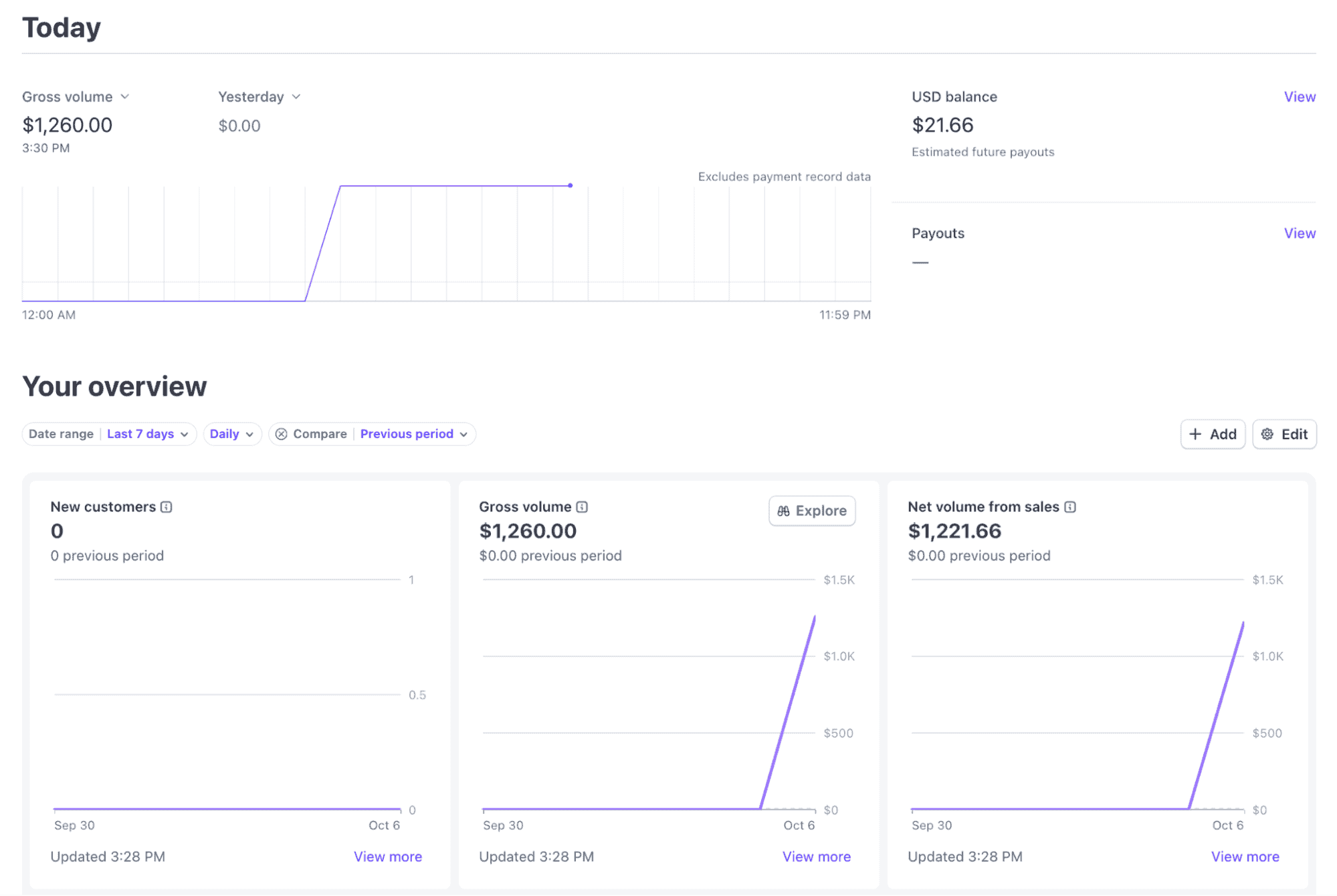
Stripe is built to process payments, not to act as a merchant of record by default. You stay the legal seller, which means tax registration, filing, and remittance sit on you.
That said, Stripe did build Managed Payments, a product that actually makes it a merchant of record, but it’s not an option for your business if:
- You’ve built a custom checkout. Managed Payments only works with Stripe Checkout and Payment Links.
- You run a marketplace or platform model. Stripe Connect, Express accounts, and platform-managed accounts don’t qualify, even if you’re only processing payments on behalf of other sellers.
- You or your customers aren’t in a supported country. Seller eligibility covers the US, Canada, most of Europe, Australia, Hong Kong, Japan, and Singapore, and Japan- and Singapore-based sellers still handle some domestic tax themselves. Buyers in China, Russia, Iran, and a handful of other countries can’t be processed through it at all.
- You run subscriptions through a custom billing flow. Managed Payments only supports subscriptions created through Stripe Checkout, but recurring payments still require Stripe Billing as a separate paid product.
Eligible for Managed Payments or not, the real cost of using Stripe runs well past the headline rate of 2.9% + $0.30. Add international card payments, subscription billing, tax compliance tools, and dispute costs, and the real rate for a typical software business lands closer to 7.4%.
it’s insane how this stuff adds up pic.twitter.com/cERsrPjAx6
— Nicolai Klemke (@nicolaiklemke) July 28, 2026
Still, Stripe could be the right call if:
- You’re mostly US-based, without much international tax exposure yet
- You want full control over your checkout and brand experience, not a hosted page
- You have, or are willing to build, the engineering time to maintain a custom stack
- Your transaction volume is still low enough that DIY tax and compliance work isn’t overwhelming
See how Freemius compares against Stripe and check the numbers against what you’re selling.
What Paddle does (and who it’s for)
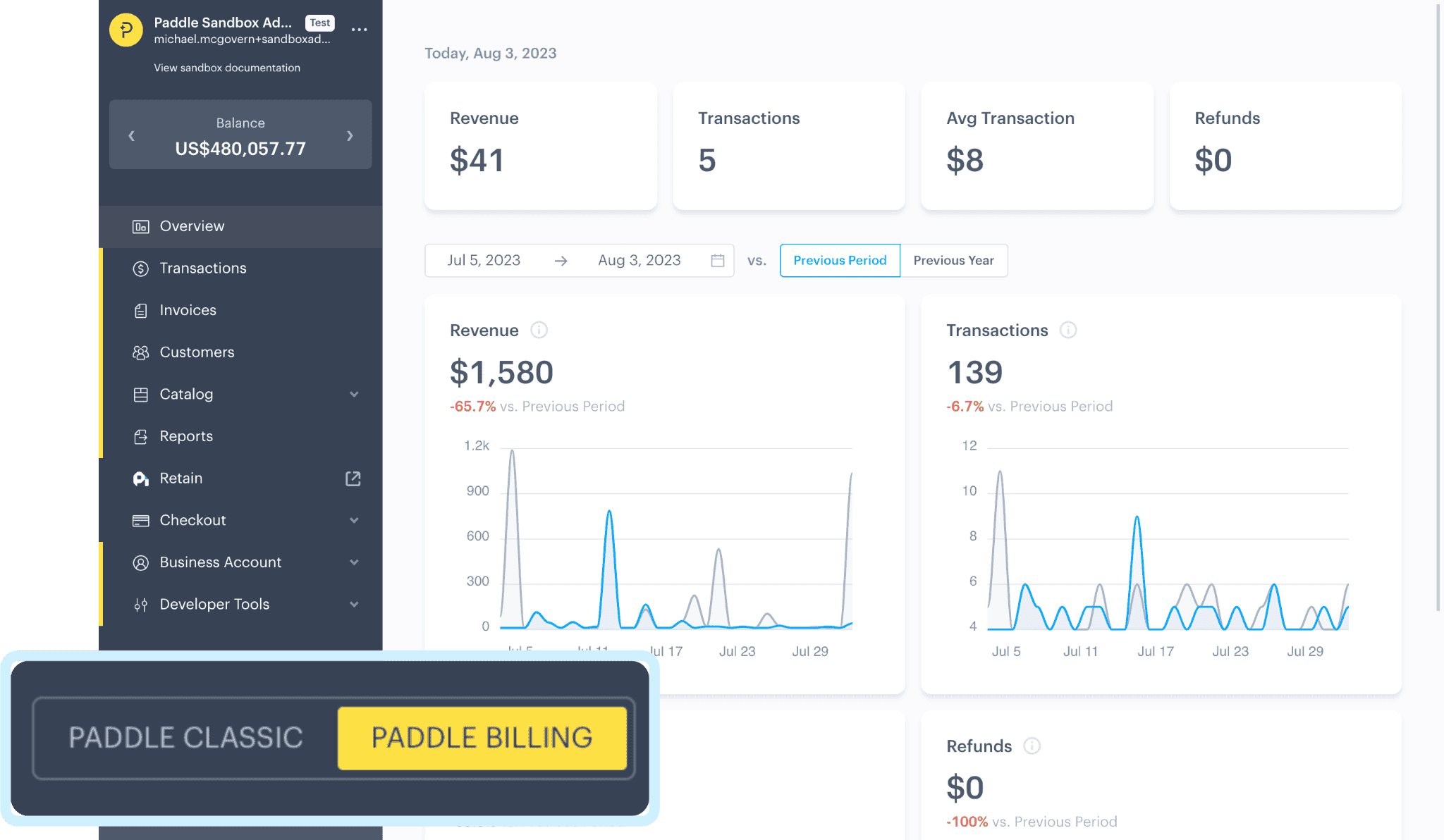
Unlike Stripe, Paddle is a merchant of record by default. For 5% + $0.50 per transaction, it becomes the legal seller, so you can sell globally without registering for tax in multiple countries, filing returns, or taking on fraud and chargeback liability yourself.
That costs you some control, though.
Instead of Stripe’s flexible API, you’re working within Paddle’s hosted checkout. Currency reach is narrower too: 30+ currencies against Stripe’s 135+. Payouts are limited to just five (USD, EUR, GBP, AUD, and CAD).
All of this assumes Paddle approves you in the first place, and that’s not a given.
Paddle requires a live site, terms of service, and a privacy policy just to apply, and acceptance isn’t automatic once you do. Paddle’s own help center estimates domain review at 5–7 business days, business verification at 2–4 days, and identity checks at 1–3 days when handled manually.
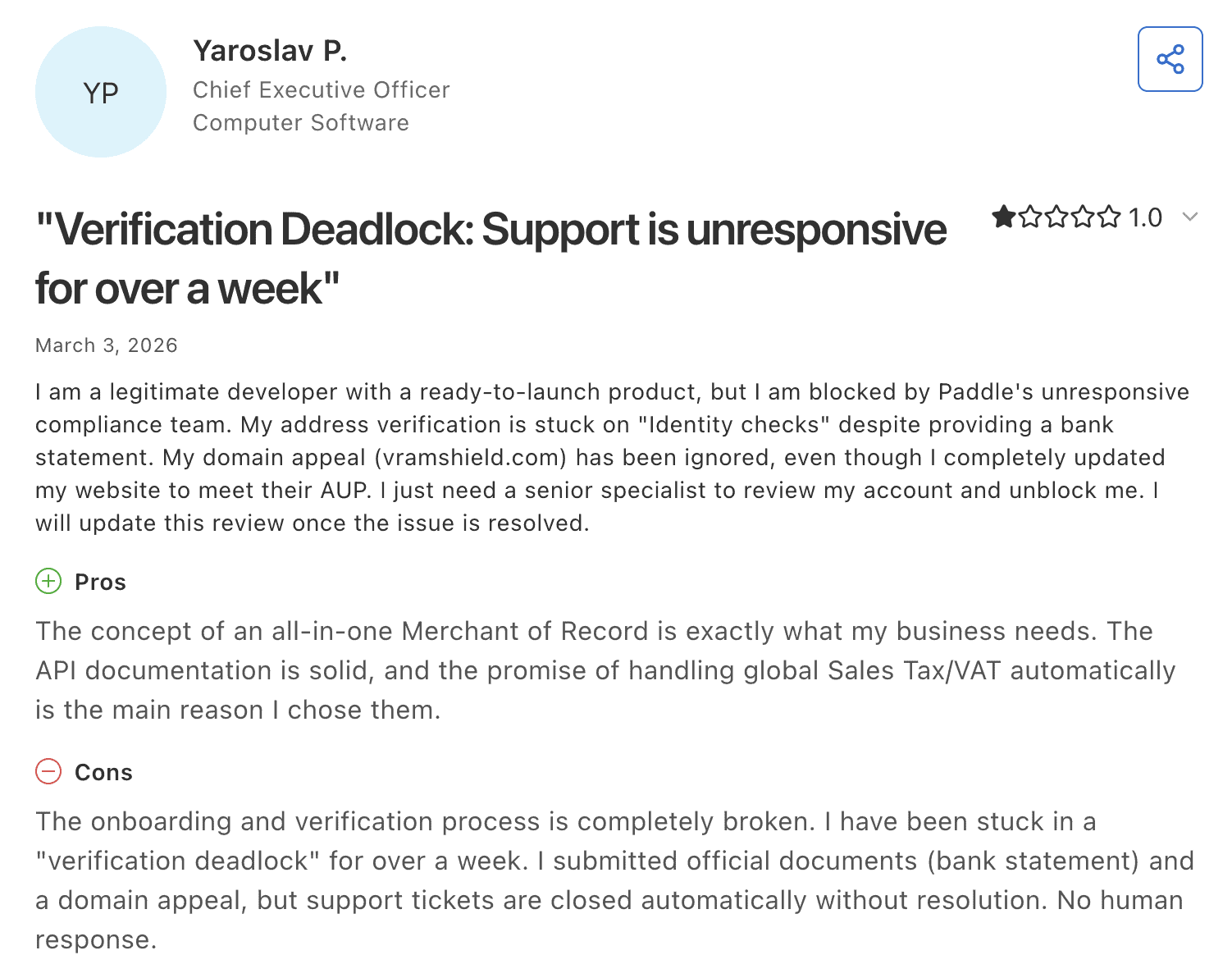
Founders report a different experience: longer review times, unexplained rejections, and applicants turned away for lacking prior payment-processing history — a requirement Paddle doesn’t publicly mention.
Once approved, support and account risk reviews are mixed. G2 sits around 4.5 stars with responsiveness as both the most-praised and most-criticized theme in the same review set. Capterra rates customer service 2.6 out of 5.
Paddle could be worth the wait if:
- Your launch isn’t time-sensitive, so a review with no fixed timeline won’t cost you a launch date
- You’re selling globally from day one and don’t want to register and file tax in every country yourself
- You’d rather pay one rate for tax, cart recovery, and chargeback protection than assemble the pieces yourself
- A hosted checkout is fine, and you don’t need deep control over that experience
See how Freemius compares against Paddle, and check the numbers against what you’re actually selling.
Stripe vs Paddle vs Freemius: The cost and feature comparison
Here’s the side-by-side breakdown, with Freemius added to show what “built for smaller software makers” looks like against the same numbers:
| Stripe | Paddle | Freemius | |
| Fit | US-heavy, low volume, want full checkout control | Global from day one, want tax handled for you | Software makers (SaaS, desktop apps, plugins, themes) who want tax, billing, and growth tools handled at one place |
| Product type | Payment processor (Managed Payments offers limited MoR coverage) | Merchant of record by default | Merchant of record by default |
| Time to start selling | Self-serve, live same day | 5–7+ business days official; longer reported in practice | Self-serve, almost immediate approval, no revenue minimum |
| Starting price | 2.9% + $0.30 | 5% + $0.50 | 4.7% dropping down to 0.5% past $100K/month gross revenue |
| Tax compliance | Stripe Tax add-on for tax calculation (filing still yours); +0.5%
Stripe Managed Payments add-on for tax compliance (for eligible transactions); +3.5% |
Included | Included |
| Subscription management | Stripe Billing add-on; +0.7% | Included | Included — full lifecycle: trials, upgrades, downgrades, proration, dunning, renewals |
| Cart abandonment recovery | Not native | Included, free (Paddle Billing) | Included, free — automated 3-email sequence + exit-intent popup |
| Dispute/chargeback fees | $15 for dispute fee (not refunded) + $15 for dispute countered fee (refunded only if you win) | Platform fee not refunded | Covered as MoR, no per-dispute fee |
| Currencies supported | 135+ | 30+ | 8+ |
| Payout currencies | Local currency in most supported countries | USD, EUR, GBP, AUD, CAD only | USD, EUR, GBP |
| Checkout customization | Maximum control via full API control, custom flows | Hosted checkout only | Overlay, hosted, or in-dashboard (WordPress) modes, plus a Buy Button API for custom flows |
| Blended effective rate | Around 7.4% once Billing and Stripe Tax are added. Higher if you’re on Managed Payments (+3.5% on top) | Higher on low-ticket or high-refund products | 4.7% dropping to 0.5% past $100K/month — no Billing, Tax, or Cart Recovery add-ons stacked on top |
| Support responsiveness | Self-service, ticket-based | Self-service, ticket-based | Founder-level, developer-led — over half of requests resolved on first reply |
Stripe and Paddle are both built for larger businesses, and this is ultimately a payments solution choice, not just a fee comparison.
Smaller software makers are more likely to experience slower support and stricter risk reviews before they’ve had a chance to establish a track record. If that’s you, a platform built specifically for independent software businesses may be a better fit.
Freemius: A Paddle and Stripe alternative built for smaller software makers
If you’re a solo founder or small software team looking for a comprehensive payment solution, Freemius handles tax, payments, and growth tools like affiliates and cart recovery in one place, so you’re not stitching together separate services as you scale.
Here’s what we mean:
- Affiliate platform: Track referrals, manage commissions, and automate payouts through a built-in system, including credit for free-to-paid upgrades.
- Progressive revenue-share pricing: Starts at 4.7%, dropping to 0.5% past $100K in monthly gross revenue.
- Subscription management: Automatically manages the entire subscription lifecycle: trials, upgrades, downgrades, proration, and renewals.
- Tax compliance: Calculates, collects, and files VAT, sales tax, and reverse charge on your behalf, across every jurisdiction you sell into.
- Cart abandonment recovery: Sends automated recovery emails at 60 minutes, 24 hours, and 3 days after abandonment, with increasing incentives.
- Automated dunning: Failed and expired cards trigger automatic retries and reminders, so subscribers don’t churn silently.
- Founder-level support: Gives you direct access to the developers who built the platform, for customized help with both technical issues and pricing or packaging decisions.
- Maker community: Gives you access to 3,000+ software makers, direct connections with the Freemius team, and introductions to affiliates or investors.
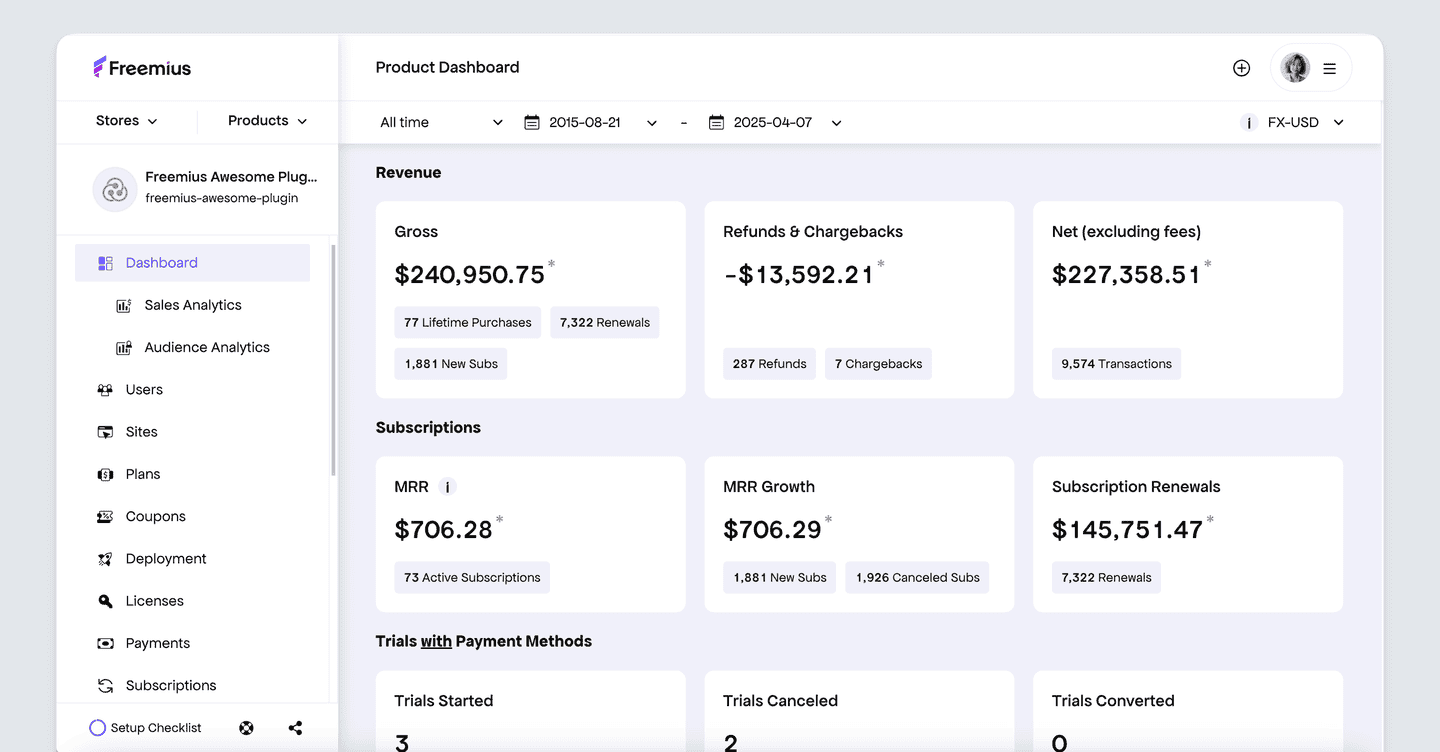
Put together, Freemius handles tax, payments, recovery, and growth in one place. You’re not piecing it together from separate tools, or wondering whether your account is too small to matter.
Choosing a payment platform: What your business needs
Choosing between Paddle and Stripe shouldn’t be your only decision here. The real question is: what do you need your payment platform to actually do for you, right now and as you grow? It also comes down to how much of your payment infrastructure or tech stack you want to own versus outsource.
If you’re mostly US-based with straightforward sales, Stripe does the job. The fees stay closer to the headline rate and you keep full control over your checkout. If you only need basic payment processing and can handle tax yourself, that combination can mean lower fees overall.
But if registering for tax across borders isn’t something you want to take on yourself, it’s worth looking at merchant-of-record alternatives built for that instead.
If you’re selling globally and want tax handled without touching it, Paddle makes sense. But keep in mind that the account review can take longer than advertised, and support isn’t always consistent once you’re in.
If you’re a small or early-stage software business that needs that same coverage, plus the growth tools neither Stripe nor Paddle include, Freemius is worth pricing against either one before you commit.
Same tax and payment protection Paddle offers, plus an affiliate program and cart recovery built in, sized for a business at your stage instead of an enterprise account.
Ready to see what that looks like for your product? Schedule a call with the Freemius CEO and get a direct walkthrough.
FAQ: Paddle vs Stripe
Who is Stripe’s biggest competitor?
It depends on what you need. PayPal, Adyen, and Braintree compete with Stripe as payment gateway solutions, while Paddle and Freemius are closer alternatives for a SaaS business looking for a merchant of record.
Is there a better option than Stripe?
Stripe is hard to beat for payment flexibility and developer control. But a merchant of record such as Paddle or Freemius may be a better option if you would rather not manage global tax registration, filing, fraud, and disputes yourself.
Are Stripe fees too high?
Whether Stripe is too expensive depends on how much of that infrastructure your business needs. Stripe’s base fee is competitive, but the final cost can be much higher once you add international card fees, currency conversion, subscriptions, tax tools, invoicing, instant payouts, and other costs that vary by payment method.
What are the downsides of Stripe?
By default, Stripe only processes the payment. Its tax features calculate amounts, but you still need to manage sales taxes and compliance responsibilities (unless you’re on Managed Payments). You still manage chargebacks by default too. Its flexibility can also mean more integrations, separate fees, and ongoing development work.
How much is the Stripe fee for $100?
For a standard $100 domestic card payment in the US, Stripe’s fee is $3.20: 2.9% of the transaction plus $0.30. Stripe charges those fees only on successful transactions, and costs can rise further with certain payment methods or add-ons, including Apple Pay. International payments, currency conversion, and additional Stripe products cost extra.
Can I avoid Stripe fees?
Not entirely. Every payment provider charges for processing transactions. You may be able to reduce costs through custom pricing at higher volumes or by using lower-cost methods like ACH or wire transfers, but you can’t eliminate them entirely. The right payment method mix can affect your total cost.
Is Stripe cheaper than Paddle?
Stripe’s headline rate of 2.9% + $0.30 is lower than Paddle’s 5% + $0.50. However, Paddle fees include subscription billing, global tax compliance, chargeback and fraud protection. With Stripe, many of those capabilities have separate costs or remain your responsibility.
Can I use both Stripe and Paddle?
Yes. Some businesses use Stripe for transactions they want to manage themselves and Paddle for sales where they want merchant-of-record coverage. However, this creates two billing systems, reporting flows, and customer experiences to maintain.
Do Paddle or Stripe include cart recovery or an affiliate program?
Both offer checkout recovery features. Paddle includes automated checkout recovery for eligible Paddle Checkout transactions, while Stripe Checkout supports recovery emails for abandoned carts.
Neither provides a complete native affiliate-management program comparable to a dedicated affiliate platform. You may need a third-party tool. Alternatively, you can choose Freemius as a merchant of record with a built-in affiliate platform.
Does Stripe now offer its own merchant-of-record option?
Yes. Stripe Managed Payments lets Stripe act as the merchant of record for eligible digital-product transactions. Stripe then takes responsibility for indirect taxes, fraud prevention, and disputes. However, it only supports certain Stripe-hosted payment flows and still relies on separate products such as Stripe Billing for subscriptions.