Changelog

Welcome to the changelog section of Freemius, here you'll find our weekly technical update notes. You can subscribe to all posts via Newsletter or follow us on Twitter to stay updated.

Enhancements to the Users Export from the Developer Dashboard

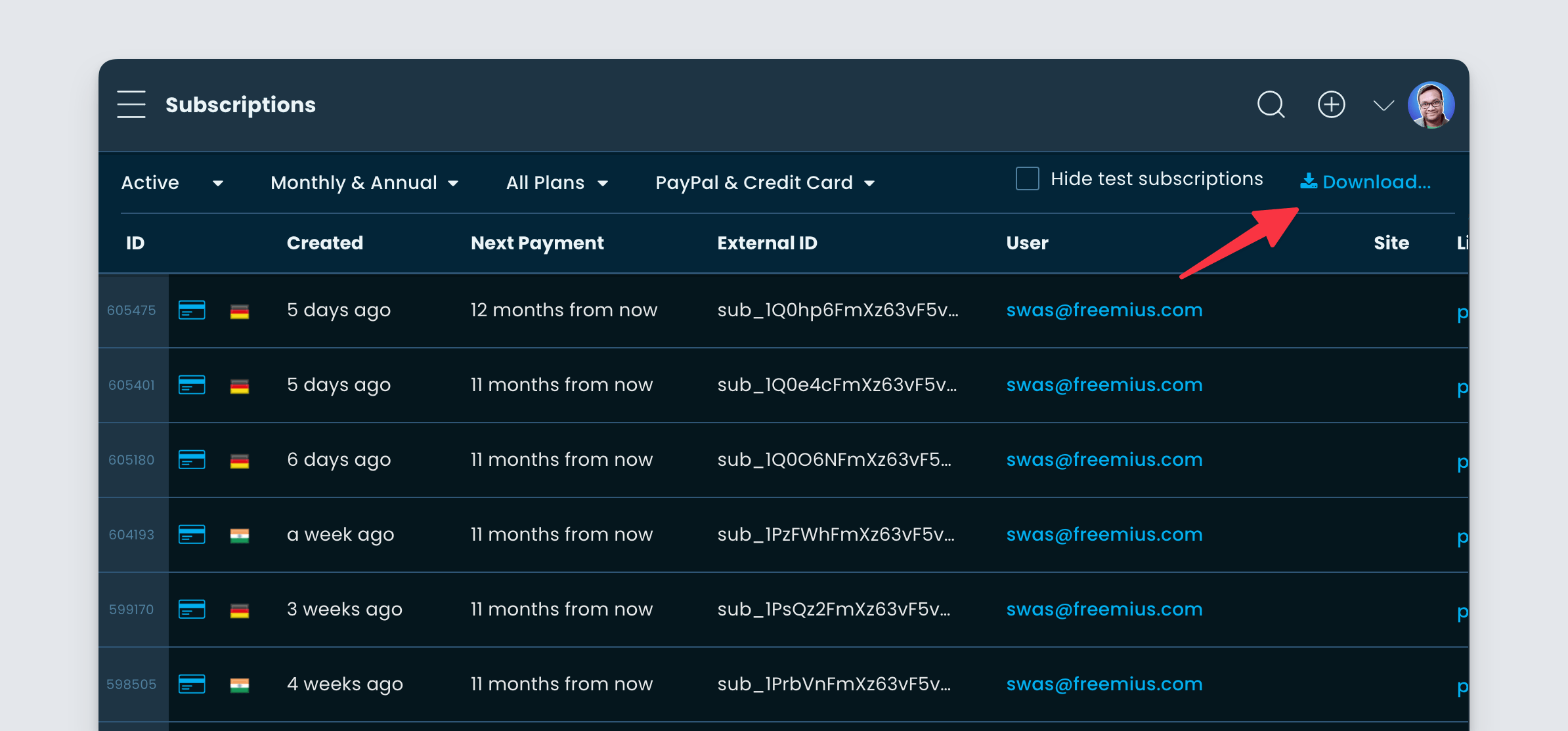
As part of our data liberation project, we have significantly improved the experience while downloading users from the Developer Dashboard. To download users, go to the “Users” page under your Developer Dashboard and find the Download button on the top right of the screen.

Freemius Developer Dashboard - Users Download

Previously you could only download the first 10,000 users and it also took some time to process the download. We have significantly improved the download time, making it at least 10x faster. The download limit has also been increased to 250,000.

Different download types Freemius Developer Dashboard

You can click the “All Users” button to download all users in a CSV. If you want to download just the users visible in the UI, you can click the “Table users” button.

The download works with any filtering you have active. Please note, the download limit is capped to 250,000 for now. This should be sufficient for most product owners. We do have plans for the future to remove this limit. Meanwhile, you can always contact our support if you need more data to be downloaded.

Soon we will add download capabilities to other areas in the Developer Dashboard, for example, Sites, Payments, Subscriptions etc.

Improvements and bug fixes for the area charts

Not so long ago, we introduced general UX improvements to the analytics charts available in the Freemius Developer Dashboard. We noticed the “Area Chart” rendering was not up to the mark, especially if different categories had closer values. It also had a bug where the minimum value of the y-axis was wrongly calculated and there was no way to reset it.

Better area chart Freemius Developer Dashboard

In this deployment, we fixed the bug and improved the default rendering.

Customizing area chart for setting y-axis in Freemius Developer Dashboard

You will also get the option to set “Full Size” Y-Axis by clicking the “Customize” button.

New feature: US Sales tax refund capability against exemption certificate

We are glad to announce the immediate availability of a new feature our partners have requested. If you have buyers from the US with sales tax exemption, you can now issue a full tax refund to the buyer from your Developer Dashboard.

Accessing refund for a payment from Freemius Developer Dashboard

Go to the “Payments” page of the Developer Dashboard and click the Refund button next to the payment.

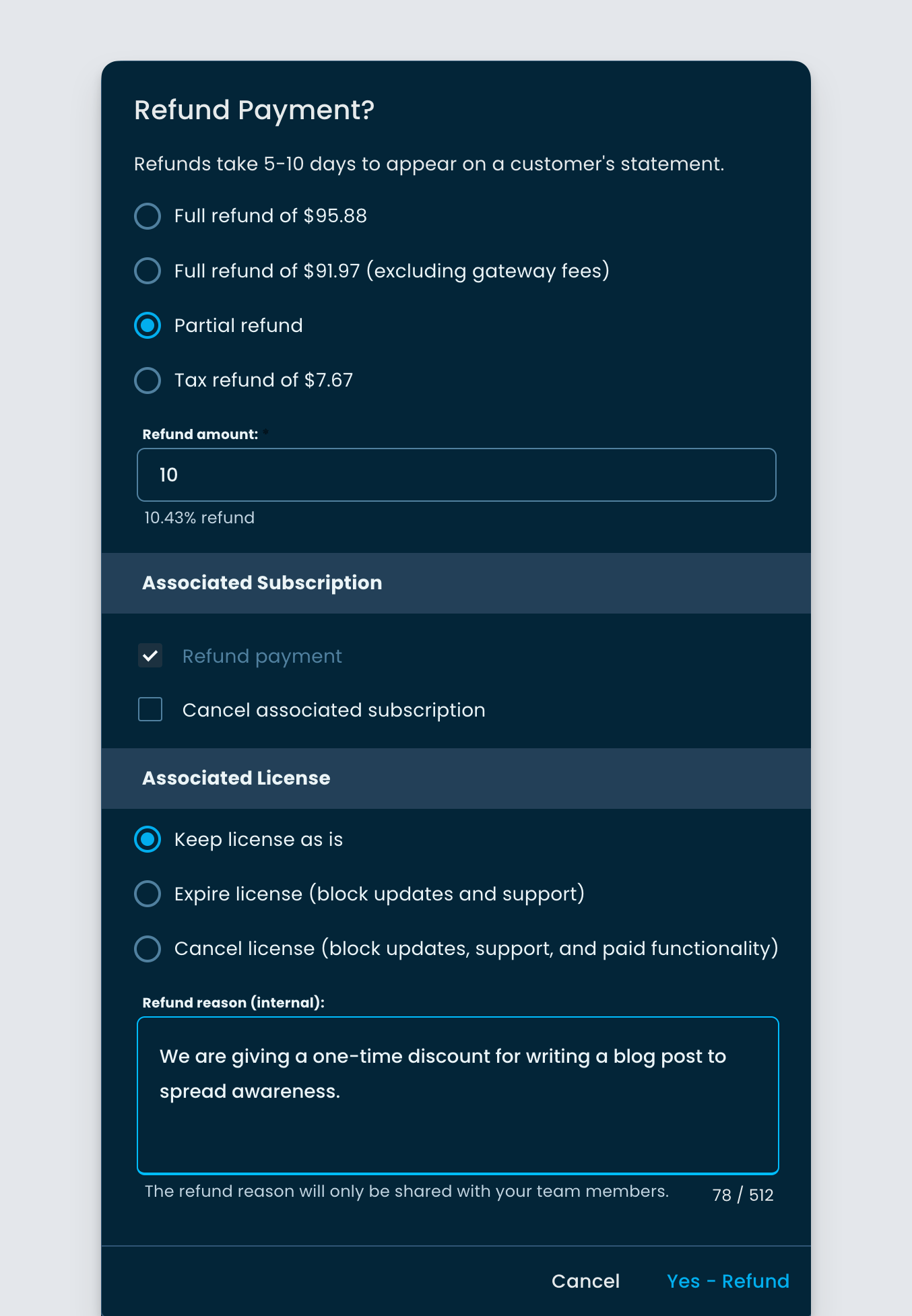
Refunding US Sales Tax against exemption certificate in Freemius Developer Dashboard

Select the “Tax refund of $..” option and provide a valid Tax exemption certificate number. Please ask your buyer to give this number to you. Then click the “Yes – Refund” button after accepting the disclaimer and you will be all set.

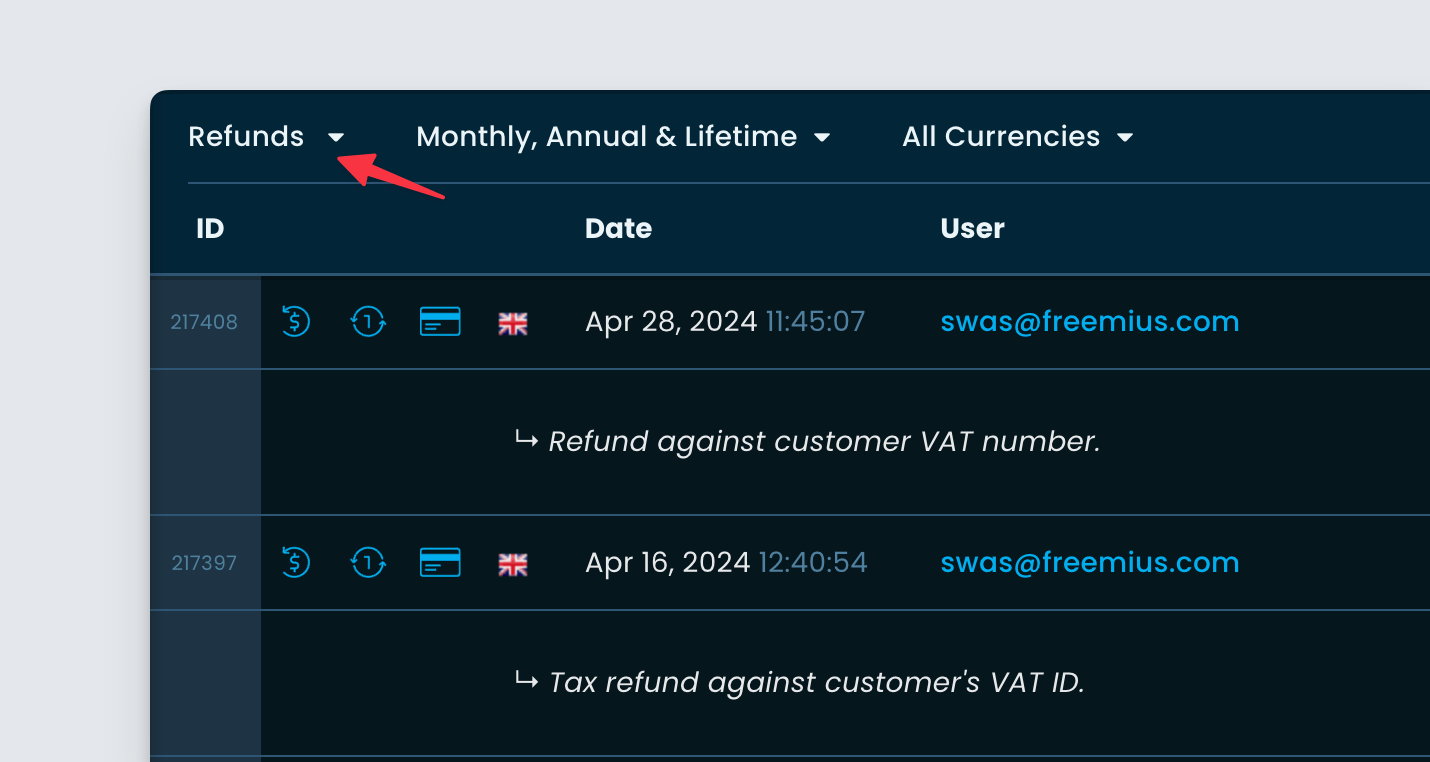
Like VAT refunds, two fresh invoices will be created, one as a full refund for the original transaction and another without the tax, containing the tax certificate number. Similarly, if the payment is associated with a subscription, the subscription will be automatically adjusted not to charge sales tax for future renewals.

Further improvements to the PayPal error UI in the checkout

Continuing our work from the last deployment, we’ve further improved some of the error UI shown in the checkout for PayPal, especially when the checkout is loaded from the SDK.

General PayPal error UI

Freemius checkout error UI with general PayPal issue

For every other PayPal-related error, we are now including a “retry link” in the message, so that the user can quickly retry without manually refreshing the page.

When the initial payment fails

Freemius Checkout - PayPal initial payment issue

This can happen for a PayPal account with insufficient balance or credit source. Apart from the inline link in the error UI, the primary button will also reload the checkout so the user can retry with a different PayPal account or a card.

When the billing agreement was already created

Freemius Checkout - PayPal billing agreement issue

In some rare edge cases, it can happen that the billing agreement was already created in PayPal, yet it failed to process the payment. Since we know retrying with the same PayPal billing agreement would not work, we now show a clear message, and the buttons would reload the checkout so that the user can try again with a different payment method.

Please note that these improvements were rolled out to the beta or the phase2 version of the checkout. The behavior of the current checkout has not changed from the last deployment, apart from the improved error messages.

Minor improvements to the carts UI

We noticed the “Carts” page UI had some glitches in our Developer Dashboard. In this deployment, we have fixed it.

Freemius Carts UI in the Developer Dashboard

You can navigate to the Carts page under the Developer Dashboard to keep track of purchase-related activities.

Password reset UX improvements with password managers in the Customer Portal

We learned that some password managers like LastPass, were not providing a good UX when our buyers tried to reset their passwords.

Freemius password reset emailThe issues happened especially when a buyer has multiple accounts with Freemius.

In some cases, it would force fill in incorrect email addresses during the reset, while in some cases it would not prompt you to save the password against the right account. We have pushed a fix to improve this UX.

Now LastPass will prompt for a new auto-generated password in the reset form.

Once saved, LastPass will ask for a password update against the right account.

Improved PayPal subscription failure messages in the checkout

To improve the UX of the checkout when PayPal fails to create a subscription, we have modified the UI shown to the buyer.

Improvements of the PayPal error UI in the Freemius Checkout

As you can see in the image above, we now show a clear message on how to contact PayPal support for payment-related issues and also a way to reload the checkout and try with a different payment method.

Beta Release: Dual Column Checkout with Upsells and Social Proofing

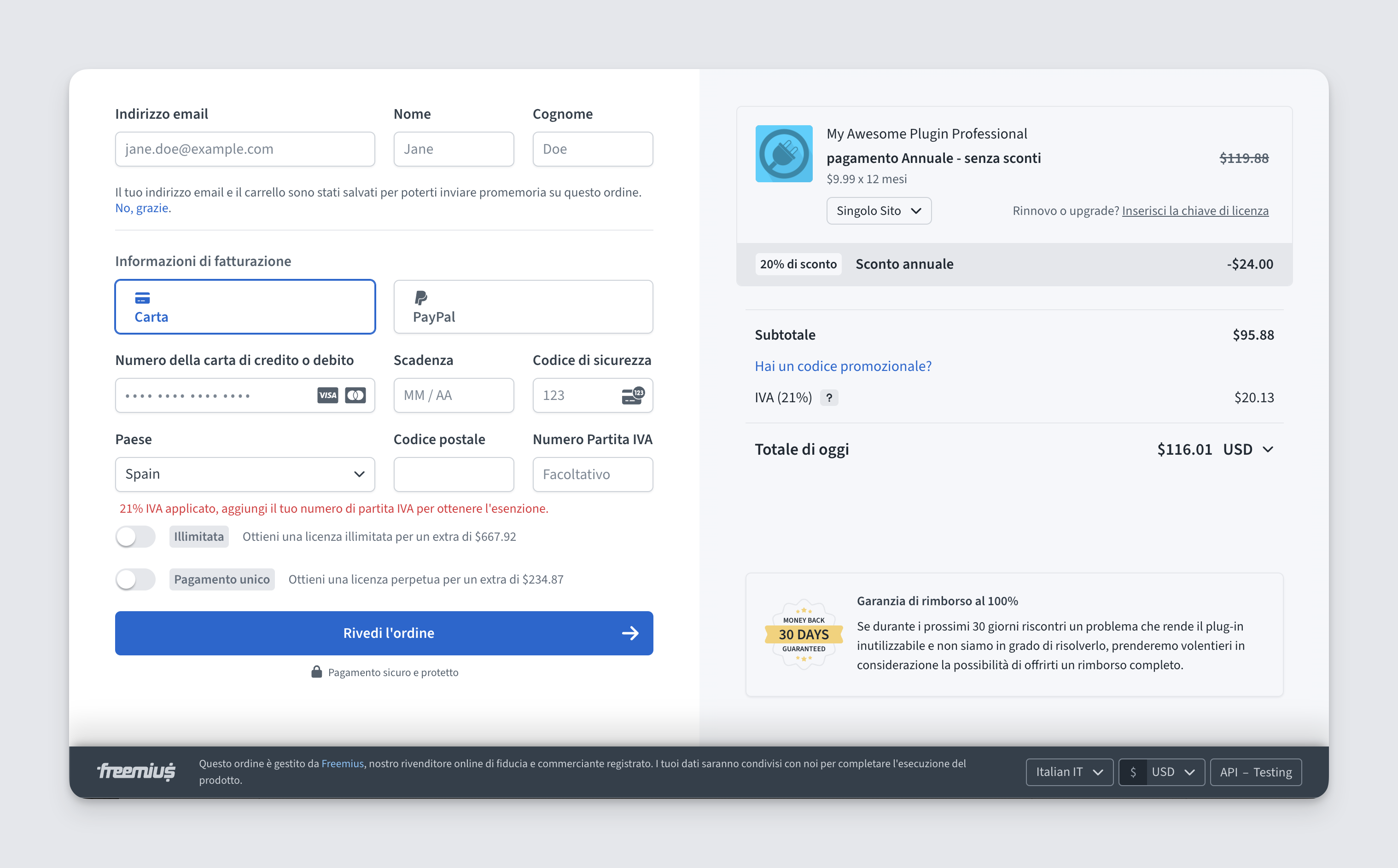
We are super excited to announce the beta availability of the new checkout app we’ve been working on. It is not just a reskinning, but a complete overhaul of the UI/UX to make it more user-friendly and help more conversions. The new checkout is in the beta phase right now. To test it out right now, you can

  • Add checkout_style=phase2 in the URL parameter of the direct checkout link.
  • Or use checkout_style: 'phase2' in the JS integration code.

New dual column checkout with Freemius

LIVE PREVIEW

Now let’s see some of the changes.

A fresh new look with two columns

Exploring two columns in Freemius checkout

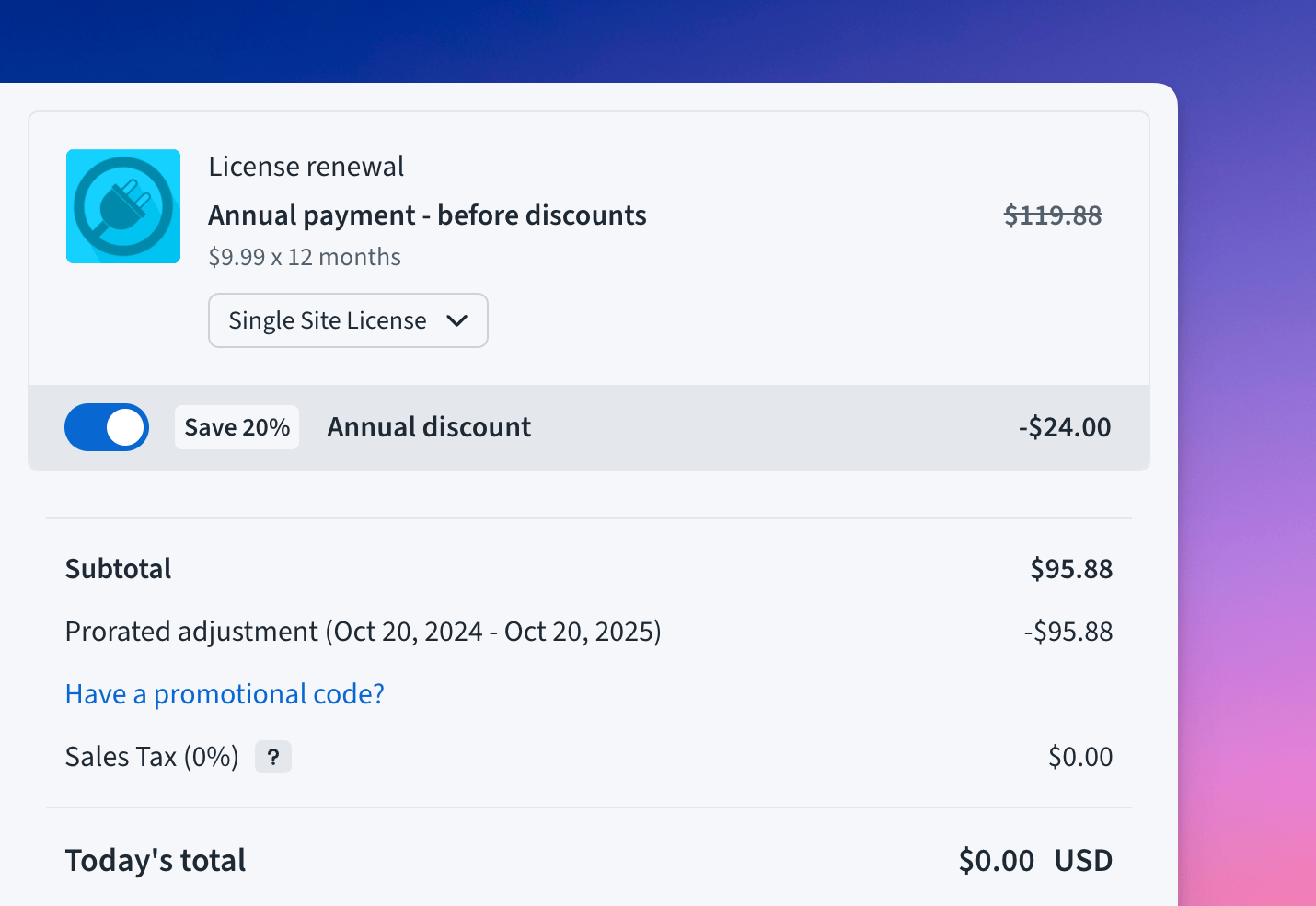
We have a nice header to communicate the pricing to the user properly. Then comes the different line items to show different discounts, breakdowns, taxes, etc, which subsequently leads to the total value.

We also present the checkout in two columns to make more of the real estate in modern screens.

Various upsells

Annual upsell in Freemius Checkout

We have three upsells built into the checkout.

  • Annual upsell when the checkout is loaded with the monthly billing cycle.
  • Lifetime license upsell.
  • Unlimited license upsell.

License and Billing Cycle upsells in Freemius Checkout

All of them are configurable and you can turn them off (more on it later).

Full-Screen mode

Our checkout now supports a Full-Screen mode to take the entire real estate of the screen.

  • Checkout opened with the JS snippet are still sized as modal.
  • Checkout opened directly through a link will be full-sized by default.
  • You can set the size yourself with a configuration parameter (more on it later).
  • The users can also toggle between full-size and modal-size themselves.

Social proofing

To aid in conversion, we have introduced two social proofing UIs in the checkout itself.

  • Money-back guarantee: Shows the type of refund policy you have.
  • Featured Review: You can selectively show a featured review on the checkout page. Set a review as “Featured” from the Developer Dashboard and it will show up here. If you have multiple featured reviews, then the latest one will show up.

They don’t show up by default if the checkout opens with the JS integration. But they do show up if the checkout is opened as an independent page. However, you have total control to show/hide them individually, when you want.

Improved Bundle UI

New bundle UI in the Freemius Checkout

We’ve improved the bundle UI by introducing a button to expand or collapse the products inside the bundle. You can control the initial state of the list. The users will always be able to expand/collapse as wanted.

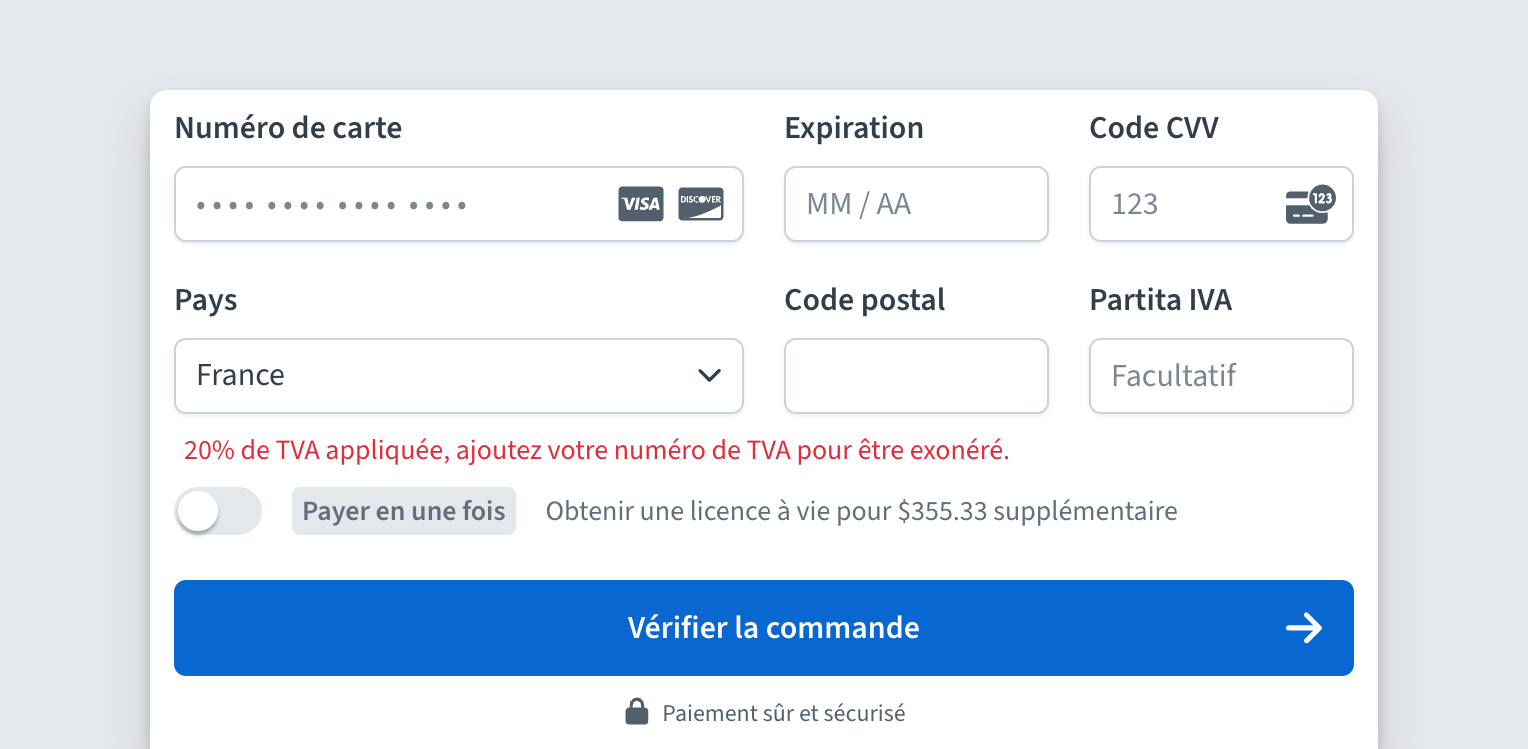
Available configuration option

This new version comes with various appearance-related configurations. All of them can be used either directly in the URL parameter or through the JS snippet as configuration properties.

Property Description Accepted values Default value
layout Specify the layout of the form on a larger screen. This cannot be horizontal in cases like payment method updates or free plans. If set  null the system will automatically choose the best default for the current checkout mode. 'vertical' | 'horizontal' | null null
form_position Specifies the position of the form, in double column view. 'left' | 'right' 'left'
fullscreen Whether to take the entire viewport while rendering the form. If kept null, then in iFrames, the size will be set to false, otherwise, it will be set to true. true | false | null null
show_upsells Whether or not showing the upsell toggles. true | false true
show_reviews Whether or not showing featured reviews in the checkout. If kept null then it will be shown if the checkout page is loaded directly, without any JS snippet (iFrame) integration call. true | false | null null
show_refund_badge Whether or not showing Refund Policy UI in the checkout. If kept null then it will be shown if the checkout page is loaded directly, without any JS snippet (iFrame) integration call. true | false | null null
is_bundle_collapsed Determines whether the products in a bundle appear as hidden by default. Is applicable only to bundles. true | false true

For example, if your checkout URL is

https://checkout.freemius.com/mode/dialog/plugin/XX/plan/YY/

you can append the query parameters like this

https://checkout.freemius.com/mode/dialog/plugin/XX/plan/YY/?checkout_style=phase2&is_showing_reviews=true&is_showing_refund_badge=true

to open the new checkout while showing the social proofing UIs.

Similarly, if you are using the JS integration, you can add the properties while configuring or opening the checkout.

const handler = FS.Checkout.configure({
        plugin_id:  'plugin_id',
        plan_id:    'plan_id',
        public_key: 'pk_public_key',
        // Force load the new checkout style.
        checkout_style: 'phase2',
        show_reviews: true,
        show_refund_badge: true,
});

Please give this new checkout app a try and let us know of your feedback in the #freemius-checkout channel of our slack community.

Other bug fixes and improvements

Fixed some store-scoped API endpoints not working properly

Since we released the multi-store Developer Dashboard, we noticed some API endpoints were not working properly. We have investigated all such endpoints and have made fixes.

Improved the email address verification mechanism for users

We noticed that if a Developer changes a User’s email from the Developer Dashboard, the User will see a blank screen upon clicking the confirmation button. Although their email change was getting verified, this still presented a poorer UX. We have improved this UX, by redirecting the User to the User Dashboard and showing an appropriate message.

Freemius User Dashboard email address verification UI

We also took this opportunity to improve the email message itself.

Fixed loading of white-listed sites for license activation

In some edge cases, we found that a few users were facing issues activating their white-listed licenses. We found out the cause and have fixed it.

Fixed coupon code issues with PayPal

One partner of ours reported that some coupons were not working with the PayPal payment method. We investigated the cause and have deployed a fix.

Small Analytics graph improvement

We noticed in some cases we were plotting incorrect 0 values on some graphs where data was not available.

We have fixed this by removing the zero points from the graph, which presents a nicer UX.

Freemius for Saas – General improvements

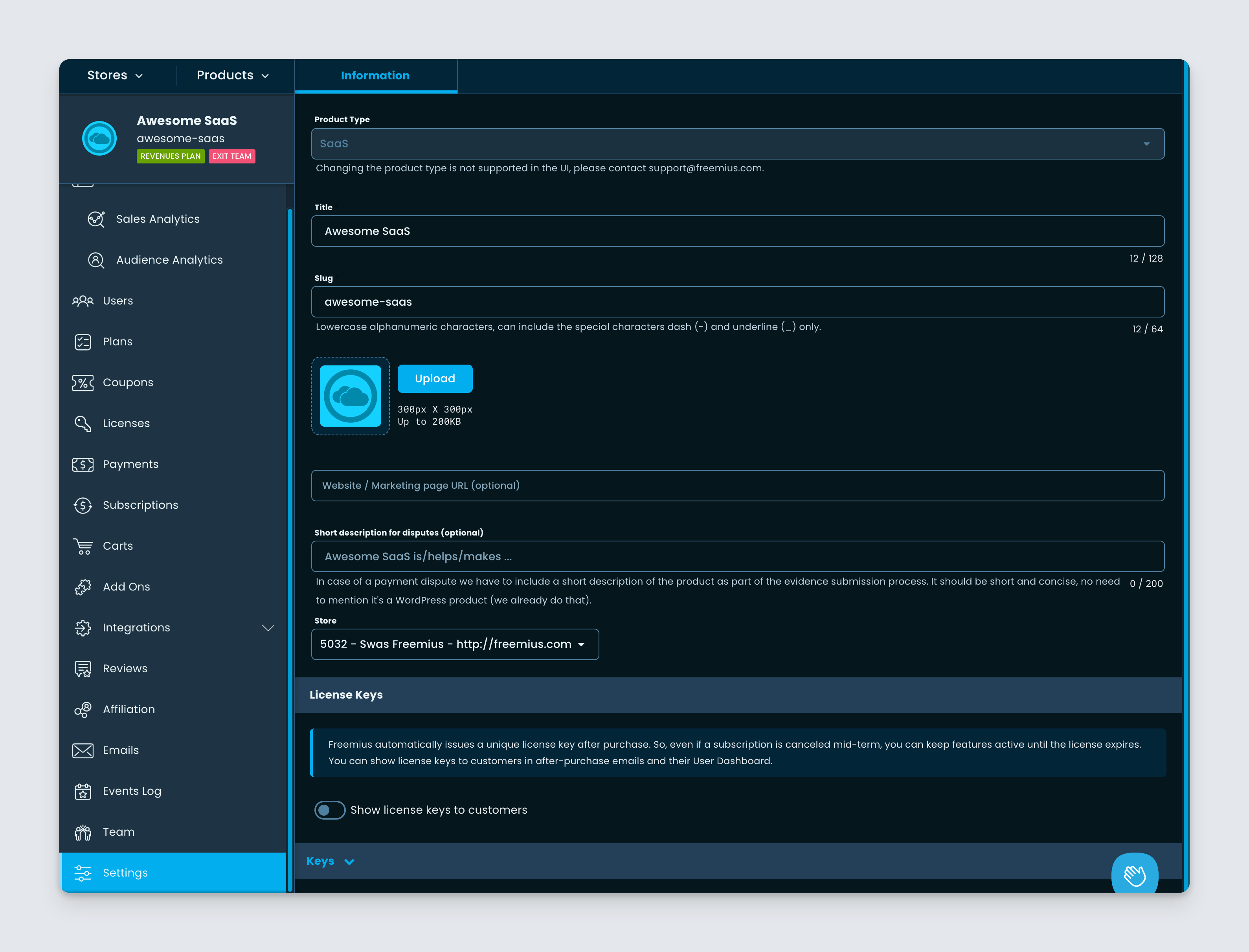
We have made subtle changes to make the SaaS selling experience better with Freemius. If you create a new product with SaaS type like below

You will notice several changes and improvements throughout the system. For example:

  1. The checkout will show a better message after completion.
  2. The Customer Portal will not show the “Download” button for SaaS products.
  3. Different transactional and marketing emails sent by Freemius are now optimized for SaaS usage.
  4. Various wordings in the Developer Dashboard and the checkout also emphasize the SaaS type by using the term product instead of plugin, widget, theme etc.

These are only the first changes we are rolling out to improve SaaS experience with Freemius. Please stay tuned for more updates.

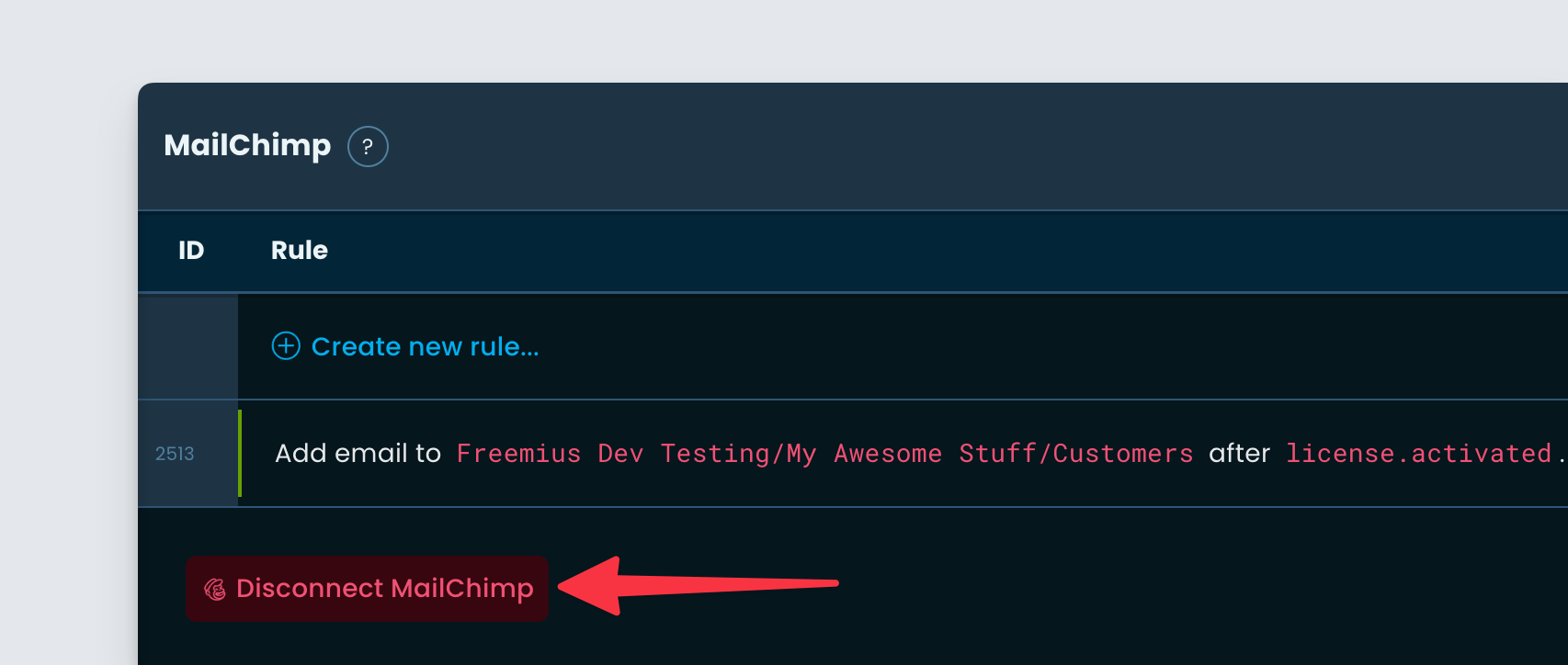
Mailchimp integration improvements

This week, we are glad to announce some major improvements to the Mailchimp integration. Please find out below.

Using the same Mailchimp account for multiple products

Our system was not working when the same Mailchimp account was used for multiple products. We identified the root cause and fixed it.

Improvements to the Mailchimp UX

We took this opportunity to further improve the UX of Mailchimp connection. Now instead of a single button saying “Connect to Mailchimp” you will see a dropdown, in case you already have Mailchimp integrated with other products from your Developer account.

You can then choose to create a “New connection” or simply click an existing connection.

From here on, the workflow remains the same. You can add/modify rules for different events. Here’s a quick video to demonstrate the new “one-click” connection UX.

Various improvements and bug fixes – 28th April 2024

Improvements to the Readme.txt missing notice in the Deployment page

We noticed that the message we were showing the Deployment page, had some visualization glitch.

We have fixed the glitches and made improvements to the message itself.

Fixed broken geo.json endpoint

We noticed a regression where the endpoint https://checkout.freemius.com/geo.json got broken. It is a feature Freemius provides using which you can determine the location to dynamically set currency on your pricing page. We have fixed the regression.

New feature to duplicate coupon

We are glad to announce a new Developer Dashboard feature to duplicate coupons easily.

You can click on the new “Duplicate” button to get started. It will create a new coupon copying all its settings and attributes. The newly created coupon code will become, OLDCODE_COPY which you can change from the edit screen.

Please note that if you’re copying a product-level coupon from the Store view, the duplicated coupon by default will only apply to the product itself.

You can edit the coupon to make the necessary adjustments, for example, you can activate it for more products, plans, and billing cycles etc.

Load more