Welcome to the changelog section of Freemius, here you'll find our weekly technical update notes. You can subscribe to all posts via Newsletter or follow us on Twitter to stay updated.
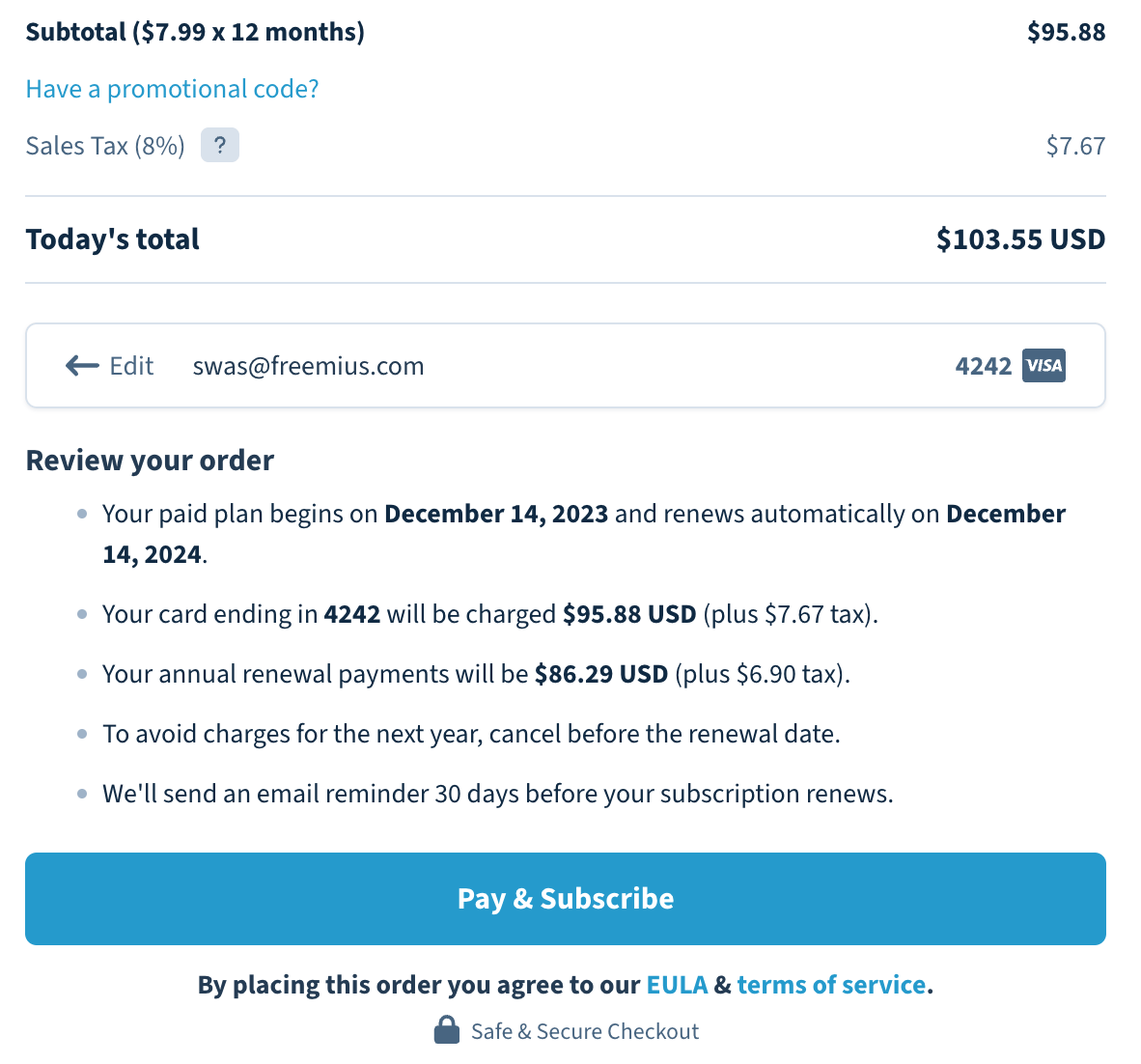
Today, we’re rolling out the new Checkout for everyone.
The new style will show up regardless of whether you have a custom CSS setting for the legacy checkout or not.
If you want to customize the new Checkout with CSS, please see our official guide here.
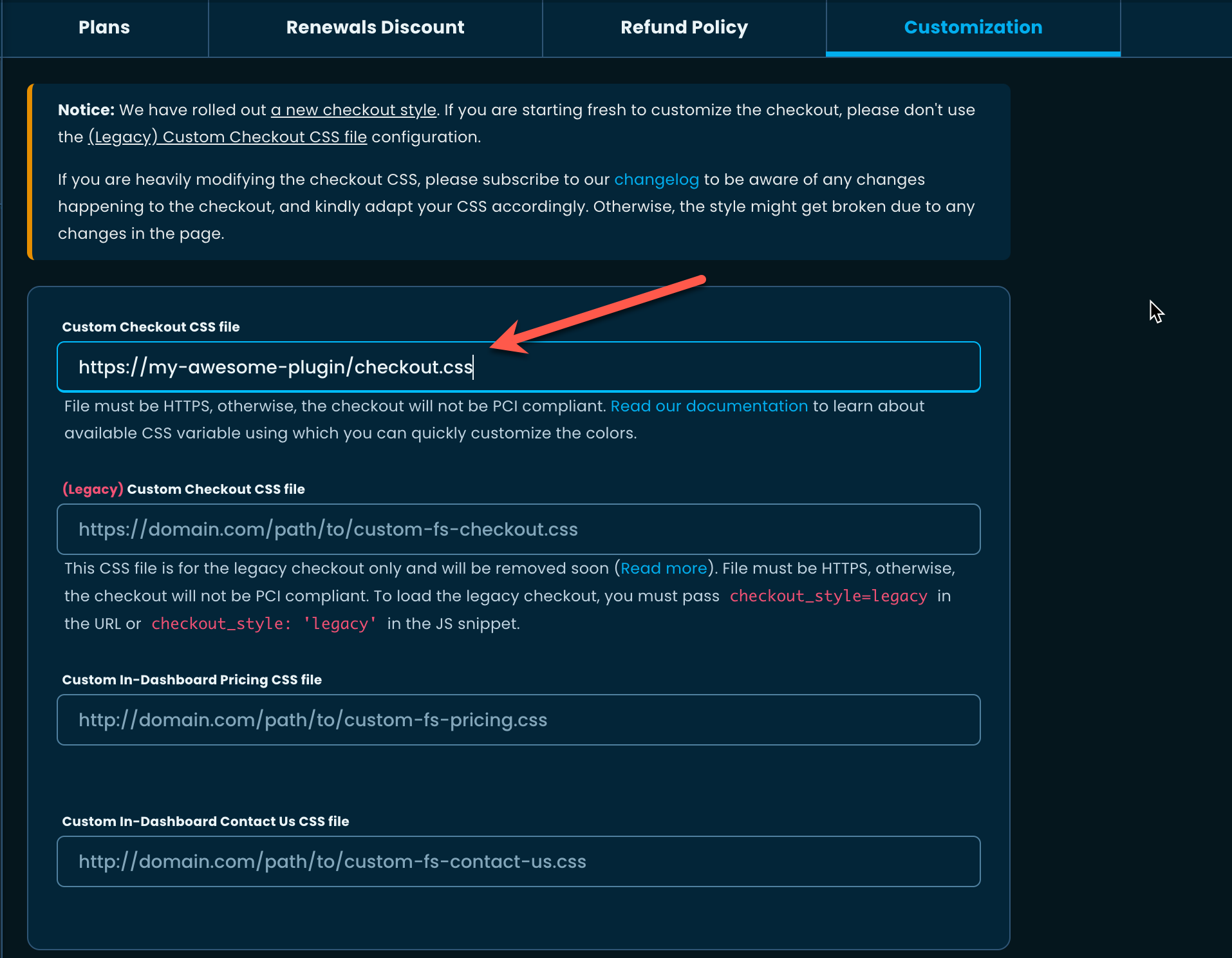
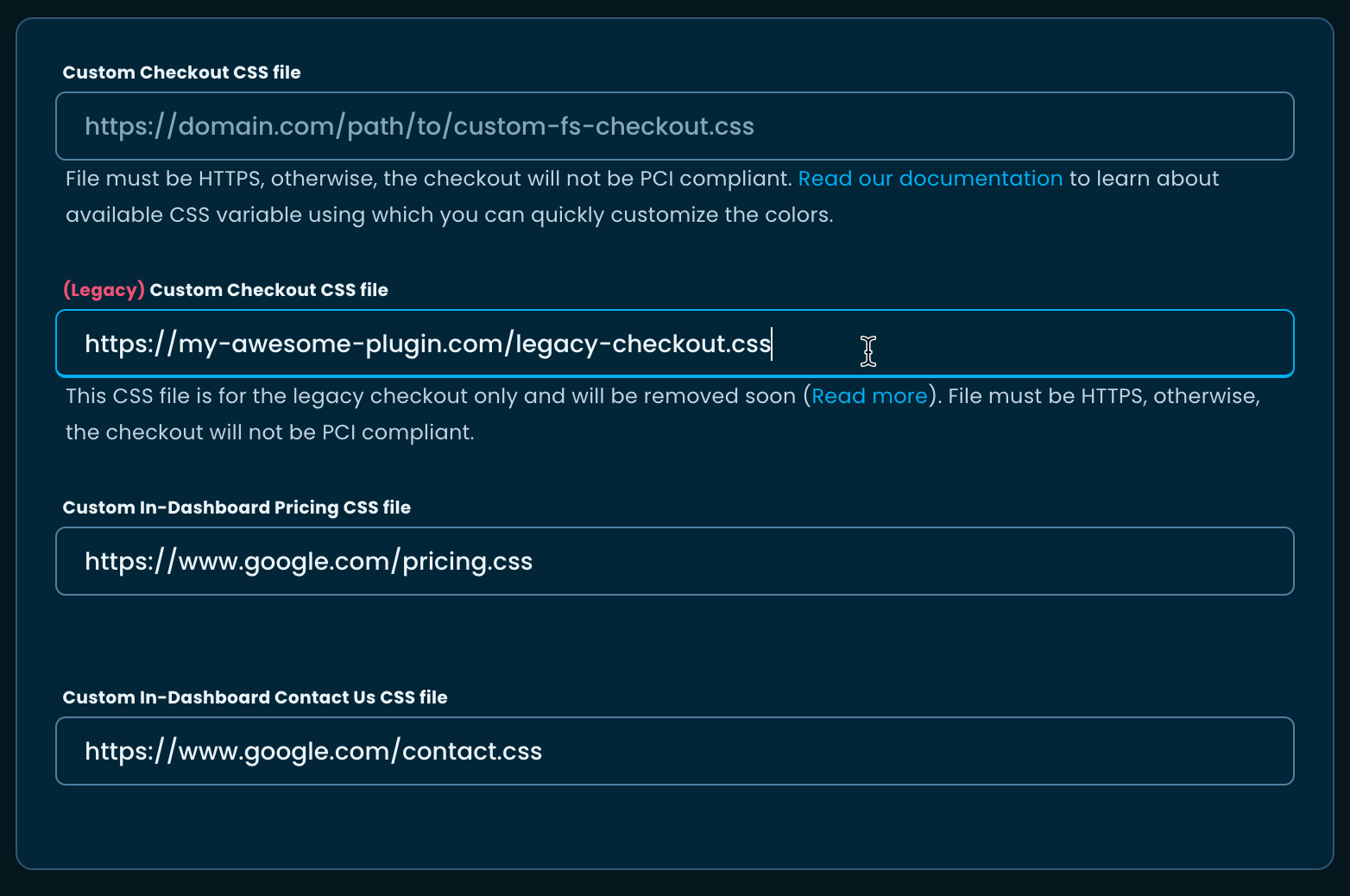
Make sure to save the URL in the ‘Custom Checkout CSS file’ under the Developer Dashboard and not the one marked as (Legacy).
If for some reason you’d still like to use the legacy Checkout, we are offering it for a limited time. You must pass the checkout_style: 'legacy' in the JS snippet configuration.
    const handler = FS.Checkout.configure({
        plugin_id:  '9987',
        plan_id:    '16744',
        public_key: 'pk_f6ac0907ee421b1db0c94833cf26b',
        image:      'https://your-plugin-site.com/logo-100x100.png'
    });

    $('#purchase').on('click', function (e) {
        handler.open({
            // Force load the legacy checkout
            checkout_style: 'legacy',
            name     : 'My Awesome SaaS',
            // ...
        });
        e.preventDefault();
    });
We urge you to stop using the legacy Checkout and migrate to the new one as soon as possible.
In a bid to make our system more friendly to SaaS businesses, we’ve implemented the following improvements to our Checkout.
Modified license unit label
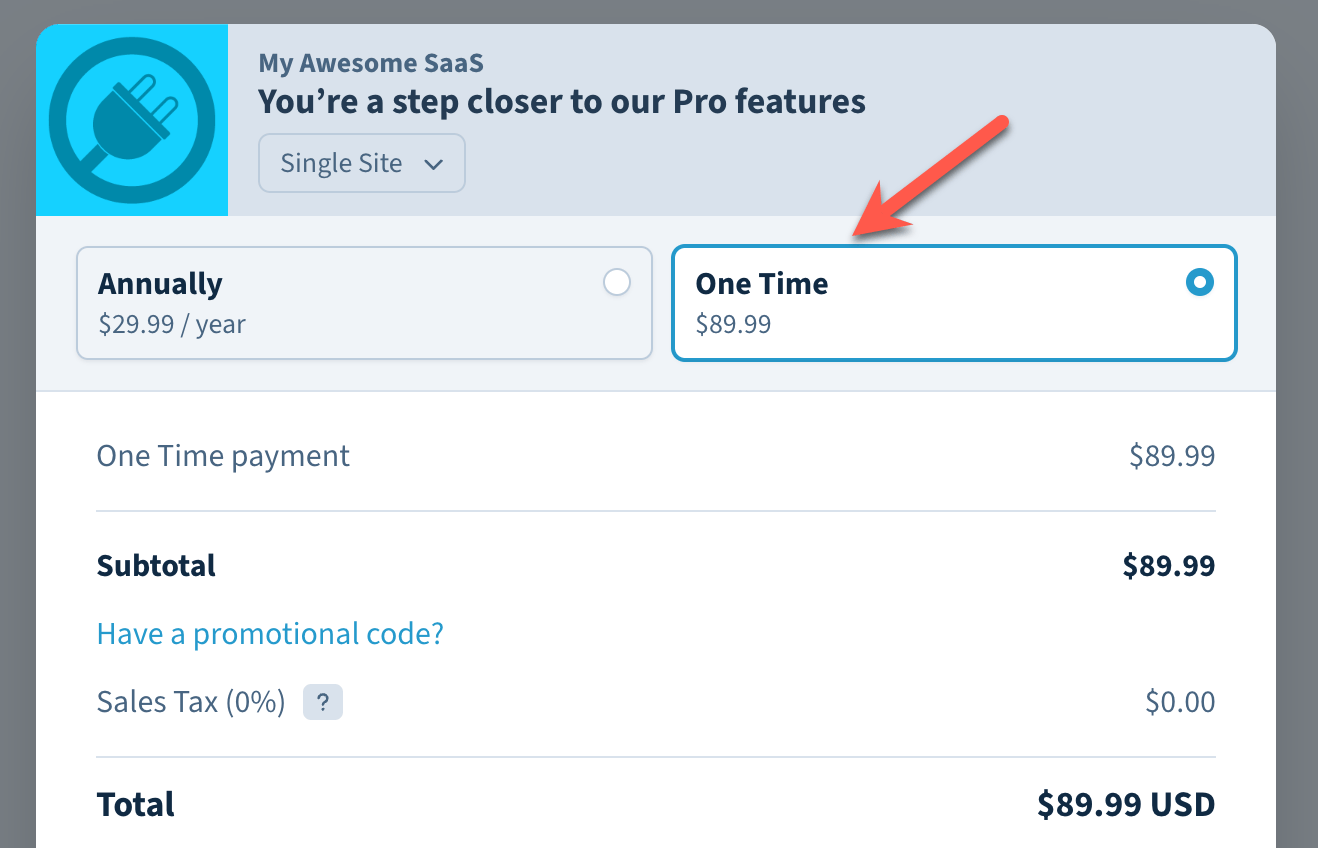
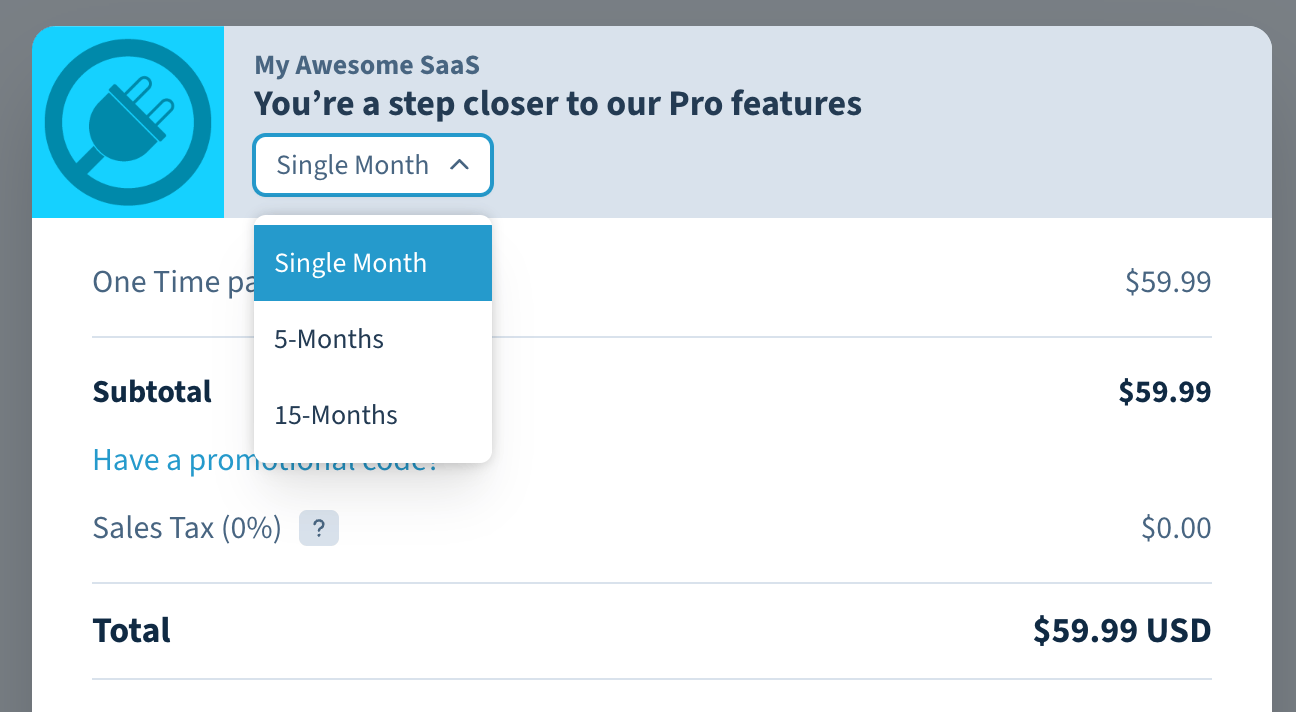
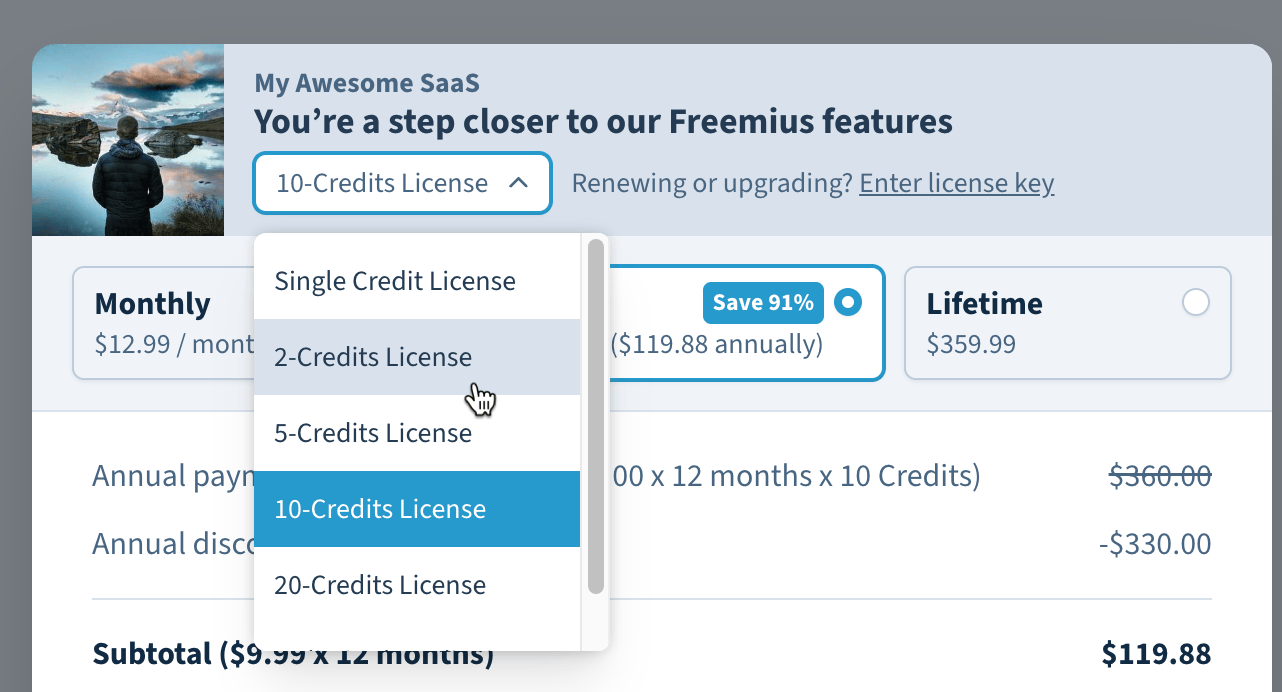
Following up on a request from our makers, we’ve introduced month as a license unit label (for example 5 Months API access).
Notably, we’ve also removed the word License from the dropdown as it makes little to no sense for SaaS checkouts. You’ll also notice that the input field asking for an existing license key to ‘upgrade’ the license is also hidden for SaaS.
If you’d like to customize the license unit of your SaaS, please get in touch with us.
Customizing the post-purchase message
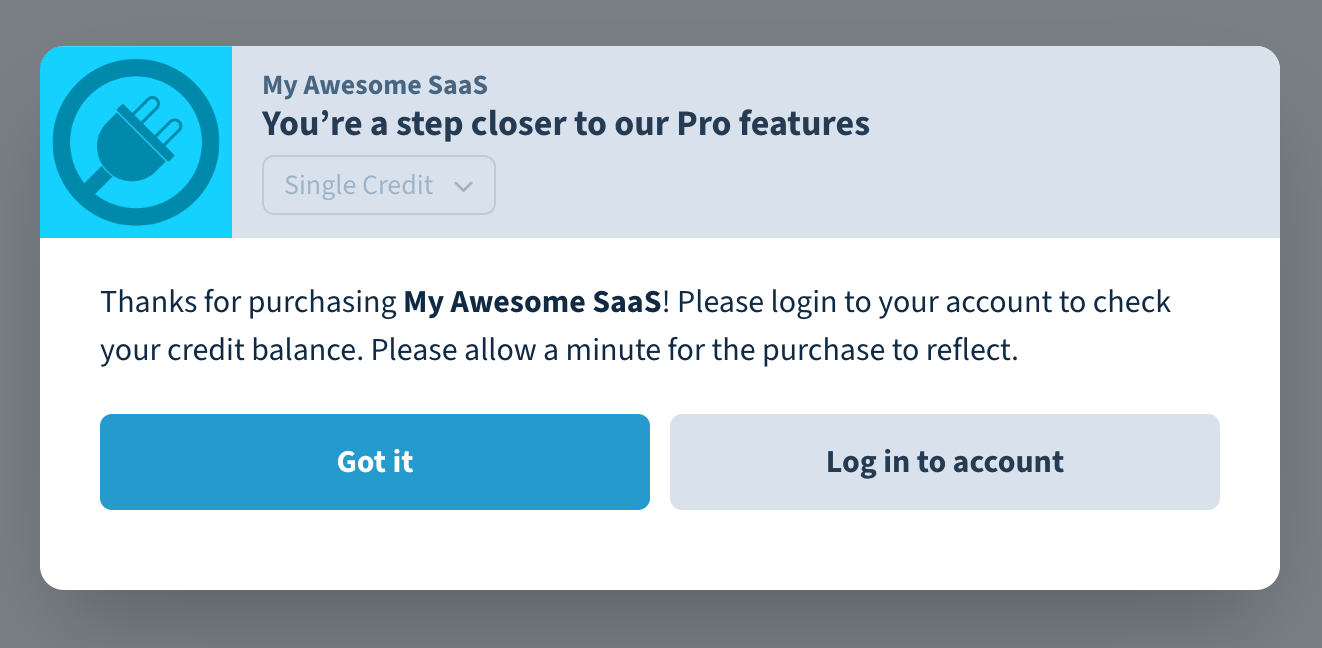
Because SaaS requires different post-purchase instructions, we’ve added the capability in our system to modify the message shown after making a payment.
This feature is still in beta. If you’d like to change your post-purchase message, please get in touch with us.
Improvements to the Invoice
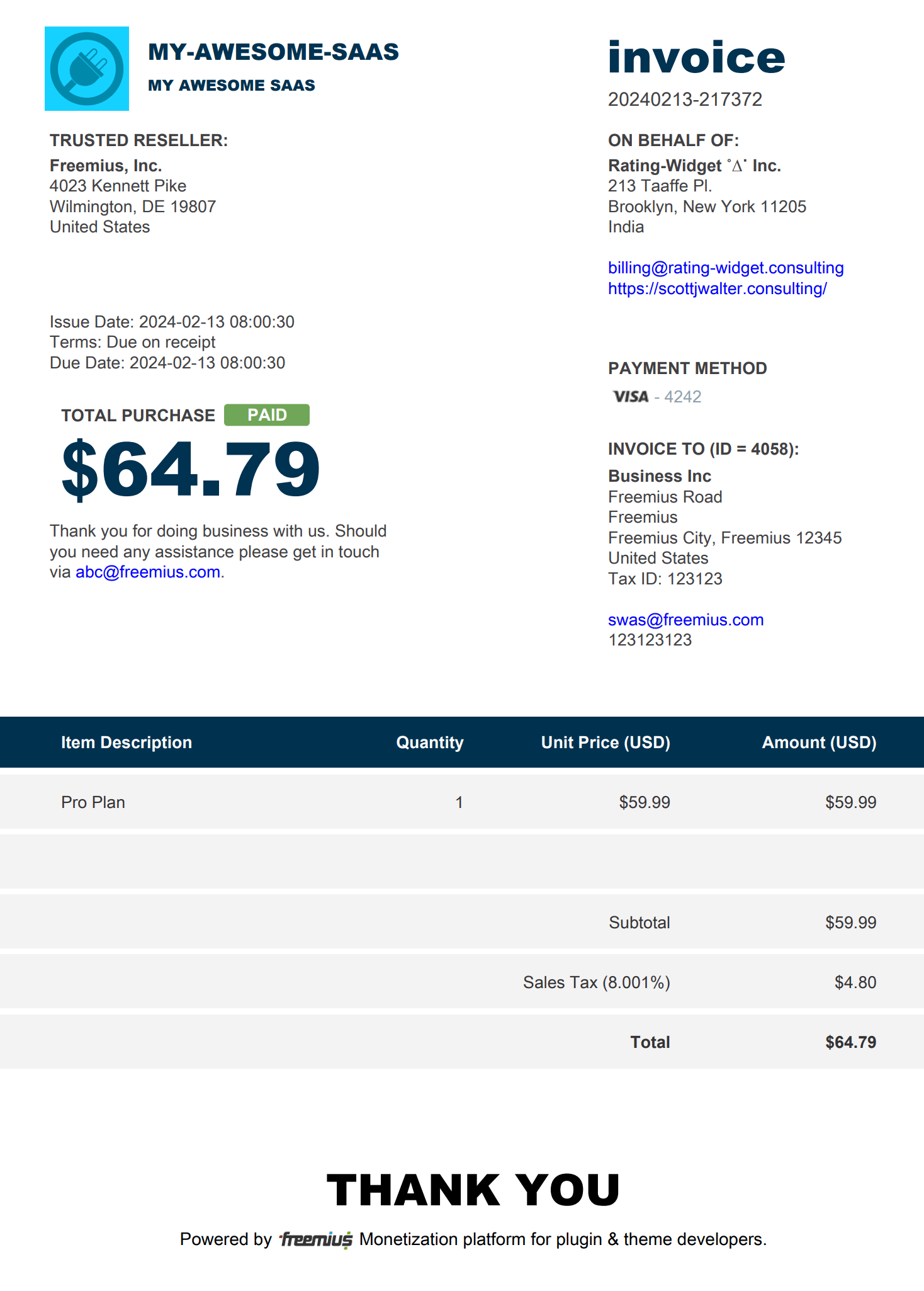
We’ve stopped adding the word Lifetime before the plan name in the ‘Item Description’ for SaaS products and lifetime billing cycles. Usually, one-time payments for a SaaS business means purchasing a specific amount of resources. Therefore, the word Lifetime could be confusing.
We’re pleased to announce the immediate availability of a new metric in your Developer Dashboard.
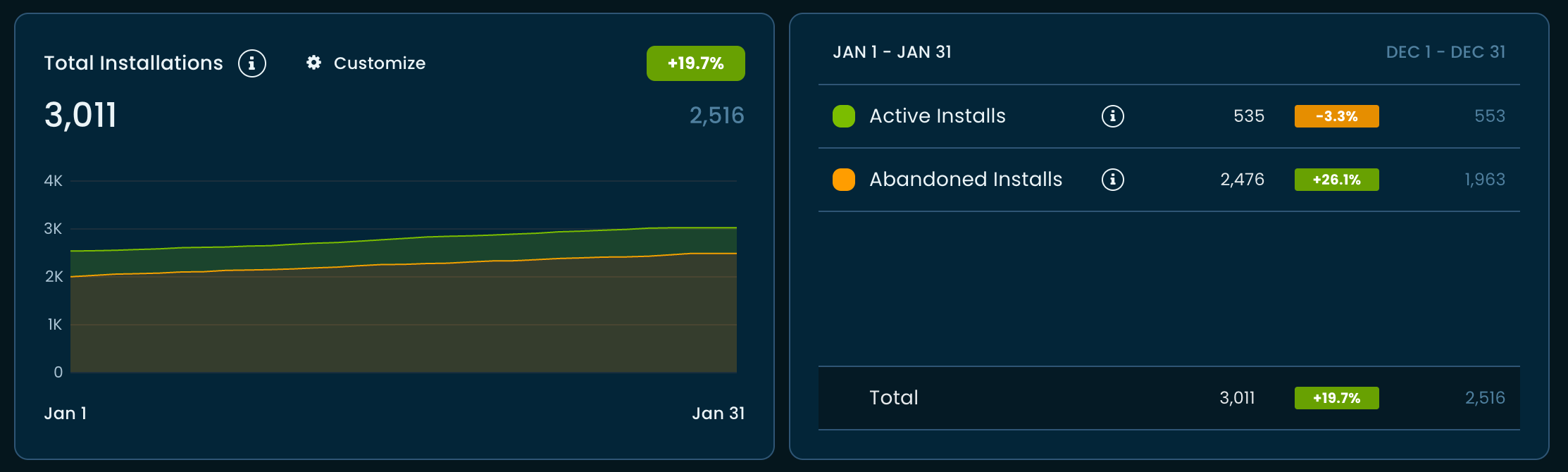
Total Installs (Audience Analytics)
Previously, we relied on the ‘Activations’ and ‘Deactivations’ events to determine or project the number of active installations or sites a plugin might have. We realized this metric was error-prone because of how the SDK can be used.
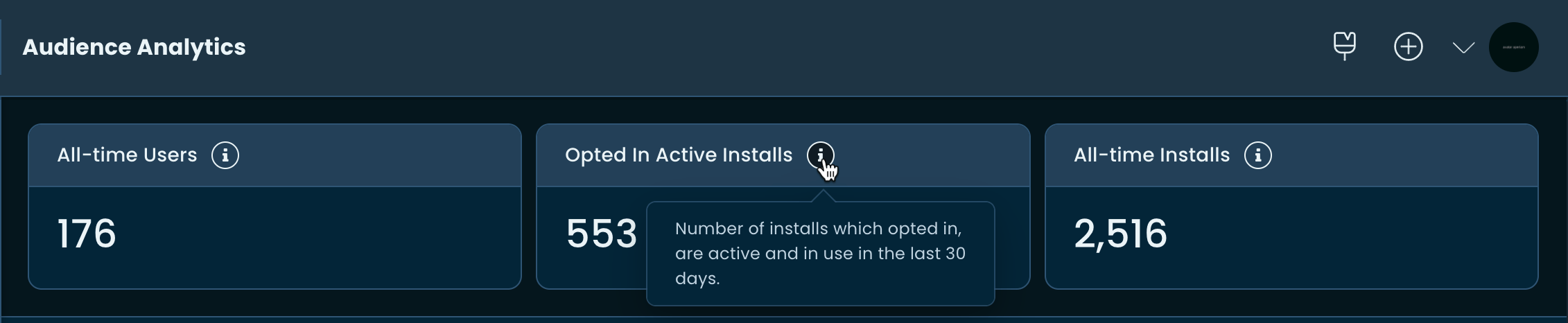
We’ve introduced a much better metric to more accurately determine total Active and Abandoned Installs.
The same metric is now used to accurately determine the ‘Opted In Active Installs’ and ‘All-time Installs’ in the lifetime data section.
It came to our attention that the custom webhook and Mailchimp integration pages from the Developer Dashboard were blocking ‘write’ access to team members with the role of ‘Developer’. In this deployment, we’ve fixed the issue.
Now team members with the ‘Developer’ role can modify webhooks and Mailchimp integration.
We noticed that when the pricing page is loaded through our WordPress SDK, the cookie consent UI is always being shown, regardless of whether the user has already consented or rejected it.
The issue was rooted in how modern browsers are now treating iFrames and third-party cookies. We have fixed this issue. Additionally, to make it future-proof and more secure, we have implemented the partitioned cookie policy.
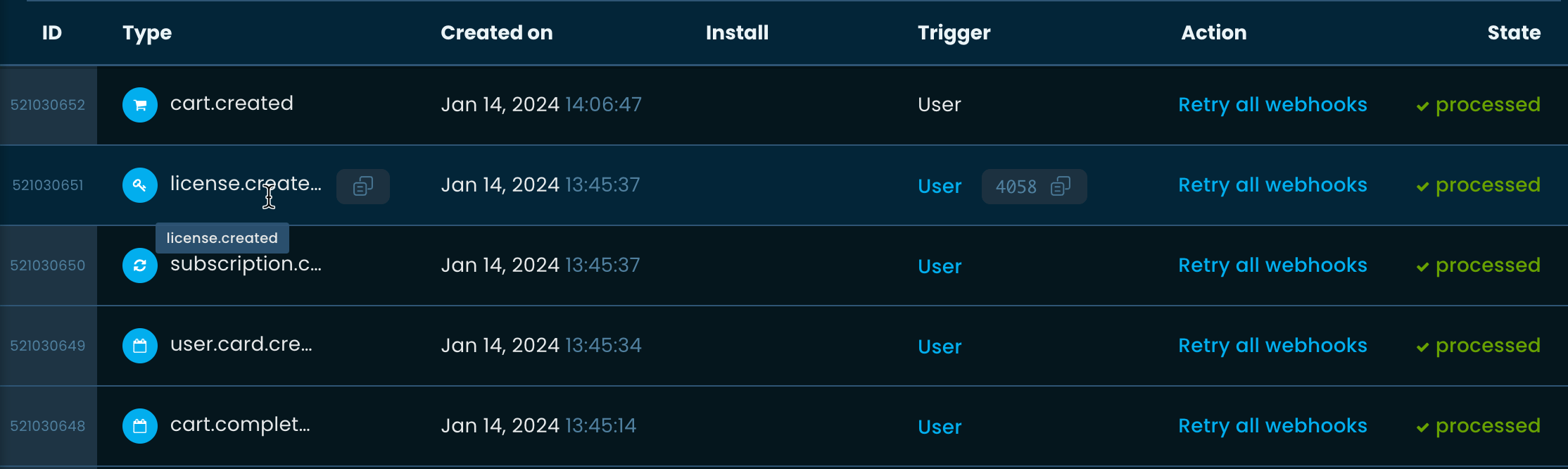
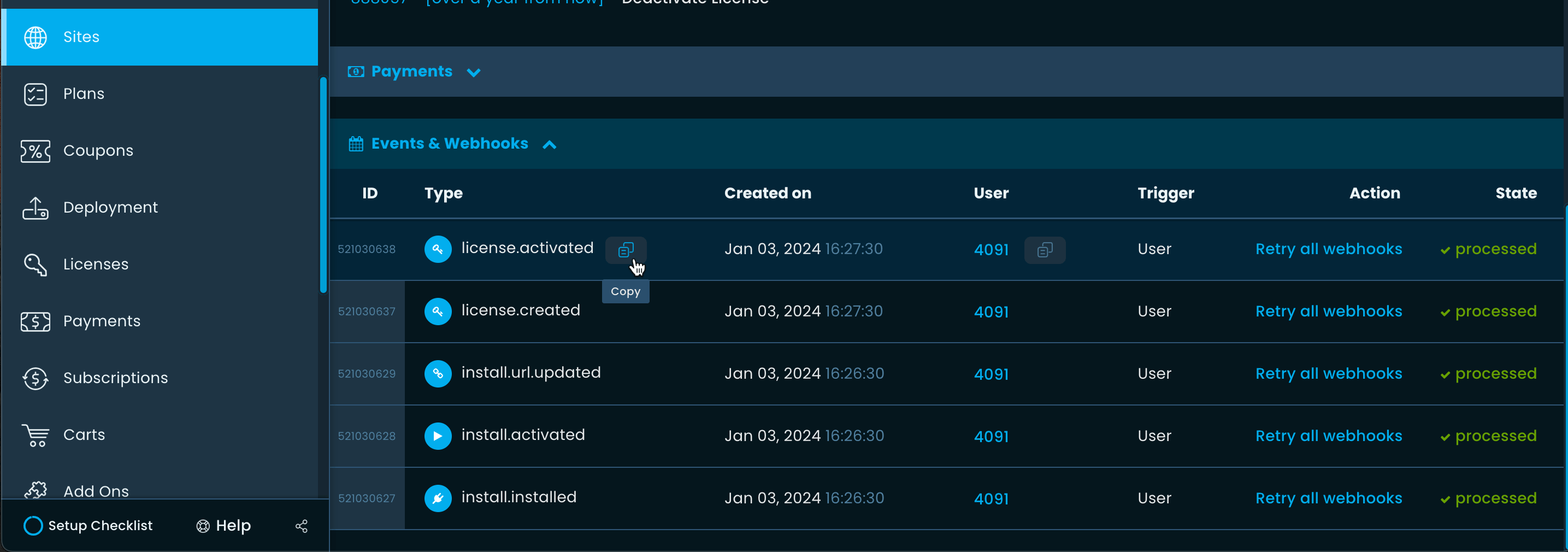
We noticed an edge case where if a bundle was being manually renewed, the license.extended event of the child licenses was not being logged.
In this deployment, we have fixed the issue. So, in case you are listening to this through a webhook, you will now get the said event for child licenses.
We noticed that if a plan was deleted with active subscriptions, the associated license would fail to extend its expiration date when renewals took place.
With today’s deployment, we’ve fixed this issue. However, we still recommend not deleting a plan with active subscriptions.
If you do not want the plan to appear on the pricing page, consider hiding it.
Following feedback from our makers, we’ve made several improvements to the new version of our checkout app.
Fixed sticky footer issue
We noticed that – in some cases – during browser and/or UI resizing, the sticky footer was not properly stuck.
We were able to identify and fix the root cause.
Form font size improvements
We’ve increased the font size from 14px to 16px for better readability and more breathing space.
Form validation and UX improvements
We’ve made several improvements to the form validation, notably:
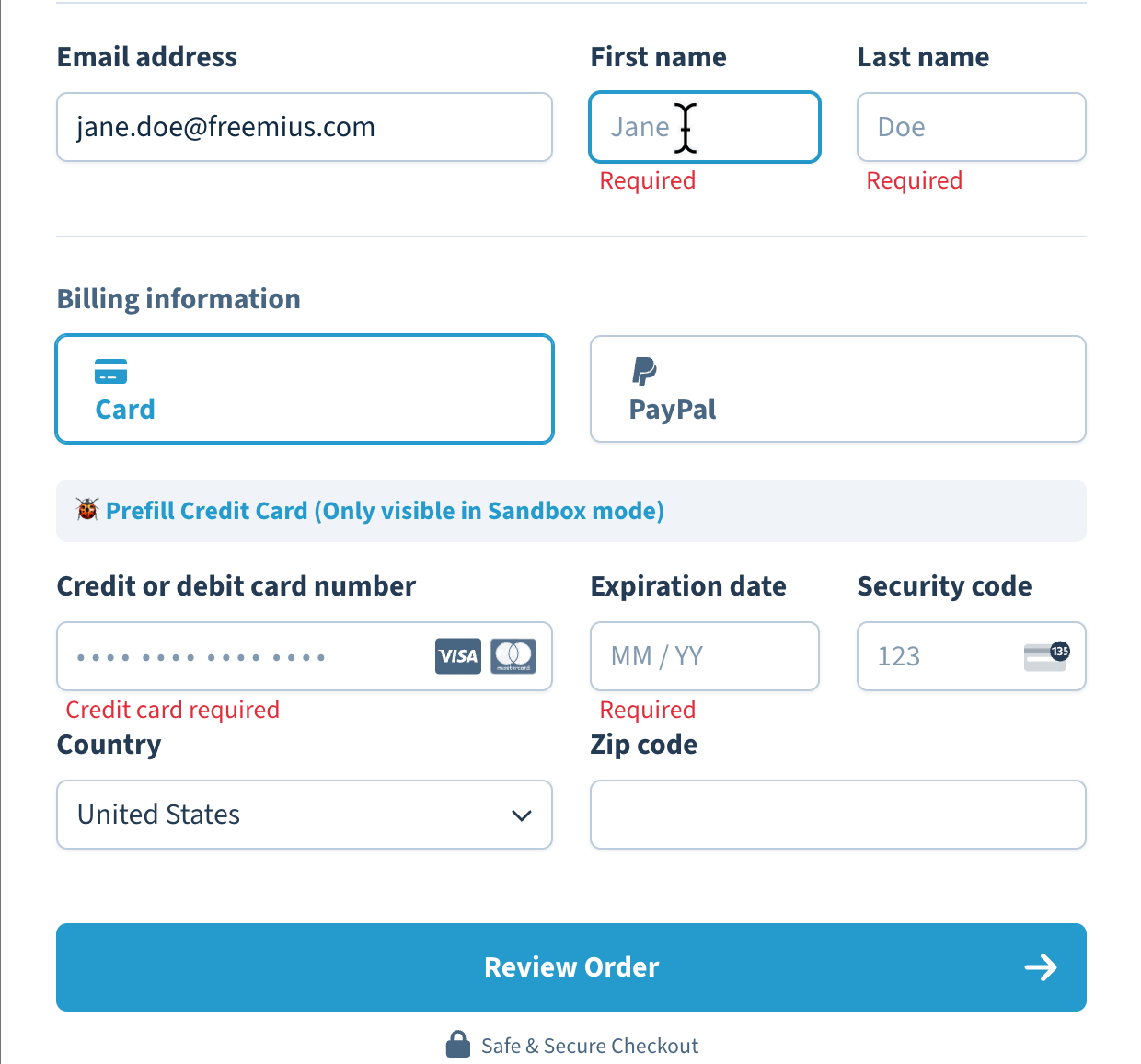
Clicking on the ‘Review Order’ or ‘Subscribe’ buttons would sometimes not focus the first visible invalid form element. For example, if both the email and credit card fields were empty, clicking on the ‘Review order’ might have focused the credit card field instead of the email field. This has been fixed. The first visible invalid form element will now be focused.
We identified an edge case where the zip code field was incorrectly focused even after entering a valid value. We fixed it.
In sandbox mode, using the autofill button would sometimes not clear some form-validation errors. We have fixed them as well.
Improvements to the country picker
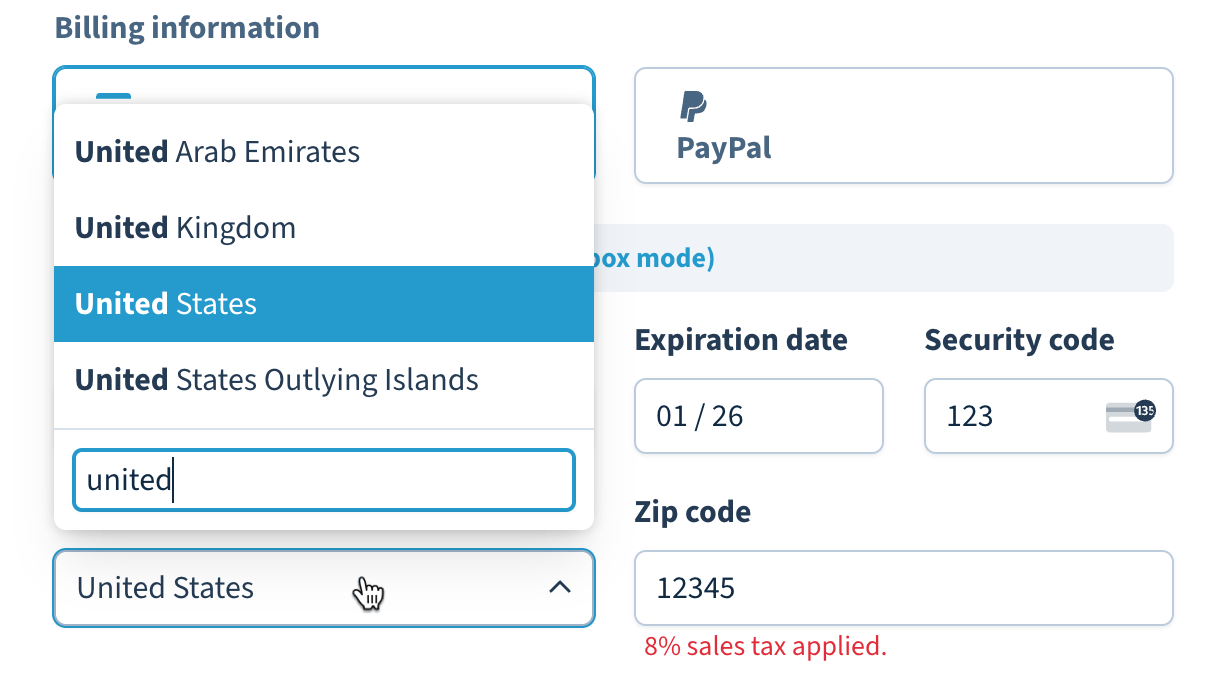
We’ve integrated a custom dropdown with a search capability in the country picker form field. This improves the UX when going through a large list of countries.
Fixing hidden currency bug
We noticed that if the default USD currency was configured as hidden and the checkout was loaded with another currency, then the currency picker in the front end would still show up, and selecting the USD will cause bugs.
We fixed it by not letting the currency picker show up in such cases. Loading the checkout without specifying a currency will still load the hidden USD by default, though. In the future, we will further enhance it to properly load the first visible currency by default instead of always loading the USD.
New licensing unit credit
Following a request from our maker, we’ve implemented credit as a valid licensing unit.
If you’re using Freemius for your SaaS or plugins and need a custom licensing unit, please get in touch with us.
Making the new checkout the default
Due to the holiday season and to give some more time to our makers, we are enabling the new checkout for everyone who isn’t using a custom CSS for the legacy checkout starting 14 January. Please note that you can always use the checkout_style parameter to force-load the style of your choice. You can find more about it here.
Following the timeline of rollout, we plan to make the new checkout default for everyone, starting 1st February. Please read the migration guide and prepare any custom CSS before the date.
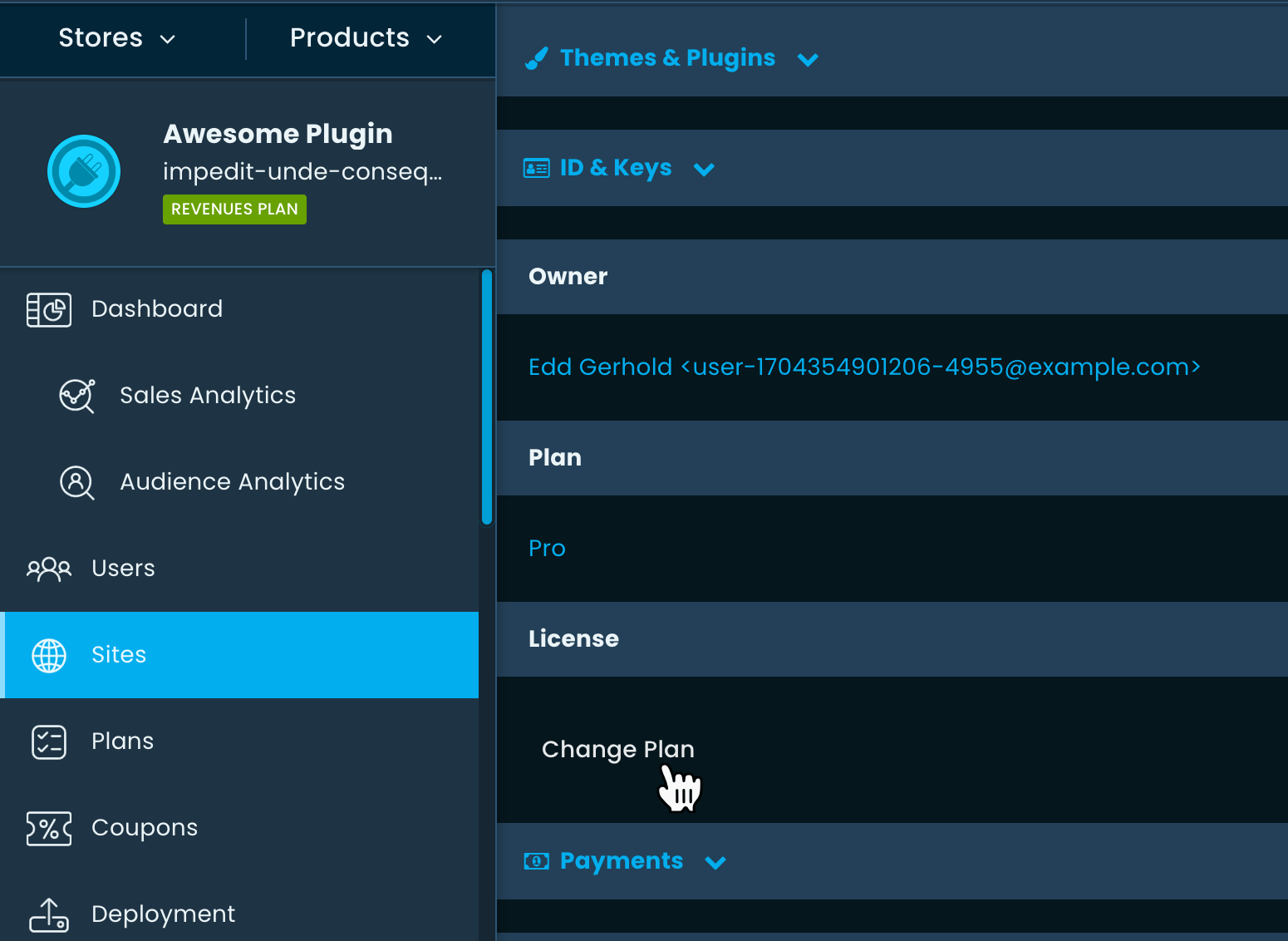
When navigating to a particular site under the Developer Dashboard, you have the option to upgrade the site’s license or change the plan (depending on the site).
We noticed that the feature was broken due to a regression. In this deployment, we have fixed it and it works as expected.
We identified an issue with the checkout’s cart system where entering a coupon would break the cart updation process. We’ve pushed a fix for this.
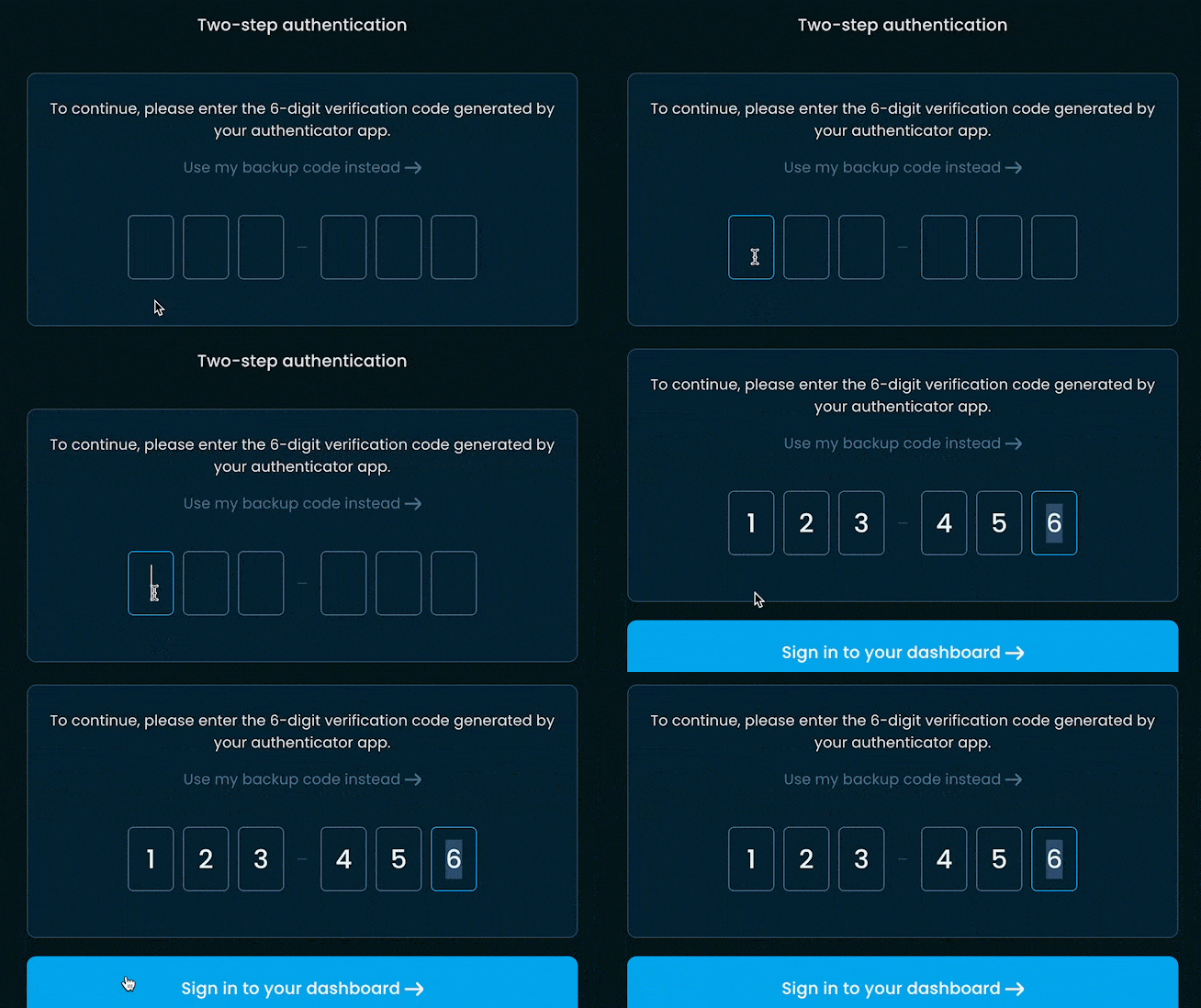
2FA UI/UX improvements
Following maker feedback, we’ve added copy/paste support in the 2FA input.
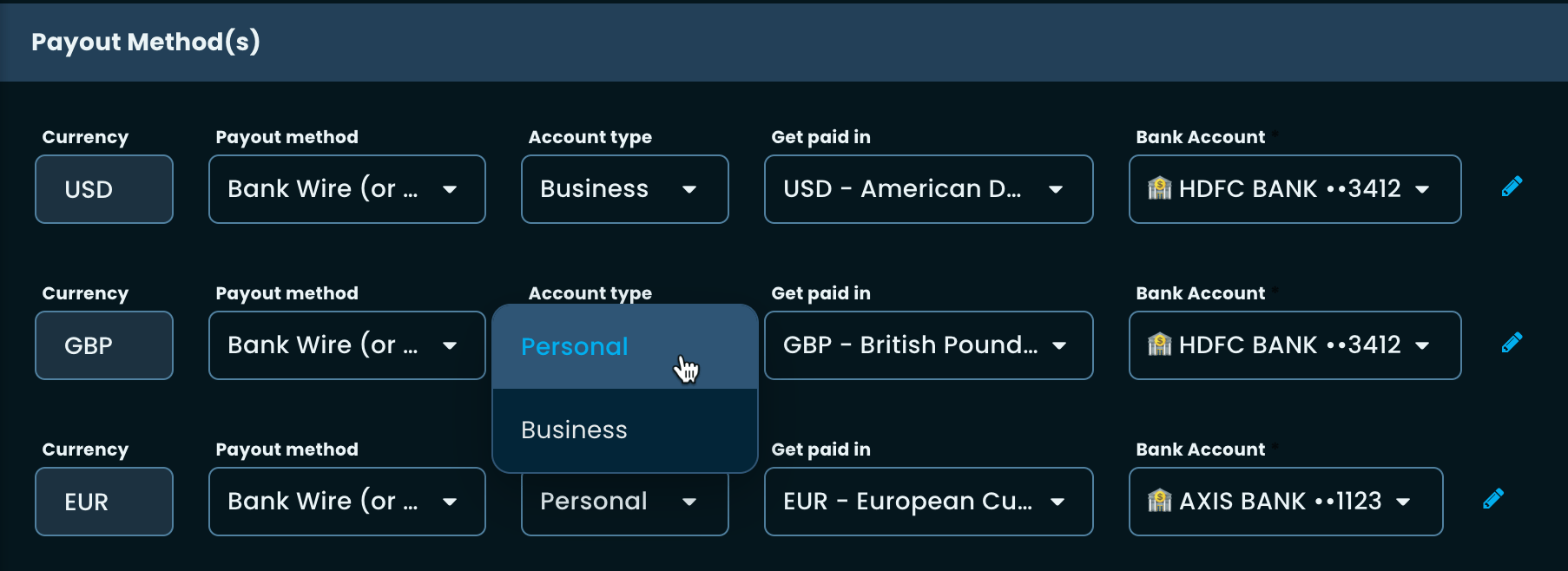
Fixing UI regression on the Payout method’s Account type
We noticed a UI regression where we were mistakenly showing ‘Verified/Unverified’ in the ‘Account type’ dropdown when the payout method was set as ‘Bank Wire’.
We’ve pushed a fix to the UI regression – no updates from your end are necessary.
We are gradually rolling out a new design for the Freemius Checkout. The new design applies to both the dialog mode and the embedded WP Admin (aka dashboard) mode. Below, we provide a breakdown of the gradual rollout plan and our roadmap.
We deployed the new checkout design on 18 December 2023. Initially, it will be in beta mode for a week. After that, we will roll it out for a wider user base.
1st Week – 18 December 2023
The existing style will keep on showing up as default.
But you will have the opportunity to test it (more on this later).
3rd Week – 1 January 2024
Starting from 1 January 2024, the new checkout design will become the default.
However, this will only apply to the legacy checkout if you have custom CSS.
If you have custom CSS for both the legacy and the new checkout, the new checkout will show up by default.
Developers who use custom CSS are given two extra weeks of grace to update their code.
5th Week – 14 January 2024
From 14 January 2024, the new checkout will become the default and the legacy checkout will not be shown.
You will, however, have the option to keep using the legacy checkout for some more time.
Custom CSS migration
Starting from the 1st week of the gradual rollout, you’ll notice that under Plans > Customization, the CSS URL you had has been put under the (Legacy) Custom Checkout CSS file field and the regular Custom Checkout CSS file field is now empty.
The CSS URL under the Legacy field will now only apply to the legacy checkout. To style the new checkout, you have to create another custom CSS file under your server and put it in the first field.
This way, we ensure you don’t accidentally break the new checkout design by including the incorrect CSS file.
The new design comes with several CSS variables that you can use to quickly change the colors and appearance. Please read the Checkout CSS customization documentation for more information.
Previewing or using the new checkout during the beta phase
You simply need to add checkout_style=next to the URL query parameter. So, if your checkout URL is:
For the JS integration code, include checkout_style: 'next' when doing the configuration.
const handler = FS.Checkout.configure({
plugin_id: 'plugin_id',
plan_id: 'plan_id',
public_key: 'pk_public_key',
// Force load the new checkout style.
checkout_style: 'next'
});
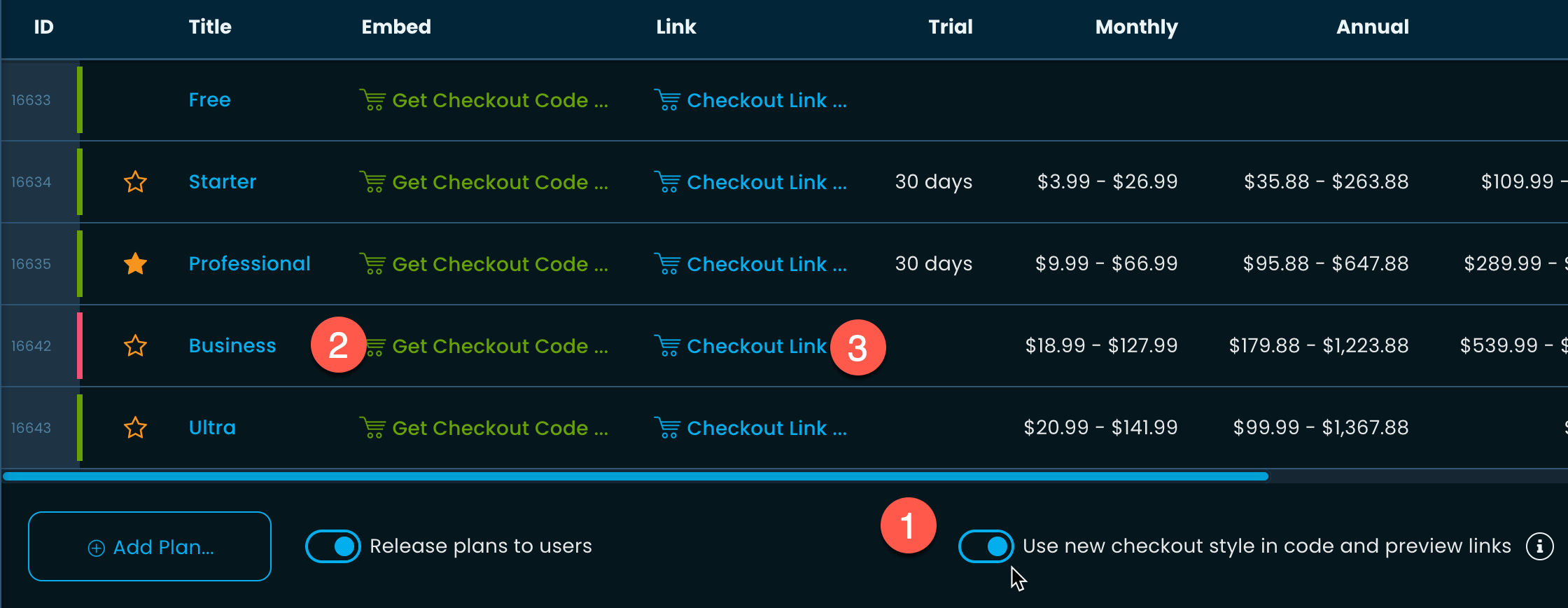
It’s also possible to generate code and links from the Developer Dashboard. Kindly navigate to Plans and enable the toggle Use new checkout style in code and preview links.
Now, clicking the Checkout Link or Get Checkout Code buttons will ready the URL or the code for you.
Forcing the Legacy Checkout after 1st week
If you need more time to migrate the CSS, you can force the checkout to always load in legacy mode.
Make sure checkout_style=legacy is used as a URL query parameter.
While using the JS integration, make sure to pass checkout_style: 'next' as a configuration option.
But please be aware that we do not intend to keep the legacy checkout for long. We therefore urge you to migrate your CSS ASAP.
WP Admin Embedded Checkout
The checkout that we embed inside WordPress Admin Dashboard, will strictly follow the rollout plan. You won’t be able to force-use the new or the legacy checkout.
Feature improvements
Apart from the style and appearance changes, we’ve improved many of the UI/UX components. Here are some of them.
Improved optional inputs
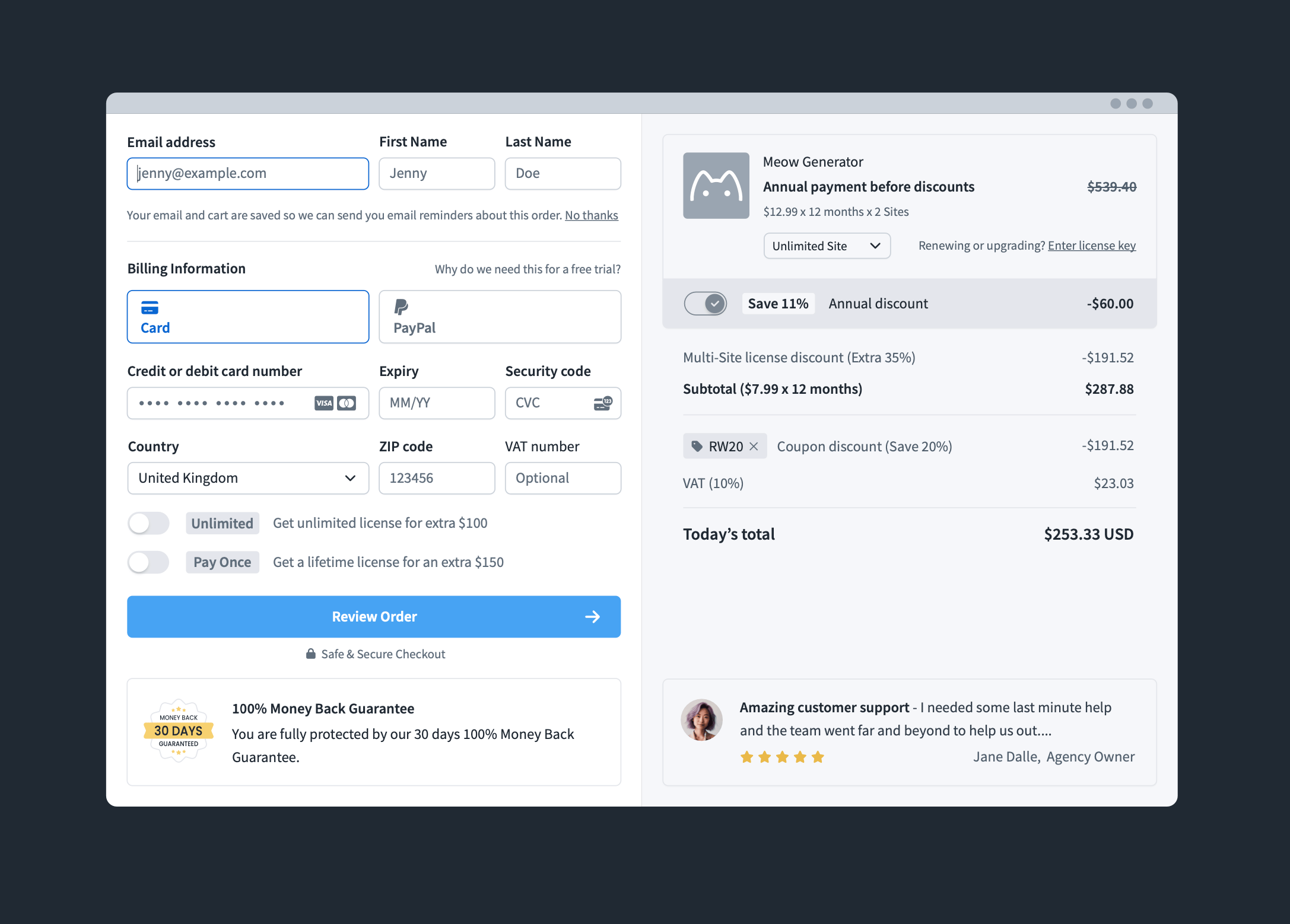
The license key, coupon, and VAT ID fields have been redesigned to have a better UI/UX than before.
Better UI in the review step
When reviewing before the final payment, we now do not show the user form. This helps to reduce the amount of information shown on the page.
Improvements to the meta dropdowns
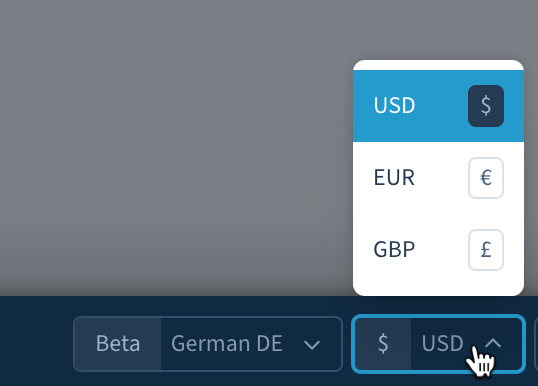
The language and currency selectors have been pushed to the bottom footer to prevent distractions.
The UX of the dropdowns has also been improved.
Dunning app improvement
We’ve also reskinned the dunning app to make it look on par with the checkout.
Please note that the dunning app will not retain its legacy style during any phase of deployment.
Future roadmap
This is only Phase 1 of the checkout redesign process. In Phase 2, which we are going to start working on very soon, we intend to:
Change the checkout to two columns, and
Continue to simplify the UI and the UX
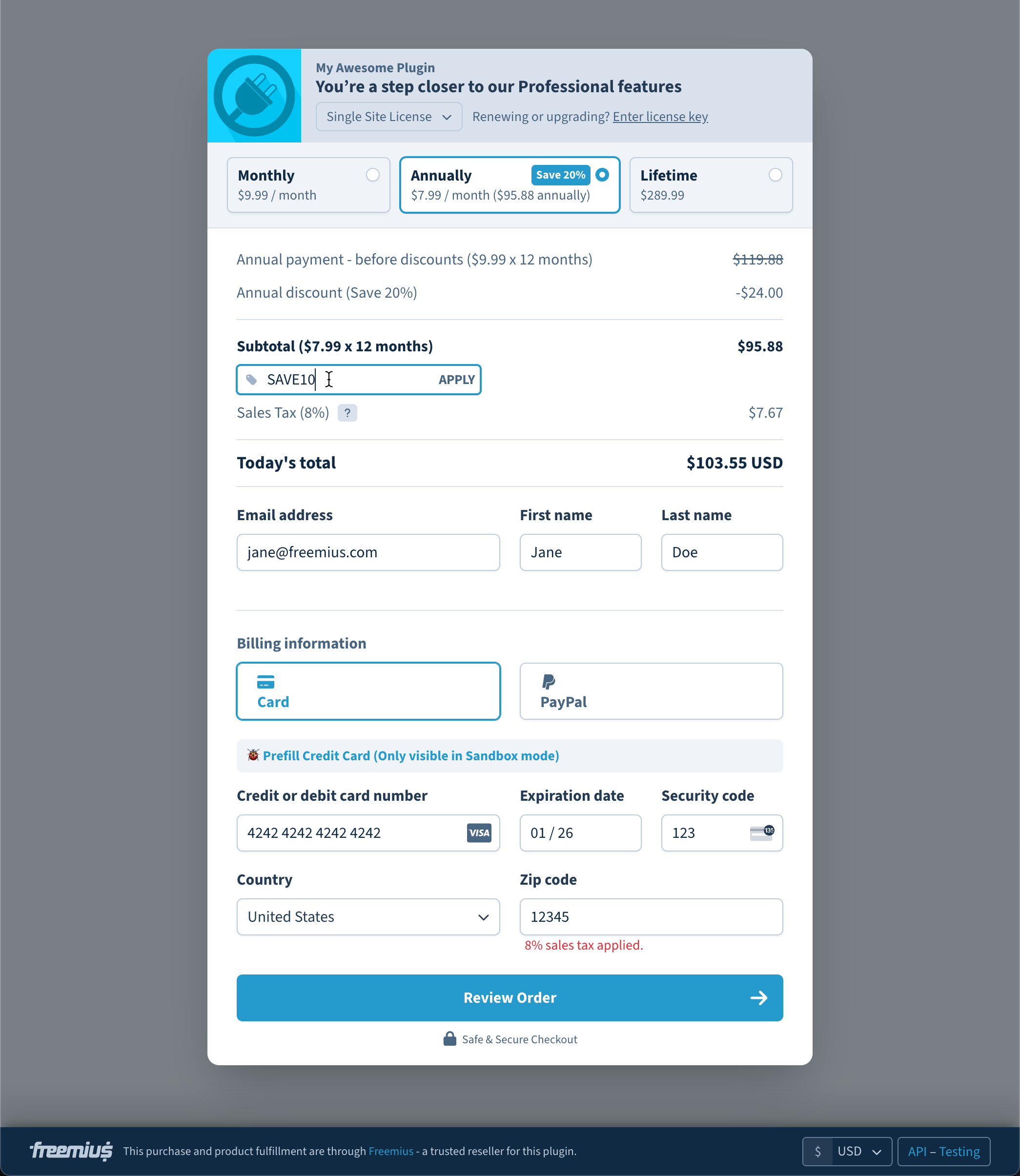
The result would look like this:
Any CSS changes you make during this first phase will be majorly backward compatible. We urge you to only work with CSS variables for now to minimize the chances of it breaking in the future.
Following feedback from our partners, we allocated resources to improve the UI/UX of the tables in the Developer Dashboard. Here are the (significant) changes:
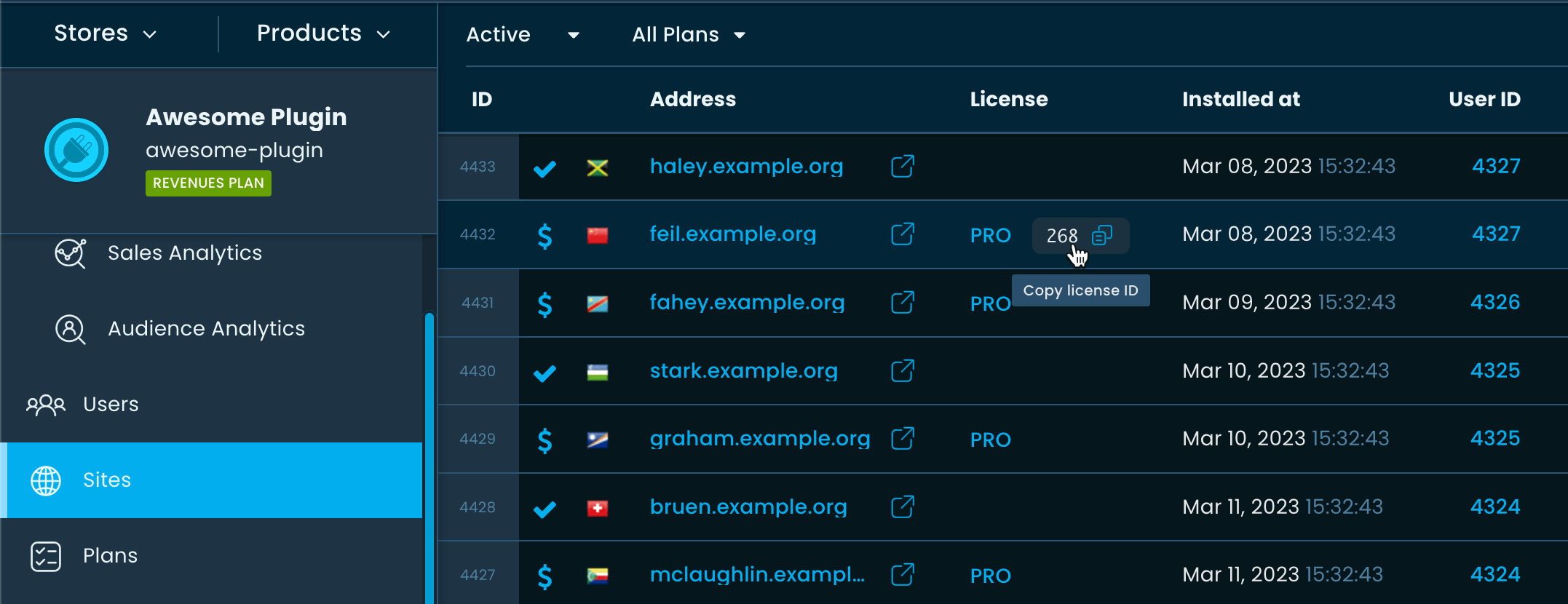
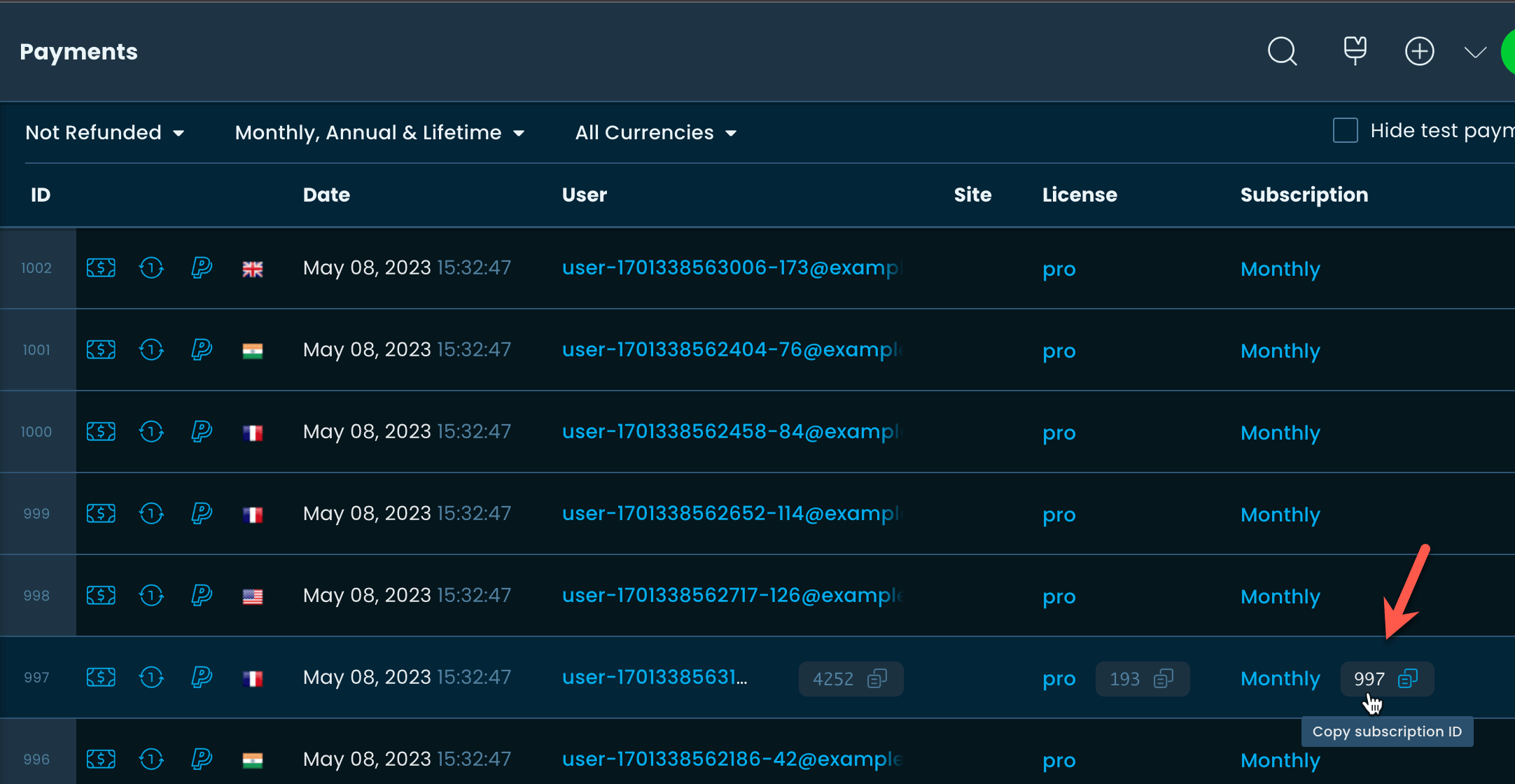
Licenses now appear as names instead of IDs
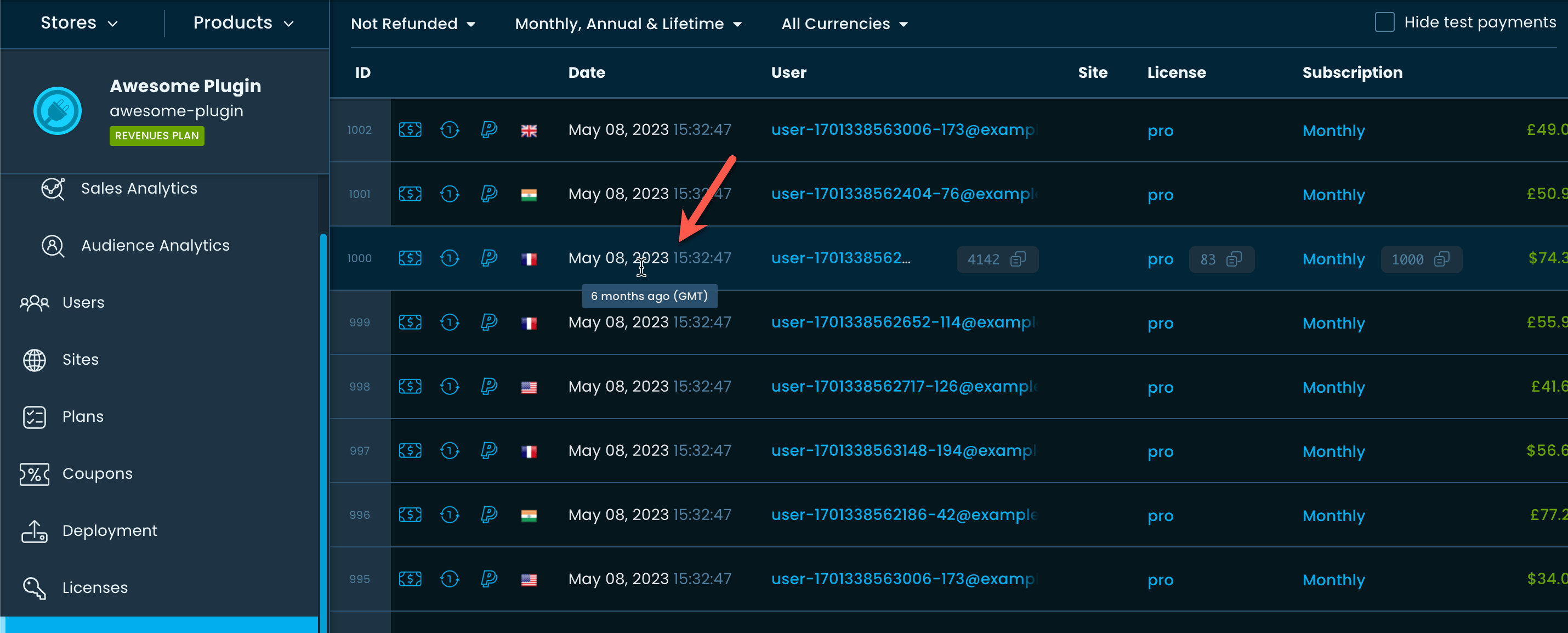
From now on, the licenses column will always correspond to the name of the plan. However, given that it’s also useful to search by IDs, the ID of the licenses will display when you hover over them. You can even click on the ID to copy it.
Subscriptions now appear as billing cycles instead of IDs
Similarly, we’ve changed how the subscriptions column shows up.
Better format of the Date column
We now show a human-friendly absolute date format in the date columns.
Hovering over it gives you the relative date from the current day.
We hope these changes will make the Developer Dashboard easier to navigate. Please let us know if you have any feedback.
We use essential cookies to enable our site to function. With your consent, we also use analytics and advertising cookies to understand how visitors interact with our site and to improve our services.